
TL;DR
ReimagineHome.ai’s Lawn Replacement shows how crushed rock, decomposed granite, pavers, or concrete would look in your narrow side yard using AI landscaping from one photo. It’s the fastest way to compare drainage-friendly surfaces, curved edges, and wheel-friendly paths without buying a single bag of mix. Test it on your own image inside ReimagineHome.ai’s Lawn Replacement tool and choose the material that fits both function and curb appeal.
The Real Cost of Guessing Your Side Yard Surface

See your exact side yard transformed instantly with AI-driven material previews on your device.
AI landscaping from a photo lets you preview gravel, pavers, or concrete in that narrow strip between your house and the walkway before you buy or pour. It’s powerful because curved borders, drainage, and trash-can mobility are easier to judge visually than on a materials list.
- Results: See crushed rock vs decomposed granite vs pavers vs concrete on your actual side yard, including curve transitions and edges.
- Realism: Material scale, joint patterns, borders, and textures read convincingly so you can assess curb appeal and fit.
- Speed: Generate multiple options in minutes — no site visit or sample boards required.
- Cost: Avoid over-paving or the regret of cutting dozens of tricky curves; test materials digitally first.
- Workflow: Upload a clear exterior photo, select Lawn Replacement, choose surfaces, review, and export.
- ROI: Choose permeable or low-maintenance options that protect stucco, keep conduits accessible, and roll bins smoothly.
- Peace of mind: Lock decisions with a side-by-side that homeowners, HOAs, and contractors can align around.
If you already have a tricky side-yard photo, upload it to ReimagineHome.ai and test this on a real image while you read.
Why This Visual Problem Hurts More Than You Think

Hardscape missteps near foundations lead to costly repairs and functional problems.
Hardscape decisions near foundations have outsized consequences: permanent slabs are costly to undo, while poor drainage or splash-back against stucco can lead to damage. In narrow runs, every inch matters — a small slope error or tight edge against utilities can become a recurring headache.
Here’s how it shows up:
- Scroll behavior: When you can’t picture the final surface, you keep searching — a similar effect happens in real life decisions. Visual clarity shortens the debate.
- Buyer/owner perception: Over-paved side yards feel hot and harsh; overly loose gravel reads messy; mismatched pavers along curves look DIY in the worst way.
- Confidence: Curved walkways mean paver cuts; concrete by stucco raises splash and access concerns; pea gravel swallows narrow wheels. Without seeing it, you’re guessing.
AI yard design gives you a fast, low-risk way to trial permeable materials, joint patterns, and edging lines that maintain drainage and access — especially around conduits and ground rods that shouldn’t be locked under a slab.
Anecdote
That skinny strip along the stucco where the path curves — a perfect spot for bins — looked simple until the paver cuts started to add up. The AI preview made it clear: DG with a steel edge beat the concrete debate and kept the ground rods accessible.
What Lawn Replacement Actually Is (In Plain Language)

Lawn Replacement digitally swaps and previews side yard materials simply and clearly.
Lawn Replacement is ReimagineHome.ai’s AI landscape design tool that digitally swaps ground surfaces in exterior photos. From a single image, you can test decomposed granite (DG), 3/4-inch angular crushed rock, modular or stamped pavers, and concrete looks — including borders or a slim gravel drain band near the wall.
Upload a photo of your side yard and the tool outputs realistic renderings that respect the existing walkway curve, scale of joints, and surrounding architecture. That makes it easier to decide what’s best for a trash-can alley, small shed pad, or low-care strip without compromising drainage. Explore options inside ReimagineHome.ai’s Lawn Replacement tool to compare multiple surfaces on the same scene.
Want more inspiration first? This guide to AI landscaping from one photo for side-yard designs and our take on no-lawn landscaping that balances hardscape with habitat show what’s possible in tight spaces.
How AI Lawn Replacement Works Step by Step
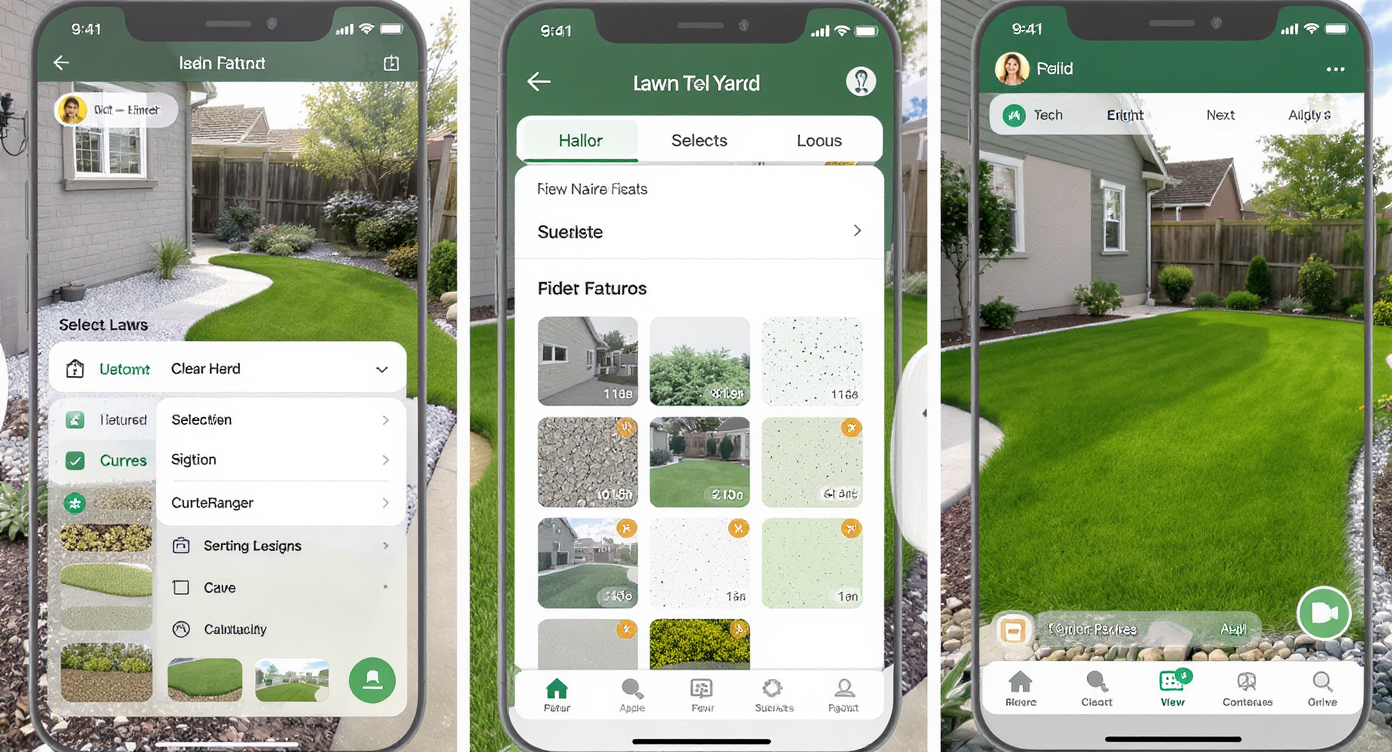
Fast, clear AI workflows help homeowners preview and choose the perfect side yard surface.
Good inputs produce better results: clear photos, visible edges, and true colors help the AI read the scene accurately.
Step 1 — Choose the right photo
Shoot at eye level or slightly elevated so the walkway curve and wall are both visible. Aim for at least 2000–3000 pixels on the long edge and even lighting to reduce harsh shadows.
Step 2 — Upload to ReimagineHome.ai
Open your project and select the Lawn Replacement solution. Identify the strip you want to change so the model prioritizes that area.
Step 3 — Select materials
Test DG, angular crushed rock, modular pavers, or concrete looks. If you’re considering a mixed detail (e.g., a 6–12 inch permeable band along the wall with a harder surface beside it), generate that as a variation.
Step 4 — Mind edges and curves
Preview a metal edging line or a crisp soldier-course border to keep curves tidy. For pavers, choose patterns that bend gracefully (smaller modular units often curve better).
Step 5 — Review realism and function
Ask three questions: Does it drain away from the house? Will narrow wheels roll smoothly? Can I access conduits/ground rods later? The visual can’t change your slope, but it will highlight where a drain band or joint line belongs.
Step 6 — Export and share
Download your favorite versions to align with a contractor, HOA, or co-owner. If your base photo is dim, use ReimagineHome.ai’s image enhancement first so textures and edges read clearly.
Tips and Tricks for More Realistic Results
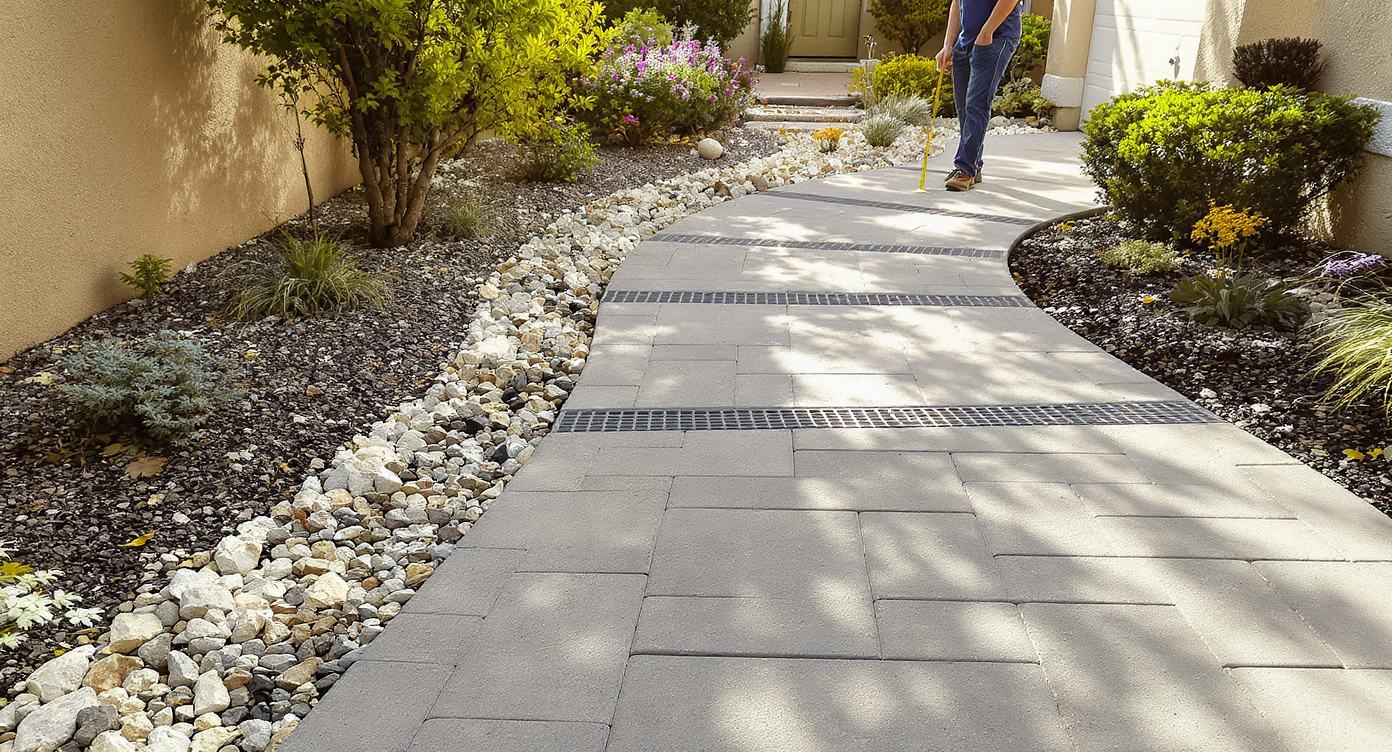
Realistic materials and careful detailing create beautiful, functional side yard surfaces.
The fastest wins come from realistic material choices and believable edges that fit your climate and use.
- Choose angular, not round rock: For wheeled bins, preview 3/4-inch angular crushed rock or DG — avoid pea gravel that swallows narrow wheels.
- Add a permeable buffer: If you’re eyeing concrete or pavers, consider a slim gravel band along the wall to reduce splash-back on stucco and maintain access to utilities.
- Scale the units to the curve: Smaller pavers bend along arcs with fewer cuts; the AI preview will make jagged edges obvious before you buy a single stone.
- Show the slope, don’t fight it: If your walkway already slopes away from the house, keep surfaces visually consistent with that pitch; avoid designs that appear to trap water.
- Define edges cleanly: Preview a steel edging or soldier course. Clean edges make even budget materials look intentional and are easier to maintain.
- Mind maintenance: DG compacts smoothly; darker crushed rock hides debris better than white gravel; concrete reads clean but needs expansion joints and care near stucco.
- Light it like reality: Take photos under soft daylight; the more even the base image, the more convincing your AI yard design will be.
Visualization Scenario
Upload a phone photo of the side yard at midday, trace the dirt strip, and cycle through DG, dark crushed rock, and small-format pavers with a narrow gravel band along the wall. Compare which option follows the curve cleanly and still looks tidy under a small lean-to shed.
FAQ
Is AI landscaping realistic enough to choose between gravel, pavers, and concrete?
Yes. ReimagineHome.ai renders texture, joint patterns, and edges convincingly so you can judge curb appeal and fit. Use it to compare materials and borders before committing to labor or pour decisions.
Will trash-can wheels roll on compacted rock?
Typically, DG or 3/4-inch angular crushed rock compacts into a firm surface that supports narrow wheels better than pea gravel. The AI preview won’t test firmness, but it will help you size the zone and choose a tidy edge that contains the aggregate.
Is it okay to pour concrete right next to stucco?
It depends on climate and detailing. Many pros recommend a permeable buffer and proper slope away from the wall, plus expansion joints. Use the preview to plan a drain band or joint line, then confirm details with local code and a contractor.
How do I handle drainage in a narrow side yard?
Slope away from the house (often 1–2% is sufficient), keep access to utilities, and consider permeable surfaces where splash-back could occur. The AI view helps you place borders and bands that support this.
What photo resolution works best for AI yard design?
For crisp textures and edges, aim for 3000+ pixels on the long edge. Even mid-resolution photos can work if the walkway curve and wall are clearly visible.
Visualize Your Next Listing (or Project) Before You Commit
Previewing hardscape — before you cut, pour, or order a single yard of stone — is a small step that prevents big regrets. In a narrow side yard, AI landscaping helps you find the balance: permeable where it matters, smooth where you roll bins, tidy where curves meet architecture.
Upload your photo and try ReimagineHome.ai’s Lawn Replacement to compare crushed rock, DG, pavers, and concrete looks in minutes. If it clarifies the decision, it’s already paid for itself in saved time, cleaner cuts, and a surface you’ll appreciate every week on trash day.