6 Ways to See If 2026 Interior Design Trends Work in Your Home
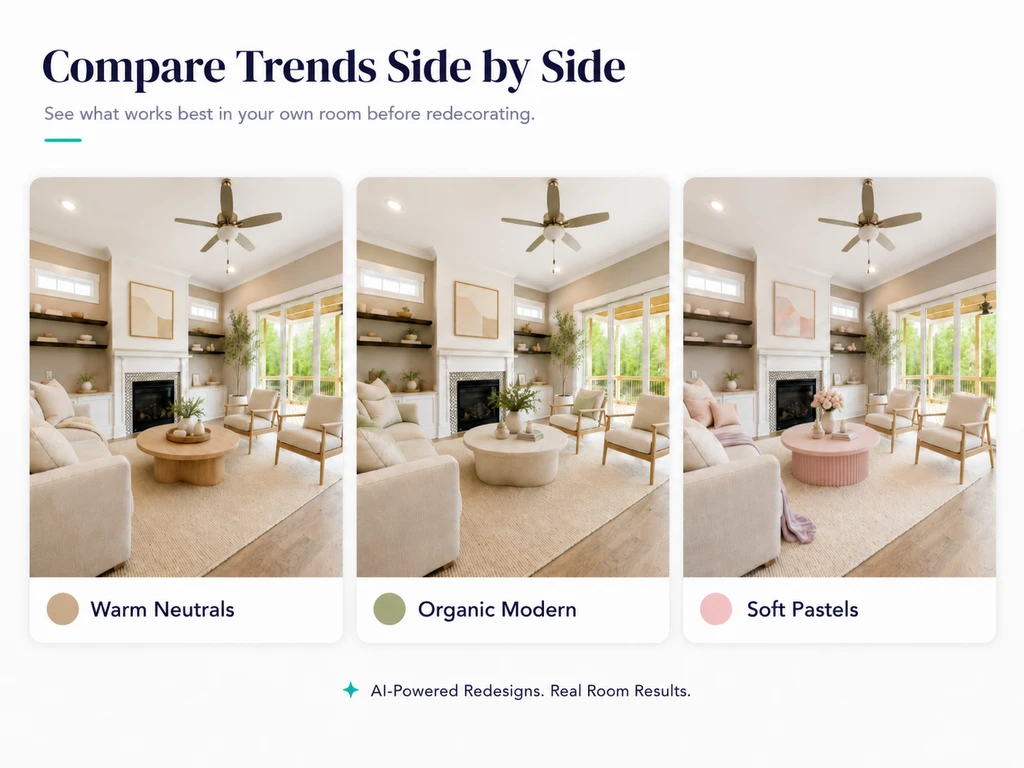
TL;DR
Stop guessing whether 2026’s hot design trends will work in your room. Here’s a simple, seven-step decision guide to help you preview, customize, and confidently choose the best looks for your home using ReimagineHome . Save time, money, and effort and avoid regret by making trend decisions you can see first.
Why You Should Test Trends—Not Just Follow Them
2026 interior design trends promise inviting warmth, playful accents, natural materials, and a return to nostalgia. But trending does not always mean 'right for you.' Many of us have regretted impulse design decisions—buying a bold rug that clashed or painting a space only to wish we’d played it safer (or bolder). So, how do you move beyond inspiration to actual confidence? With AI-powered tools like ReimagineHome AI, you can test-drive the latest looks directly in your own room before you make a single real-world change. Here’s how to do it step by step—so your next update truly fits your style, your space, and your life.
-
1. Start By Uploading a Photo of Your Real Room
A trend looks far different in your home than it does in a design magazine. Your room has unique light, ceiling height, flooring, and existing furniture. Begin the process by uploading a clear photo of your actual room into ReimagineHome AI. This creates a true-to-life foundation, giving you an honest preview stronger than any mood board.
Getting started this way helps you sidestep common mistakes like over-focusing on generic trend photos (as discussed in our 2026 trends guide), grounding your choices in your unique context. -
2. Test One Trend at a Time for Clarity
Trying to mash every trend into one design is overwhelming and rarely works. Instead, pick a single trend as your test drive. For example:
- Try a warm neutral palette in your living room
- Experiment with natural wood accents
- Infuse soft pastels for vintage flair
- Add a playful, boldly patterned chair
- Lean into organic modern vibes
-
3. Use Reference Photos to Guide AI — Not Just Trend Words
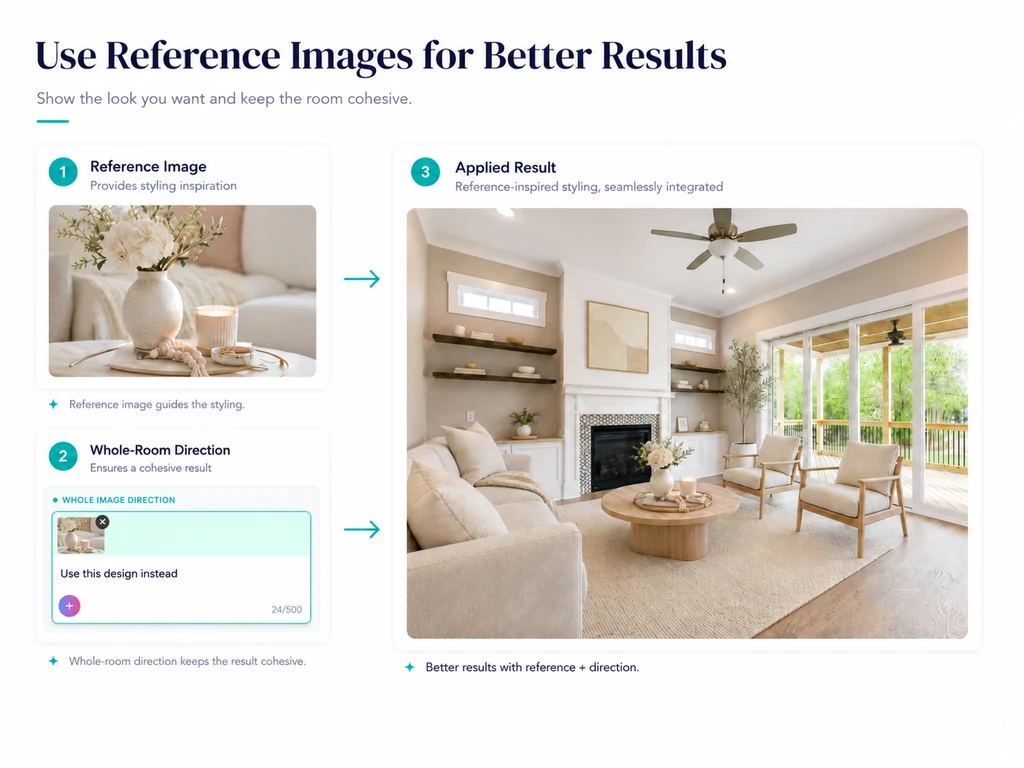
Reference images help guide the look, while whole-room direction keeps the final design consistent.
Words like "organic modern" or "warm minimal" mean different things to different people—and to AI. Instead, upload a reference image (from Pinterest, a design blog, or your own photos) that truly captures the mood, palette, or detail you want.
ReimagineHome AI’s reference photo feature takes your inspiration and makes the result much more accurate and tailored. According to our article on how to use reference photos for design, it’s one of the most effective ways to bridge the gap between inspiration and reality. You can learn about six real-world benefits in this deep dive on reference photos in AI design. -
4. Experiment With Annotation for Area-Specific Updates
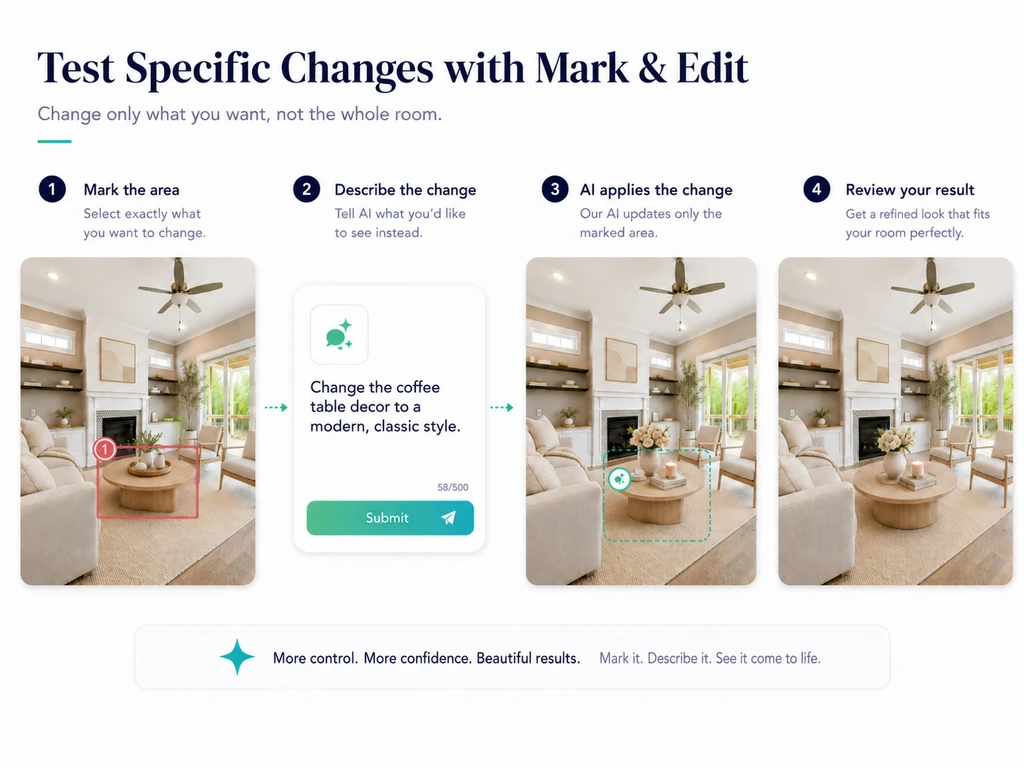
Use Mark & Edit to test one design change without updating the whole room.
Sometimes you’re not ready (or don’t need) to change an entire room. With Annotation, you can precisely select an area—like a rug, coffee table, wall art, or that awkward empty corner—and test your trend only there. This is a strategic, low-commitment way to see what a single change does for your space.
This targeted approach is especially valuable for real estate pros staging for photos, or for homeowners wanting to check if a single update (like swapped curtains or new plants) lifts the entire vibe. -
5. Add a Whole-Room Direction for Better Flow
If you only edit one piece in your room, the result might feel tacked-on. To avoid this, add a quick note directing the AI to maintain overall harmony. For example: “Update the coffee table to modern classic, but keep the space neutral, elegant, and warm.”
As we explored in our trend forecast, the best-designed rooms merge trend-driven accents with your underlying style. -
6. Compare Multiple Versions—Not Just One
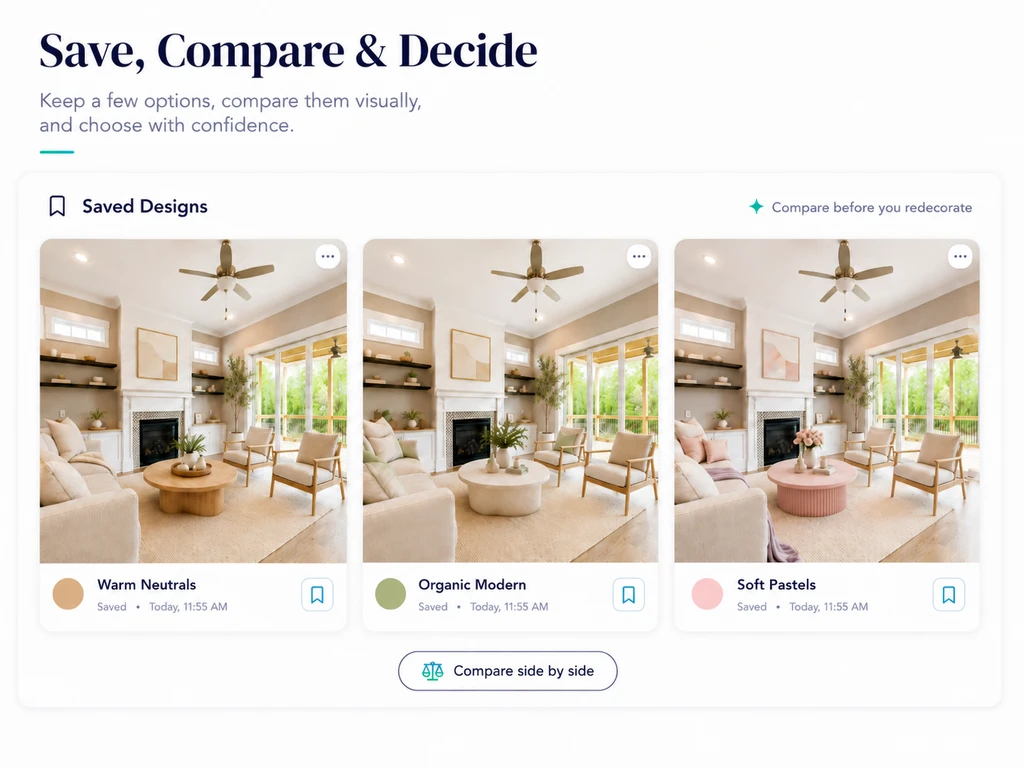
Save multiple design versions, compare them visually, and choose the style that fits best.
The strength of using AI isn't just in seeing a single result—it's the ability to compare options side-by-side. Create multiple versions of your room: one in warm neutrals, one with pastel accents, one bold and playful, one modern classic, etc.
Then step back and honestly ask: which version truly feels 'right?' This approach helps move you past fleeting trends and toward more lasting comfort and satisfaction. For a deeper look at trends to try.
FAQs—Testing Interior Design Trends with AI
- How do I upload my room for AI design testing?
- Sign in to ReimagineHome AI, upload a sharp photo of your space, and follow the on-screen instructions to get started.
- Can I test several trends at once?
- For the best, clearest results, try one trend per test. Compare different versions side-by-side to decide, as discussed in our trend forecast guide.
- What if I can't describe the trend I want?
- Use a reference image! As we covered in our photo reference guide, uploading an inspiration photo helps the AI match the look.
- Are AI previews realistic?
- AI can provide highly realistic, room-specific previews—much more precise than mood boards or mockups. Still, always view results in your real lighting and space before committing.
- What are some easy, low-risk trends to try virtually first?
- Paint, wall art, new rugs, and accessories are smart first steps—see our section above on low-risk, high-impact projects.
Design Trends That Fit—Not Just Followed
2026 is all about more personal, tactile, and expressive homes—but the smartest way to decorate is to preview before you commit. AI tools like ReimagineHome let you test trends with your real space, compare options, and decide with confidence. The result? A room that feels both current and truly yours, without unnecessary expense or effort.