How to Use Reference Photos for Room Design in REimagineHome AI for Better Results
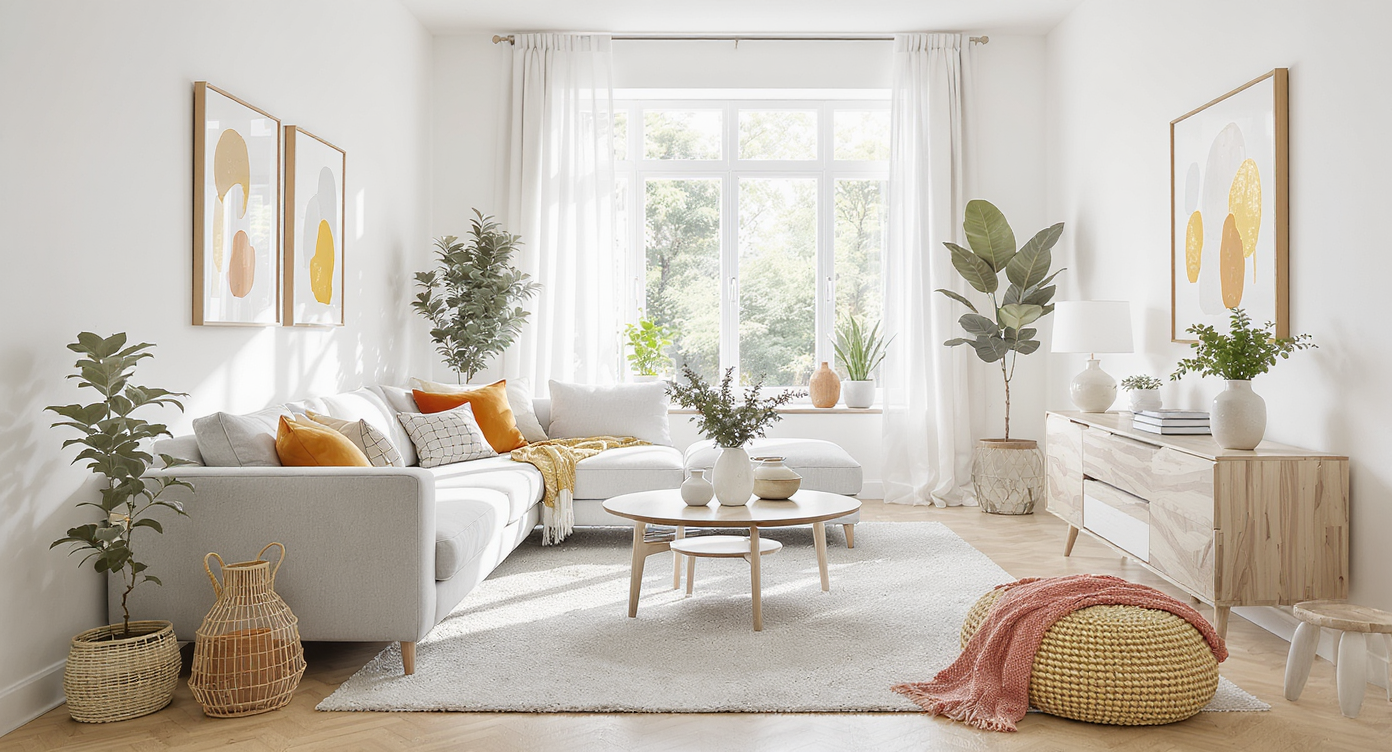
TL;DR
Upload a reference photo to guide your redesign, and tell REimagineHome AI which elements you want to borrow from the reference photo, like colors, furniture, mood, or specific details. It matches the style, colors, and vibe while keeping your room’s structure intact. For the real estate perspective, see AI edited listing photos vs virtual staging.
Why Reference Photos Matter for Interior and Exterior Design
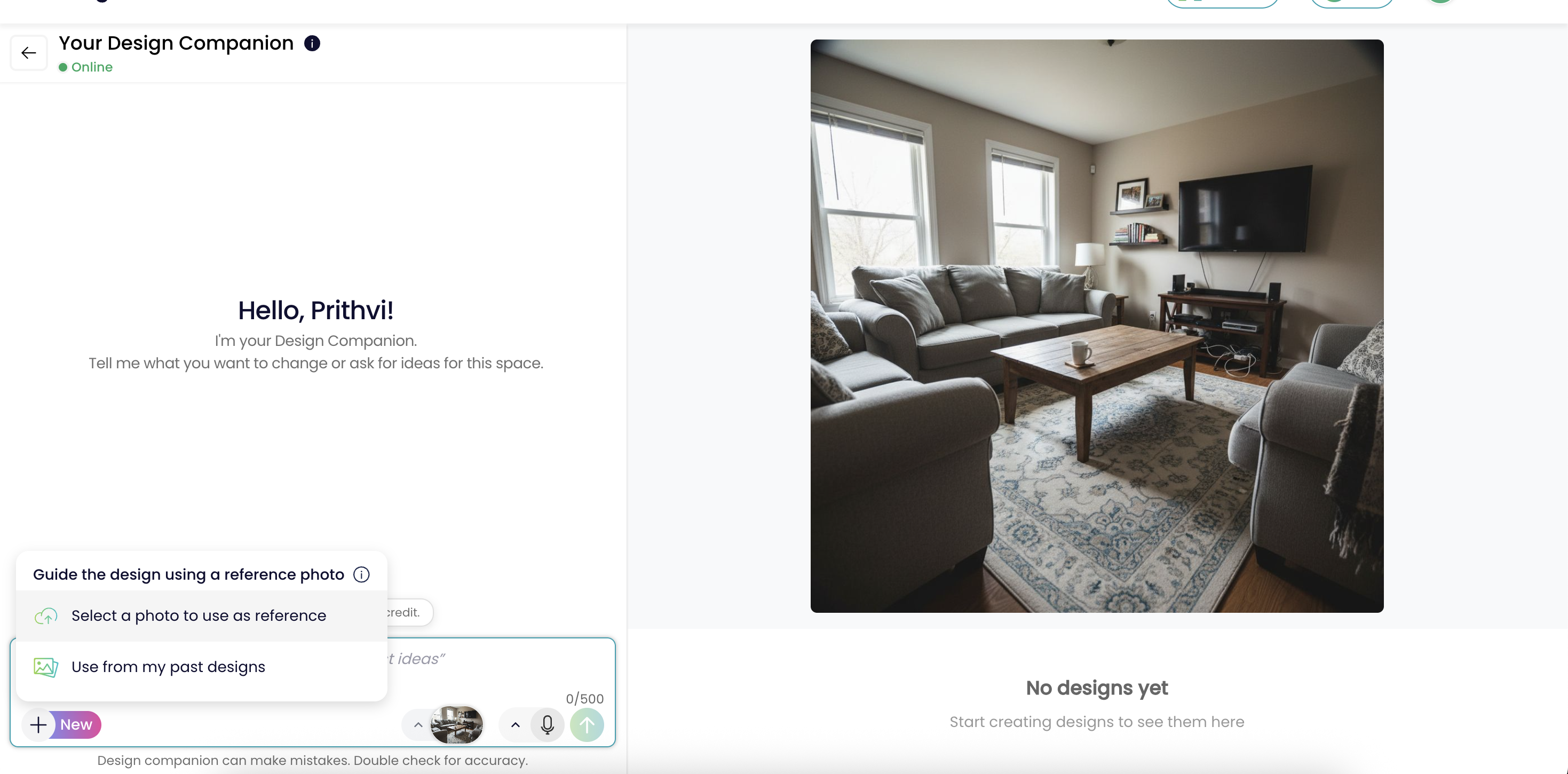
Explore how inspiration photos can clarify your design vision before starting a project.
In virtual interior and exterior design, words can fall short. What one person calls “cozy minimalism,” another might see as cluttered or too stark. REimagineHome AI solves this with its reference photo feature, letting you guide the redesign using a reference photo instead of long instructions.
Choose one that captures your preferred style, colors, materials, furnishings, or mood, and clearly decide which specific elements to borrow from it, such as color palettes, furniture or decor pieces, textures, landscaping details, or overall vibe. The AI then reimagines your space in that direction while keeping your room or exterior’s structure, proportions, and fixed elements intact.
For homeowners, real estate agents, and interior designers, this makes intent clearer, reduces miscommunication, and helps you reach a personal, realistic result faster.
-
From Inspiration to Execution: Why Reference Photos Matter
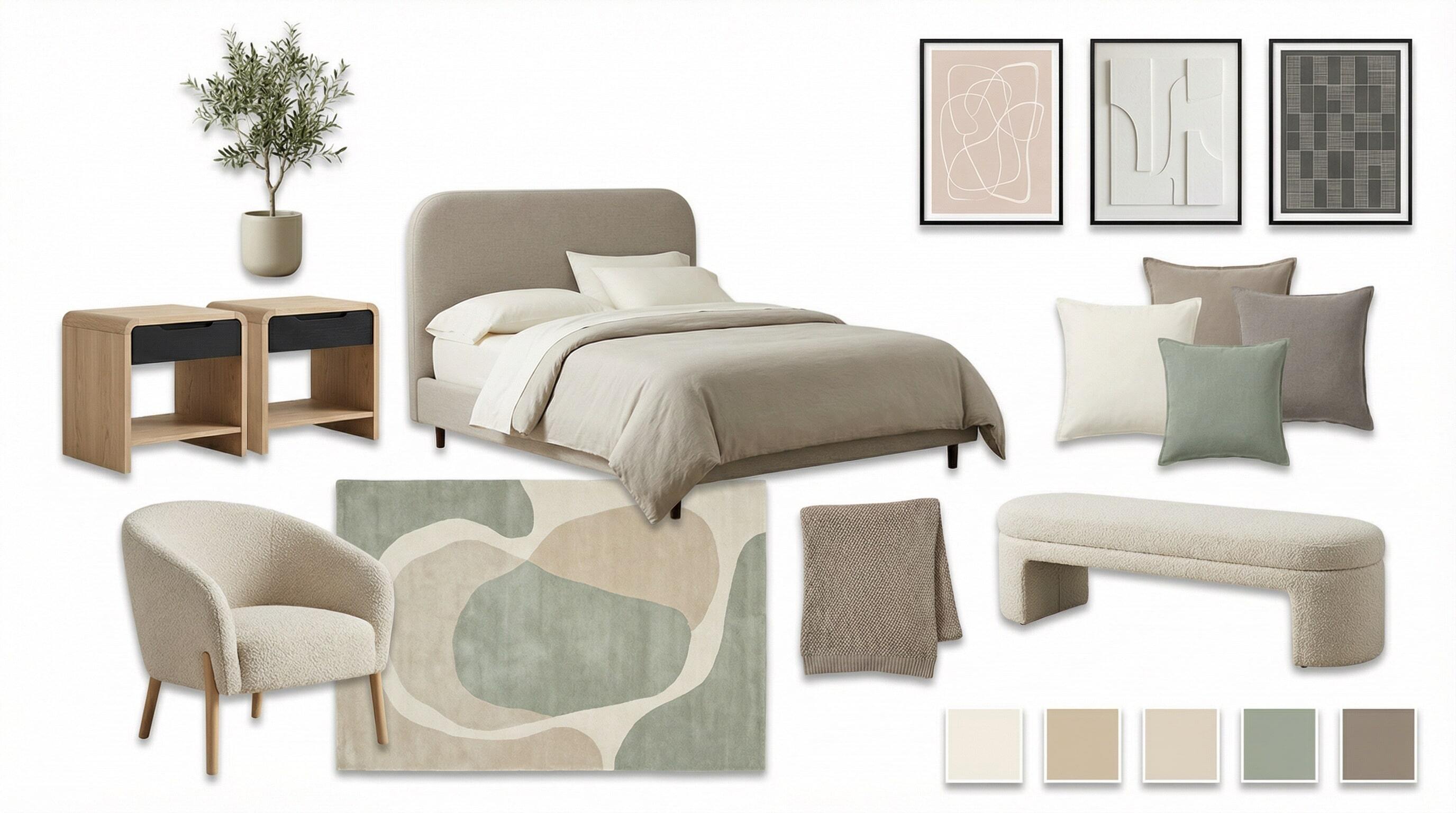
Moodboards bridge the gap between abstract ideas and tangible design outcomes.
Communicating a vision for a space is notoriously tricky. Moodboards, swatches, or handwaving descriptions like “think Parisian but less ornate” register differently for everyone, especially across cultures or generations. Even professionally staged listing photos risk being misinterpreted or, worse, misleading if they are not accurately representing the space as explored in our guide to ethical virtual staging.
What most of us want is clarity. A way to bridge our reference sources, whether it is a stunning Instagram post, a photo snapped in a boutique hotel, or a glossy magazine spread, with the reality of our own rooms. Traditional workflows leave significant room for disappointment. The reference photo feature in REimagineHome AI streamlines this process by turning your dream visuals into the guiding light for the entire design. Uploading a reference photo, rather than wrestling with adjectives or trend names, eliminates ambiguity and saves revision cycles. For professionals and DIYers alike, this means faster, more confident decision making.
Expert Insight
A real estate agent recently shared that uploading a reference photo transformed their workflow—a moody, timeless library image inspired a living room design buyers immediately connected with and fast-tracked the sale. Sometimes, one picture really is worth a thousand words.
-
How To Use Reference Photos Feature in REimagineHome AI
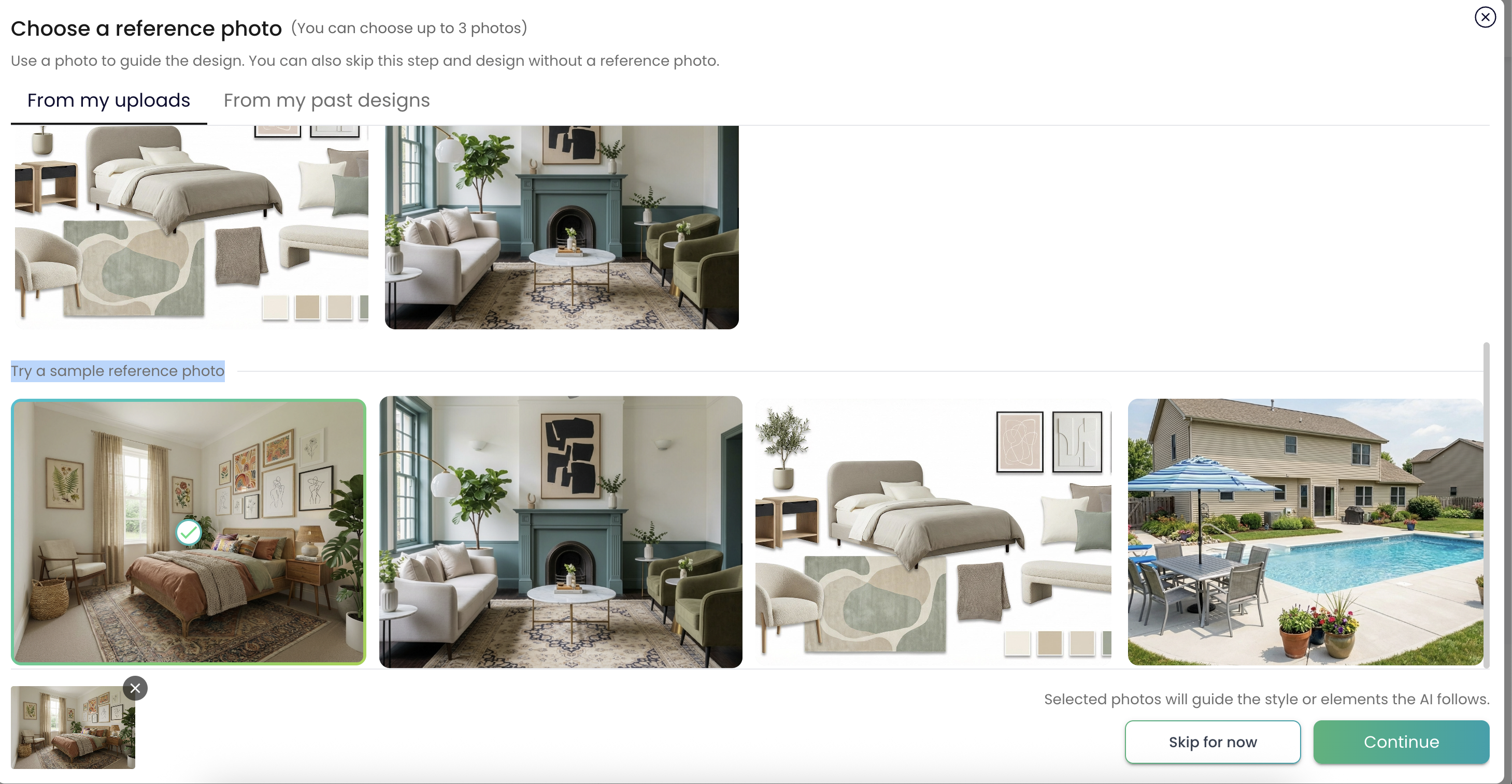
Upload your inspiration images to see amazing transformations with REimagineHome AI.
Upload your room photos as usual:You can upload your room images.
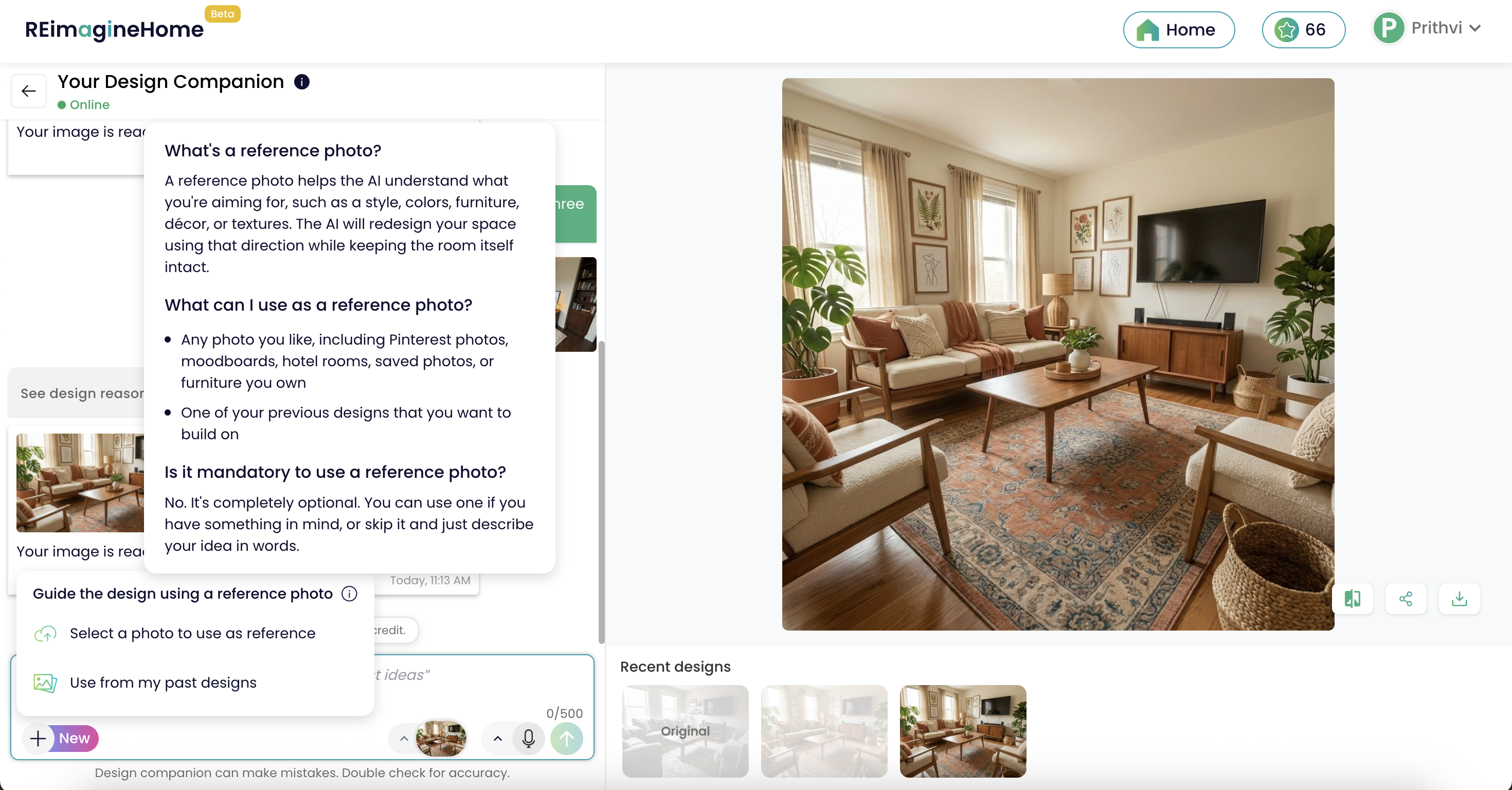
Choose inspiration photos:Once the chat is open, you will see two ways to add inspiration photos. Click the + button to either upload new inspiration images or select from previous designs. You can choose up to three inspiration photos at a time.
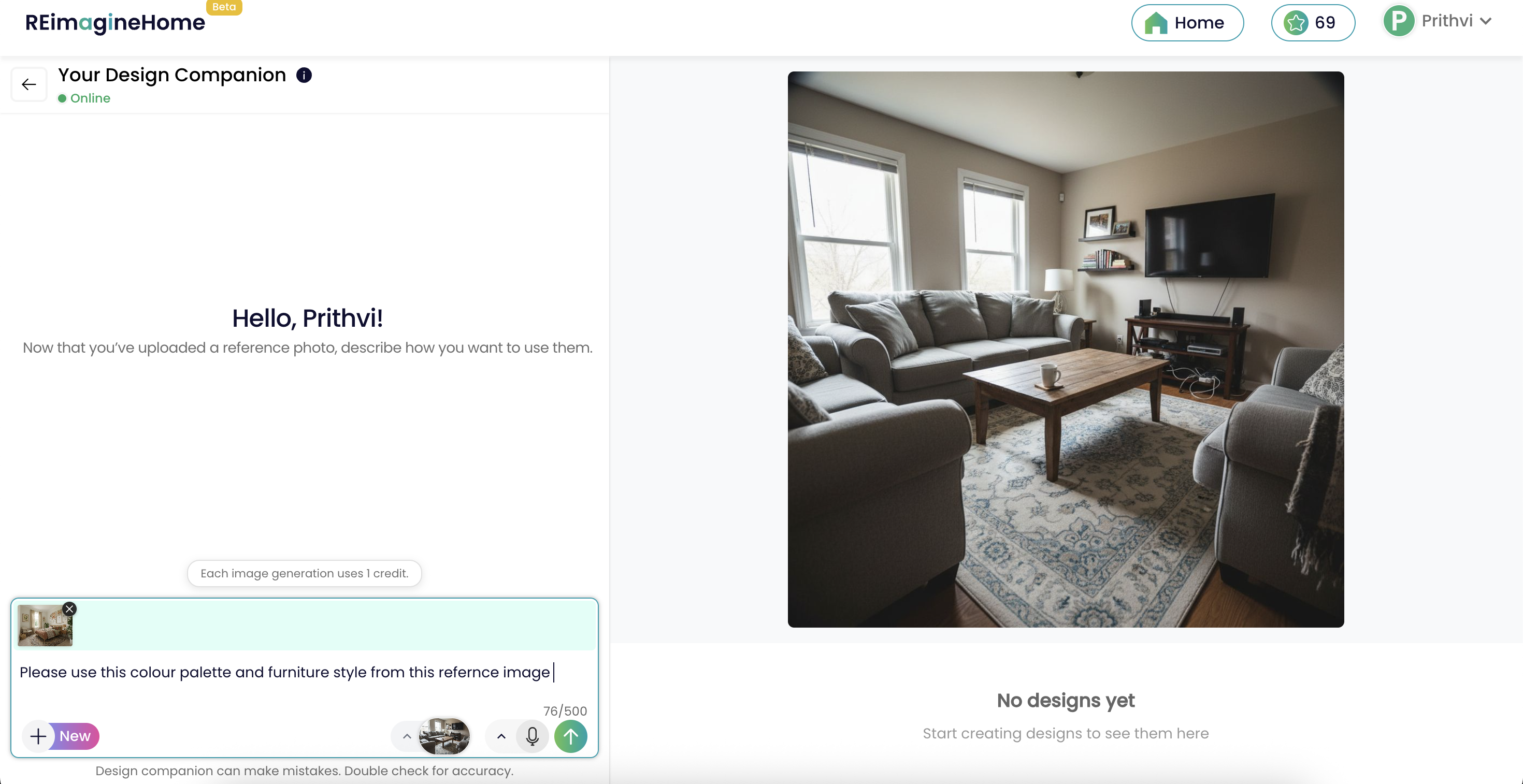
Describe what to take from each inspiration photo:Add a short note on what you want the AI to borrow, such as color palette, furniture style, mood, lighting, or specific items from each image.
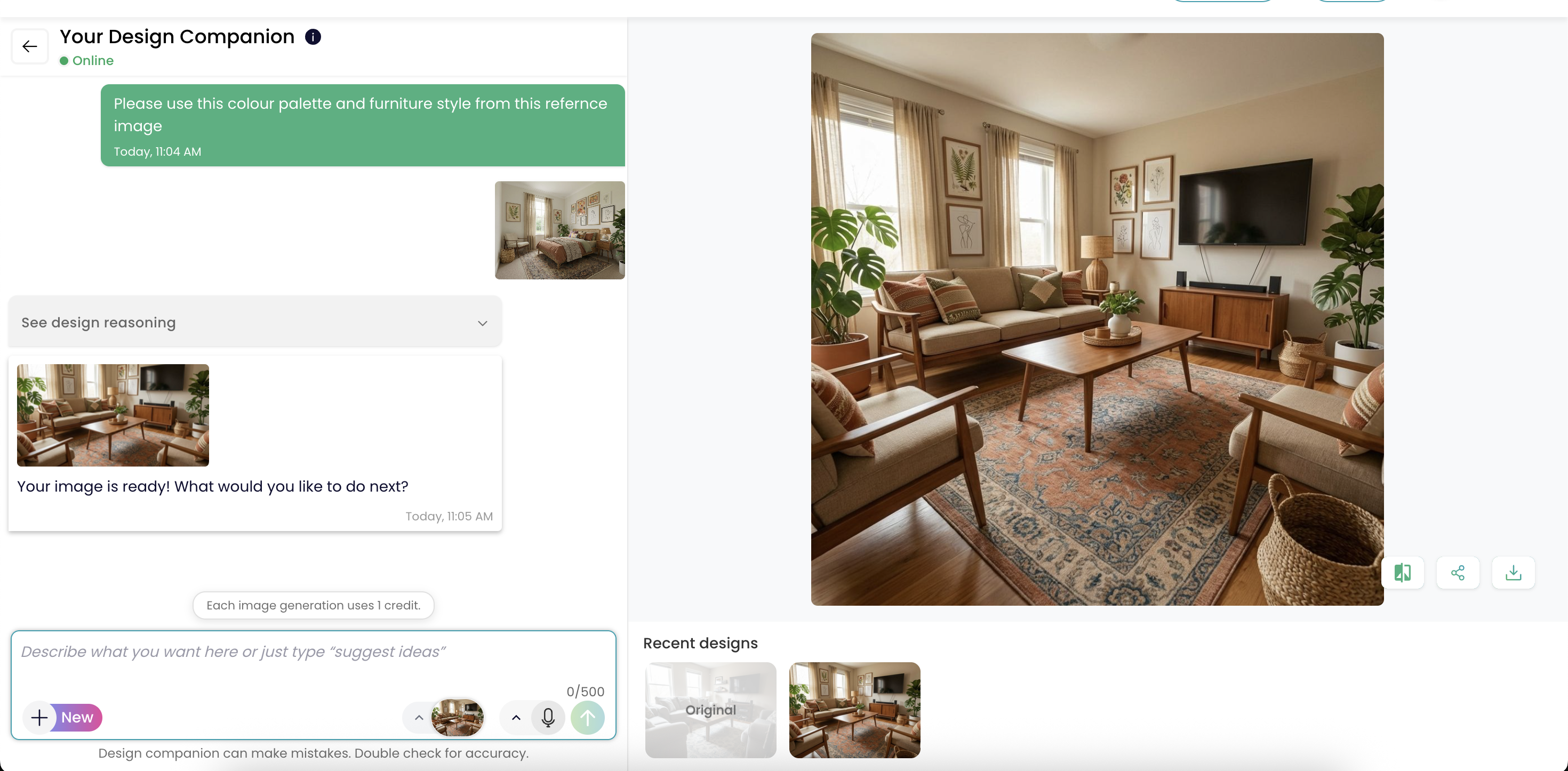
Generate and review:Send your request and the new result will be generated using the selected inspiration photos, while keeping your room structure and fixed elements intact.
Iterate if needed:Swap inspiration photos or pick another previous result to keep evolving the design direction.
-
Best Use Cases, Tradeoffs, and Real-World Limits
The reference photo feature excels when you have a strong visual target—say, the bold palette of a Paris apartment, the textures of a Scandinavian cottage, or a curated mid-century moodboard. It’s crucial to remember, though, that the tool is for inspiration, not outright replication. If your reference photo shows a sprawling penthouse and your room is a studio, the AI won’t duplicate size or layout—it translates style, color, and material cues only.
According to our blog on how virtual staging walks the line between inspiration and honesty, best results come from mixing visual inspiration with transparency. Use the feature to clarify direction and spark ideas, but always keep edits honest and scale-appropriate if you’re designing for listings or shared spaces. For deeply collaborative projects or major renovations, supplement images with a few key written notes to help the AI prioritize your main wishes.
-
Common Mistakes to Avoid When Using Reference Photos
Avoid choosing conflicting images to ensure a cohesive design vision.
Choosing Multiple Conflicting inspirationsUploading more than one image with clashing styles (e.g., beach cottage and industrial loft) can confuse the AI and lead to muddled results.
Fix : Select a single, clear reference photo per design round, and clearly note what you want to borrow from it, such as the color palette, furniture style, lighting mood, textures, or specific items.
Example:“Use the warm neutral color palette and soft lighting from this image, keep the sofa style and rug texture, but do not copy the layout or wall art.”Over-Expecting Layout ChangesExpecting the AI to redesign the basic floor plan or window placement because it appears differently in your reference photo.
Fix: Use written notes to suggest furniture placement but know that room structure remains fixed.
Poor Image QualityUploading blurry or underexposed images reduces the AI’s ability to pick out textures, colors, and décor details.
Fix: Choose well-lit, high-resolution reference photos whenever possible. -
Tips and Tricks for Geting the Best Results
Follow expert tips to achieve stunning results in your design projects.
Prioritize One Look:Commit to a singular style or vibe for each session—mixing eras or palettes dilutes clarity.
Optimize Photo Cropping:Crop out distractions or elements you don’t want featured; the AI is literal with what it sees.
Use Familiar Pieces:Upload images of your favorite furniture if you want to influence the AI’s choice in scale and finish—but don’t expect an exact replica.
-
Quick Ways To Get The Best Results With Reference Photos
Quick Ways To Get The Best Results With Reference Photos Image
Using reference photos is easy, but a few small choices can make your results noticeably stronger. Instead of treating it like a strict step by step workflow, think of it as setting a clear creative direction and refining it with simple feedback.
Start with one clear outcome:Decide the feeling you want, like a warm modern living room or a calm hotel style bedroom. Having a single goal helps the AI avoid mixing styles or over designing the space.
Pick inspirations with a consistent vibe:Choose up to 3 reference photos that share similar colors, finishes, and furniture styles. Consistency across inspirations gives the AI a stronger and clearer signal.
Tell the AI what matters most:Add a short note calling out what you want to borrow, such as lighting tone, wood finish, sofa shape, or overall mood. This helps prioritize what truly matters to you.
Keep your room photo practical:Use a clear photo with good lighting and an angle that shows the main layout. The AI will preserve your room structure and fixed elements, so clarity here leads to better results.
Iterate with intent:If the first result is close but not perfect, change one thing at a time. Swap a single reference photo or refine your note to maintain a stable design direction.
This approach helps homeowners, agents, and designers reach confident results faster, with fewer revisions and less back and forth.
Try it now on REimagineHome AI. -
Visualization: Bringing Your Dream Room to Life
See your vision come to life with stunning visualizations of your design ideas.
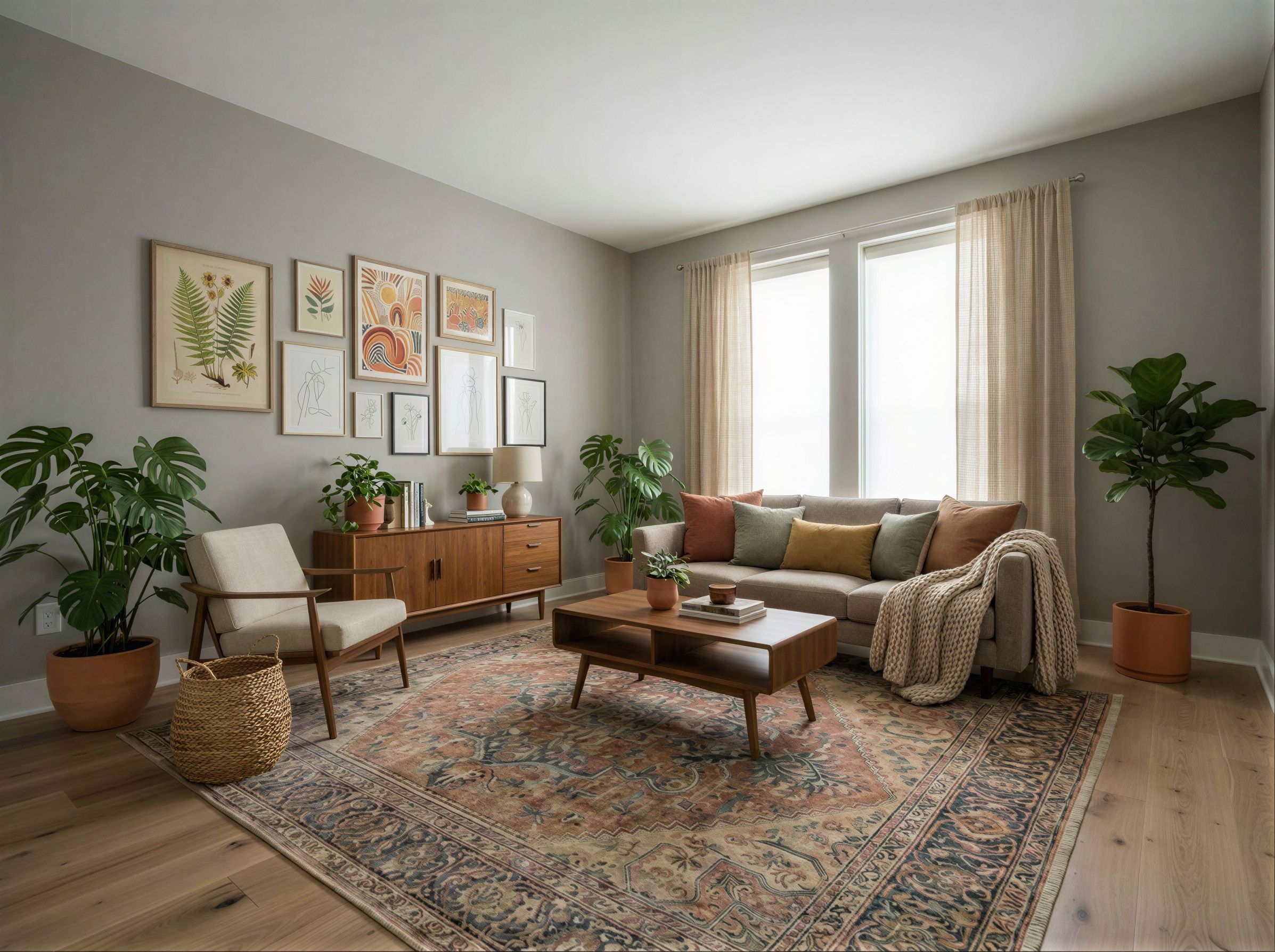
Imagine this: You’re staring at a bare, echoing living room, paralyzed by endless fabric swatches and color wheels. With REimagineHome AI, you upload a photo from a boutique stay with the layered, moss-green textures you crave. The tool ingests your source photo, interprets its mood, and in minutes—without changing your space’s fundamental shape—translates that style to your own room. The result feels inviting, tailored, and distinctly yours. Whether you’re an agent showing possibilities to buyers (as discussed in this overview of ethical marketing) or a homeowner finding your look, the experience feels like seeing your future room made real. Visualize this power for yourself on REimagineHome AI.
Visualization Scenario
Picture uploading your favorite vacation suite’s cozy palette into REimagineHome AI. Moments later, your own bedroom is transformed onscreen with those same hues and textures—no need for expensive consulting or endless trial and error. It’s that immediate, and that personal.
FAQ: Using Reference Photos in Virtual Room Design
- Do my reference photos need to match my room’s size or shape?
No, the AI only draws style, color, and décor inspiration—not layout specifics—from your image. - Should I label virtually staged images if using them in listings?
Yes, as advised in our discussion on virtual staging best practices, always disclose edits alongside originals for honesty. - Can I use photos of my own furniture as Reference?
Absolutely! This helps the AI match your taste in form, materials, or scale—just know it won’t replicate the item exactly. - Is it better to use one reference photo or combine several?
Use a single strong inspiration each time for clearer results. Mixing images often muddles the style direction.
Redefine Your Design Process with Visual Referencing
REimagineHome AI’s reference photo update transforms fragmented wish lists and unclear conversations into actionable, personal designs. By enabling anyone to lead with images that truly resonate, it closes the gap between imagination and outcome—whether you’re curating an inviting listing or shaping a dream home. To see the impact for yourself, try visual referencing now at REimagineHome AI. Interested in applying the same transparency and authenticity to your virtual staging? Learn more about responsible use of visual inspirations here.