
TL;DR
To finish a living room so it feels inviting, edit seating to restore 30–36 inches of walking space, right-size the rug and coffee table, and layer lighting, art, and personal objects. Use an AI room designer like ReimagineHome.ai to preview layouts, a maximalist gallery wall, and color accents from one photo—fast. This approach avoids returns, solves crowding, and gives you confident direction on paint, curtains, and mantle styling with a long-tail, budget-friendly virtual room design workflow.
Why Furniture & DIY Decisions Feel So High-Stakes

Scale and flow issues often stem from undersized rugs and overcrowded pathways in living rooms.
Most living rooms feel “off” because of scale and flow: too many pieces, undersized rugs, or a coffee table shape that fights the room. Fixing those and adding layered lighting plus art is what makes a space feel finished.
- Decluttering the layout: remove or relocate one bulky chair or table; restore 30–36 inches of clear paths.
- Rug and coffee table sizing: anchor the big pieces, then finesse shapes (oval/round to soften, rectilinear to sharpen).
- Mantle and wall art: replace a placeholder mirror with art, or build a balanced gallery wall with mixed objects.
- Window treatments: full-length panels hung high and wide; add color or texture for presence.
- Layered lighting: table or floor lamps at seating height; dimmable glow beats the big light at night.
- Color and personality: pillows, books, plants, and a few meaningful objects to end the showroom vibe.
- AI preview: test layouts, paint colors, and decor in minutes using your room photo.
Before you move a single sofa or pick up a paint roller, upload a photo to ReimagineHome.ai and test a few ideas safely.
If flow is your main concern, this detailed guide to small living room layouts expands on seating plans, pathways, and anchoring pieces for compact rooms.
Why Interior Design Dilemmas Are Usually About Layout, Scale, and One Wrong Piece

Correct layout, scale, and selecting key pieces solve common interior design room dilemmas.
Most designers recommend keeping 30–36 inches of clear walking space along the main path and at least 18 inches around furniture edges where possible. When a living room feels cramped, it’s often one wrong piece—an oversize lounge chair with ottoman, a too-large round side table, or a coffee table that’s too narrow to feel useful. Editing a single item can make the entire room exhale.
Scale is next. A rug that’s too small makes multiple “islands” and visually shrinks the room. Curtains that stop short of the floor or a mirror leaning on the mantle can also read unfinished. And walls with nothing but a solitary mirror beg for either a statement artwork or a gallery wall that tells your story—especially when you bring in dimensional objects (a sculptural hand, a vintage mirror, a carved toy snake) to create rhythm.
If your space is open-plan or peppered with doors and windows, prioritize circulation first: seat count is important, but daily comfort wins. Keep 3 seats for everyday living; stash a small stool, ottoman, or folding chair elsewhere for guests. Then tweak shapes—oval or round coffee tables soften all the straight lines; rectangular ones reinforce architecture. For longer, narrow rooms, consider a bench or slender console as a subtle divider. For more patterns and wall arrangements, see this primer on planning a gallery wall.
Anecdote
That round side table that looked lovely in the listing but sits exactly where you need to walk? The minute you pull it, the whole room breathes. Same goes for the leaning mirror—hang it or swap for art and you’ll feel the mantle turn into a focal point instead of a placeholder.
Furniture Rules That Quietly Solve Most Room Problems
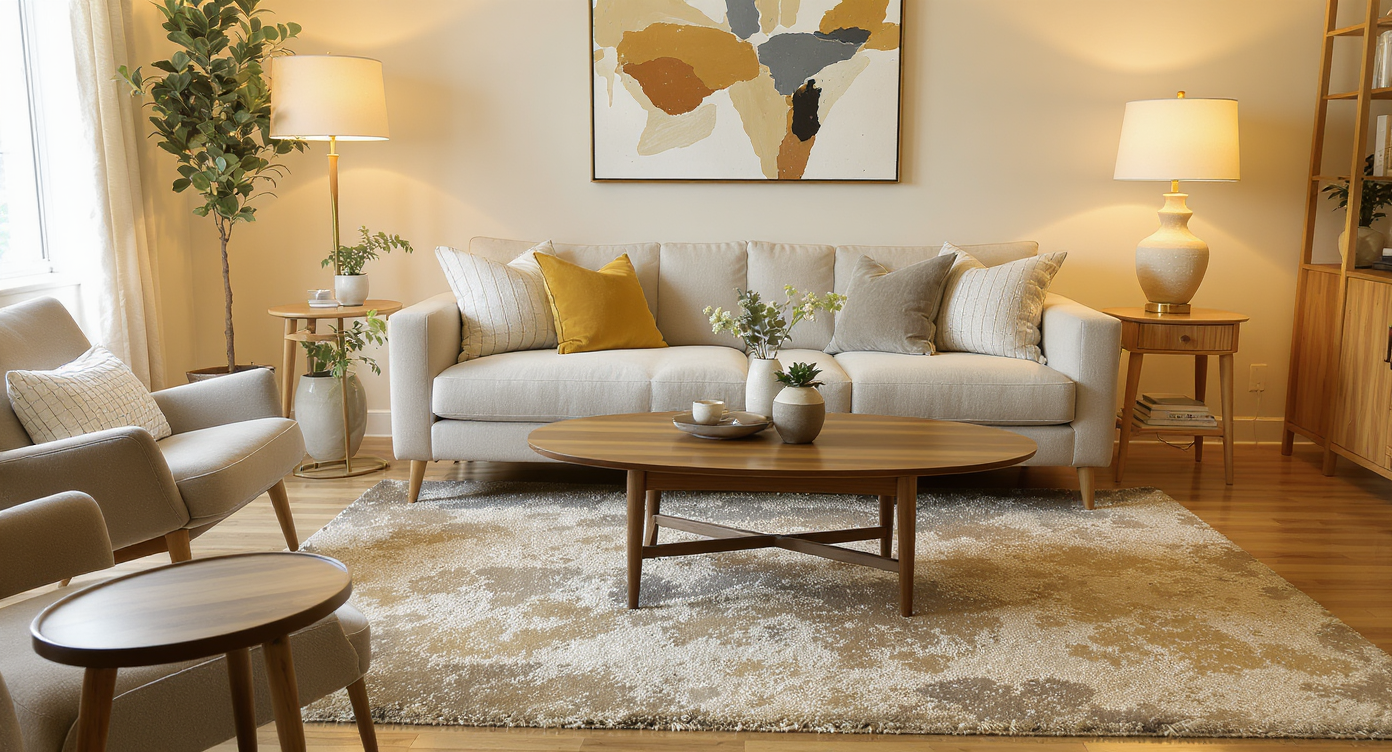
Adhering to furniture placement rules like correct coffee table distance creates harmonious, functional rooms.
Coffee tables usually work best 14–18 inches from the sofa front edge, with the top approximately level with sofa seat height (16–18 inches). These quiet measurements add up to real comfort.
- Walkways: 30–36 inches for main paths; 24–30 inches in tighter spots.
- Seating cluster: Front legs of the sofa and chairs on the rug; rug extends 8–12 inches beyond sofa arms.
- Coffee table: Length about 2/3 of sofa width; clearance 14–18 inches to seating; oval/round shapes reduce “all-legs” clutter.
- TV viewing: Roughly 1.5–2.5x the screen diagonal; mount so the center is at seated eye level.
- Art above a mantle: 2/3 the width of the mantle; bottom edge 4–7 inches above it if hanging.
- Curtains: Hang rods high and wide; panels kiss the floor; use two panels per window for presence.
Plug these rules into a visual test. With ReimagineHome.ai, you can try a round vs. rectangular coffee table, right-size a rug, and preview curtain color and length on your exact windows. For a broader feature comparison of room design AI tools, skim this breakdown of AI interior design tools.
How ReimagineHome.ai Helps You Test Layouts, Styles, and DIY Ideas

ReimagineHome.ai lets you preview layouts, colors, and décor to confidently plan your living room makeover.
AI tools can show multiple layout and style options in minutes—before you move a single piece or buy anything. That speed lowers risk and makes decisions easier.
Using ReimagineHome.ai is straightforward whether you’re a beginner or a serial restyler:
- AI interior design from one photo: Upload your living room and instantly see alternative layouts—and yes, you can preview a maximalist gallery wall or swap that leaning mantle mirror for art.
- Room layout AI for small spaces: Generate versions with one fewer chair, a different coffee table shape, or a larger rug; compare circulation and seating count side-by-side.
- Paint and finishes from a photo: Test a deep green feature wall, warm terracotta curtains, or a darker ceiling to cozy the room without overwhelming it.
- Global styles, mixed: Try Scandi-Japandi restraint with a few ornate, vintage pieces; or go bolder with Boho layers. Seeing it on your room solves decision fatigue.
If you want a fuller walkthrough, start with this deep-dive on AI room makeovers from one photo and then iterate on your space.
Step-by-Step: Fixing This Room Using AI and Simple DIY Changes
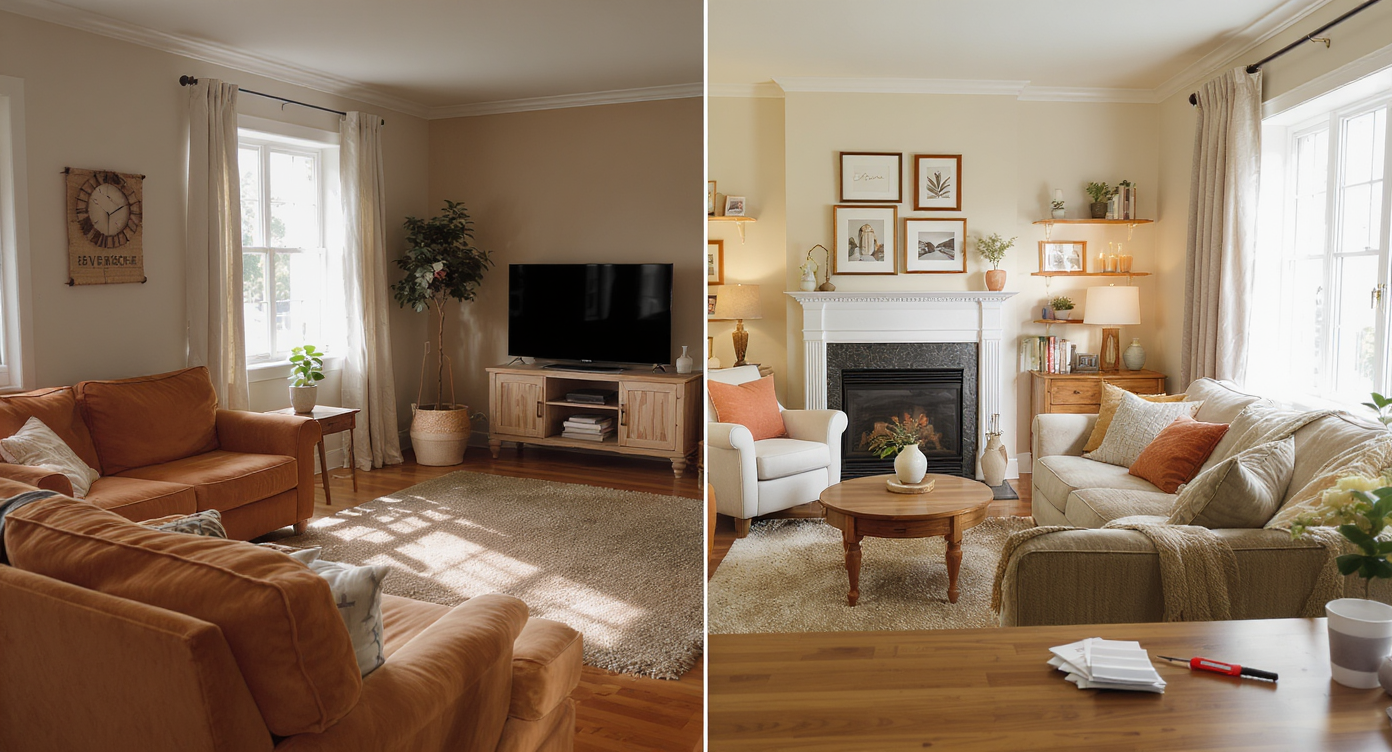
Step-by-step AI-guided fixes transform living rooms with simple, achievable design updates.
Most projects click when you work big-to-small and leave room to edit. Here’s a practical flow that blends AI previews with simple DIY.
- Measure and clear: Confirm your longest path can hit 30–36 inches. If not, plan to remove one chair or the large round side table.
- Generate and compare: In ReimagineHome.ai, render 3 variations—(A) remove the bulkiest chair, (B) keep both chairs but swap to an oval coffee table, (C) same layout with a bigger rug. Pick the version with the best sightlines and reach to surfaces.
- Rug reset: Aim for front legs on the rug. If your rug is undersized, pull it forward so at least the sofa fronts sit on it, then note the ideal replacement size from the render.
- Mantle moment: Replace a placeholder mirror with art sized at ~2/3 the mantle width; or build a gallery cluster. Keep 2–3 heights and one vertical piece for rhythm.
- Window treatments: Hang rods higher and wider; two panels per window that touch the floor. Consider linen or velvet for weight and glow.
- Lighting layer: Add a table lamp and/or a pharmacy floor lamp near seating. Dimmers calm the room at night.
- Style the surfaces: A tray with coasters, 1–2 coffee table books, a low plant. On the mantle, pair a candle with a small sculpture or vintage find.
- Color and texture: Swap throw pillows to pull tones from your art or curtains (two solids + one pattern is an easy mix).
- Final pass: Take a fresh photo, upload to ReimagineHome.ai, and try one bold option (painted ceiling, dark wall, or deeper curtains). Choose only what you love in the comparison view.
Visualization Scenario
Upload your living room photo to ReimagineHome.ai, generate Version A with one fewer chair and an oval coffee table; Version B with a larger rug and art above the mantle; and Version C with deep green paint and velvet curtains. Compare sightlines, walking space, and warmth—choose the one that feels the most you.
FAQ
How do I fix an awkward living room layout without buying all new furniture?
Edit one bulky piece, restore 30–36 inches of walking space, and right-size the rug. Use ReimagineHome.ai to try alternate layouts from one photo before you move anything.
Which AI interior design tool is best for small apartments?
Look for a room design AI that works from a single photo, supports layout plus paint and decor testing, and compares versions. ReimagineHome.ai focuses on fast, photo-based small space visualization.
How can I see if a new sofa or rug will fit my room before I buy it?
Follow sizing rules (rug front-legs-on; coffee table 2/3 sofa length) and render options in a virtual room design. This small living room layout guide shows examples.
Can I use AI tools to plan DIY furniture or paint projects?
Yes—use AI interior design from a photo to test paint colors, curtain styles, and DIY finishes. Then save the render as a reference while you work.
What’s the easiest way to mix different furniture styles in one room?
Pick a 70/30 mix (one dominant style, one supporting), repeat 2–3 materials, and echo color in pillows or art. Preview bolder mixes in ReimagineHome.ai to see what holds together.
Visualize Your Room’s Next Chapter
Most living rooms don’t need a full overhaul—just a few precise swaps that unlock flow, warmth, and personality. Whether you’re leaning into a layered gallery wall or editing down to a calmer seating plan, previewing the changes removes the what-if.
When you can see the possibilities, it’s easier to move with confidence. Start by uploading one honest photo to ReimagineHome.ai and let your next version of the room come into focus.