How Shopify Merchants Can Use Room Visualization to Improve Product Discovery
TL;DR
Room visualization adds a contextual layer to Shopify product discovery by letting shoppers see catalog items together in their own room. Search and filters help shoppers narrow their choices; visualization helps them judge which products and combinations work together, compare alternatives, and move selected items toward checkout.
Why Context Matters in Furniture & Home Ecommerce
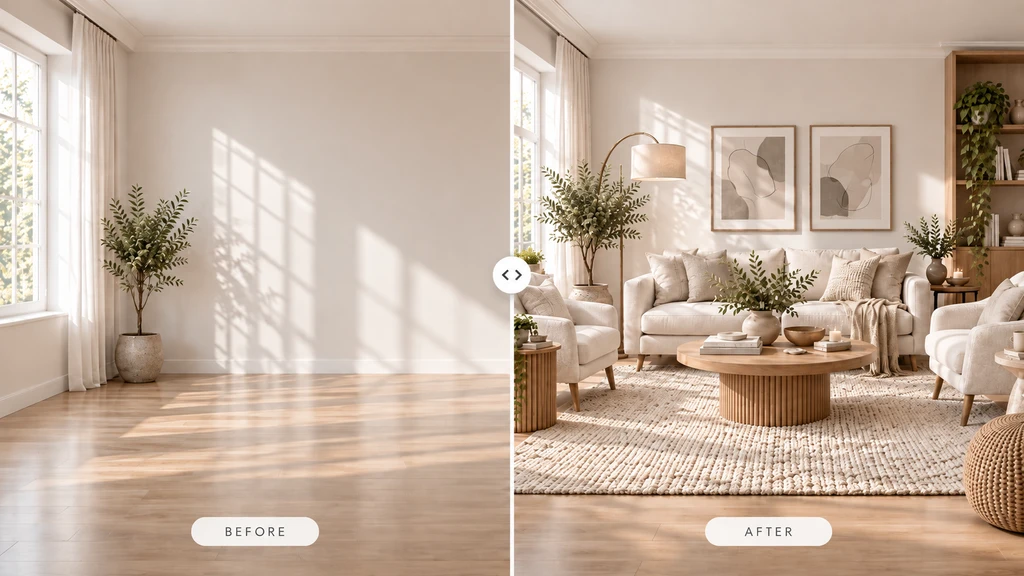
A before-and-after room visualization helps shoppers compare how coordinated furniture and décor can transform the same space, making product combinations easier to evaluate before buying.
Shopify furniture and home-décor shoppers need more than product images and filters to decide what works in their space. Room visualization bridges this context gap by showing products in the shopper’s own room, making it easier to evaluate, combine, and choose products with confidence.
-
1. Room Visualization: A New Layer in Product Discovery
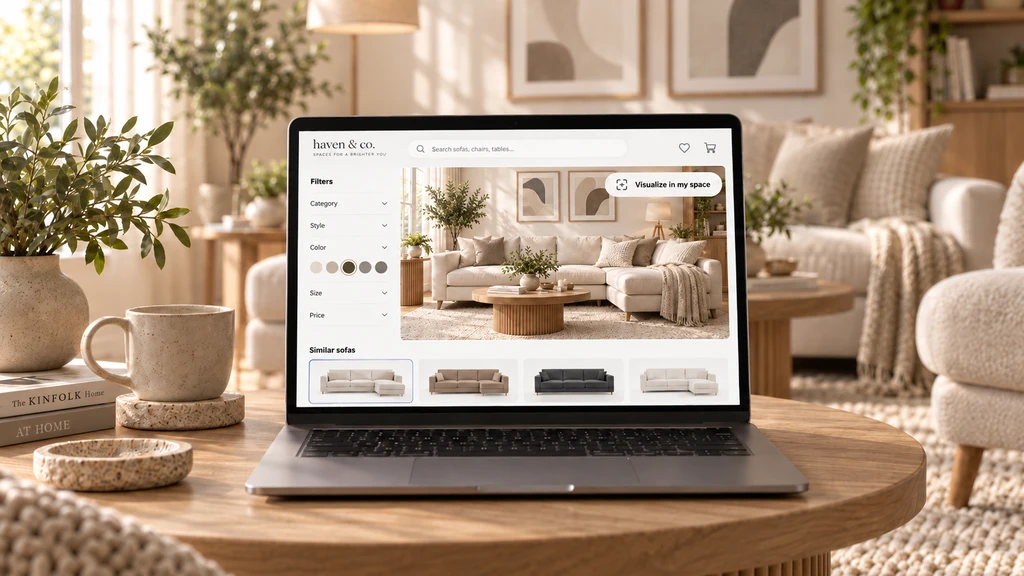
Search filters help shoppers narrow their options, while room visualization adds context by showing shortlisted sofas inside a realistic living space before purchase.
Room visualization for Shopify lets shoppers preview catalog products in their own space by uploading a room photo and selecting items such as sofas, rugs, or lighting. They can compare options and create combinations across categories.
It complements product photography and filters by adding context to product discovery. As explained in our overview for home merchants, the ReimagineHome app for Shopify helps shoppers preview and build multi-product looks, while search helps them find products and visualization helps them understand how those products work together.
-
2. Blending Search, Filters, and Visualization for Stronger Discovery
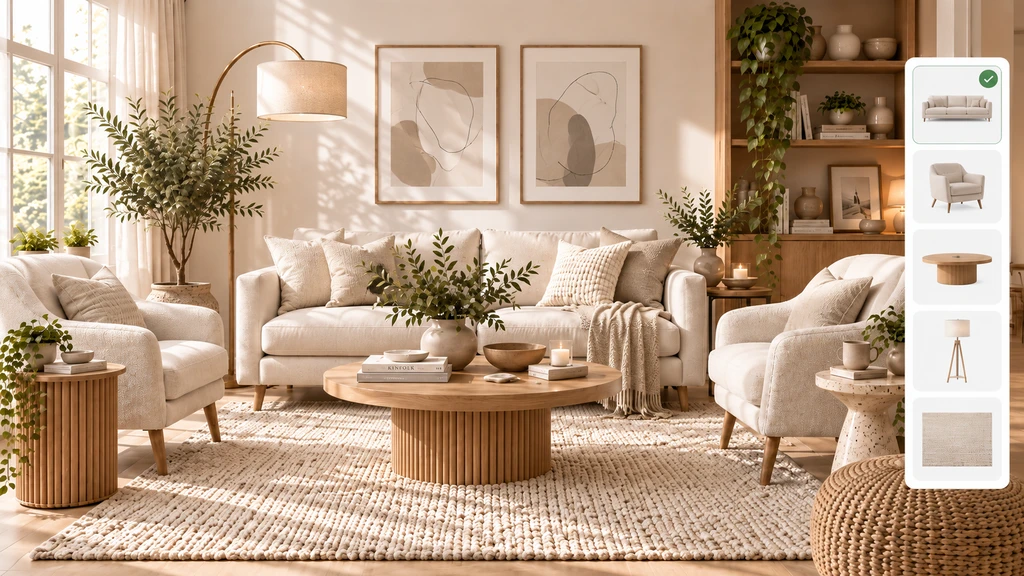
Room visualization helps shoppers build a coordinated space by exploring furniture and décor together, making it easier to compare products and discover combinations that work as a complete room.
Strong product discovery combines Shopify’s search and filters with visual context. Search helps shoppers narrow products by price, style, size, or material, while room visualization lets them evaluate shortlisted products in their own space.
For example, shoppers can filter for a sectional sofa, select a favorite, and use Visualize in my space to see how it works in their living room. Search creates the shortlist; visualization adds context for the final decision.
-
3. How ReimagineHome Helps Shoppers Compare and Combine
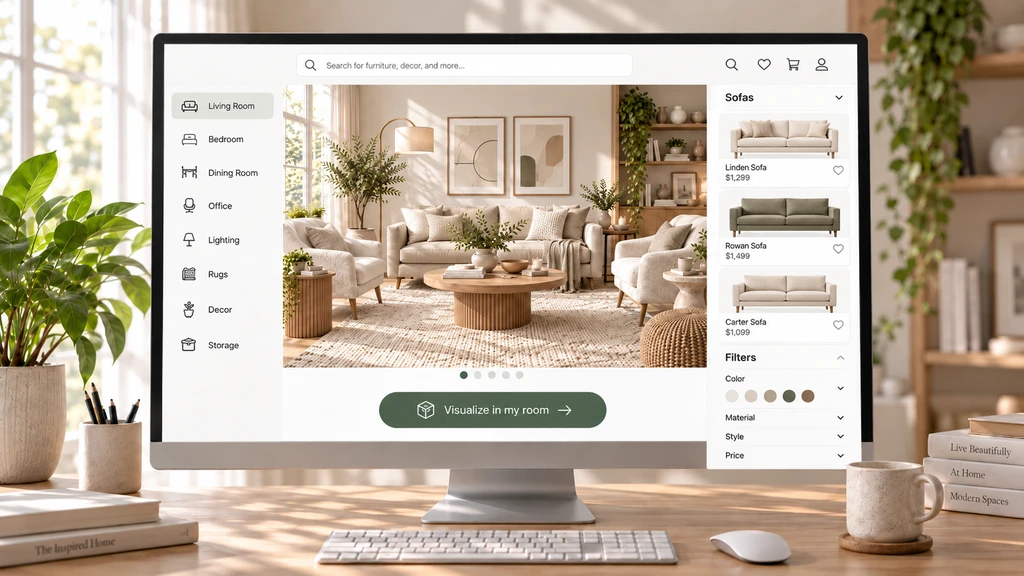
Combining catalog categories, product filters, and room visualization helps shoppers narrow their choices and see how shortlisted furniture could work in a realistic room before buying.
The ReimagineHome app for Shopify lets shoppers visualize multiple eligible products together in their own room, such as a sofa, rug, and lamp. They can compare combinations using a before-and-after slider and send their selected products directly to checkout.
- Open ReimagineHome from the product page.
- Upload a photo of their space.
- Select products from eligible collections or the catalog.
- Preview and compare product combinations.
- Send the selected products to checkout.
Remind shoppers to verify product dimensions and fit, as visualizations show appearance and placement rather than exact measurements or installation requirements.
-
4. Multi-Product Exploration: Beyond the One-Item Mindset
In furniture ecommerce, shoppers often discover products as part of a room rather than individually. ReimagineHome enables merchants to curate collections across categories, such as sofas, rugs, tables, and chairs, so shoppers can visualize combinations together and evaluate color, style, and balance. This shifts product discovery from individual items to complete, coordinated spaces.
-
5. Best Practices for Integrating Room Visualization in Your Store
Best practice What to do Position the visualizer CTA Place Visualize in my space near product images or purchase actions. Curate logical collections Start with high-consideration items and group complementary products. Ensure catalog readiness Use high-quality images, clear titles, and complete product details. Keep product info visible Keep dimensions and product details accessible during visualization and shopping. Track discovery metrics Monitor visualization use, product exploration, comparisons, and add-to-cart activity. -
6. A Connected Discovery Journey: Search → Visualize → Compare → Buy
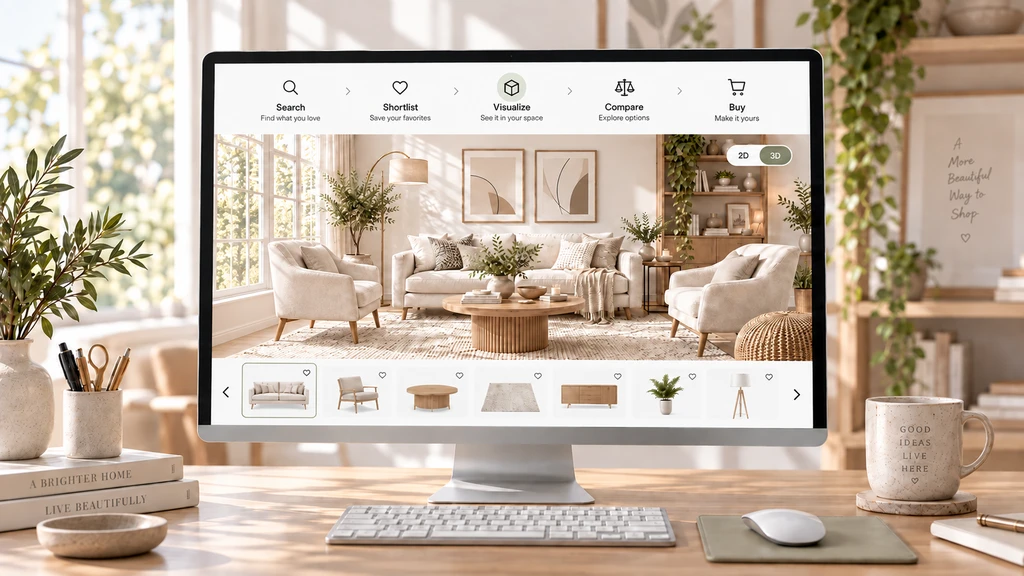
A connected room-visualization journey helps shoppers move from product discovery to confident comparison by exploring furniture together in a realistic room before purchase.
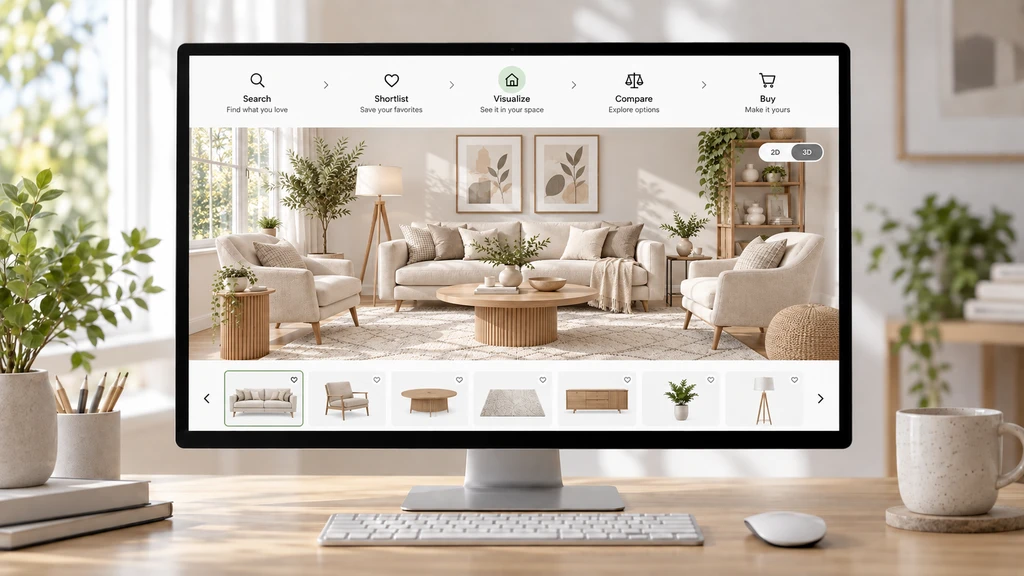
A stronger Shopify discovery journey can follow a simple flow: Search → Shortlist → Visualize → Compare → Complete the Room → Buy. Each step moves shoppers from finding products to evaluating how they work together in their space, using your existing catalog and product data.
Step Shopper action Search Find products using search and filters. Shortlist Select products worth considering. Visualize Preview products in their own space. Compare Evaluate different products or combinations. Complete the Room Discover complementary products. Buy Move from the selected look to checkout. This gives shoppers more context while creating opportunities for deeper product engagement and cross-selling.
Frequently Asked Questions
How does room visualization improve product discovery on Shopify?
Room visualization lets shoppers see how products work together in their own space. They can preview looks, compare options, and move selected products to checkout, making product discovery more contextual.
Should I add room visualization to every product?
Not necessarily. Start with high-consideration categories such as sofas, beds, dining tables, and rugs, then expand based on shopper engagement.
Can my shoppers visualize multiple products together?
Yes. ReimagineHome lets shoppers preview one item per supported category in the same room, helping them evaluate combinations before buying.
Do I need new photos or 3D models to start?
No. ReimagineHome can work with your existing product images, so separate 3D models or new photography are not required.
Can shoppers rely on visualization for exact color, fit, and quantities?
Room previews help with appearance, style, and composition, but shoppers should still check product dimensions, specifications, access requirements, and installation needs. Visualization does not guarantee physical fit or exact color.
Take Product Discovery From Catalog to Context
Shopify furniture and home merchants can strengthen product discovery by combining room visualization with search, filters, and recommendations. ReimagineHome helps shoppers preview products in their space, compare room combinations, and move selected products to checkout.
Start with high-consideration categories, curate focused collections, and track engagement to understand what improves the shopping journey. Better discovery is not just about finding more products, it’s about finding the right products for the room.