A Smarter Shopping Experience for Shopify Furniture and Home Stores
TL;DR
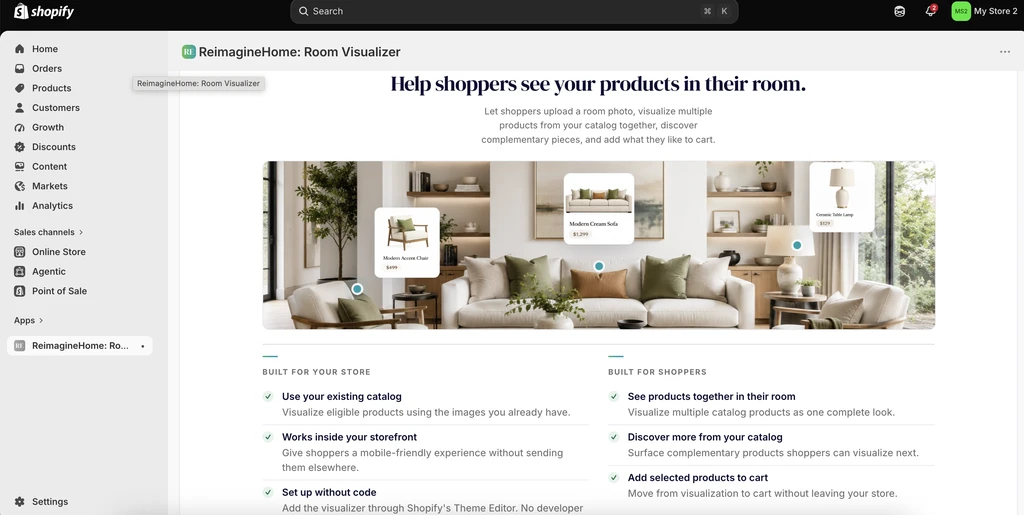
A Shopify room visualizer lets your shoppers preview furniture, décor, flooring, wall finishes, and outdoor products in a photo of their own space. With the ReimagineHome app for Shopify, shoppers can combine products across categories, compare before-and-after images, and send their selections to your store’s checkout—all using your existing product images, no 3D models required.
Why Your Product Page Alone Isn't Enough
For Shopify merchants selling furniture, home décor, or surfaces, your product page works hard. It showcases images, lists specifications, displays prices, and paints a story about the product’s quality. But even with a polished page, shoppers often hesitate. They can’t tell if your stylish sofa or textured flooring will work in their unique space. That hesitation isn’t a failure of your product or your photography—it’s a natural gap between online inspiration and the reality of home decorating. As explored in our post on practical fixes for visualization struggles, most shoppers—even those confident in their taste—struggle to visualize room changes before buying.
This is where a Reimaginehome room visualizer becomes essential. It bridges the gap between static product images and the lived-in reality of your customer’s home—boosting shopper confidence, connecting product discovery with context, and keeping that momentum living on your own storefront.
-
What Is a Reimaginehome Room Visualizer?
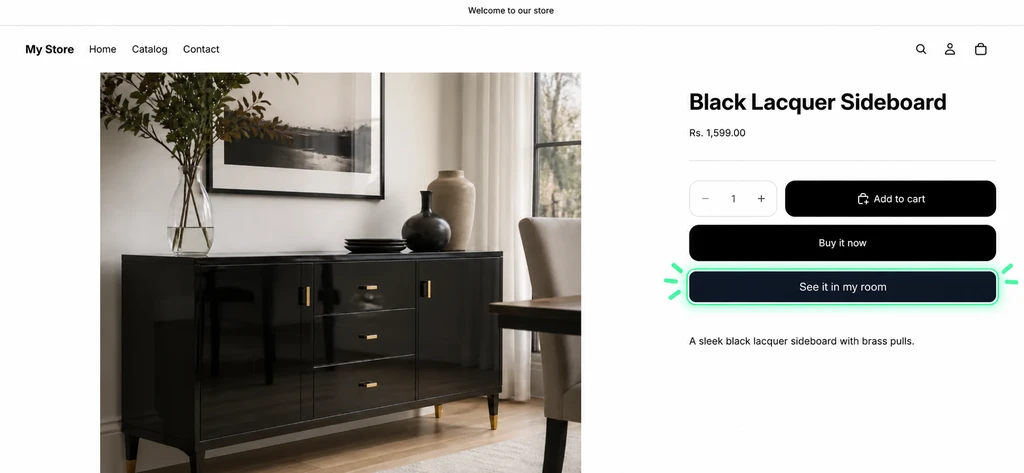
Shoppers can use the highlighted “See it in my room” option to preview the product in their own space before adding it to cart.
A Reimaginehome room visualizer is an app that lets shoppers see your products—such as furniture, décor, flooring, and outdoor materials—inside a photo of their own space before they purchase. The ReimagineHome app for Shopify brings this to your store, combining a realistic preview with seamless shopping. Your customers simply upload a room photo, choose products from your eligible catalog (sortable by images, names, prices, and categories), and preview changes instantly. This direct connection between your catalog and your shopper’s reality helps reduce hesitation and ‘cart abandonment’ caused by uncertainty. Learn how previewing furniture in your space drives confidence.
-
The Shopper Journey: From Product Page to Checkout
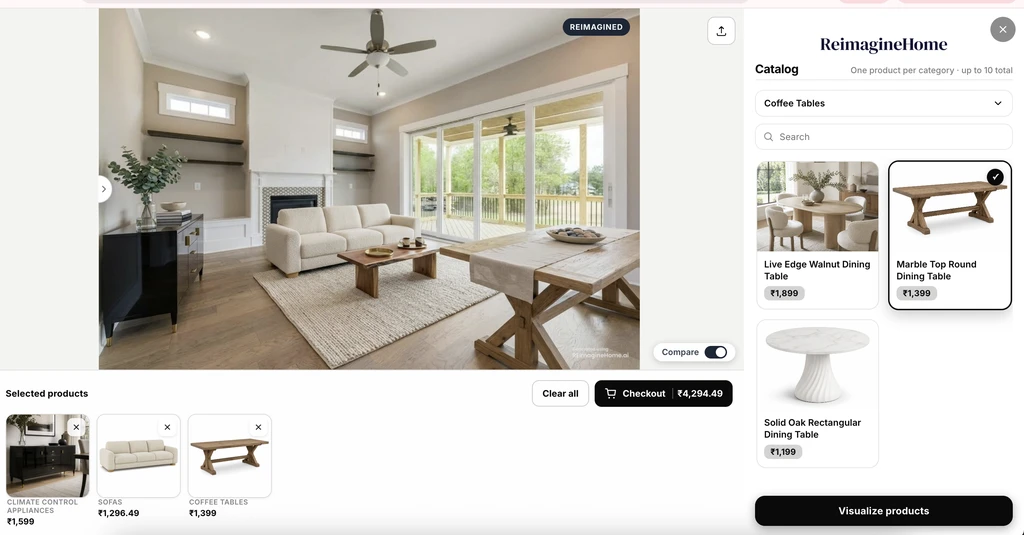
Shoppers can visualize multiple store products together, compare the redesigned room, review selected items, and move directly to checkout from the ReimagineHome Shopify experience.
- Entry point: On every supported product page, a "Visualize in my space" button sits right beside your purchase controls, inviting shoppers to see products in their own context when their interest peaks.
- Photo upload: Shoppers add a photo of their room, patio, or outdoor area, using their own environment for the preview.
- Catalog selection: They browse your curated products—by image, name, price, or searchable category—and assemble a complete look. They can visualize multiple products together but are limited to one product per category, which helps keep the process clear and shoppable.
- Interactive comparison: The before-and-after slider lets shoppers directly assess the impact of their choices, a technique proven to help even those who struggle to picture changes, as discussed in our structured guide to room visualization.
- Path to purchase: With one click, the selected products—along with their names and prices—are sent to your checkout, so shoppers don’t have to reconstruct their choices or lose track of what worked in the preview.
This workflow puts your products, your curation, and the shopper’s context at the heart of their decision.
-
Previewing Multiple Categories: Interiors, Surfaces, and Outdoors
One advantage of the ReimagineHome app is its support for combining different product types in a single preview. Shoppers can explore a bedroom set with a bed, bedding, side table, lamp, and rug—each drawn from your catalog but previewed together in the shopper’s real space. Read our approach to structuring whole-room decisions.
- Interior furniture & décor: Sofas, beds, storage, tables, lighting, and more—all in the right layout for their room.
- Surfaces & textures: Flooring, wall finishes, and wallpaper are previewed at true scale within the room photo, helping shoppers see the real impact and color relationships.
- Outdoor materials visualization: For patio and exterior projects, seating, tables, pavers, decking, and wall cladding are layered together—even in the same session. This integrated experience replaces disconnected catalog browsing and allows shoppers to "see furniture in your room" or yard before they buy.
Because your store can curate what is available, you control the looks and combinations shoppers experience. The preview always reflects their space, your product mix, and a composition that’s actionable through one checkout step.
-
How to Measure the Impact in Your Store
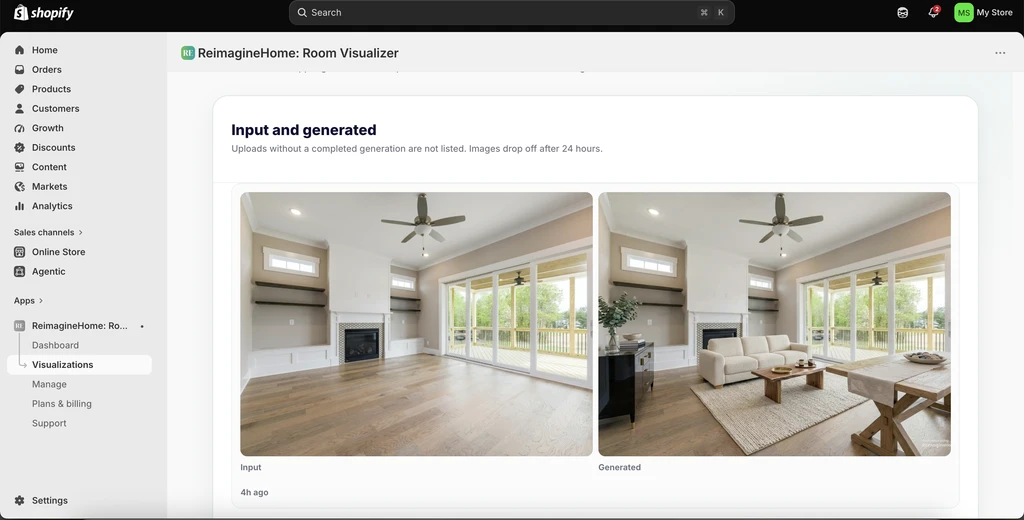
Merchants can review shopper-generated visualizations in the Shopify app, including both the original room image and the completed design.
Merchants can review how shoppers are using the experience through a dedicated Visualization tab. This gives them visibility into the room images generated by shoppers and the products being explored through those visualizations.
Once a shopper moves from visualization to checkout or completes a purchase, the merchant can track the corresponding checkout and order activity directly through the Shopify admin. Together, these views help merchants understand how shoppers are engaging with product visualization and how that activity connects with their store's purchasing journey.
-
Start Free, Then Scale With Your Store
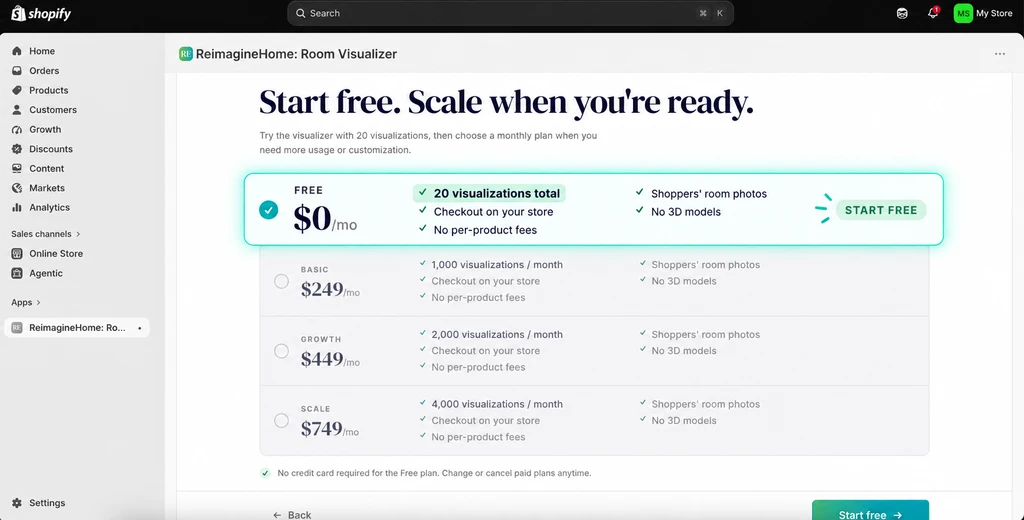
ReimagineHome lets Shopify merchants start with 20 free visualizations before upgrading to a paid plan.
ReimagineHome: Room Visualizer gives merchants 20 free visualizations to test the experience on their Shopify store before committing to a paid plan. This allows you to see how the visualizer works with your products, store theme, and customer journey.
Once the free visualizations are used, merchants can choose a paid plan based on the level of visualization usage they expect from their shoppers.
Frequently Asked Questions
What is the ReimagineHome Shopify room visualizer?
The ReimagineHome app for Shopify allows your customers to preview eligible products from your catalog—including furniture, surfaces, and outdoor materials—in a photo of their own space, then send their selection to your store’s checkout.
Can shoppers visualize multiple products together?
Yes. Shoppers can combine one product per supported category—such as a sofa, rug, and coffee table—into a single preview for a cohesive look.
Do I need to provide 3D models to use this room visualizer app for furniture stores?
No. The app uses your existing product images, so there’s no need to invest in 3D assets or advanced visuals.
Can shoppers preview outdoor materials such as decking or cladding?
Yes. The app supports outdoor materials visualization—including patio seating, pavers, decking, and wall cladding—in a single seamless workflow.
Does the preview confirm fit, scale, or installation requirements?
No. The preview is for visual composition. Encourage your customers to check product dimensions, room sizes, clearance, and installation needs separately for all purchases.
Bring Room Visualization to Your Shopify Store
For furniture and home-focused Shopify merchants, room visualization adds a new layer to the shopping experience by helping customers move from simply browsing products to seeing how those products could work together in their own space. ReimagineHome: Room Visualizer lets merchants offer this experience using their existing catalog, without requiring a separate 3D product library or custom development.
If you want to introduce room visualization to your furniture or home décor store, you can explore and install ReimagineHome: Room Visualizer on the Shopify App Store.