How to Get Useful Feedback on a 3D Room Design Before Making Changes
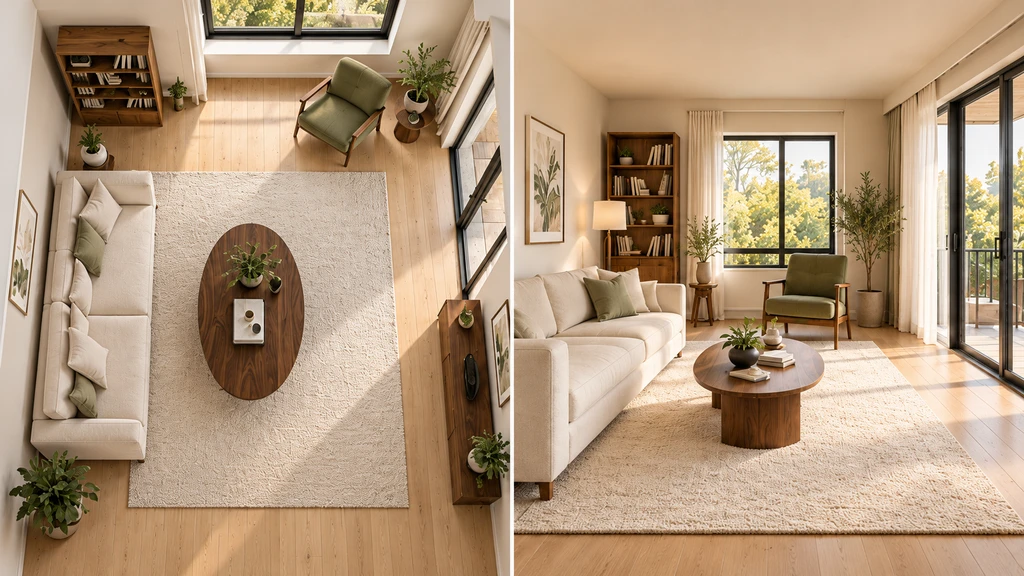
TL;DR
Useful feedback on a 3D room design starts with a clear, focused question. Before sharing your design, describe your specific decision, constraints that shape it, and the views that best reveal what you want input on. Use Chez by ReimagineHome to generate matching perspectives of each option, label alternatives, and ask targeted questions. After discussion, record the agreed change, verify dimensions and finishes in the real room, and keep all decisions documented.
-
Start with a Clear Design Decision
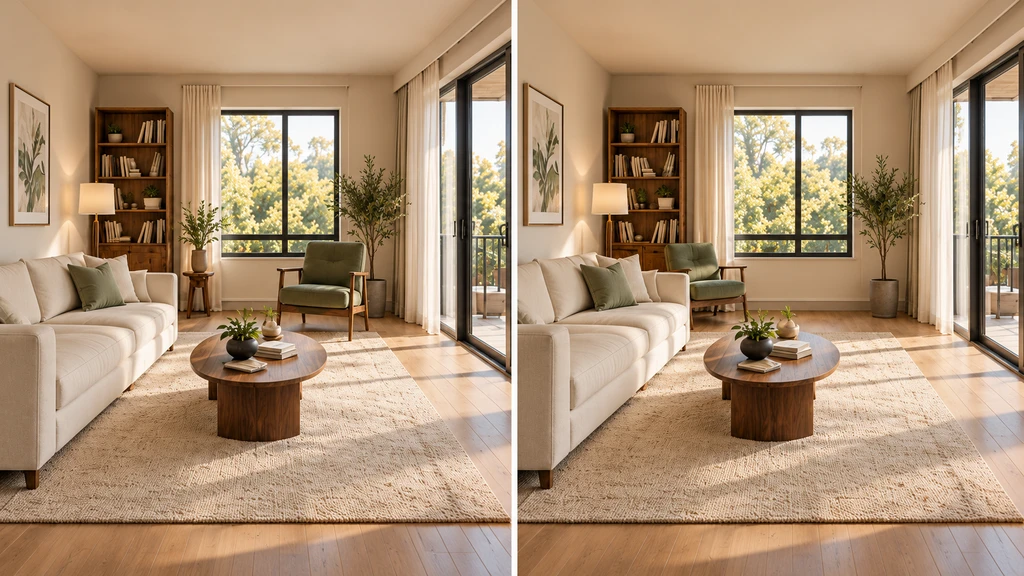
Focus your Chez design review on one decision: reading chair by the window or beside the bookcase?
When seeking feedback on your 3D room design, general reactions "I like the wall color" or "the rug looks nice" rarely help answer your real question. Instead, clarify exactly what decision needs review: for example, whether the sofa should face the window or the fireplace, or which chair position best supports reading without blocking traffic. Prepare your reviewer by sending a brief describing the room’s use, the activity you want to improve, and any key constraints. State up front what must stay (like an existing sofa) and what you’re open to changing. This narrows their focus, so they can help you solve the right problem. For additional strategies, refer to our guide on planning layouts with existing furniture.
-
Choose and Label the Right Views
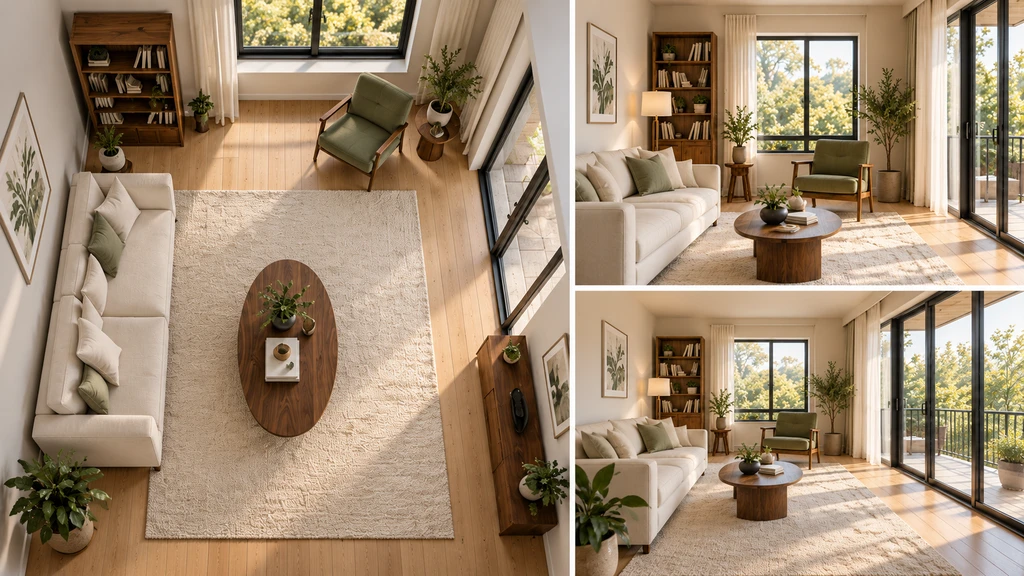
Share complementary views from Chez to help reviewers assess furniture placement, sightlines, and access.
Visual context is essential for effective room design feedback. Chez by ReimagineHome lets you explore floor plans, wall elevations, and 3D walkthroughs, all derived from your real room photos. Select the views that best explain your question:
- For layout changes, share an overhead floor plan and a view from the main entrance.
- If you’re comparing tall storage near a window, include a wall elevation of that area.
-
Ask Targeted Questions That Prompt Action
Broad feedback often leads to off-topic suggestions. Instead, pair your visual comparison with specific, practical questions such as:
- "Which layout keeps the route from the entrance to the balcony more accessible?"
- "Does this chair position suit reading, or does it interrupt traffic?"
- "What seems awkward or inconvenient in either arrangement?"
-
Record, Test, and Verify Changes
Once opinions are in, document the issue (e.g., "chair appears too close to balcony path"), agree on a change to test, and update the design in Chez. Re-share the relevant views, keeping all variables consistent except for the one under review. Invite commentary using the same images and questions as before. Crucially, before buying or installing anything, measure the real room and check product details—Chez’s photo-based models provide estimated dimensions, not construction-ready specs. This confirms that your chosen option truly fits and works in practice. For a complete workflow, follow step-by-step guidance from our how-to on turning photos into a 3D interactive space.
-
A Simple Room Design Feedback Brief
To help your reviewer focus, provide the following structure with your selected Chez views:
- Room and main activity: [Which space is this, and how do you use it?]
- Decision for this review: [What specific choice needs help?]
- What needs to stay: [List of fixed items or routes]
- Options to compare: [Describe each alternative]
- Views to review: [Where each screenshot or view is taken from]
- Questions for feedback: [Ask 2–3 questions directly tied to the decision]
- Observation and next step: [Summarize what’s working, any concerns, and what to test next]
-
Turn Feedback into Confident Decisions
When preferences conflict, look for the practical reasons behind each comment—one person may need easy balcony access, another wants a cozy reading corner. You don’t have to pick a single “winner” right away. Instead, try a compromise arrangement in your 3D model, review it from the agreed views, and note which concerns are still present. This allows you to iteratively refine both the design and your feedback process, a strength of visual-first planning platforms like Chez. Try it for yourself with Chez by ReimagineHome.
Frequently Asked Questions About Getting Feedback on 3D Room Design
- What should I ask someone reviewing my room design?
- Ask whether the arrangement supports specific activities, where the design might make access awkward, and what aspects deserve further testing. Guide the reviewer to describe particular locations or viewpoints with their comments.
- Which views should I share for feedback in Chez?
- Choose views that reveal your decision point. A top-down floor plan and an entrance perspective give a clear sense of layout. For questions about a specific area, include a matching elevation or angle of that spot.
- How can couples or families compare preferences?
- Agree on the room’s main use and constraints first. Share identical viewpoints for each alternative and discuss the functional reasons behind any conflicting preferences. Test compromise solutions visually in Chez and revisit as needed.
- Can Chez guarantee furniture fit from the 3D model?
- No—Chez uses estimated photo-derived dimensions. Always check key measurements and product details in your real room before making purchases.
- What should I do after receiving design feedback?
- Pick one change to test, document why you chose it, and review again using matching views. Keep notes about any outstanding checks or measurements alongside your chosen solution.