Why ReimagineHome's Room Visualization Makes Your Shopify Furniture Store More Trustworthy
TL;DR
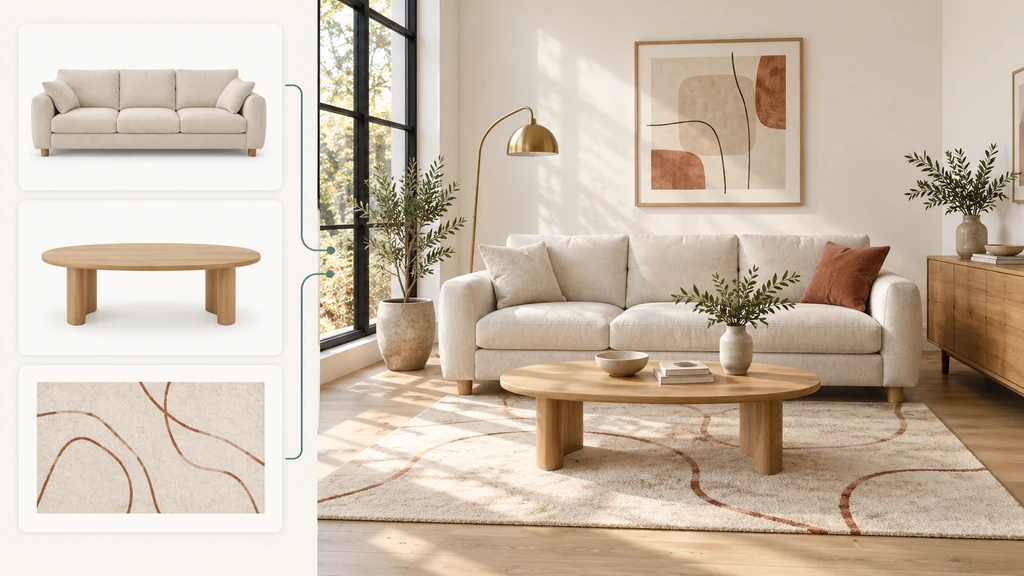
Shoppers hesitate to buy furniture online because they can’t envision how a product fits their real space. Room visualization apps like ReimagineHome empower them to preview products in their own rooms, building trust and confidence to convert right on your Shopify store.
The Trust Barrier in Online Furniture Sales
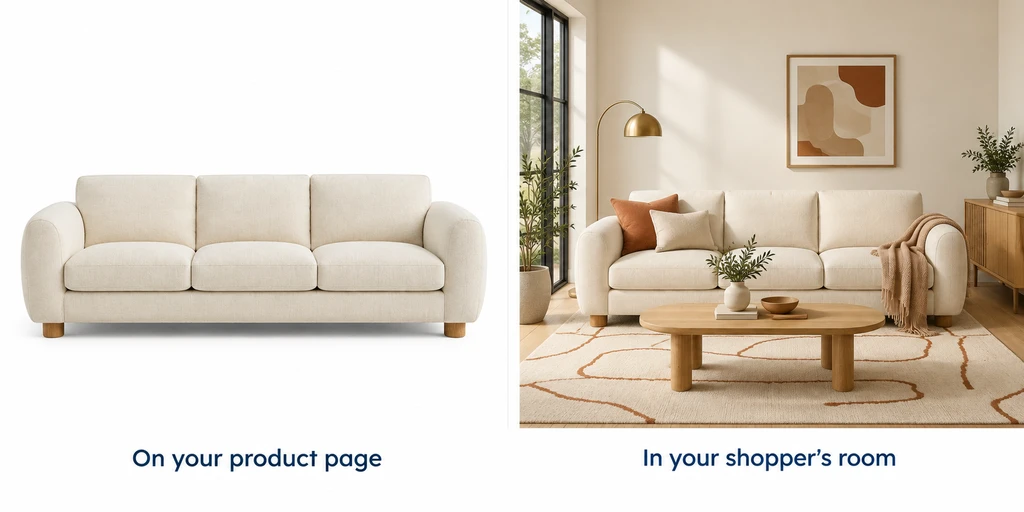
Explore how a room visualizer for Shopify stores empowers home decor merchants and shoppers to confidently preview and choose complementary furniture combinations online.
For Shopify merchants selling furniture and home décor, a common challenge lies between a shopper’s interest and their final purchase: Can customers trust how your product will look in their real space? Room dimensions, lighting, and the interplay with existing furniture can all complicate decisions, often leading to abandoned carts and uncertain buyers.
That’s where the ReimagineHome Room Visualizer for Shopify comes in. By letting customers preview your catalog items directly in photos of their own rooms, it closes the gap between product page curiosity and checkout confidence. If you want to answer the crucial shopper question “Will this work at home?” this article is your guide to integrating room visualization for more informed, empowered customers.
-
Why Beautiful Products Still Leave Shoppers Hesitant
Why Beautiful Products Still Leave Shoppers Hesitant Image
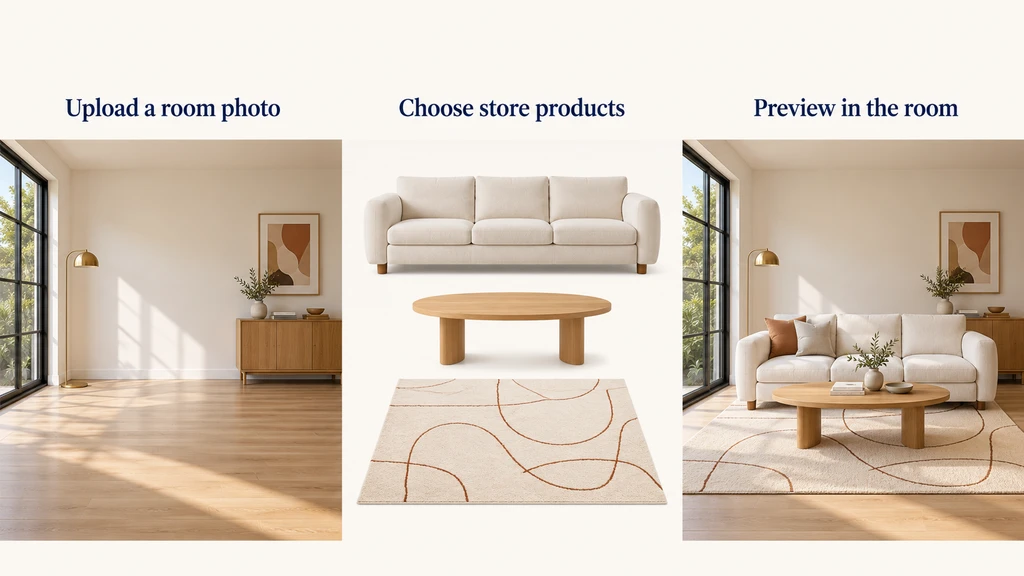
Even when a sofa perfectly matches a customer’s taste and budget on the product page, many are reluctant to buy. The problem isn’t just about specs, but context: Will this piece suit the look and feel of my actual living room? Will it mesh with a dark floor, existing seating, or low natural light?
This hesitation stems from uncertainty, something static room photos and descriptions rarely resolve. As our guide on seeing furniture in your room before buying explains, even strong interest can stall when buyers can’t picture how the pieces will work together. Room visualization tools help break this deadlock by giving online shoppers a concrete frame of reference: their own space. -
How Room Visualization Works on Shopify
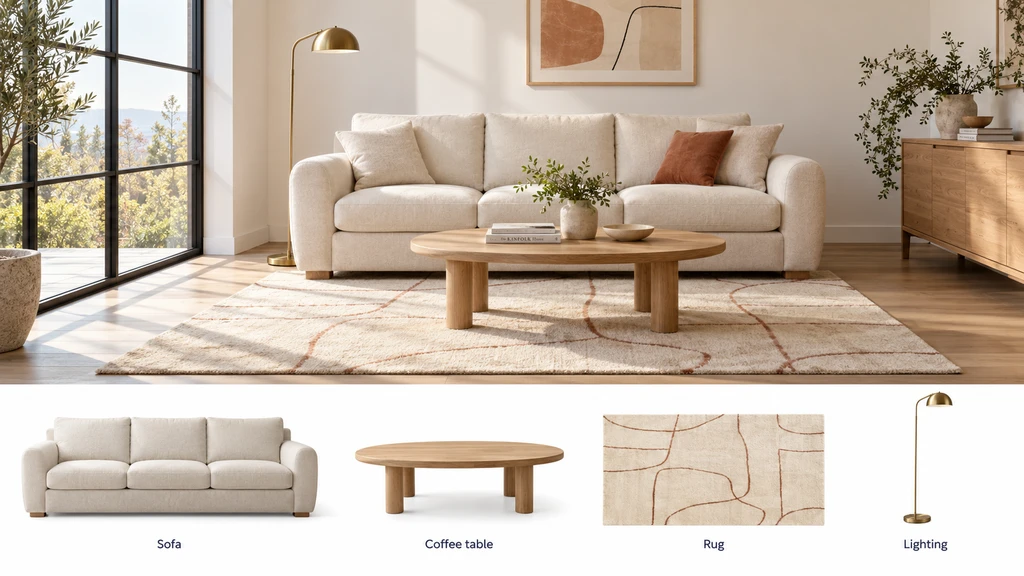
See how a room visualizer for Shopify stores lets shoppers realistically visualize products in their own rooms and compare before and after previews—empowering home decor merchants to help buyers choose the perfect furniture combination online.
ReimagineHome Room Visualizer embeds seamlessly into your Shopify store, most commonly by adding a "Visualize in my space" button right on the product page. When shoppers tap this, they can upload a photo of their room, choose from your eligible product catalog, and see a realistic image of the product(s) placed directly into their space.
Merchants can curate which categories (like sofas, rugs, lighting, or outdoor seating) are available, while shoppers are limited to one product per category, preserving clarity and avoiding overwhelming visuals. Products are selected from your existing images; no extra 3D models or coding are needed. This entry point meets buyers exactly where their uncertainty peaks, providing clarity at the crucial moment of decision.
According to our blog on using AI for real product staging, providing shoppable previews based on real homes bridges inspiration with actionable design, making the leap from browsing to buying far smoother. -
Seeing Multiple Products Together: Why It Matters
Seeing Multiple Products Together: Why It Matters Image
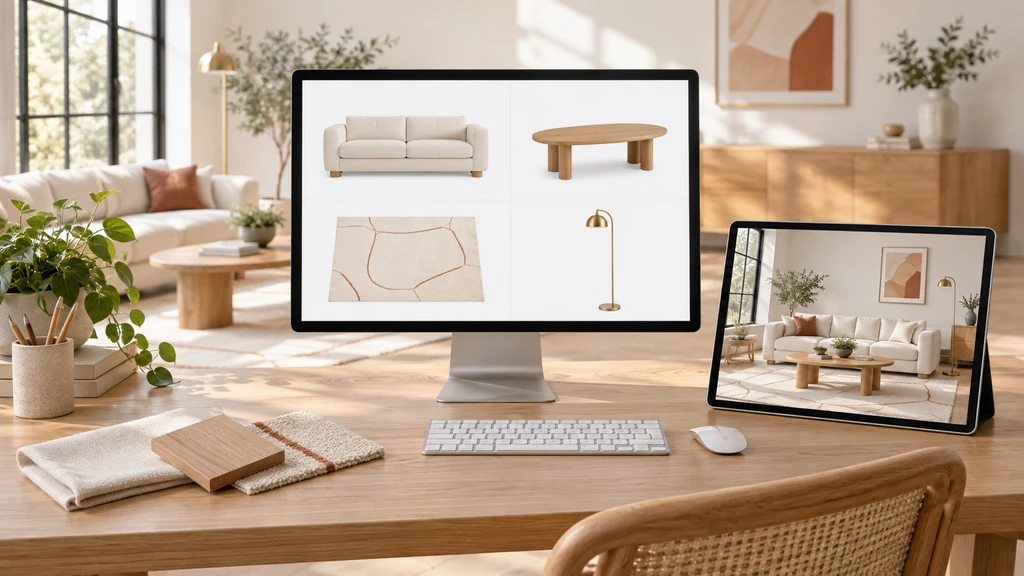
Rooms aren’t made of isolated pieces. Your customer might love a particular sofa, but their final decision depends on how it pairs with a rug, coffee table, or accent chair. The ReimagineHome Room Visualizer supports this by letting shoppers combine one item per supported category into a single room view.
For example, a customer considering a bold-patterned rug with a neutral sofa can use the tool to judge if the combination feels harmonious in their living room, or if a quieter rug suits them better. This empowers more thoughtful decisions and highlights opportunities to recommend complementary products, driving the potential for greater basket value through relevance instead of pressure.
As we explored in our article on critical design visualization tools, this context-driven approach transforms how both designers and shoppers build confidence in their selections. -
Turning Visualization Into Seamless Checkout
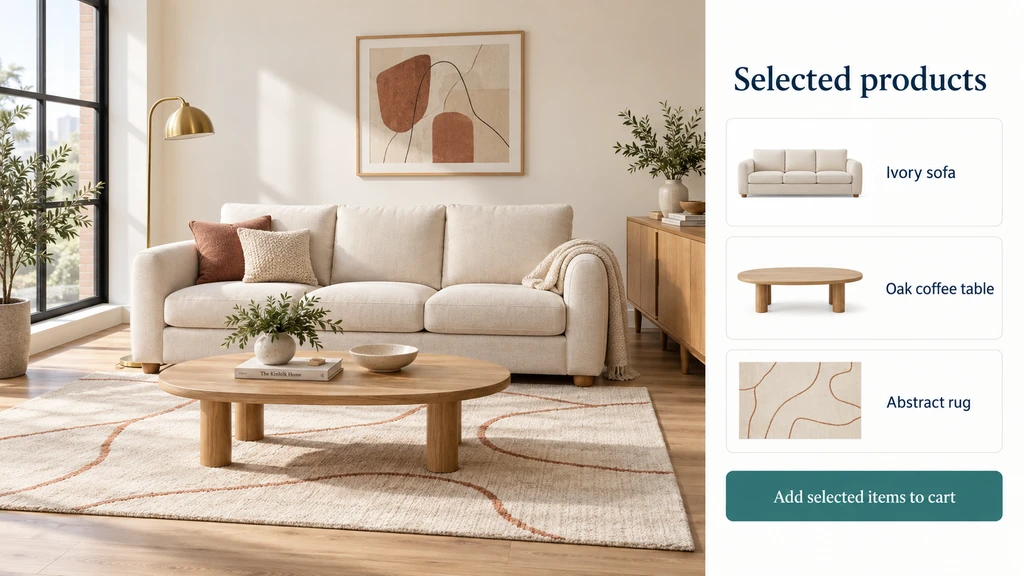
A Shopify room visualizer lets shoppers preview and compare complementary furniture in a styled room, streamlining intuitive online checkout. Visualizing products in your room builds trust for home decor merchants and ensures every item suits your unique space.
The value of a room preview isn’t just the image, it’s the connected journey from inspiration through to purchase. After browsing their visualization, customers can carry selected products directly into your store’s checkout, preserving model names, prices, and categories. There’s no need to hunt for items again—their personalized look is ready to become a real order.
This consistent handoff makes the shopping journey feel intuitive and actionable, building customer trust and streamlining the path from curiosity to commitment. The visualizer clarifies that buying a "look" means purchasing the selected items from your curated catalog, not a generic simulation or every item in the room image. Shoppers are encouraged to review details before confirming their order. -
Practical Setup and What to Consider
Getting started with ReimagineHome Room Visualizer is straightforward: it works with your existing catalog images and can be added without coding via Shopify’s Theme Editor. Your main task is selecting which collections to feature and making sure your product photography is clear and descriptive.
Before launching, test the experience just like a shopper, open a product page, try a room photo, check how intuitive selection feels, and ensure the handoff to checkout is seamless. Consider beginning with focused collections (like "Living Room Essentials" or "Patio Looks") to make selections clear and approachable.
Remember, while visualization provides critical context for appearance and coordination, shoppers will still rely on product dimensions and details to confirm fit. Position the tool as a confidence builder within a comprehensive, well-supported customer journey.
FAQ: Making Room Visualization Work on Shopify
How many products can a shopper preview in one room?
Shoppers can select one product per supported category—such as a sofa, rug, or lighting fixture—creating a comprehensive but focused room preview.
Do I need professional product photos or 3D models?
No 3D models are needed. The app works with your existing product images. Just ensure photos are clear and accurately represent color and style.
Does visualization guarantee more sales or fewer returns?
No guarantee—room previews help inform shoppers and reduce uncertainty, but business outcomes depend on factors like price and product quality.
Room Visualization Builds Real Shopper Confidence
When you empower customers to see your products in their own home before buying, you address the root cause of hesitation: uncertainty about real-life fit and style. Room visualization leads to better-informed decisions, fosters trust, and connects your catalog with the buyer’s imagination, directly on your Shopify store. Merchants who prioritize context make online buying more transparent and user-centered than ever.
Ready to give your customers a reason to buy with confidence? Explore how ReimagineHome Room Visualizer can transform your product pages today.