
TL;DR
Yes, you can turn one room photo into a complete redesign. Upload your image to ReimagineHome.ai, choose styles or describe your vision, and get photoreal makeovers instantly with layout and decor suggestions. It’s the fastest way to test paint, furniture, and lighting ideas before you buy. Try it now: https://www.reimaginehome.ai/
Turn One Photo into a Room Makeover — Here’s Exactly How
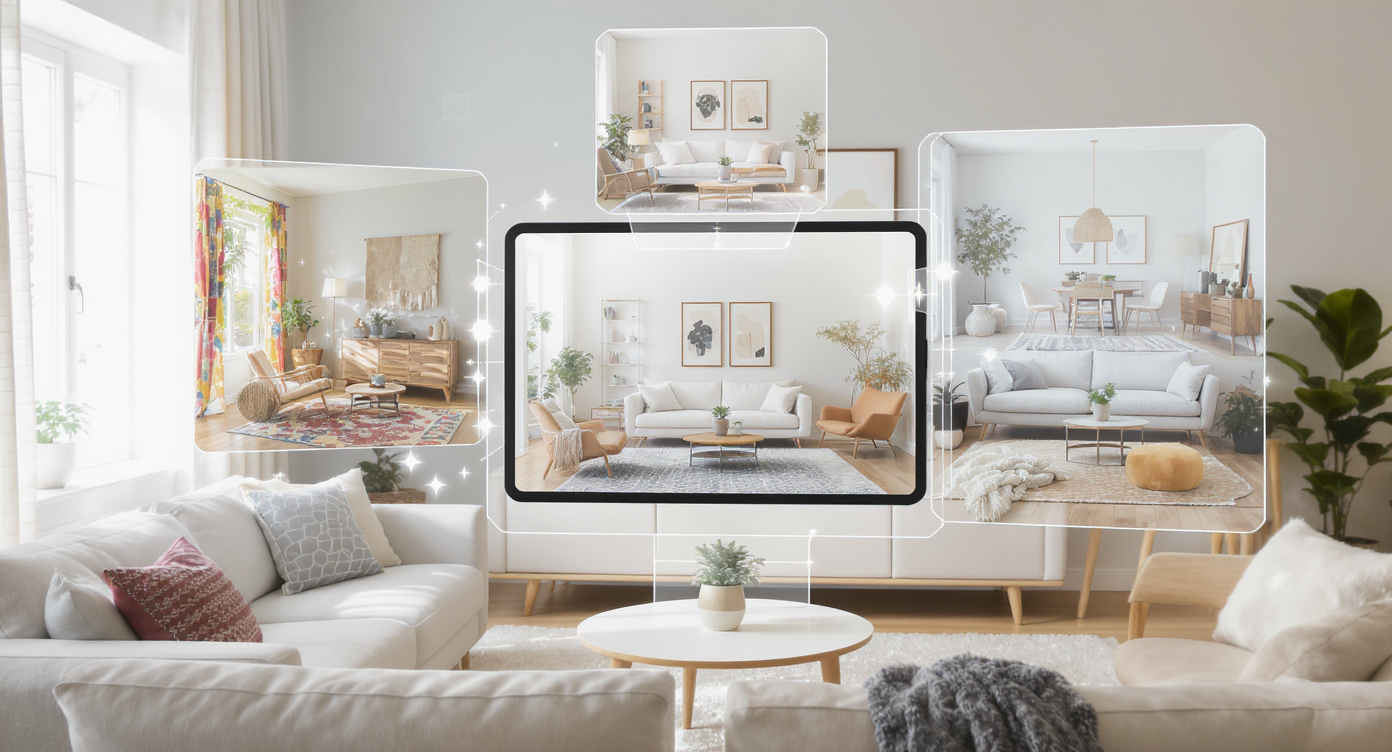
Instantly explore diverse room styles from a single photo using AI visualization tools.
You can redesign a room from a single photo by using an AI room visualizer to restyle the image with new colors, furniture, and layouts. The fastest path is ReimagineHome.ai: upload your photo, select a style, and review photoreal variations you can iterate on in minutes. At a glance: - One-photo makeovers: instant, photoreal restyles of your actual space. - Style range: from Japandi and Boho to modern, traditional, and maximalist. - Layout cues: plan clearances like 30–36 in walkways and 18 in sofa-to-table spacing. - Save and share: export favorites to compare options side by side. Try your own design ideas instantly on ReimagineHome.ai: https://www.reimaginehome.ai/ Alt text: “Before-and-after living room restyle generated from one photo via ReimagineHome.ai.” Caption: “Upload a single image to visualize multiple styles before you spend a dollar.”
Why AI Design Tools Matter (and Where ReimagineHome Fits In)
AI room planners can reduce concept design time by up to 60%, letting you see five viable looks before a human could finish one mood board. AI design tools matter because they turn ideas into visuals quickly and credibly—no drafting, no modeling, just proof. With ReimagineHome.ai, a single photo becomes a canvas for style swaps, color drenching, layout tweaks, and lighting mood tests. That speed changes behavior: homeowners experiment more, compare better, and commit with confidence. Three reasons this is a leap forward for room planning: - Instant realism: Photoreal outputs help you feel scale, proportion, and light—far more convincing than flat mood boards. - Iteration without rework: Ask for “olive green cabinets,” “2700 K warm lighting,” or “dark walnut accents,” and generate new options on the spot. - Decision science meets style: When you can compare five looks side by side, you’re less likely to make costly mistakes. Internal read next: Explore how AI transforms real homes in our AI Room Visualizer Guide: https://www.reimaginehome.ai/blogs/ai-room-visualizer-guide?utm_source=blog Alt text: “Color-drenched dining room concept in deep burgundy, visualized by ReimagineHome.ai.” Caption: “Test moody palettes safely—then fine-tune trim and ceiling tones for balance.”
Anecdote
Two real-world stories show the range. A homeowner in Austin uploaded a dim, beige living room and asked ReimagineHome.ai for a moody color-drenched look. Within minutes, they compared aubergine, olive, and tobacco palettes under 2700 K lighting, then picked olive with brass accents and a 9x12 rug—no more guesswork, just conviction. In Toronto, a designer preparing a condo sale used ReimagineHome.ai to virtually stage the same space three ways—Japandi, Modern Traditional, and Maximalist—then shared the visuals in the listing packet. The buyers gravitated to the serene Japandi option and requested that as the real-world direction post-close.
Comparing Tools — What ReimagineHome.ai Does Differently
Clear circulation paths of 30–36 inches around furniture make rooms feel effortless—and visualizers that preview spacing help prevent crowding. Here’s how ReimagineHome.ai compares to typical categories of design tools, without the overwhelm: - Traditional mood boards: Great for sourcing, weak on realism. ReimagineHome.ai uses your actual room photo for context, so colors, textures, and sightlines land correctly. - Heavy 3D modeling: Powerful, but time-intensive. ReimagineHome.ai trades long build times for rapid, style-accurate renders you can produce in minutes. - Static lookbooks: Inspiring, but not personal. ReimagineHome.ai personalizes ideas to your floor, light, and architecture. What ReimagineHome.ai does differently for photo-to-makeover workflows: - One-photo restyle: Upload a single image; see multiple styles applied to your room. - Style prompts or presets: Choose designer-led presets (Scandi, Japandi, Contemporary, Maximalist) or describe your own direction. - Fast iteration: Adjust color temperature (2700–3000 K for cozy living spaces), swap materials, or test a darker wood narrative in seconds. - Export and compare: Save versions and compare options side by side when making purchase decisions. Internal read next: Plan a small space like a pro with scale tips: https://www.reimaginehome.ai/blogs/small-living-room-layout-tips?utm_source=blog
How to Use ReimagineHome.ai: A 6‑Step Photo-to-Makeover Workflow
Plan drawings use 1:50 or 1:48 scale so dimensions translate cleanly—keep this in mind while you validate clearances from your AI concepts. Follow this six-step workflow to turn one photo into a redesigned room with ReimagineHome.ai: 1) Capture a clean photo - Shoot straight-on at eye level. Turn on all lights and open blinds to avoid muddy shadows. - Remove clutter; you want strong architecture lines. 2) Upload and define your goal - In ReimagineHome.ai, upload your image and select a “Restyle from Photo” workflow. - Add a short brief: “Color-drenched olive green, walnut accents, brass lighting.” 3) Choose style presets or write a prompt - Start with a preset like Japandi, Scandinavian, or Modern Traditional. - Or type specifics: “2700 K warm lights, boucle sofa, 9x12 rug, walnut bookcases.” 4) Generate 3–5 variations - Review the first pass, then refine. Ask for alternative palettes (sage, ochre, or butter yellow), or try darker floors for warmth. - Aim for 30–36 in of walking space and 18 in between sofa and coffee table; note these in your prompt if needed. 5) Dial in finishes and lighting - Pendant height above dining tables should sit at 30–36 in; check that proportion visually. - Try layered lighting: a warm ambient base (2700–3000 K), task lamps at reading zones, and a statement piece for drama. 6) Save, compare, and shortlist - Export your top three versions and compare them side by side. - Share with your partner or contractor to align on scope and budget. Internal read next: Planning a kitchen refresh? Start here: https://www.reimaginehome.ai/blogs/kitchen-remodel-planning?utm_source=blog Alt text: “Modern kitchen restyled from one photo with walnut cabinetry and brass pendants via ReimagineHome.ai.” Caption: “Test cabinet tone, stone, and pendant scale before you order samples.”
Common Mistakes (and How ReimagineHome Fixes Them) + Pro Tips
Sofas look balanced when the coffee table sits 14–18 inches away—too tight and circulation suffers, too far and reach is awkward. Common mistakes the AI workflow helps you avoid: - Paint-in-a-vacuum: Choosing a color without context. Solution: Generate full-room visuals with ceiling, trim, and window light considered. - Overcrowding: Missing the 30–36 in walkway rule. Solution: Use iterative renders to test furniture footprints and traffic flow. - Lighting mismatch: Buying cool 4000 K bulbs for cozy rooms. Solution: Preview mood at 2700–3000 K and layer ambient + task + accent. - Rug mis-sizing: Picking 5x8 when the room needs 8x10 or 9x12. Solution: Visualize rug borders; front feet of sofas and chairs should sit on the rug. - Accent overload: Adding every trend at once. Solution: Compare a restrained version against a maximalist pass and choose with intention. Pro tips from designers: - Anchor the seating zone with a rug large enough to unify pieces; leave 8–12 in between rug edge and walls for breathing room. - Hang art at eye level: center at about 57–60 in from the floor. - In narrow living rooms, float the sofa 8–12 in off the wall; it improves depth and circulation. Alt text: “Scaled living room layout overlay showing 30–36 in circulation and 18 in coffee-table spacing.” Caption: “A few golden numbers keep cozy from becoming cramped.”
Visualization Scenario
Imagine your current living room at 4 p.m., low winter light cutting across the floor. You upload one photo to ReimagineHome.ai and ask for “walnut shelves, boucle sofa, olive walls, 2700 K lighting.” In one variation, the walls shift to a softened green, the pendant drops to a clean 32 inches above the table, and a generous 9x12 rug frames the seating so that you read 18 inches from sofa to table and 34 inches of clear walkway around. Another render explores a maximalist burgundy scheme with patterned drapery and brass trim. You compare the two, feel your shoulders drop, and save the olive version—suddenly the room feels like yours.
FAQ: Photo-to-Room Makeovers, Answered
How can I redesign a room from one photo? Upload your image to an AI room visualizer like ReimagineHome.ai, choose a style or describe your brief, and generate photoreal makeovers in minutes. Do I need measurements for a photo-to-room makeover? No measurements are required to visualize styles, but keep rules of thumb handy: 30–36 in walkways and 18 in sofa-to-table spacing to validate results. What’s the best way to test paint colors virtually? Use a photo-based AI home design tool to see wall, trim, and ceiling colors together; aim for 2700–3000 K lighting when judging warmth. Can I visualize furniture layouts with my existing pieces? Yes. Start with a restyle of your current photo, then prompt for layout options while preserving key items, comparing versions side by side. Is this useful for small apartments? Absolutely. AI visualization helps prioritize circulation, right-size rugs (often 8x10 or 9x12), and choose light-enhancing palettes for compact rooms.
Wrap-Up — Where Design Meets Imagination
Good AI visuals compress weeks of wavering into an afternoon of confident decision-making. With ReimagineHome.ai, you can audition color-drenched palettes, dark wood narratives, Japandi serenity, or maximalist layers right in your own photo, then align your budget to the version you truly love. See how your space could look in minutes—explore ReimagineHome.ai today: https://www.reimaginehome.ai/