
TL;DR
ReimagineHome.ai’s Add Anything lets you drop in dining chairs, a rug, curtains, plants, art, or even a different light fixture into a single photo — so you can keep a minimalist vibe without it feeling barren. It’s the fastest answer to “add more or leave it?” because you can preview multiple options side by side and decide together. If you want a step-by-step on how to add decor to a minimalist dining room, upload a photo to ReimagineHome.ai and try the Add Anything tool while you read.
The Real Cost of Showing Rooms “As They Are” Online
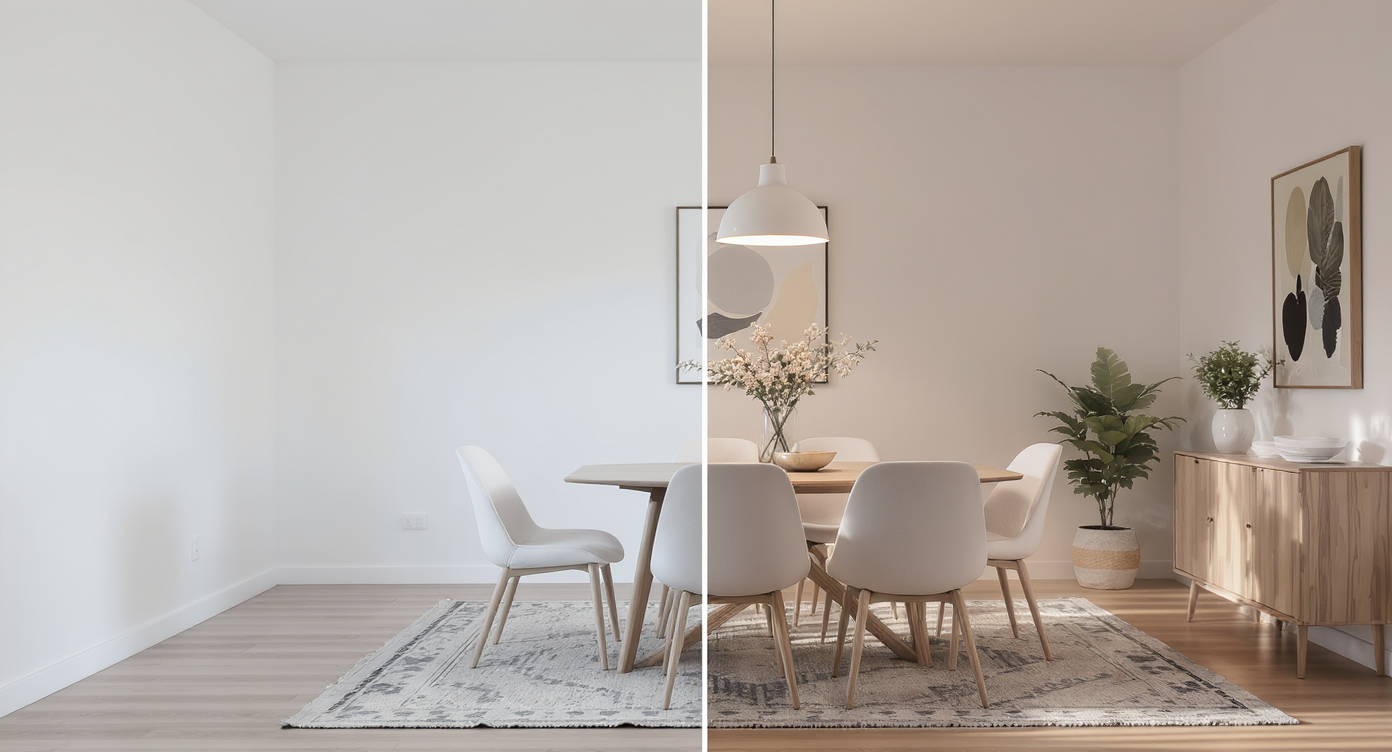
Add Anything AI enriches vacant dining rooms with realistic decorative touches, enhancing warmth and style.
Add Anything is an AI tool that lets you place realistic furniture and decor (think chairs, rugs, art, curtains, plants, even a new pendant) into your room photo. It matters because under-furnished or undecorated spaces often feel colder and smaller on screen than thoughtfully finished ones — and this shows up in how people react, click, and decide.
- Results: Turn a stark dining area into a finished, minimalist room with just a few purposeful additions.
- Realism: Photorealistic scale, shadows, and perspective help you judge what actually fits.
- Speed: Generate multiple concepts in minutes; compare minimalist vs more layered looks.
- Cost: Try on ideas digitally before spending on chairs, a rug, or oversized art.
- Workflow: Works from a single photo; export images for feedback, listings, or clients.
- ROI: Avoid regret purchases and speed up decisions with visuals everyone can agree on.
- Peace of mind: See that a few big moves can keep minimalism intact while adding warmth.
Why This Visual Problem Hurts More Than You Think
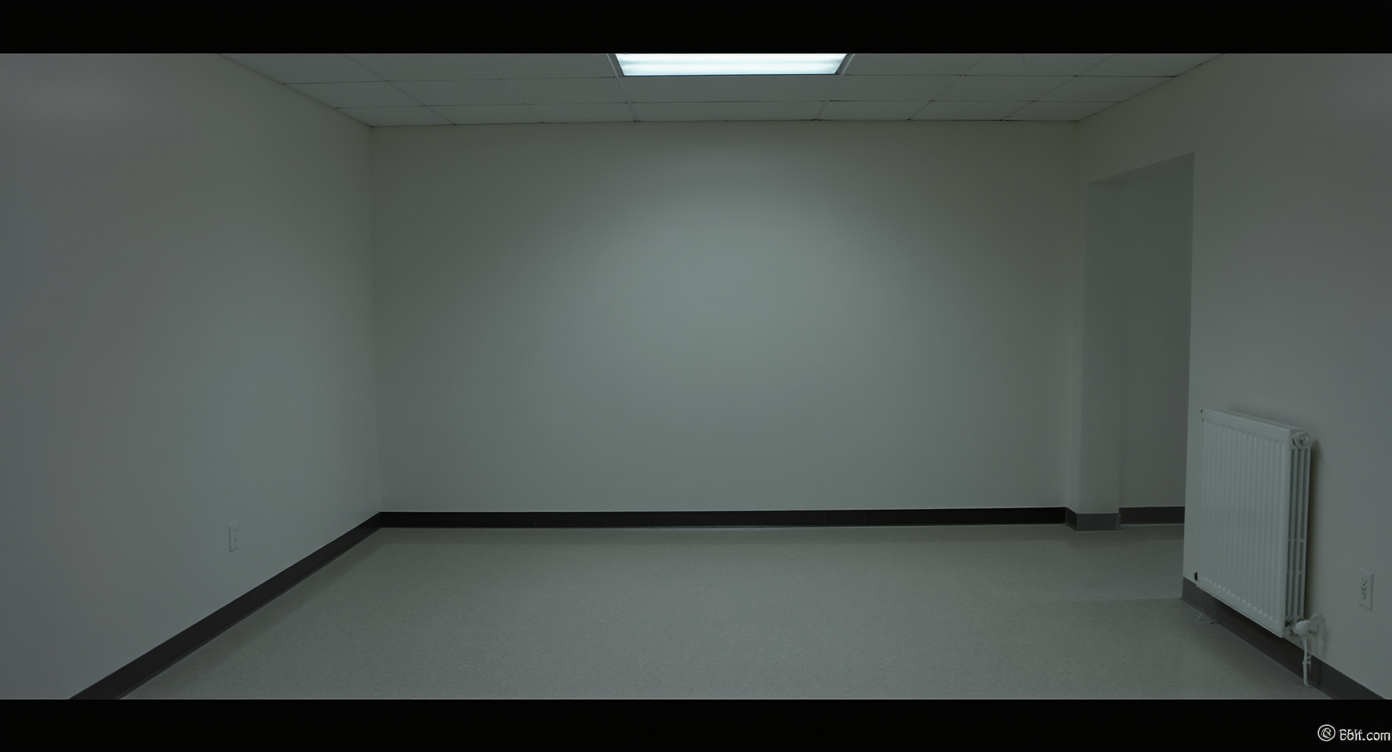
Vacant dining rooms often feel cold and hard to imagine living in, impacting viewer engagement negatively.
Vacant or sparsely furnished rooms often underperform because viewers struggle to imagine use, comfort, and scale. In a dining area, that usually means fewer saves, more “we just moved in” comments, and hesitation about what size chairs, rug, or art will work. Minimalism isn’t the enemy; visual uncertainty is. When there’s only a table and a small pendant, the proportions get harsh: the table feels oversized, the light looks undersized, and the empty wall amplifies the void. A single rendered preview with chairs, a properly sized rug, and one large art piece instantly reframes the space as intentional — without clutter. This is where visual testing beats verbal debating. Rather than arguing about “more vs. less,” you can preview a calm Japandi set of four chairs and a low bowl, then try the same room with a textured rug and linen curtains. Let the best picture win.
Anecdote
That beautiful dining table with nothing around it? One preview with six slim chairs and a warm wool rug turned “barren” into “balanced” — and ended a week-long debate in a single screenshot.
What Add Anything Actually Is (In Plain Language)
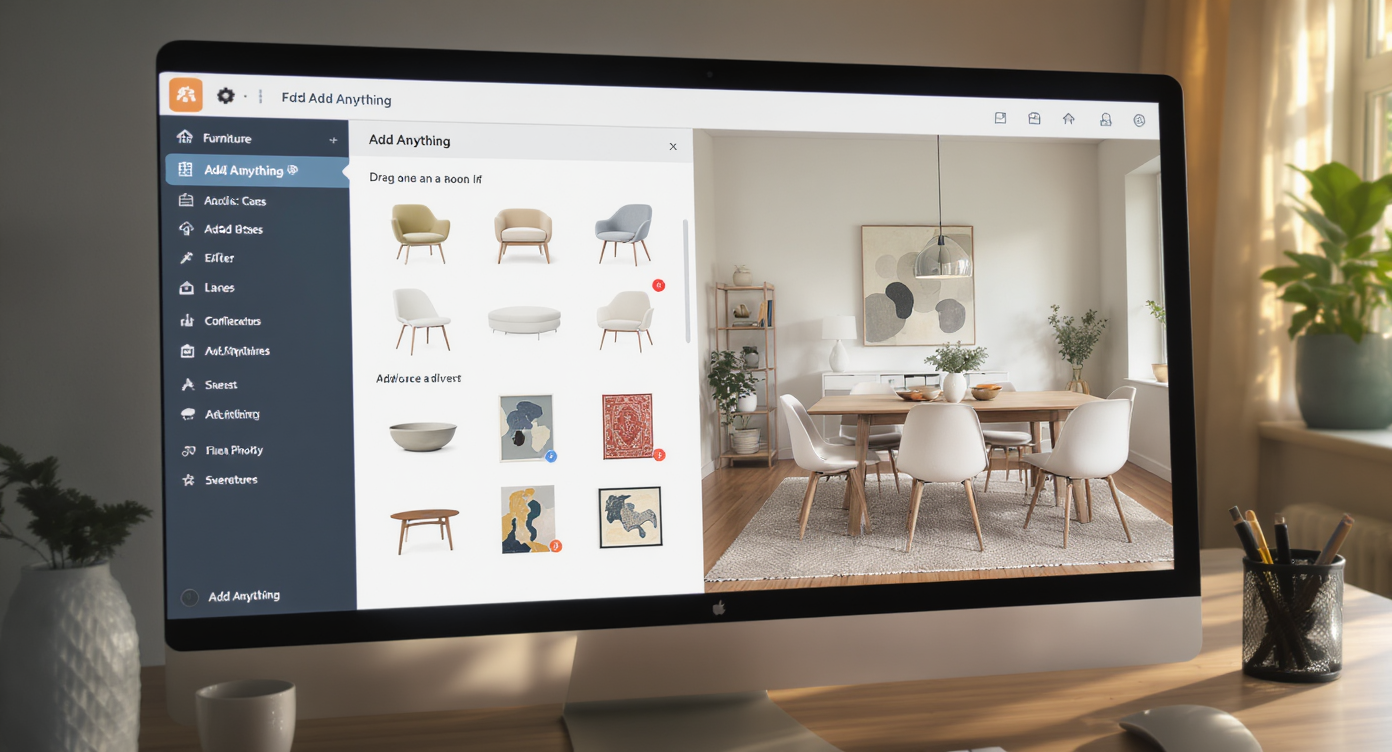
Add Anything lets you effortlessly import realistic furniture and decor into your room photos for design trials.
Add Anything is ReimagineHome.ai’s object-level tool that adds realistic furniture and decor into your existing room photo. You provide one image; the platform places your requested items with correct scale, perspective, and lighting so you can assess style, size, and balance before you buy. Use it to try specific pieces (e.g., “six minimalist oak dining chairs,” “9x12 natural wool rug,” “large abstract art in muted earth tones,” “linen pinch-pleat curtains,” or “larger black metal pendant 36 inches wide”). For a direct path to this capability, open ReimagineHome.ai’s Add Anything tool — it’s purpose-built to add chairs, rugs, plants, art, and lighting into a single photo so minimal rooms feel finished, not fussy.
How Add Anything Works Step by Step
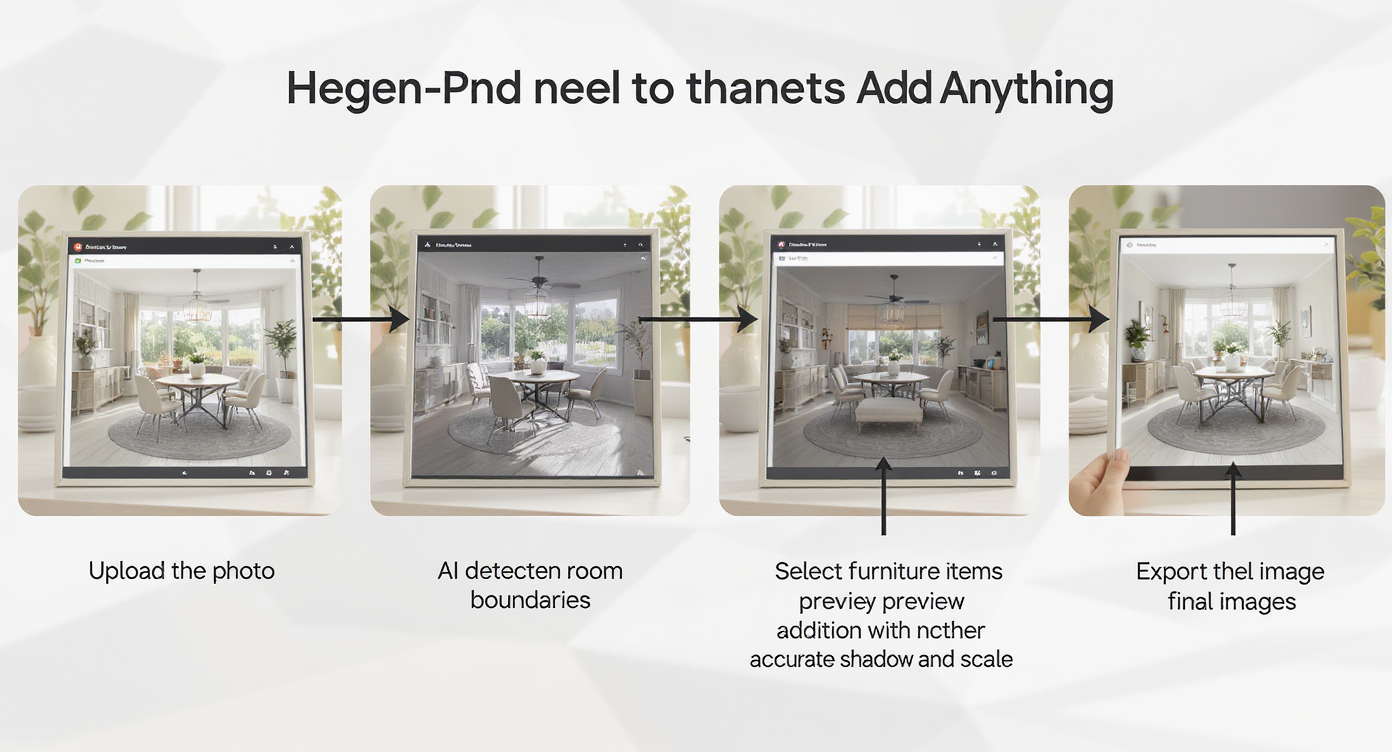
Add Anything guides you through a simple, clear process to visualize furniture additions step by step.
Start with a well-lit photo where the table, floor, and key walls are visible — it helps the AI understand scale and cast believable shadows. 1) Choose the right photo: Shoot straight-on or a slight angle; include floor around the table so rugs and chairs render accurately. Aim for at least 2500–3000 pixels on the long edge for clean results. 2) Upload to ReimagineHome.ai: Create a project and open Add Anything. 3) Describe the additions: Be specific — “six wishbone-style dining chairs in natural oak,” “9x12 flatweave rug, warm neutral,” “one oversized abstract canvas, 60x48 inches, soft taupe and charcoal,” “36-inch black metal dome pendant,” “linen curtains ceiling-mounted.” 4) Set the style vibe: Minimalist, Japandi, modern rustic, or warm contemporary. This guides materials, lines, and tones. 5) Generate and compare: Produce several variations — one with only chairs, one with chairs + rug, one with art + plant. Compare side by side for the right minimal-to-finished balance. 6) Refine: Nudge styles or sizes. If you plan to replace an existing pendant, first remove it cleanly with ReimagineHome.ai’s object removal tool and then add the new fixture. 7) Export: Save high-resolution images for partner feedback, client presentations, or to align purchases with what you previewed.
Tips and Tricks for More Realistic Results
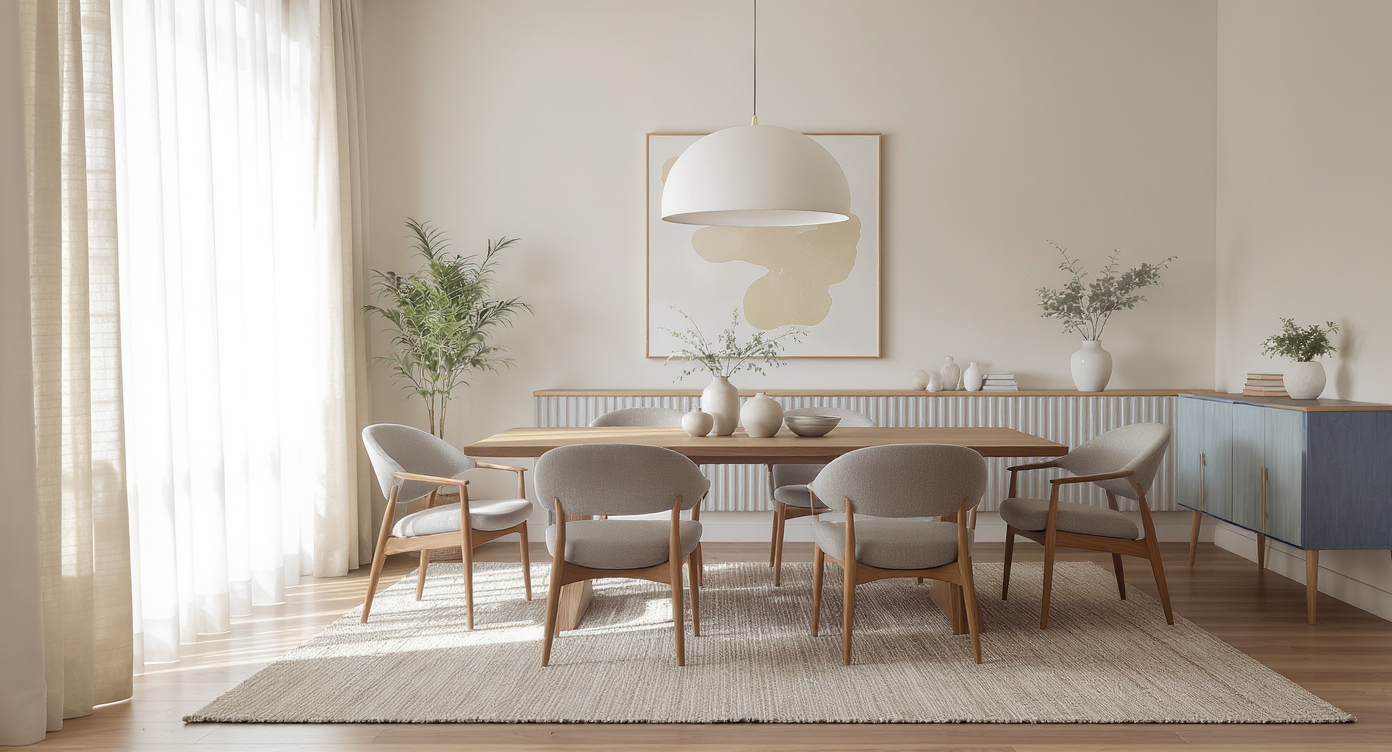
Two to three bold design moves create warmth and realism in minimalist dining rooms, avoiding clutter.
A simple rule of thumb: two to three substantial moves beat ten tiny objects in any minimalist dining room. - Scale the pendant correctly: For most dining tables, a light that’s roughly half to two-thirds the table width feels balanced. Test 28–40 inches depending on your table size. - Size the rug generously: Choose a rug large enough that chairs stay fully on the rug when pulled out (usually 24 inches of clearance beyond the table edges). Add Anything can preview exact dimensions like 8x10 vs 9x12. - Choose one big art piece, not a scatter: Minimal rooms read stronger with a single, oversized canvas or a large mirror rather than multiple small frames. - Keep centerpieces low: A shallow bowl with fruit or a low ikebana arrangement keeps sightlines clear and feels refined. - Warm up with texture, not clutter: Linen, wool, natural wood, and plaster-like walls add depth without busyness. If you want to test wall tone shifts (limewash, warmer white), preview them with ReimagineHome.ai’s digital repaint tool before buying paint. - Mind the sightlines: Leave a comfortable amount of negative space around the table edges and under the pendant so the room stays calm. - Photograph smart: Turn on ambient light, avoid extreme wide angles, and shoot at chest height; it keeps lines straight and results truer to life.
Visualization Scenario
Take your current dining photo, remove the odd pendant, test a 36-inch black metal dome, add six oak wishbone chairs, a 9x12 jute-wool rug, and one 60x48 abstract canvas. Export both the pared-back and the layered versions; choose the one that still breathes but finally feels lived in.
FAQ
Can AI really add chairs, rugs, and art to a photo realistically?
Yes. Add Anything places new items with correct perspective, shadows, and scale so you can judge size and style with confidence. Try it directly via ReimagineHome.ai’s Add Anything tool.
How do I add decor to a minimalist dining room without clutter?
Limit yourself to two or three big moves: chairs, a properly sized rug, and one oversized art piece or plant. Use Add Anything to compare “just chairs” vs “chairs + rug” vs “chairs + art” and pick the calmest version that still feels finished.
What resolution should my photo be for best results?
Aim for at least 2500–3000 pixels on the long edge, with clear views of the floor and walls. Higher resolution helps the AI render textures, edges, and shadows cleanly.
Can I replace a light fixture in my photo?
Yes. First remove the existing pendant using ReimagineHome.ai’s object removal tool, then add the new fixture in the right scale with Add Anything.
Is it okay to use these edited images in real estate listings?
Many markets allow virtually enhanced images when clearly labeled and not misleading about permanent features. When in doubt, disclose edits and include an unedited photo alongside the visual concept.
Visualize Your Next Listing (or Project) Before You Commit
- Under-finished rooms can read colder and smaller online, but a few well-scaled additions change everything. - Add Anything previews chairs, rugs, art, curtains, plants, and pendants so you can defend minimalism while dialing in warmth. Anecdotes speak for themselves: - The perfect-but-empty dining nook: Added six slim oak chairs and a 9x12 wool flatweave. Suddenly, the table looked intentional instead of oversized, and the room felt “ready.” - The odd, undersized pendant: Removed it digitally, tested a 36-inch black metal shade and a linear glass option. The larger light grounded the table without crowding it. - The “no decor vs. curated” debate: Two versions exported — one with only chairs, another with chairs + art + curtains. Seeing both ended the argument in minutes. If your goal is a minimalist dining room that feels serene, not sterile, rehearse the look before you commit. Open Add Anything on ReimagineHome.ai or start from the home page, and build the few, right moves with confidence.