Realistic AI Room Design: 5 Checks Before You Keep a Redesign
TL;DR
A useful AI redesign should look realistic and preserve your room. Compare architecture, viewpoint, furniture, lighting, and details with the original. Correct isolated issues or restart when several features change unintentionally. Always verify furniture dimensions and fit in your actual space.
A Better Design Should Still Look Like Your Room
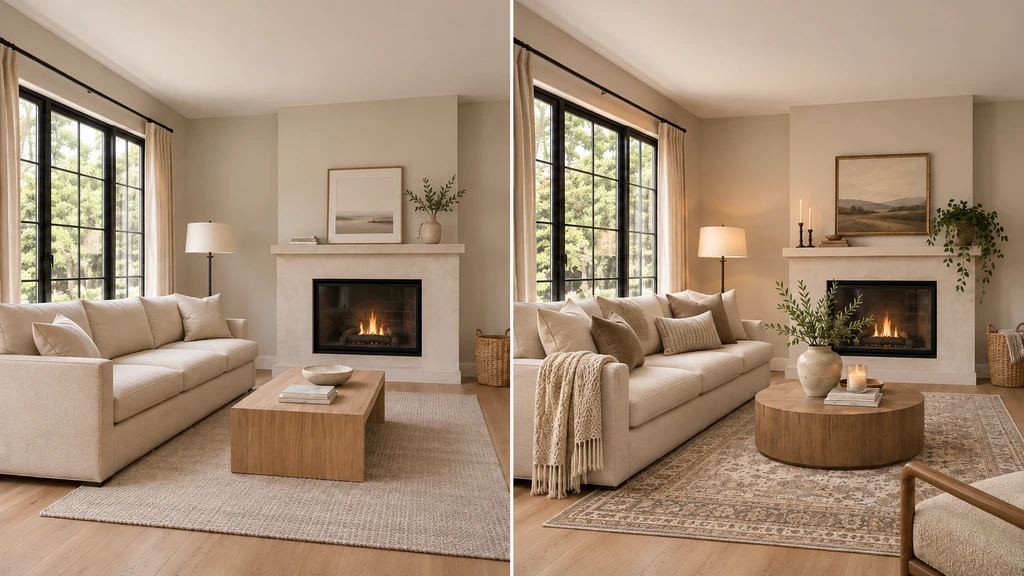
Compare the original room with the AI redesign to make sure the space still feels like the same room and that only the intended design changes have been introduced.
The rug looks better. But the sofa has become narrower, the window is wider, and the room suddenly feels more spacious. Are you choosing a better rug, or reacting to a different room?
ReimagineHome lets you explore design changes using a photo of your existing space. To judge those ideas fairly, separate the change you requested from anything that changed unintentionally. A new color palette should not require a different ceiling height, and replacing a sofa should not quietly remove a doorway. This guide focuses on refreshing an existing room, not proposing structural renovations. The goal is to evaluate a design idea within the space you actually have.
-
1. What Makes an AI Room Design Realistic?
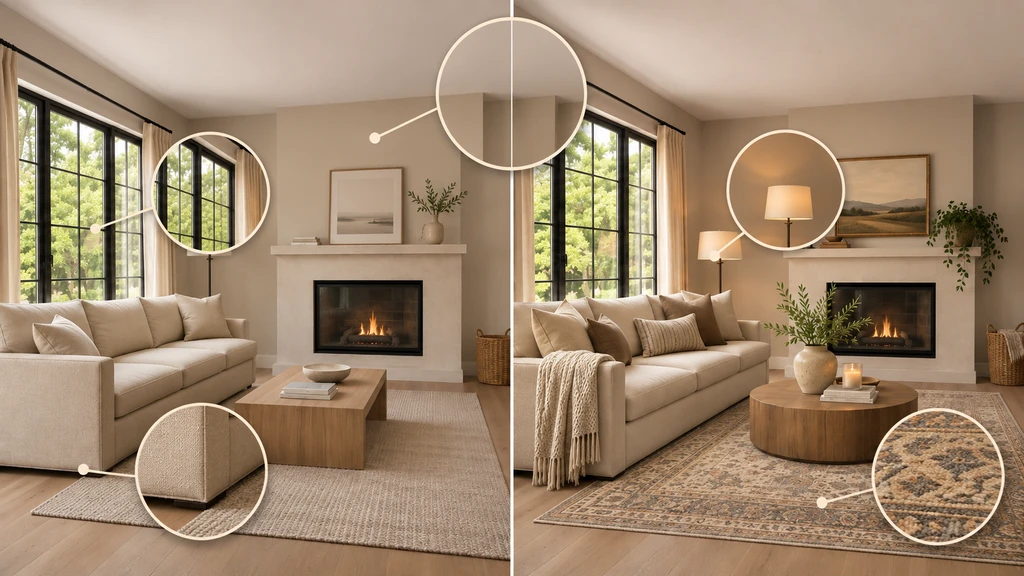
Use close-up checks to compare architecture, furniture scale, lighting, and surface details so an AI redesign improves the styling without unintentionally changing the room.
Image quality, realism, and room preservation answer different questions. Checking them separately helps you avoid choosing an attractive image for the wrong reason.
- Image quality: Is the result clear? Look for readable textures, defined edges, and freedom from distracting blur or patchy artifacts. You should be able to distinguish upholstery, flooring, furniture edges, and smaller details.
- Realism: Does the scene make visual sense? Furniture should appear supported, materials should look believable, and shadows and reflections should agree with the visible scene. A sharp image can still contain a floating chair or a mirror showing incompatible architecture.
- Room preservation: Is this still your space? Compare the visible walls, windows, doors, ceiling lines, built-ins, and anything you asked to retain. A believable sofa is not necessarily the same sofa you wanted to keep.
Review the room’s identity before judging its styling. Better textures cannot compensate for an unwanted change to the room itself.
-
2. Five Checks Before You Accept an AI Redesign
Compare the original photo and generated image side by side at a similar size. Use this checklist for visual review, not measurement or proof of accuracy.
Check What to review Architecture Check windows, doors, ceiling lines, fireplaces, and built-ins. Correct unintended structural changes. Viewpoint Keep the camera angle, crop, and apparent room proportions consistent across versions. Furniture Check retained items, scale, floor contact, and clear routes. Correct floating or overlapping objects; verify dimensions separately. Lighting Check shadows and reflections. Keep brightness comparable when judging color changes. Image detail Inspect textures and edges. Correct distortions before enhancing or upscaling. Confirm that only the requested changes were made. Mark hidden or out-of-frame features “not checked”, a single image cannot confirm what it does not show.
-
3. Should You Keep, Revise, or Restart the Result?
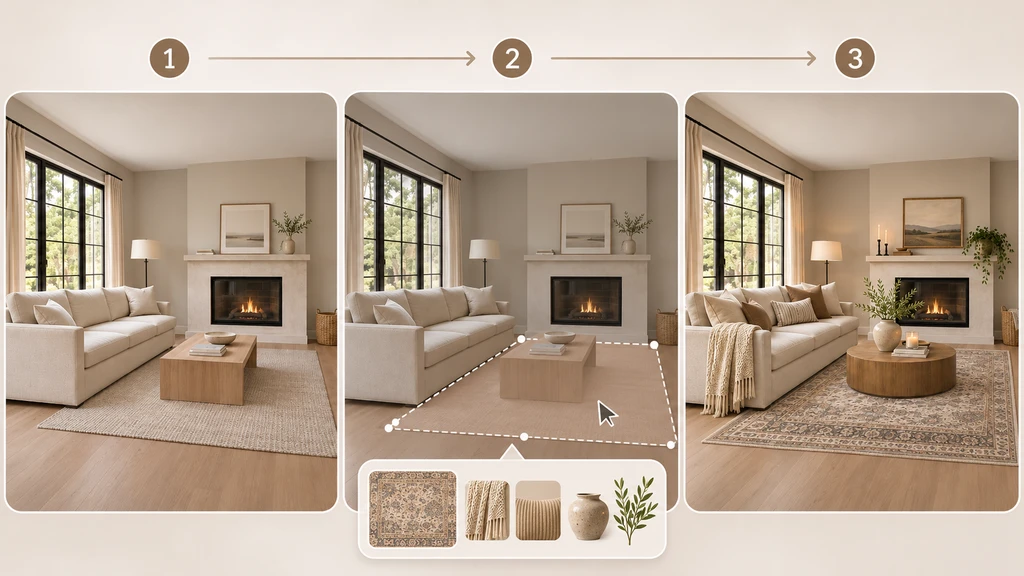
A focused AI redesign workflow starts with the original room, targets only the intended design change, and finishes with a revised result that keeps the surrounding space consistent.
Compare the result with your original photo and brief to decide whether to keep, revise, or restart.
- Keep: The room stays consistent, retained items remain recognizable, and the requested change is clear.
- Revise: Correct a specific issue, such as the wrong rug color, then recheck the entire image.
- Restart: When several features change unintentionally, return to the original or a clean earlier version. Restate what should change and what must stay.
A useful concept does not confirm product fit or exact colors. Verify these separately, and do not base further decisions on an inaccurately altered room.
-
4. How to Improve AI Room Design Results in ReimagineHome
Use a focused brief that clearly separates what should change from what must stay.
- Start with a clear photo: Choose a well-lit, level view with important room features visible.
- Define the change: For example, “Replace only the rug; keep furniture, architecture, and viewpoint unchanged.”
- Guide references: Specify which colors, textures, or styles to borrow—not the reference room’s layout or architecture.
- Target the edit: Use ReimagineHome’s Mark & Edit to identify the area and describe the correction.
- Enhance last: Correct unwanted changes before improving lighting, clarity, or resolution.
Specific instructions do not guarantee preservation. Compare the entire result with the original after each edit, including enhancement or upscaling.
-
6. Example, Compare Two Rugs, Not Two Different Rooms
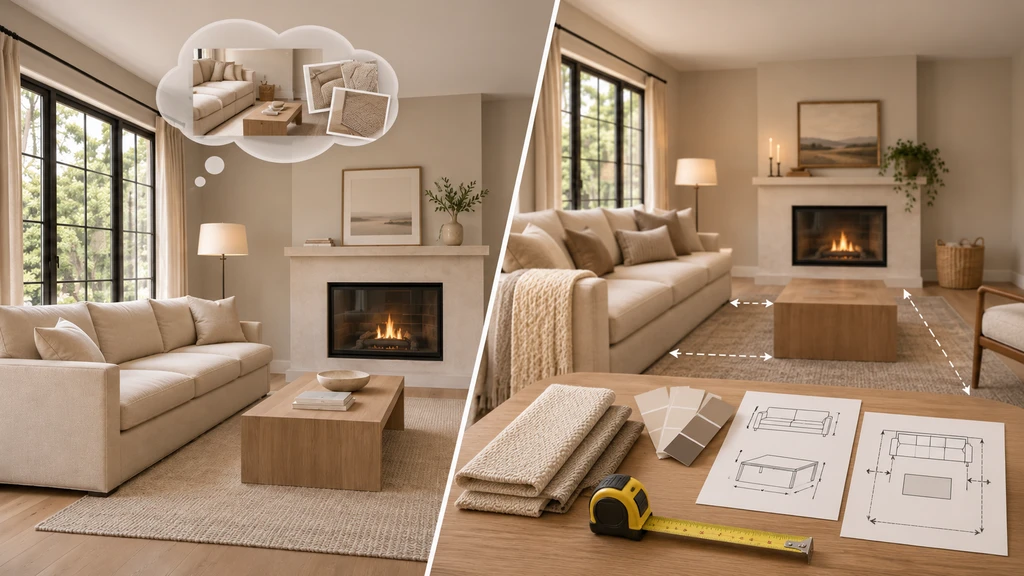
AI room previews can help narrow design ideas, but furniture dimensions, movement space, and physical material samples should still be verified before purchasing or making changes.
Imagine testing olive and oatmeal rugs in a living room with a gray sofa, pale flooring, a fireplace, and two windows.
- Olive-rug version: The room stays consistent, allowing you to judge the rug against the existing furniture and surroundings.
- Oatmeal-rug version: The sofa becomes smaller and the daylight brighter. The image feels more spacious, but that does not establish that the oatmeal rug is the better choice.
Recreate the oatmeal-rug option from the same original photograph using the same preservation instructions. Then compare the rug’s color, pattern, and relationship with the existing furniture. Keep the surrounding room comparable so you can judge the change itself. Otherwise, you may be choosing a different room rather than a different rug.
-
7. What a Realistic Preview Cannot Confirm
An AI room image can help you explore an idea visually, but it should not replace measurements or physical checks. Before purchasing, verify these details in your actual space:
- Furniture dimensions: Compare the product’s actual dimensions with your room, not simply whether it appears to fit in the image.
- Access and movement: Check door swings, delivery access, and the space needed to move around and use the furniture.
- Colors and materials: Review physical samples of paint, upholstery, and other finishes in your own space. On-screen appearance should help narrow a shortlist, not serve as the final confirmation.
Use the visualization to decide what is worth investigating. Use measurements and samples to decide what is ready to purchase.
Frequently Asked Questions
Does a high-resolution AI room image prove accuracy?
No. Resolution concerns image detail, not whether a window stayed in place or a chair will fit. Review visible room preservation separately and verify dimensions in the actual space.
Can I guarantee that only the selected item changes?
Do not treat a prompt or marked area as a guarantee. Use it to identify the intended edit, then compare the complete result with the original before accepting it.
What should I do when repeated edits make the room look worse?
Return to the original photograph or a clean earlier version. Restate the changes you want to retain and the features that must remain unchanged, rather than continuing from an increasingly distorted image.
How should I use a reference without copying its entire room?
Specify the elements you want to borrow, such as colors, materials, or furniture style. Separately identify the architecture, existing furnishings, and viewpoint you want to preserve.
Improve the Idea Without Losing the Room
A useful redesign should help you judge a change in your existing space, not distract you with an attractive replacement for it. Start with a clear photograph, define what stays, and check the architecture before the styling details. Keep a consistent result, correct a focused problem, or return to the original when the room has drifted.
Choose one change to explore in ReimagineHome and keep the original beside the result. Before accepting it, ask: “Is this a better idea for my room, or simply a different room?”