
TL;DR
Seasonal Reset is an AI photo edit that flips off‑season exteriors to spring or summer: greener lawns, fuller trees, refreshed beds, and brighter ambiance in minutes. It’s ideal when you’re listing during winter or traveling and can’t whip the yard into shape. Try it on a real image now inside ReimagineHome.ai’s platform: https://www.reimaginehome.ai/seasonal-reset?utm_source=blog. For agents asking how to make off‑season listing photos look alive, this delivers realism, speed, and compliance‑friendly clarity.
Why These Off‑Season Photos Aren’t Doing Your Listing Any Favors
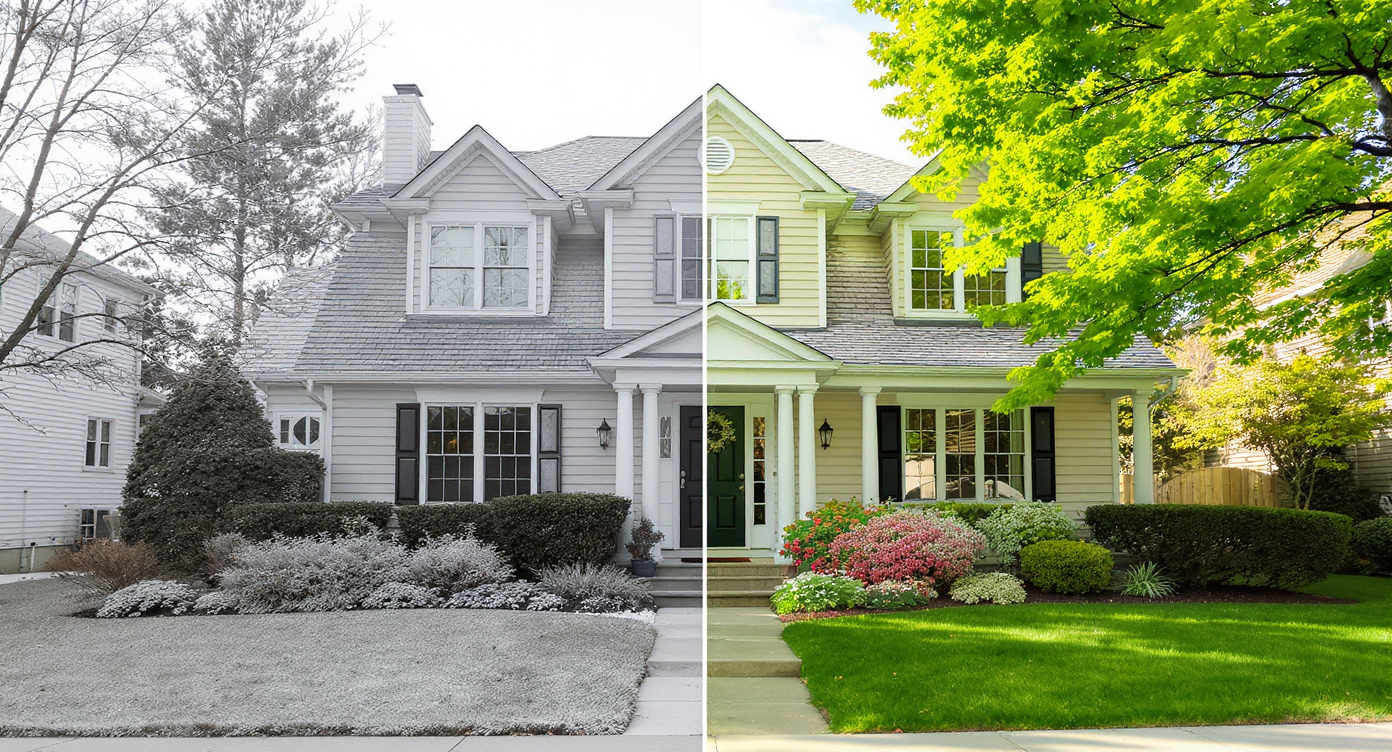
Seasonal Reset turns lifeless off-season photos into vibrant, inviting scenes in minutes.
Seasonal Reset is an AI edit that turns winter or dormant‑season exterior photos into spring or summer—think greener grass, leafy trees, refreshed beds, and livelier curb appeal. It matters because buyers make snap judgments from the first image; showing a cared‑for landscape boosts clicks and improves how a property feels before they ever book a showing.
- Results: Twilight‑style hero images and verdant yards often earn more carousel clicks than flat, off‑season originals.
- Realism: Changes stay within plausible bounds for that home, lot, and region.
- Speed: Upload, select Seasonal Reset, and generate in minutes—no waiting for warmer weather.
- Cost: A fraction of staging or temporary landscaping, with instant A/Bs.
- Workflow: Works from a single exterior photo; export MLS‑ready files.
- ROI: Better first impressions can lift saves, tours, and seller confidence.
- Peace of mind: Keep it honest with a caption; buyers still see the real home at showing.
If you already have an off‑season exterior photo in mind, upload it to ReimagineHome.ai and test Seasonal Reset while you read.
Why This Visual Problem Hurts More Than You Think
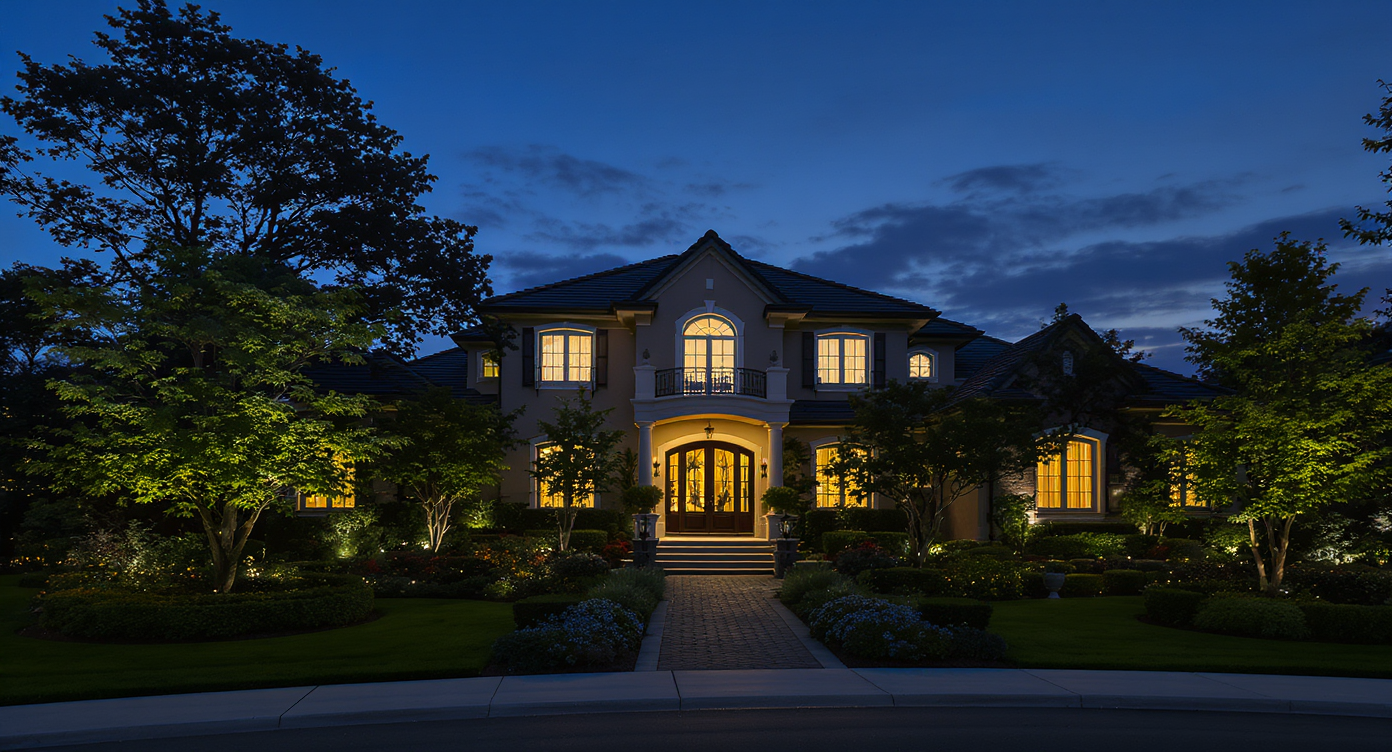
Twilight photos with lush landscapes stand out as highly engaging and clickable listing images.
Twilight‑style exteriors and lush landscapes frequently rank among a listing’s most clicked images, while bare trees and patchy lawns push buyers to keep scrolling. When a hero photo looks cold or neglected, shoppers assume the rest of the property needs work—fair or not. That’s the real cost of off‑season: not just fewer clicks, but a mood mismatch that can suppress tours.
Picture the colonial you planned to list in February: crisp architecture, but the yard is beige, the planters are empty, and travel or weather makes quick fixes impossible. Or the condo with a private terrace that reads more storage than sanctuary because the planters are dormant. Seasonal Reset gives you a truthful preview of in‑season curb appeal, so the architecture and layout—not the calendar—carry the story.
Anecdote
That winter listing with the ‘sleepy’ lawn and empty planters—owner abroad, crew unavailable—looked like a project. A quick Seasonal Reset showed the same home with tidy beds and a believable summer green. Showings picked up by the weekend.
What Seasonal Reset Actually Is (In Plain Language)
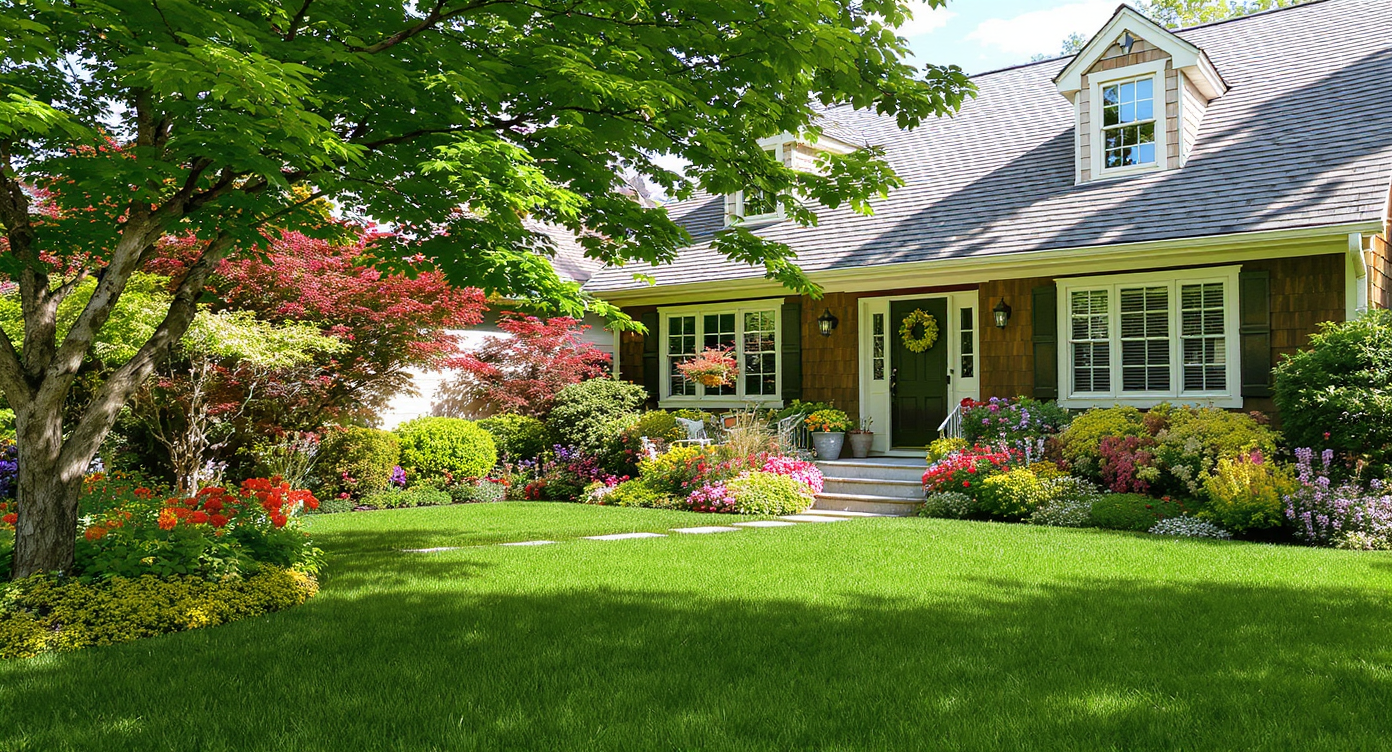
Seasonal Reset digitizes spring and summer cues to brighten real estate photos authentically.
Seasonal Reset is an AI seasonal change for real estate photos: it digitizes spring/summer cues—greener lawn, fuller foliage, refreshed shrubs, and lively ground cover—right on your original exterior image. You supply a good photo (straightened, decently lit, with clear subject framing), and the output is a high‑res, MLS‑ready version that looks like the same home in season.
Inside the platform, ReimagineHome.ai’s Seasonal Reset prioritizes realism: plants stay appropriate to climate and scale, hardscapes are preserved, and edits complement rather than overwrite architectural character. It’s not a landscape design service—it’s a visual reset—though you can pair it with related tools for stronger exteriors.
For example, if the lawn itself looks tired even in season, pair Seasonal Reset with ReimagineHome.ai’s Lawn Replacement to revive patches or re‑sod digitally. If the sky is dull, combine with Sky Replacement for a bright, believable backdrop.
How Seasonal Reset Works Step by Step
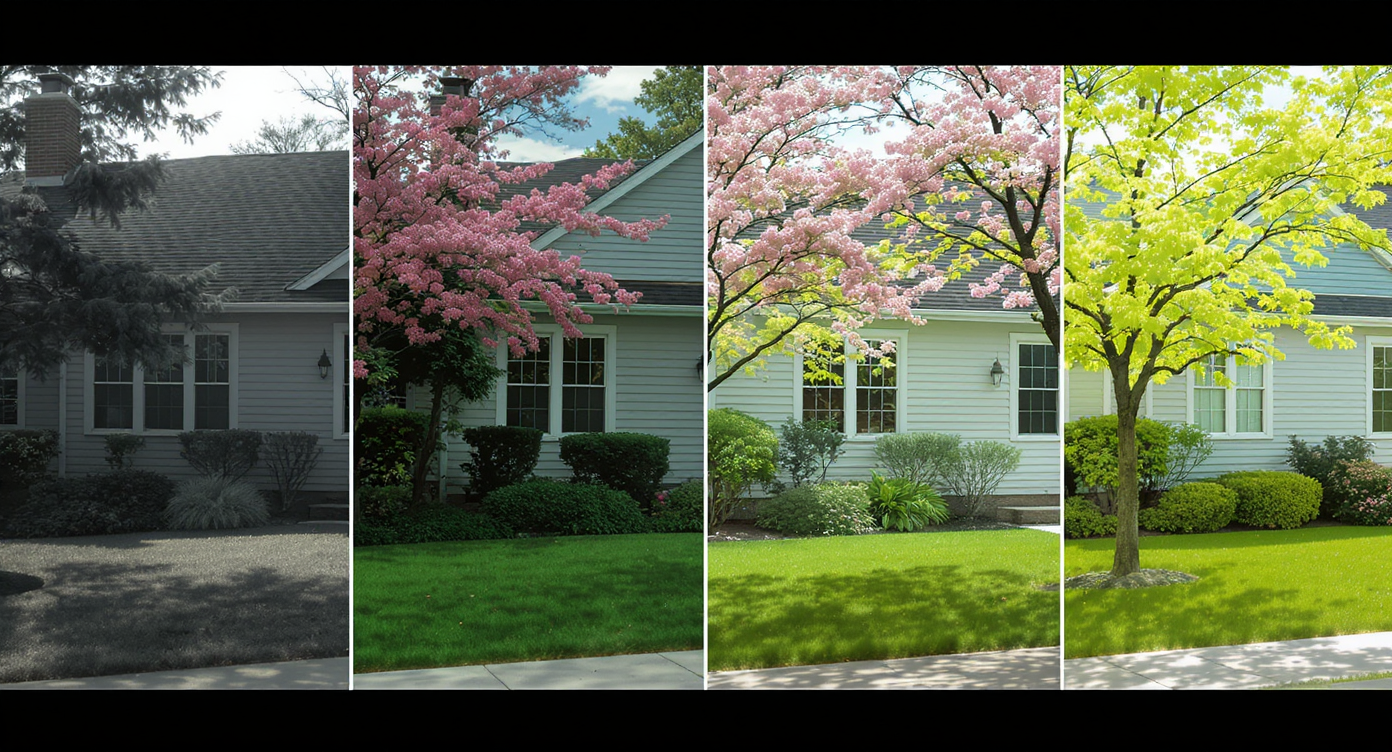
Seasonal Reset transforms off-season photos through clear, realistic phased landscaping changes.
MLS and portal guidelines often perform best with high‑resolution images, ideally 3000+ pixels on the long edge. Start with the cleanest source possible for the strongest Seasonal Reset.
- Choose the right photo: Shoot at eye level, keep verticals straight, and avoid extreme wide angles that distort the yard.
- Upload to ReimagineHome.ai: Drag in your exterior photo and select Seasonal Reset.
- Pick your vibe: Spring green, early summer fullness, or a restrained refresh that suits the property and region.
- Generate and compare: Review multiple variations side by side and choose the most authentic.
- Refine if needed: If the lawn still reads sparse, layer in Lawn Replacement. If clouds feel flat, try Sky Replacement.
- Export for MLS/portals: Save a full‑size version plus a smaller web copy for team sharing.
Pro tip: Avoid midday glare when capturing the original; softer light makes Seasonal Reset results even more convincing. If you must shoot midday, consider a second hero using Day to Dusk—twilight photos often stop buyers mid‑scroll.
Tips and Tricks for More Realistic Results

Respect light, region, and plant care for truthful, realistic Seasonal Reset results.
Even simple seasonal changes look most real when they respect light, region, and maintenance level.
- Match the market: Use plant fullness that aligns with local climate—no tropical canopy on a high‑desert lot.
- Keep the hardscape: Driveways, stone edging, and decks should remain intact; if they look drab, consider a light pass with Enhance Image for contrast and clarity.
- Mind the light direction: Grass highlights and treetop shading should agree with the photo’s sun angle.
- Dial the lawn: Many buyers prefer a well‑kept, not golf‑course‑perfect, look. Overly neon greens can feel fake; choose natural tones.
- Edit planters plausibly: A tidy pop of seasonal color is great; avoid full floral walls if the property doesn’t support that narrative.
- Think like a weekend project: When in doubt, present upgrades buyers can realistically maintain. For ideas, skim these practical guides—low‑effort landscaping ideas for rentals and hardscaping upgrades buyers actually use—then mirror that vibe in your edits.
- Caption clearly: A simple note like “In‑season preview generated with ReimagineHome.ai” keeps everything transparent.
Visualization Scenario
A small urban backyard with dormant planter boxes becomes a usable outdoor room: soft green turf, leafy vine on the trellis, and refreshed shrubs—presented as a realistic in‑season preview.
FAQ
Who Gets the Most Value from This Tool
Agents and teams benefit from faster market‑ready visuals when weather or travel delays yard work. Brokerages and marketing staff gain consistent, on‑brand exteriors for templated listing packages. Photographers and media companies add a high‑margin, quick‑turn edit to their deliverables. Sellers, flippers, and investors get curb appeal without on‑site crews. Designers and stagers use it to storyboard outdoor rooms and planting vibes before budgets lock.
Visualize Your Next Listing (or Project) Before You Commit
Great real estate marketing is a rehearsal for the buyer’s life—sun on the porch, greenery in the periphery, a yard that looks looked‑after. If timing, weather, or travel are working against you, let the photos work for you. Test an in‑season version of your exterior with ReimagineHome.ai’s Seasonal Reset, or explore the full toolkit at ReimagineHome.ai to round out the sky, lawn, and lighting in one pass.
FAQ
Is a seasonal reset allowed in real estate listings?
Yes, photo edits are typically allowed when they’re honest and non‑misleading. Keep improvements plausible, avoid adding structures, and note “in‑season preview generated with ReimagineHome.ai.”
How realistic are AI seasonal changes?
Very realistic when the source image is sharp and lighting cues are respected. Stay within regional norms and use restrained greens for the best result.
Will buyers feel misled by greener lawns and fuller trees?
Not when you caption transparently and keep upgrades achievable. The home will be shown in person; the goal is an accurate in‑season preview, not a fantasy.
What resolution do I need for good results?
Aim for images 3000+ pixels on the long edge. If you only have smaller files, try Upscale Resolution before exporting.
Can I combine Seasonal Reset with other edits?
Yes—common combos include Lawn Replacement, Sky Replacement, and Day to Dusk for a fully refreshed, yet believable exterior set.
Visualize Your Next Listing (or Project) Before You Commit
Most disappointment with visual edits comes from weak source photos, not the AI itself. Start with a sharp, well‑framed exterior; then keep changes plausible for the home and neighborhood.
- Pushing too far: Hyper‑saturated lawns or dense tree canopies can read as artificial. Solution: choose a restrained Seasonal Reset variant.
- Tiny or blurry files: Low‑res inputs limit realism. Solution: reshoot or finish with Upscale Resolution if a reshoot isn’t possible.
- Inconsistent story: A lush front yard but barren backyard photo confuses buyers. Solution: apply Seasonal Reset across your exterior set.
- Ignoring maintenance reality: If irrigation is unlikely, don’t show water‑hungry plantings. Solution: aim for drought‑smart greenery; ground covers and mulch are your friends.
- Forgetting the sky: A lively yard under a flat, grey sky still underperforms. Solution: pair with Sky Replacement or a second hero via Day to Dusk.