
TL;DR
Short answer: use AI style swaps, not a sledgehammer. ReimagineHome.ai lets you upload a photo and preview new wall colors, rugs, furniture styles, and lighting so you can test a room makeover without ripping out hardwood floors. If you’re asking how to swap furniture style digitally or “ai redesign my room,” this is the fast, low-risk path. Try a real photo now on ReimagineHome.ai and keep the floors you’ll likely love again.
The Real Cost of Showing Rooms “As They Are” Online

Explore redesign options with AI-powered style swaps before making any permanent changes.
AI style swaps redesign the look of a furnished room from a single photo—wall color, rug, decor, even furniture style—so you can test a new direction without replacing your floors. It’s a powerful fix when a space reads flat, cold, or mismatched on screen, because it isolates the real culprits (paint, proportion, lighting) before you spend on materials.
- Results first: make a room feel warmer, brighter, or more modern without touching beloved hardwood.
- Realism: photorealistic previews that respect architectural character and natural light.
- Speed: try multiple wall colors, rugs, and furniture styles in minutes.
- Cost control: compare looks digitally before hiring painters or buying furnishings.
- Workflow: upload one room photo, pick styles, generate options, then refine.
- ROI: preserve high-value elements (like hardwood) while fixing what’s actually off.
- Peace of mind: decide with confidence using side-by-sides and sharable images.
If you already have a tricky photo in mind, upload it to ReimagineHome.ai and test a style swap while you read.
Why This Visual Problem Hurts More Than You Think
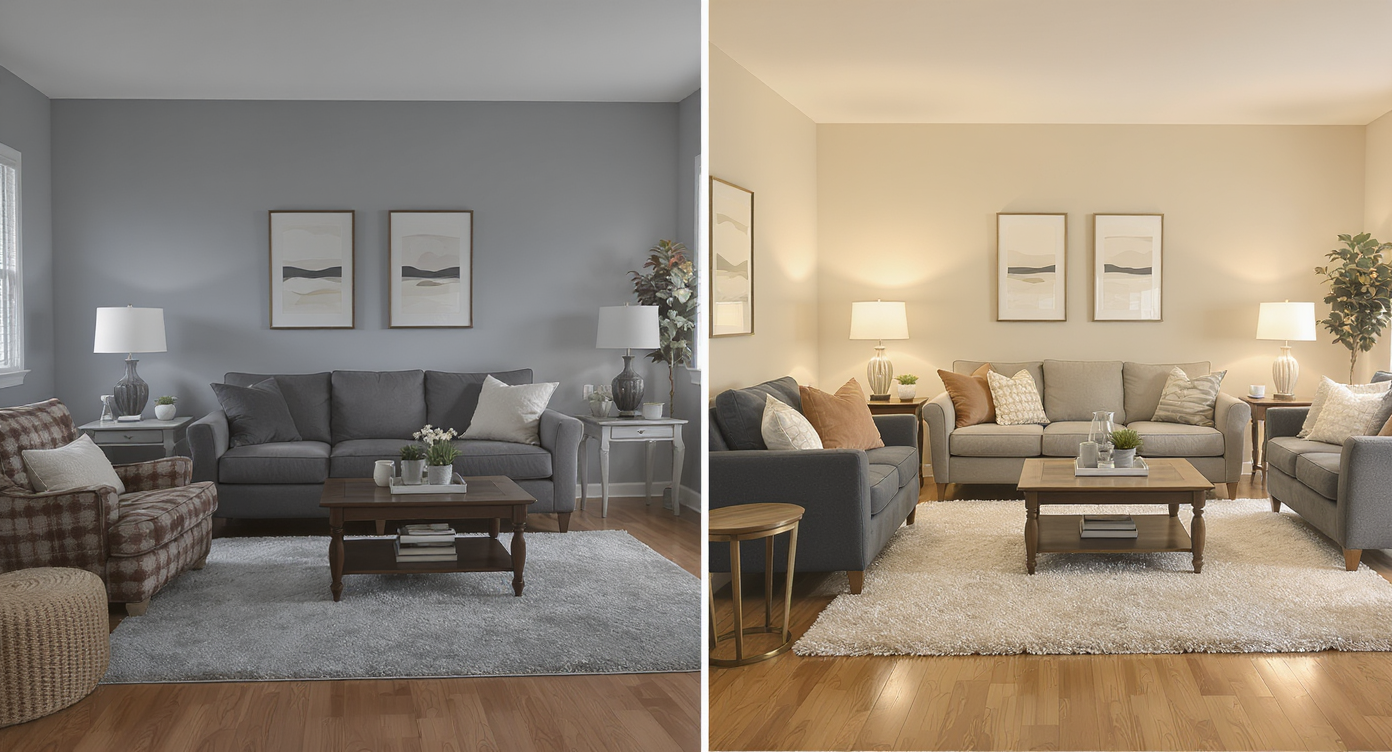
How subtle styling changes can dramatically improve room atmosphere without new flooring.
Most rooms that underperform in photos aren’t suffering from the wrong flooring; they’re suffering from the wrong framing of what buyers (or guests) notice first: paint, scale, and light. On listing portals and social feeds, viewers swipe in seconds—cool gray paint, heavy rugs, and oversized furniture can make warm hardwood look dated or too orange. In person, the wood feels rich; on screen, the palette and proportions steal the show and unfairly blame the floor.
Here’s how it plays out:
- Scroll behavior: flat wall color and busy rugs read as visual noise, dropping clicks before viewers reach the details.
- Buyer perception: people misattribute “I don’t like this” to the biggest surface (the floor) instead of the easiest fixes (paint and textiles).
- Seller confidence: it’s tempting to plan expensive flooring changes when a fast styling pivot would have solved the problem—and preserved resale value.
The right style swap—lighter walls, softer rug pattern, warmer lamp light, a table with the right footprint—often makes hardwood feel new again on screen. That’s the change you want to test first.
Anecdote
That perfect-but-empty condo that no one could picture living in—until a quick style swap previewed warm walls, a calmer rug, and a right-sized table. The hardwood stayed, and the room finally made sense on screen.
What Style Swaps Actually Is (In Plain Language)
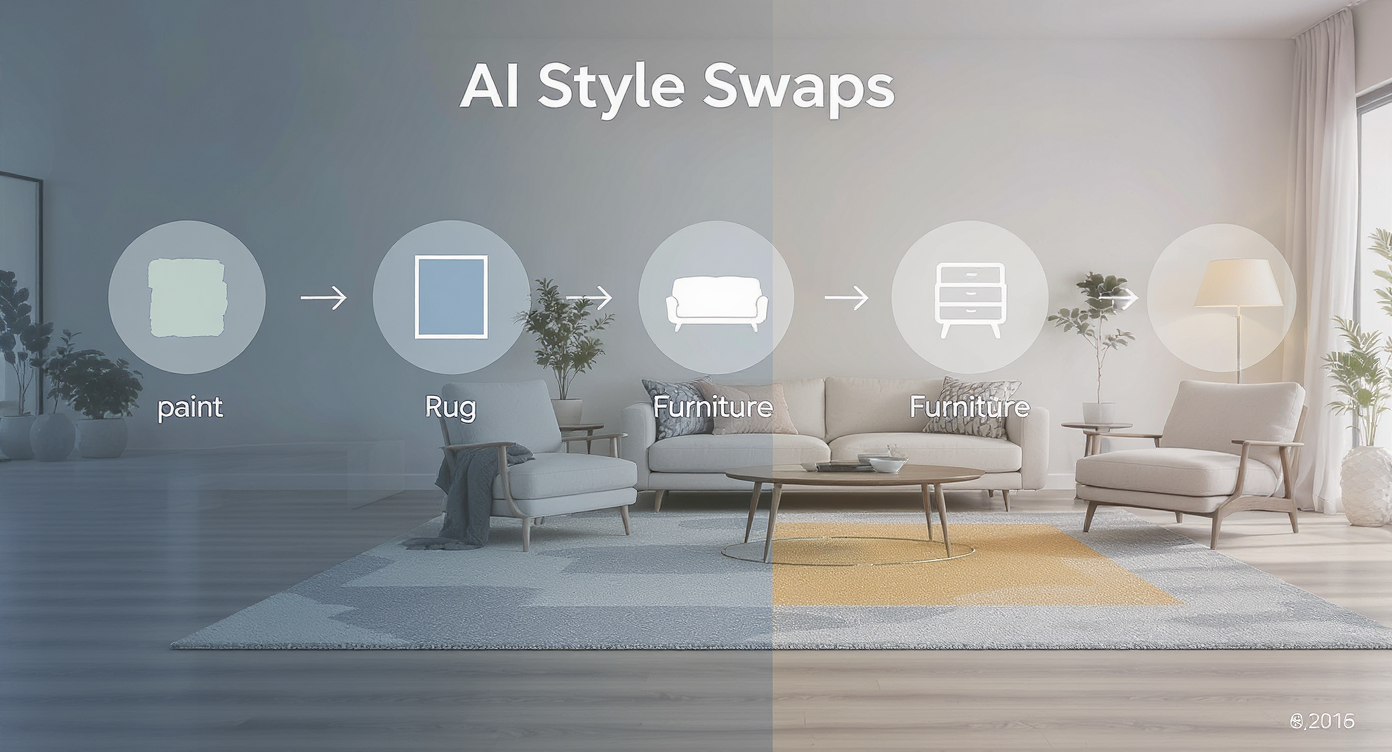
Understand how AI style swaps alter key design elements digitally from one photo.
Style swaps are AI-powered restyles of furnished rooms from a photo, focusing on paint color, rug and fabric choices, furniture style, decor, and lighting mood—without changing the architecture you want to keep. You supply a photo; the tool returns photoreal options that flip the vibe from modern to rustic, minimal to cozy, or anywhere in between.
To try it, head to ReimagineHome.ai’s Style Swaps solution for redesigning furnished rooms. It’s built for homeowners planning a refresh, agents improving listing photos, and designers testing palettes. You can generate multiple looks, compare side-by-sides, and hone in on the scheme that makes your existing hardwood sing.
Want finishing-touch ideas once you’ve picked a direction? This quick read shows how small tweaks add up: farmhouse-to-modern finishing touches with ReimagineHome.ai.
How Style Swaps Works Step by Step
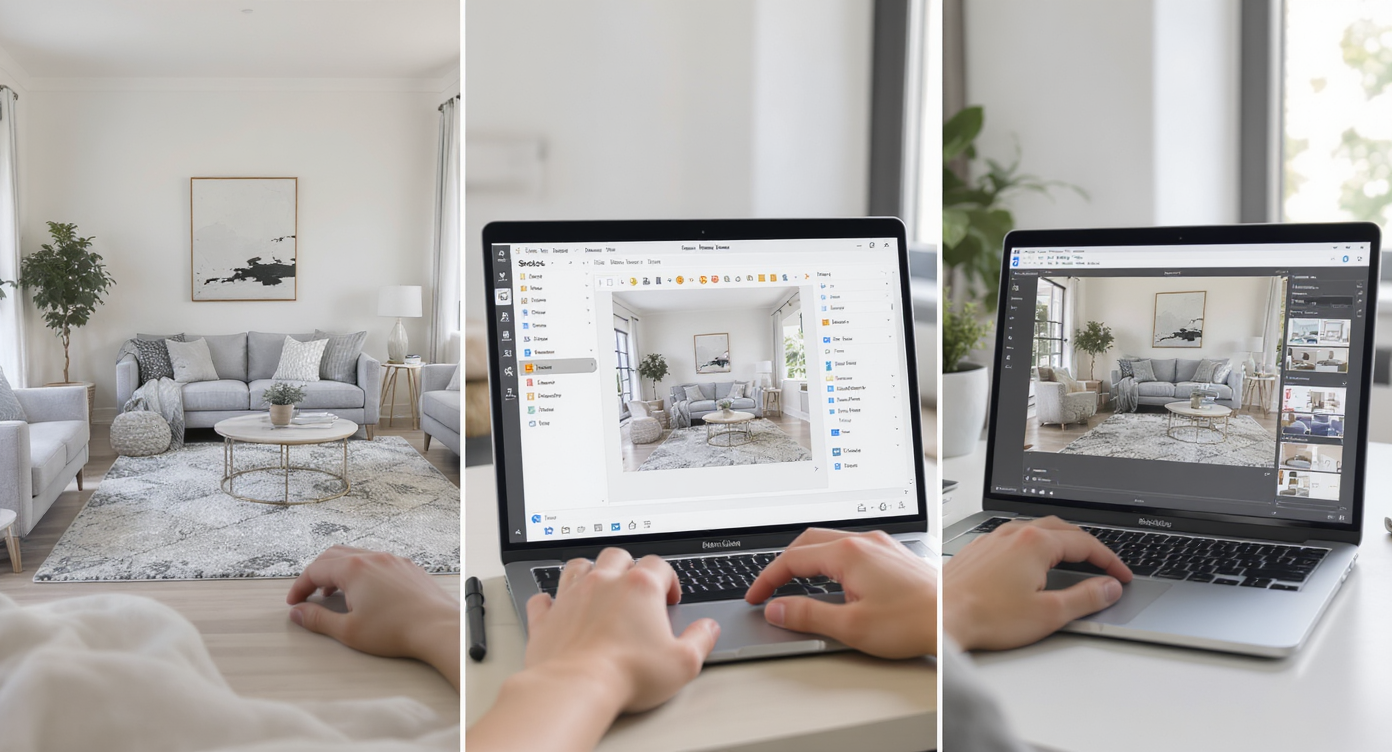
Step-by-step style swap process transforms room photos into fresh design possibilities.
The best style swaps start with a good photo: straight, well-lit, and high enough resolution to hold detail.
- Choose the right photo: pick your real vantage point (dining entry, sofa view). Avoid extreme wide angles that distort scale.
- Upload to ReimagineHome.ai: use a file ideally 2000–3000 pixels on the long edge for crisp results.
- Select Style Swaps: choose a target vibe—warm modern, classic, cottage, or custom prompts.
- Set preferences: note keepers (e.g., keep hardwood) and problem areas (gray paint, busy rug, oversized table).
- Generate options: review 3–6 variations with different paint tones, rug patterns, furniture silhouettes, and lighting warmth.
- Refine: favor options that respect your home’s architecture and natural light; iterate on color and fabric until it feels right.
- Export: download for your mood board, share with a partner or client, and create a shopping list anchored to the winning look.
Constraint to keep in mind: the more the input photo shows, the more accurately the AI can harmonize colors and scale. Crop thoughtfully, but don’t cut out important surfaces you’re trying to coordinate with.
Tips and Tricks for More Realistic Results

Realistic tips ensure style swaps enhance your space while keeping its authentic charm.
Realistic results come from grounding your edits in what your space can actually support.
- Start with paint, not floors: test warmer neutrals or a saturated accent to reframe the wood tone. Small shifts in wall color can make hardwood look freshly refinished on screen.
- Right-size the rug: a rug that’s 8–12 inches off the walls and fully under the table calms the scene and reduces “floor busy-ness.”
- Warm the light: swap cool bulbs for 2700–3000K equivalents in the preview. Your floors will instantly feel less orange and more golden.
- Dial pattern density: if your floor grain is lively, pick simpler fabrics; if the wood is quiet, you can afford a bolder rug or drapery.
- Match the architecture: choose furniture silhouettes that echo your home’s era. It keeps the edit believable and high-trust for listings.
- Edit distractions first: if clutter steals focus, pair with ReimagineHome.ai’s clutter and object removal tool to clear visual noise before you restyle.
- When to “empty” virtually: if a room is too tight to read, try Occupied → Vacant to see the bones, then bring furnishings back via style swaps for a balanced final.
Visualization Scenario
Upload a photo of your dining room, tell the tool to keep the hardwood, then test sage walls, a cream wool rug, and a slimmer trestle table. Watch how the same floor reads from orange to honey just by changing paint and textiles.
FAQ
Can AI really redesign my room from a photo without changing the floors?
Yes. Style swaps restyle paint, rugs, furniture, and decor while leaving your hardwood intact. It’s the fastest way to test “ai redesign my room” ideas before any physical work.
How is a style swap different from virtual staging?
Virtual staging furnishes empty rooms; style swaps restyle already furnished rooms. If your listing is vacant, use ReimagineHome.ai’s virtual staging solution. If it’s furnished but needs a vibe change, use style swaps.
Can I preview new wall colors and rugs specifically?
Absolutely. You can try multiple paint tones and rug patterns to see how they change the feel of your hardwood floors and overall palette.
What resolution do I need to get good results?
A long edge of 2000–3000 pixels is a solid rule of thumb. Clear, evenly lit photos generate more realistic, detailed outcomes.
Is it okay to show AI-edited photos in real estate listings?
Use edits to plan or disclose clearly if used in marketing. Keep at least one unedited image of every space for transparency and trust.
Visualize Your Next Listing (or Project) Before You Commit
Think of this as a dress rehearsal for your space. With style swaps, you can audition wall colors, rugs, and furniture styles until the story clicks—no dumpsters, no grout, no regret. And when the hardwood is part of the home’s character (or resale value), preserving it while you reframe the room is the smartest move.
Ready to redesign your room with AI? Start a quick test on ReimagineHome.ai’s Style Swaps and see how far paint, proportion, and light can take you.