8 Steps to Visualize and Stage Your Home Office with a Reference Photo

TL;DR
Translating your home office vision from mind to reality is now easier, thanks to AI-powered tools like REimagineHome. Using reference photos and smart virtual staging, homeowners can preview furniture placement, fine-tune layouts, and avoid costly decorating mistakes—before making a single purchase.
Bringing Your Dream Home Office to Life Before the First Purchase

Explore the creative process of designing your dream home office with various inspirations.
Designing a home office that’s beautiful, practical, and truly yours can feel like a puzzle. It’s easy to fall in love with an inspiring look online, but far harder to translate that vision into your own four walls, especially if your space, lighting, and furniture options differ. Now, with AI-driven interior design planning, homeowners have a smarter way to visualize their entire room before committing to a single item. Whether you’re outfitting a spacious office or carving out a stylish niche in a studio apartment, you can experiment with layouts, test ideas, and dodge the classic design regrets, without lifting more than a finger.
-
Visualizing Interior Design with Reference Photos
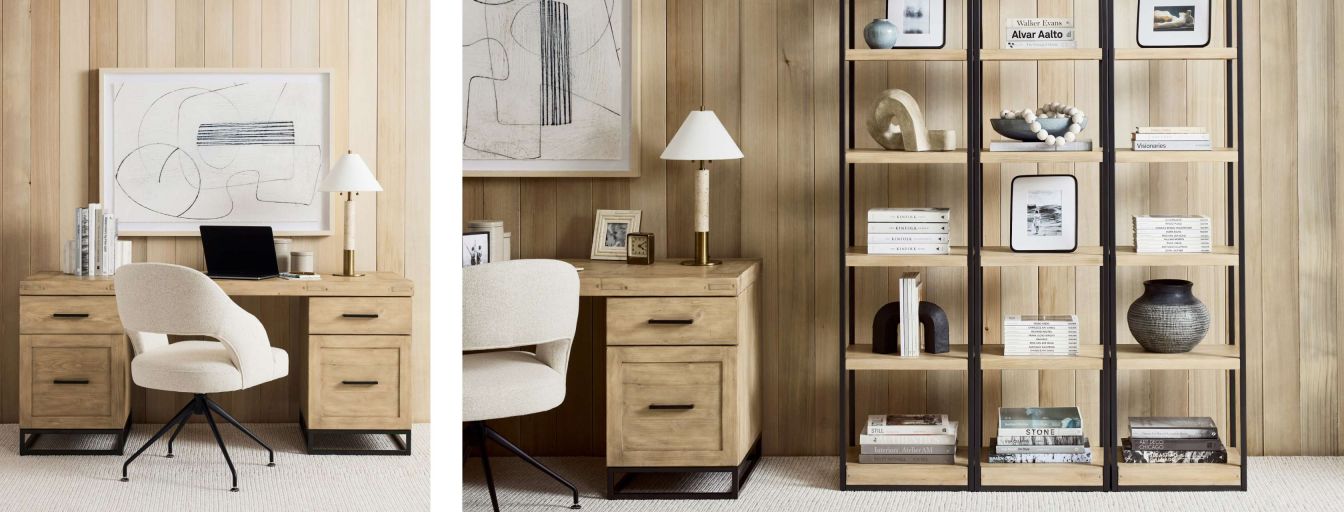
Visualizing different interior styles helps bridge the gap between inspiration and reality.
The challenge most homeowners face isn’t a lack of inspiration, it’s bridging the gap between the beautiful office you see online and what’s possible in your own home. A powerful answer? Uploading reference photos directly into AI design tools, such as REimagineHome, to show exactly what style, furniture, and vibe you love. This approach allows the AI to recognize essential elements, like Pottery Barn-inspired desks or soothing neutral palettes and adapt them seamlessly to your unique room. The tool maintains architectural integrity, capturing your vision without distorting key features like wall proportions or lighting. According to our guide on what works (and what not to fake) in virtual staging, keeping visuals true-to-life builds trust and helps ensure the final result actually matches what you want.
-
Step-By-Step: Building a Home Office from a Blank Canvas
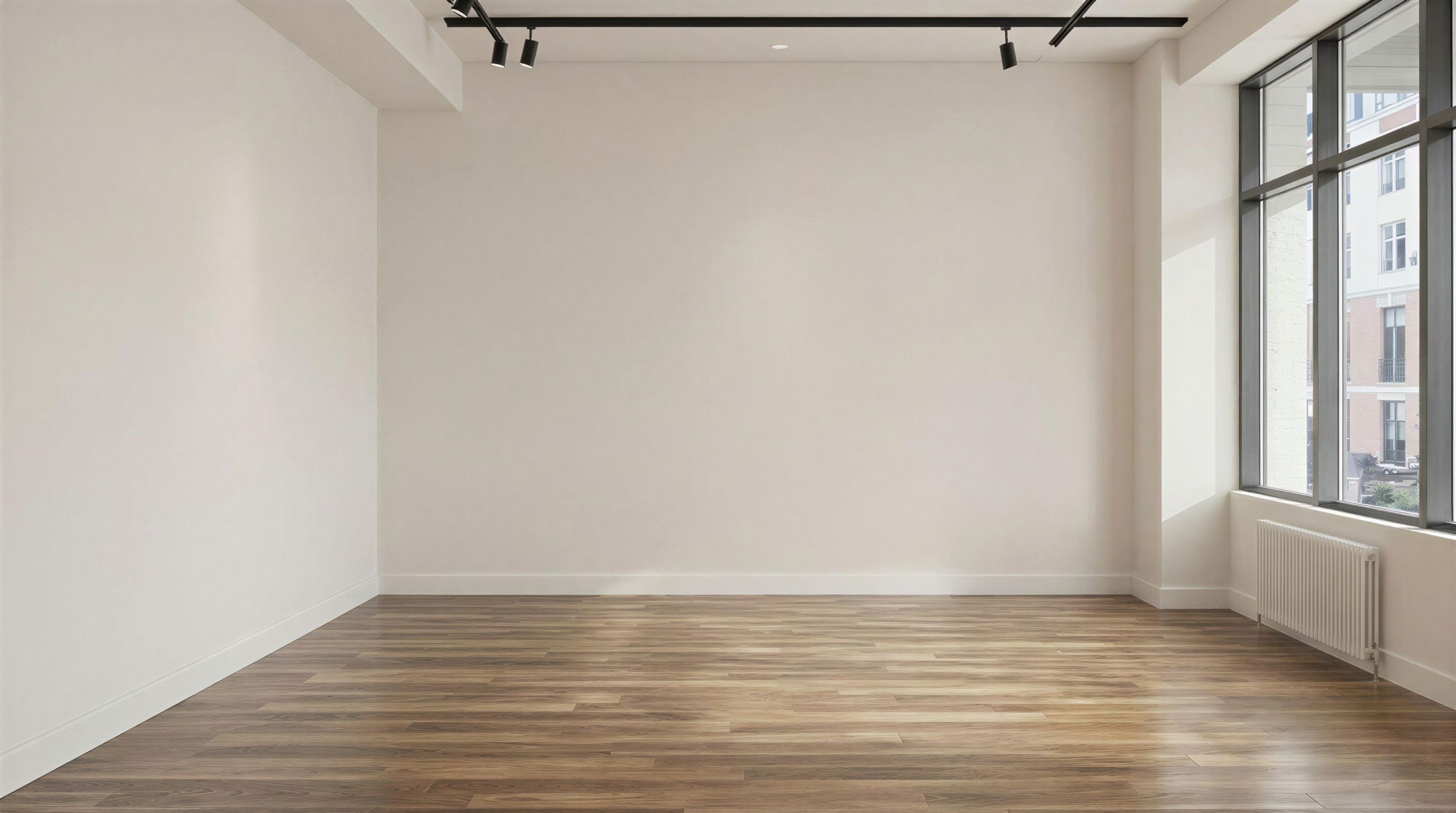
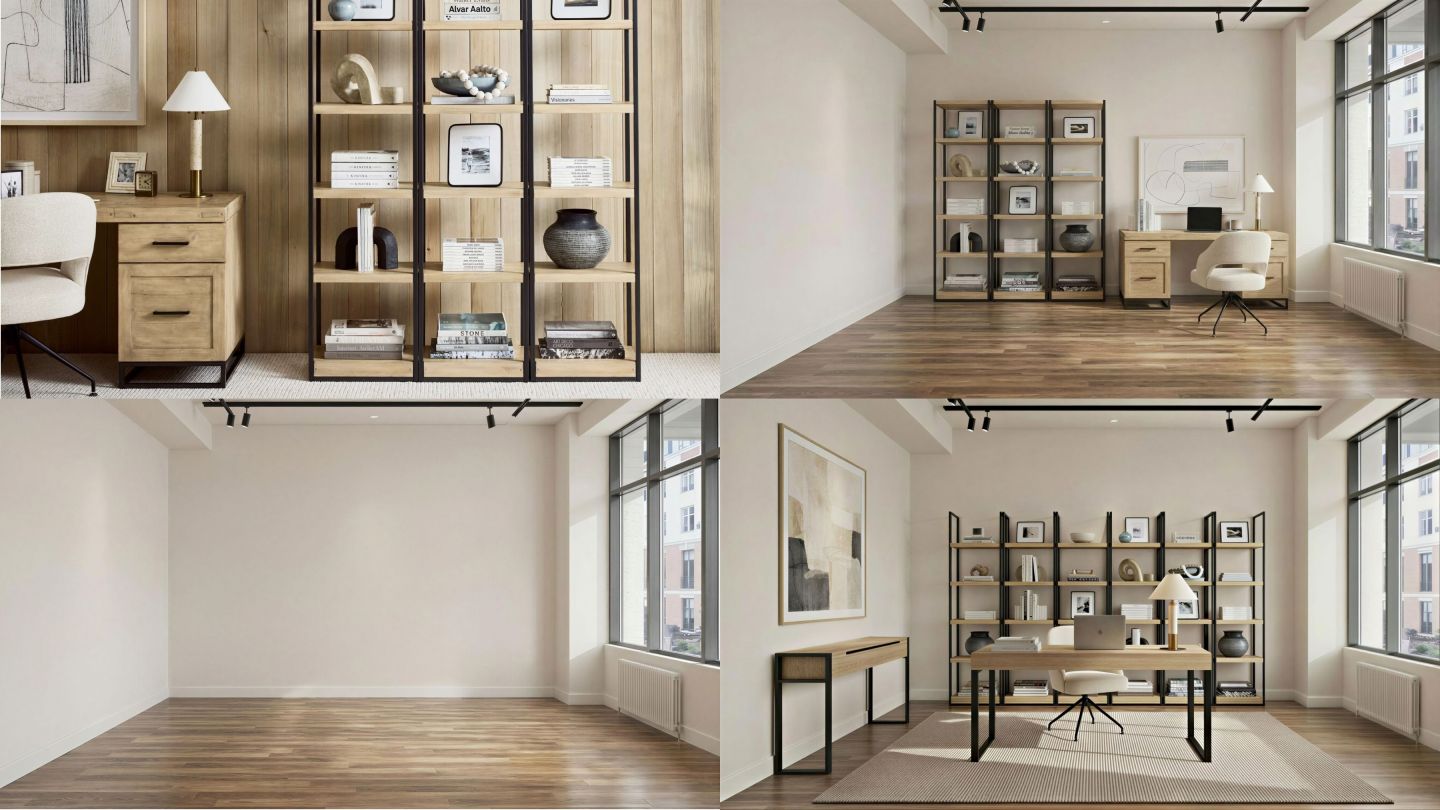
Witness the evolution from a blank canvas to a stylish home office with strategic planning.
Starting from an empty room, the process becomes both collaborative and reassuring. With your reference photo as the guide, AI begins by arranging core office elements, such as a light wood desk, ergonomic chair, or tall shelving, exactly where you envisioned. Maintaining the original camera angle and room dimensions ensures you see a realistic rendering, helping you confidently plan each next step. As we explored in how staging tailored to your taste wins more eyes and offers, the key is personalization. Rather than showing generic setups, the AI produces hyper-relevant results that feel curated to you.
-
How to Visualize Furniture Placement Before Purchase
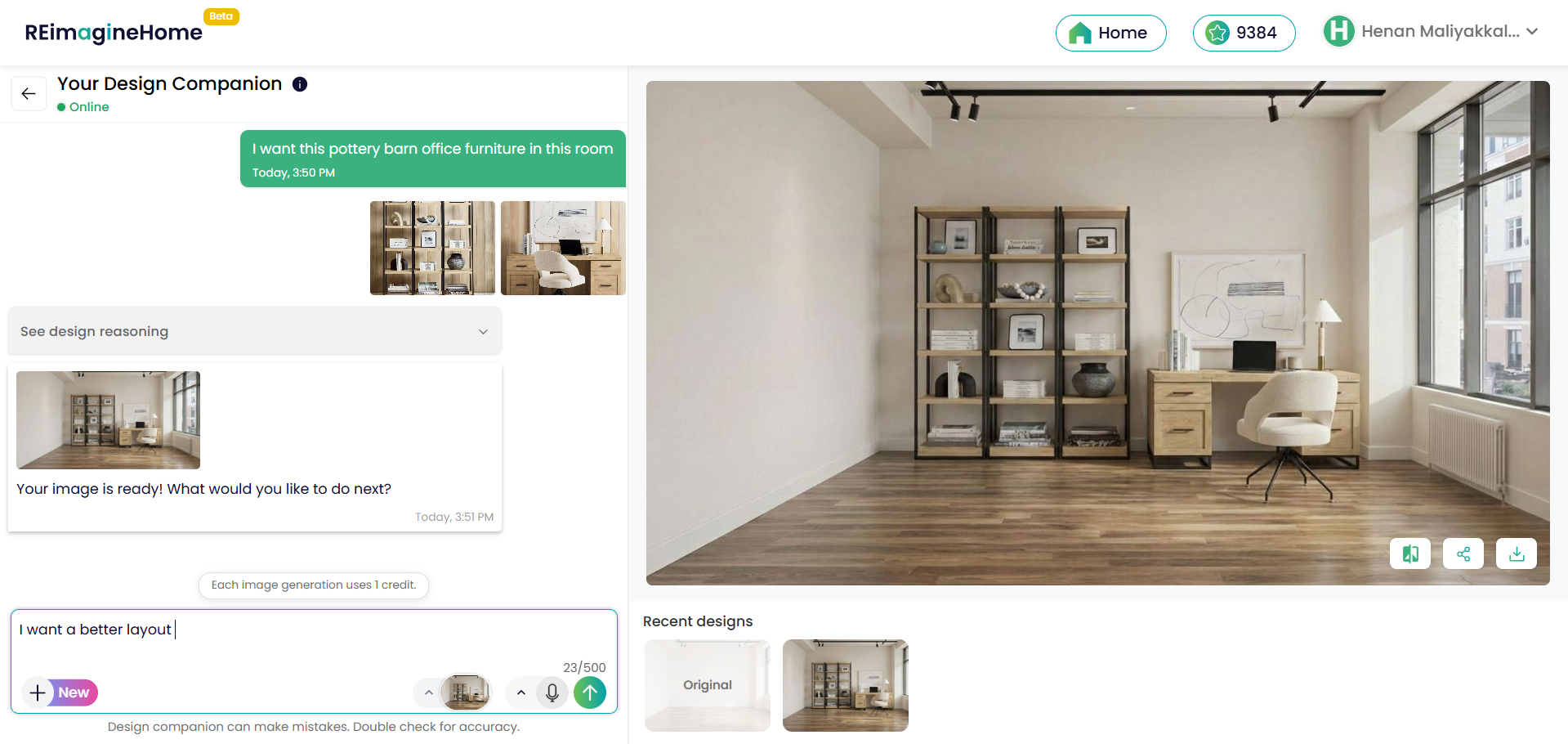
Visualizing furniture placement online allows for informed purchasing decisions before investing.
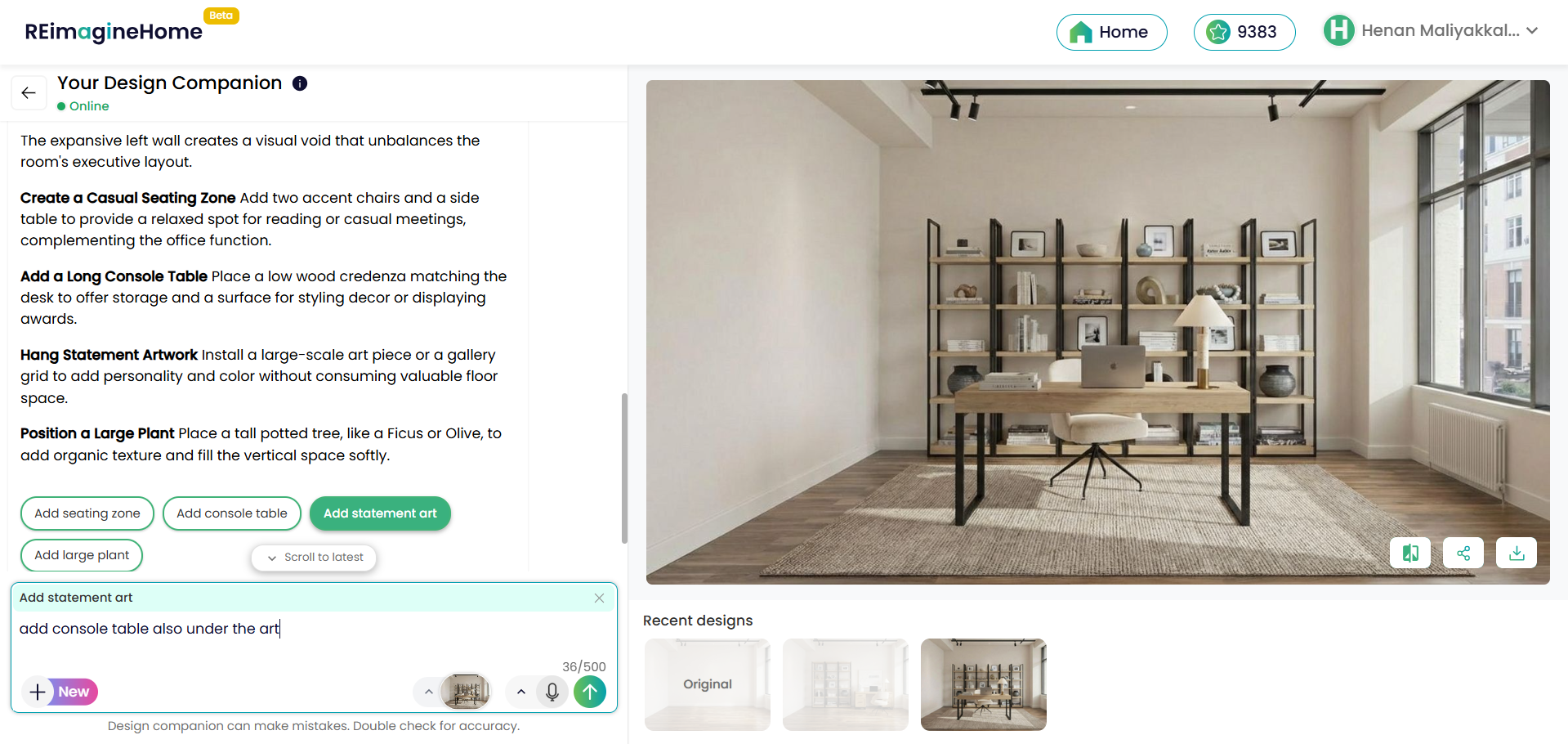
Nothing derails a decorating project faster than realizing that stunning chair or sleek desk just doesn’t fit. Modern AI interior design for homeowners lets you preview exactly how each piece will look and function in your real space. By using accurate room dimensions, light sources, and even your own photos of dream furniture, you sidestep expensive mistakes. This study shows that virtual previews help users get a true sense of scale and flow, dramatically cutting regret after purchases. Plus, as your design plans evolve, you can make quick swaps, testing everything from seating configurations to artwork, before making actual investments.
-
Avoiding Costly Interior Design Mistakes
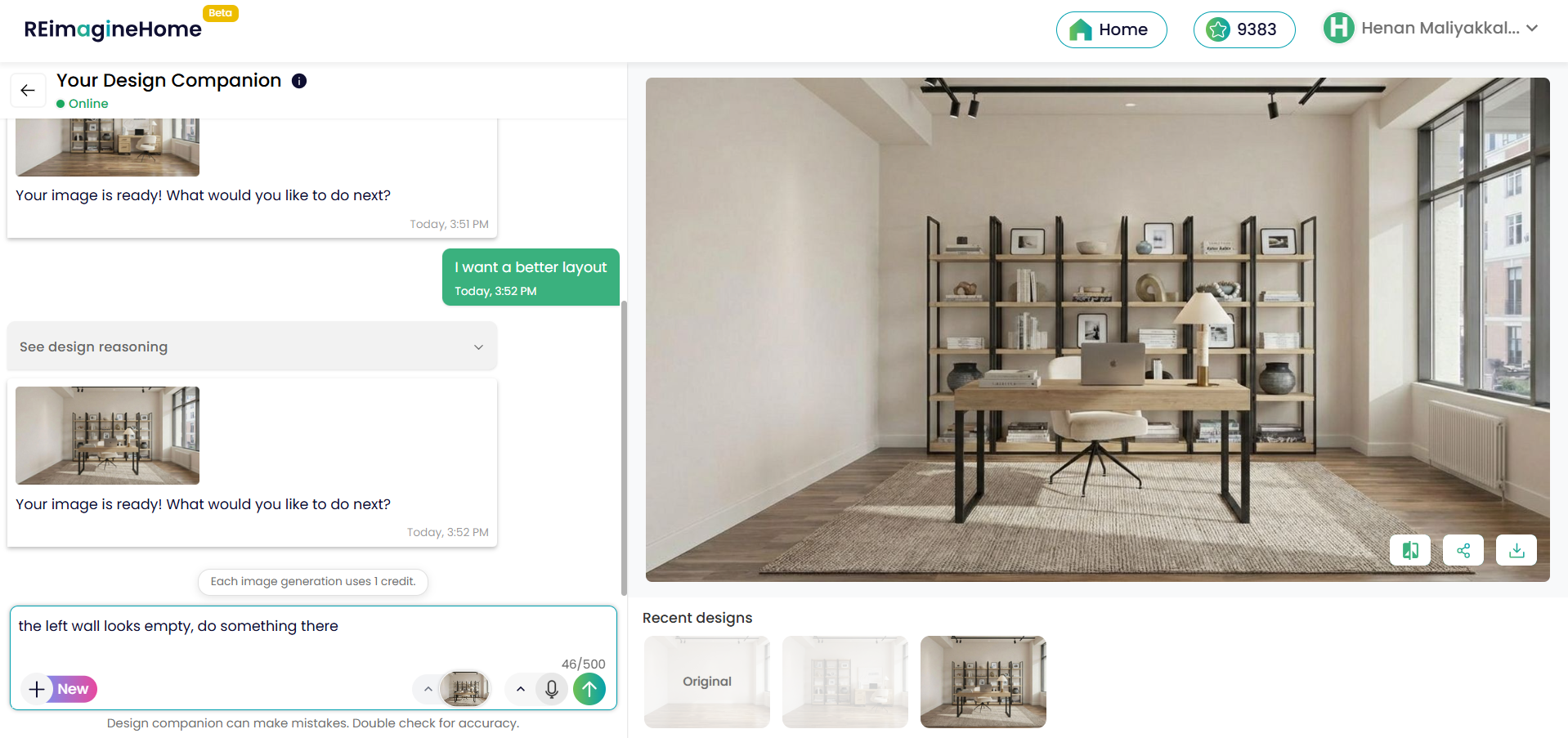
Identifying costly mistakes is key to making informed design choices and avoiding common pitfalls.
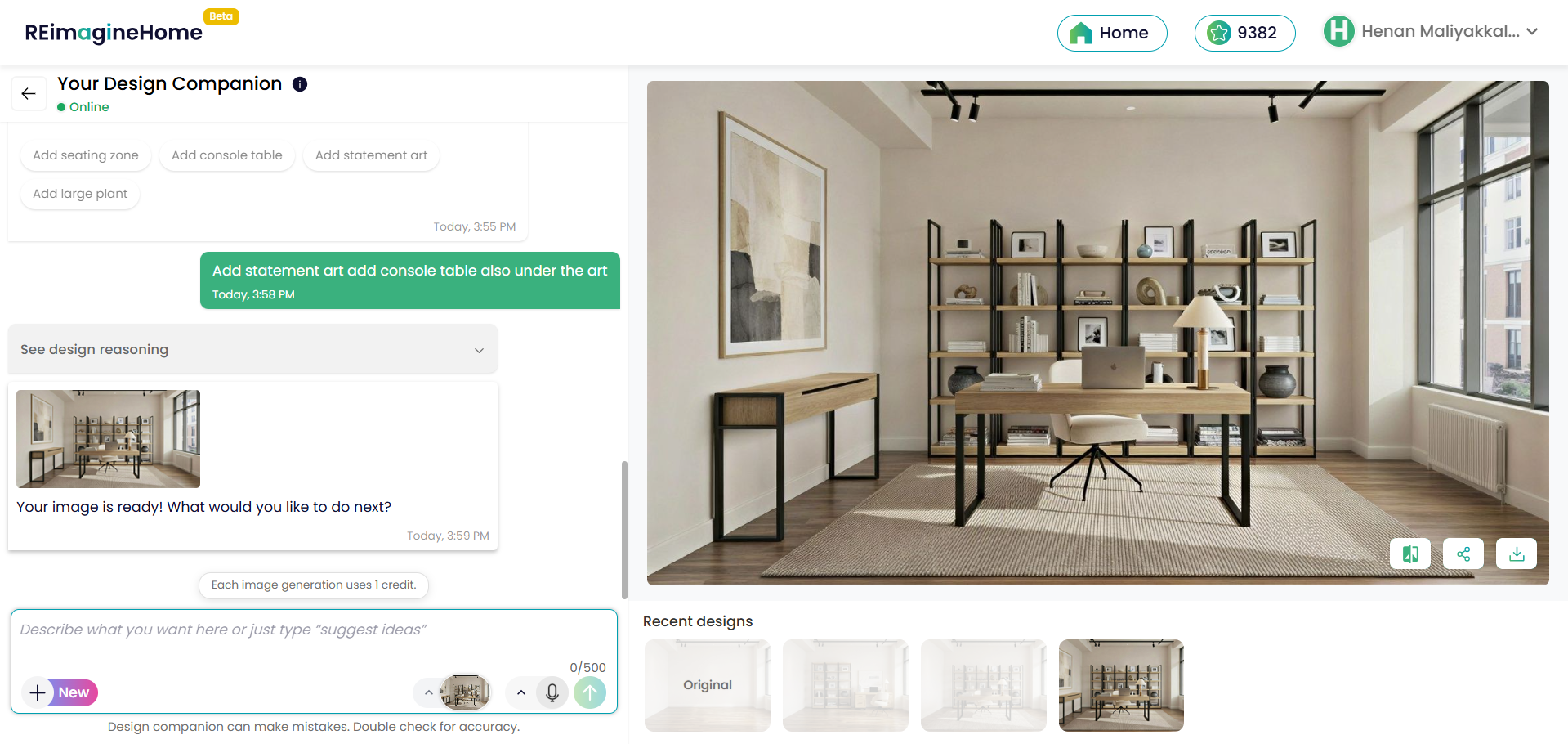
Even seasoned decorators stumble when translating inspiration into execution. AI-driven visualizations serve as an early warning system: you spot awkward empty walls, cramped corners, or mismatched finishes before they happen. For example, when a user felt their left wall looked empty, a smart virtual staging tool proposed solutions such as casual seating, a console table, striking art, or a large plant, all tailored to balance the space. Incorporating decision checkpoints mimics the process real designers use, steering you toward a complete, harmonious room. As experts recommend, keeping alterations transparent and reversible means there’s no risk of overcommitting to a single look.
-
Interior Design Planning for Small Apartments
Maximize productivity in small spaces with innovative interior design solutions.
Small spaces demand even more precision from your planning process. When every square foot matters, visualization tools become essential. According to these small-space home office strategies, maximizing vertical storage, layering lighting, and playing with flexible zones can turn a neglected corner into a remote work powerhouse. AI tools help you try out bold ideas on a safe digital canvas, showing how everything from floating desks to statement artwork fits and feels, no measuring tape required.
-
From Style Board to Reality: The Power of Reference Photos
Transforming style board ideas into a tangible reality is the key to successful interior design.
Not sure where to start? Reference photos can come from anywhere: social media moodboards, catalog scans, pictures of your current furniture, or even snapshots of previous designs you loved. The flexibility is the magic, uploading an image takes the guesswork out of describing colors, materials, and layout preferences. As automation gets smarter, you can even combine several inspirations or iterate quickly, refining your vision until it feels just right. The result is a design that’s uniquely yours, but fully previewed, saving both time and money.
-
Making Every Decision Feel Intentional
Curated spaces arise from intentional choices that create a meaningful and motivating environment.
It’s tempting to simply add more décor until a room feels 'finished.' Yet curated spaces arise from purposeful, not random, choices. AI-powered design tools guide you through each option, whether it’s choosing the perfect spot for your desk, sizing a gallery wall, or finding harmony between task lighting and natural sunlight. As covered in this expert-backed home office planning guide, blending thoughtful ergonomics with personality goes further than chasing trends. Every change can be previewed and refined until the space supports both your work and your wellbeing.
-
Why Reference Photos Aren’t Mandatory, But Often Transform the Process
Why Reference Photos Aren’t Mandatory, But Often Transform the Process Image
While reference photos offer a huge boost to visualization accuracy, they aren’t required. If you don’t have a saved image handy, simply describing your goals through chat or tags is enough. The best AI interior design platforms are built for flexibility, able to accommodate both detailed visuals and quick text prompts. The workflow adapts to your needs, ensuring a streamlined experience whether you’re a design novice or a seasoned renovator.
Frequently Asked Questions
- How can I visualize my home office layout before committing to a renovation?
Platforms like REimagineHome let you upload photos or describe your vision, then generate accurate previews tailored to your actual space and furniture preferences. - Is it possible to see how new furniture will look with my current décor?
Yes—by uploading reference photos or selecting style prompts, you can compare potential purchases in a realistic rendering, helping you choose options that truly complement your home. - Are these tools useful for small apartments or studios?
Absolutely. Visualization platforms excel at maximizing function and style in tight quarters, as covered in our round-up of small-space home office strategies. - What should I look out for to avoid design mistakes?
Avoid overly manipulated images, always check scale and practicality, and look for platforms that encourage reversible changes and transparent edits, as discussed in our analysis of best practices.
Translating Inspiration into Tangible Plans, Risk-Free
The path from idea to completed home office no longer has to be paved with uncertainty or costly blunders. By visualizing your interior design before renovation—with or without reference photos—AI tools like REimagineHome help you preview layouts, optimize for your needs, and confidently avoid expensive or irreversible mistakes. Whether you’re working with a sprawling suite or a petite apartment alcove, these digital companions turn inspiration into achievable, satisfying results.