Image Enhancement for Real Estate: How Smart AI Fixes Bad Photo Quality Fast

Why Fast, Accurate Image Enhancement Matters for Real Estate Listings
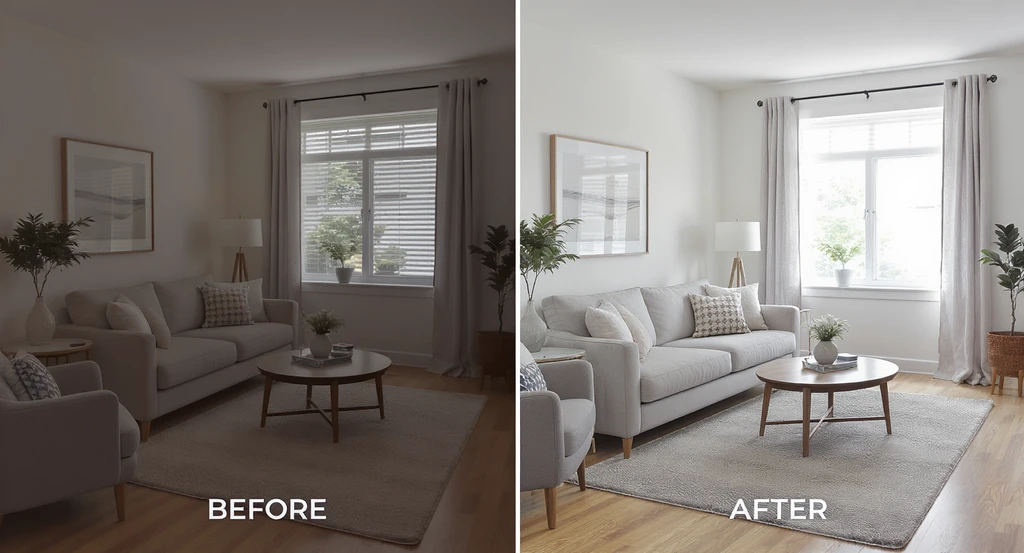
See how ai image enhancement for real estate listings fixes bad photo quality fast, delivering mls-ready photo standards and improving listing performance.
If your listing photos look dim, tilted, or washed out, the issue is likely basic photo flaws—not your camera. The solution? AI image enhancement that fixes color, contrast, and verticals to create clean, consistent photos fast. Getting this right can instantly boost buyer trust and listing engagement, while saving reshoot costs and headaches. Understanding how image enhancement works—and why it matters—helps you deliver competitive, MLS-ready results every time.
-
What is AI Image Enhancement for Real Estate?
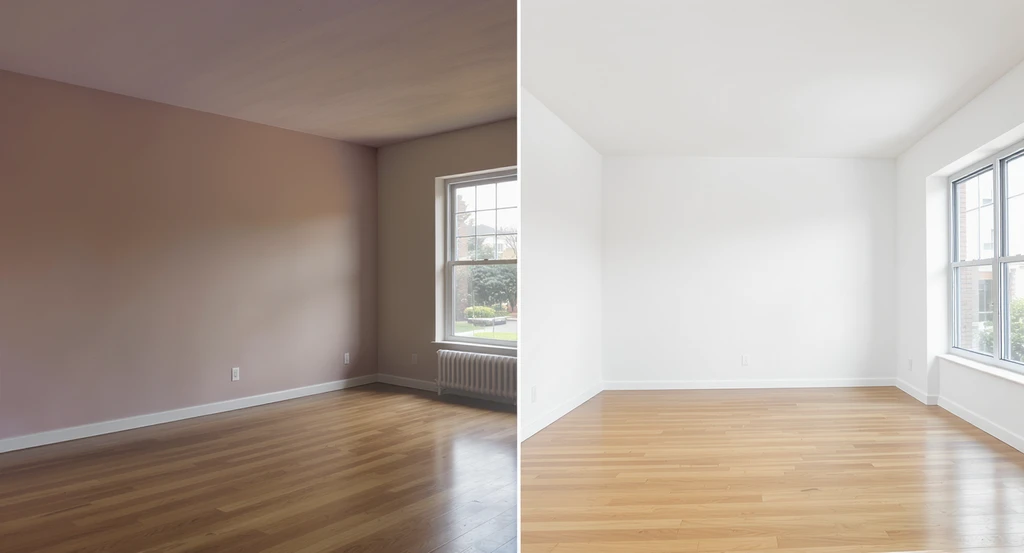
See the impact of ai image enhancement for real estate listings: from bad photo quality to MLS-ready images that meet high photo standards. Better photos attract buyers and improve listing performance, showcasing the benefits of virtual staging and photo correction.
AI image enhancement for real estate uses advanced algorithms to correct exposure, color casts, contrast, and straightness, producing clean, bright, MLS-ready images in minutes. In plain terms, it turns your "bad photo quality"—like purple-tinted whites, uneven lighting, or leaning walls—into professional-grade visuals. This matters because buyers make snap judgments based on clarity and accuracy. As we explored in our blog on photo editing truths, transparency and authenticity in visuals are key for trust and faster sales.
-
How Does Image Enhancement Fix Bad Real Estate Photos?
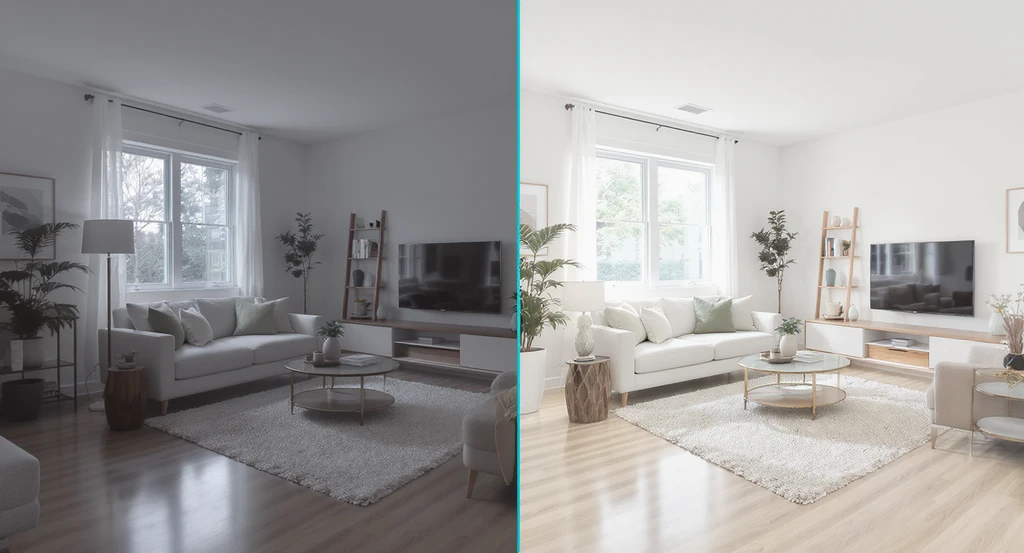
AI image enhancement for real estate listings fixes bad photo quality by correcting brightness, perspective, and color for mls-ready standards, showing the benefits of improving listing performance with better photos.
Enhancement algorithms adjust brightness, contrast, color, and perspective so your images look consistently polished and inviting—even when the original shot needs major help. Common issues like dim interiors, dull exteriors, or crooked lines are fixed through a simple workflow: upload, enhance, review, and export. According to our guide to common listing photo mistakes, natural light balance and straight lines are among the most critical factors influencing buyer perception.
-
Why Is Listing Photo Quality So Important?
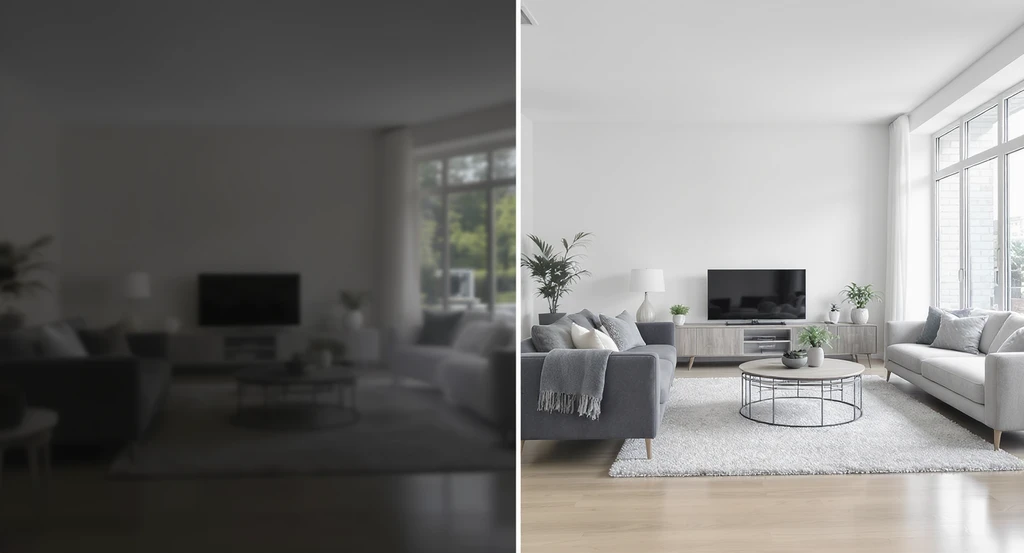
High-quality, MLS-ready listing photos—enhanced with AI—improve buyer trust, fix bad real estate images, and boost listing performance.
Quality photos are the first thing buyers notice—poor quality means fewer views, less trust, and lower offers. Listing photos set the mood. Blurry, off-color, and dark images cause buyers to click away or wonder what’s being hidden. As discussed in our guide to avoiding homebuyer fatigue, high-quality, accurate visuals are the simplest way to stand out and build confidence.
-
What Are MLS-Ready Photo Quality Standards?
MLS-ready photos are bright, sharp, well-aligned, and sized for high-resolution viewing (typically at least 3000px wide). Most portals and MLSs require straight verticals, controlled highlights, no distortions, and reliable color across the photo set. Using AI enhancement tools automates these fixes, ensuring consistency and compliance. For deeper tips, see our marketing rules for AI-edited photos in 2026.
-
How Fast Is AI Image Enhancement Compared to Reshooting?
AI enhancement is much faster—fixing a batch of images takes minutes, while reshooting can take hours or days. If you have only a short window to update your listing photos, image enhancement lets you quickly correct errors and republish, avoiding lost momentum. Our overview of batch media workflows explains how modern tools streamline the process for maximum efficiency.
-
Can AI Image Enhancement Replace Professional Photography?
AI image enhancement can dramatically improve average or flawed photos, but it's most effective alongside thoughtful camera work. It won’t fully save tiny, blurry, or poorly composed images. It excels at fixing color, exposure, and minor alignment problems. When starting with a decent image, AI enhancement will elevate it to professional, trustworthy quality—without the need for a new shoot.
-
What Are the Practical Benefits of Using Image Enhancement Tools?
The biggest benefits are cost savings, speed, visual consistency, and fewer quality complaints from clients or buyers. You sidestep time-consuming reshoots, resolve batch inconsistencies, and sharpen every photo in a set. In one case, an agent swapped an AI-enhanced backyard photo into the "hero" slot and saw immediate increases in click-through—as consistent with our findings in common listing photo pitfalls.
-
How Do I Get the Most Natural, Credible Results With AI Enhancement?
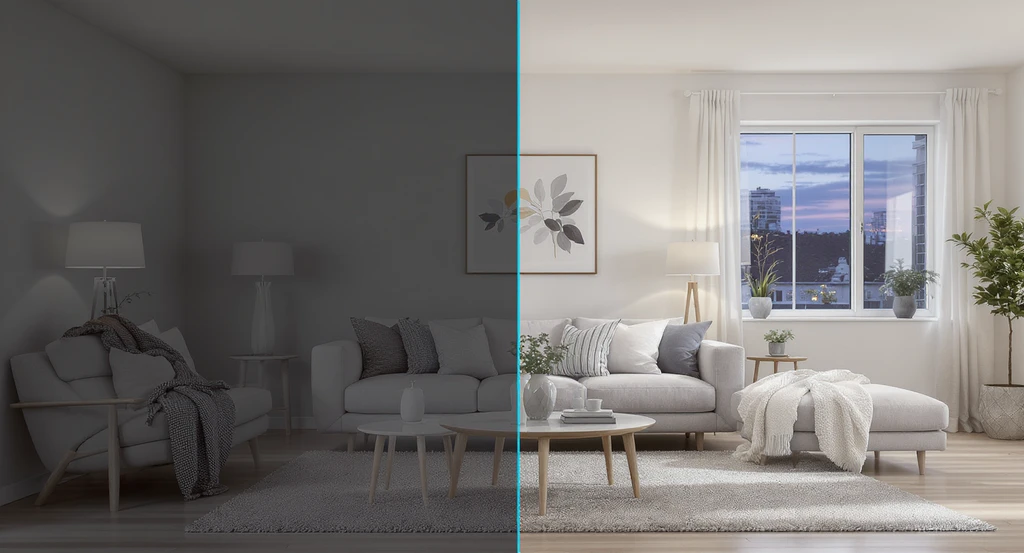
AI image enhancement for real estate listings transforms bad photo quality into credible, mls-ready results—fixing bad real estate photos, straightening walls, balancing whites, and improving listing performance with better photos.
Start with level, well-exposed images. Enhance verticals, keep whites neutral, and moderate saturation for a modern, believable look. Avoid gimmicky oversaturation or unrealistic window effects. Straighten walls, match sky colors for twilight shots, and touch up contrast without hiding real features. If possible, use tools with batch consistency checks, as discussed in our review of the Smart Media Module.
-
What’s the Difference Between Image Enhancement and Virtual Staging?
Image enhancement fixes technical flaws (light, color, perspective), while virtual staging adds or changes furnishings to show a property’s potential. They can work together: enhance the base photo first for clarity, then apply virtual staging if the room is empty or needs visualizing with new style. Learn more about where each tool fits in our guide on truths of real estate photo editing and staging.
-
How Much Does Image Enhancement Cost Compared to Other Options?
Image enhancement is usually more affordable than hiring a pro or scheduling a reshoot—especially for minor flaws across a photo set. You pay per photo or batch, making it budget-friendly for both individual agents and large brokerages. For major visual overhauls or luxury listings, you may still want premium editing, but for speed and ROI, AI enhancement is tough to beat.
-
Is It Worth Enhancing Listing Photos If the Market Is Hot?
Yes—better photos win attention, drive more showings, and set expectations, even in a seller’s market. Shoddy images can seed doubt or attract lower offers, while enhanced, honest photos support confident, transparent sales. As we’ve seen in the latest compliance rules, quality and accuracy matter more than ever.
Frequently Asked Questions
Can AI enhancement really fix a dark interior?
Yes—AI can lift shadows and lighten dark rooms for more inviting, natural-looking interiors. While it can’t fully replace natural daylight, AI enhancement is effective for making late or low-light shoots publishable and appealing, a tip straight from our photo mistakes guide.
Will my enhanced photos look fake?
No, if you stick to neutral whites, moderate saturation, and realistic light—AI's job is accuracy, not exaggeration. Fake-looking photos stem from overediting; use enhancement to clarify, not mislead. For best practices, review the hard truths on real estate photo editing.
Do I need to disclose AI image edits for MLS or compliance?
Increasingly, yes—especially in states with strict rules like California. Check your local regulations and use clear labeling on AI-enhanced or virtually staged images. Our breakdown of AI-edited photo compliance rules details what’s necessary for 2026 and beyond.
What’s the best workflow for enhancing a full photo set?
Upload, batch enhance, review for consistency, and export for MLS-ready use. Modern modules let you process dozens of photos at once. Simplify your photo workflow further with tools like those in our Smart Media Module guide.
Key Takeaways & Next Steps
Smart image enhancement is an affordable, fast way to upgrade your listing photo quality—fixing bad lighting, color casts, and tilts in minutes. AI makes your set cleaner, brighter, and more trustworthy, supporting faster sales and fewer buyer objections. If you’re ready to see the difference, visualize your own listing with modern enhancement tools before you reshoot.