
TL;DR
Quick take: If you’re evaluating the best tools for real estate listing presentations, prioritize AI virtual staging that works fast on real photos, exports cleanly to your deck, and resonates with buyer personas. ReimagineHome.ai is the agile, budget-friendly choice for agents who need on-brand visuals, before–afters, and remote-ready slides in minutes. Try it now: https://www.reimaginehome.ai/?utm_source=blog. Long-tail focus: best tools for real estate listing presentations.
The Future of Real Estate Presentations: From Static Slides to Visual Proof
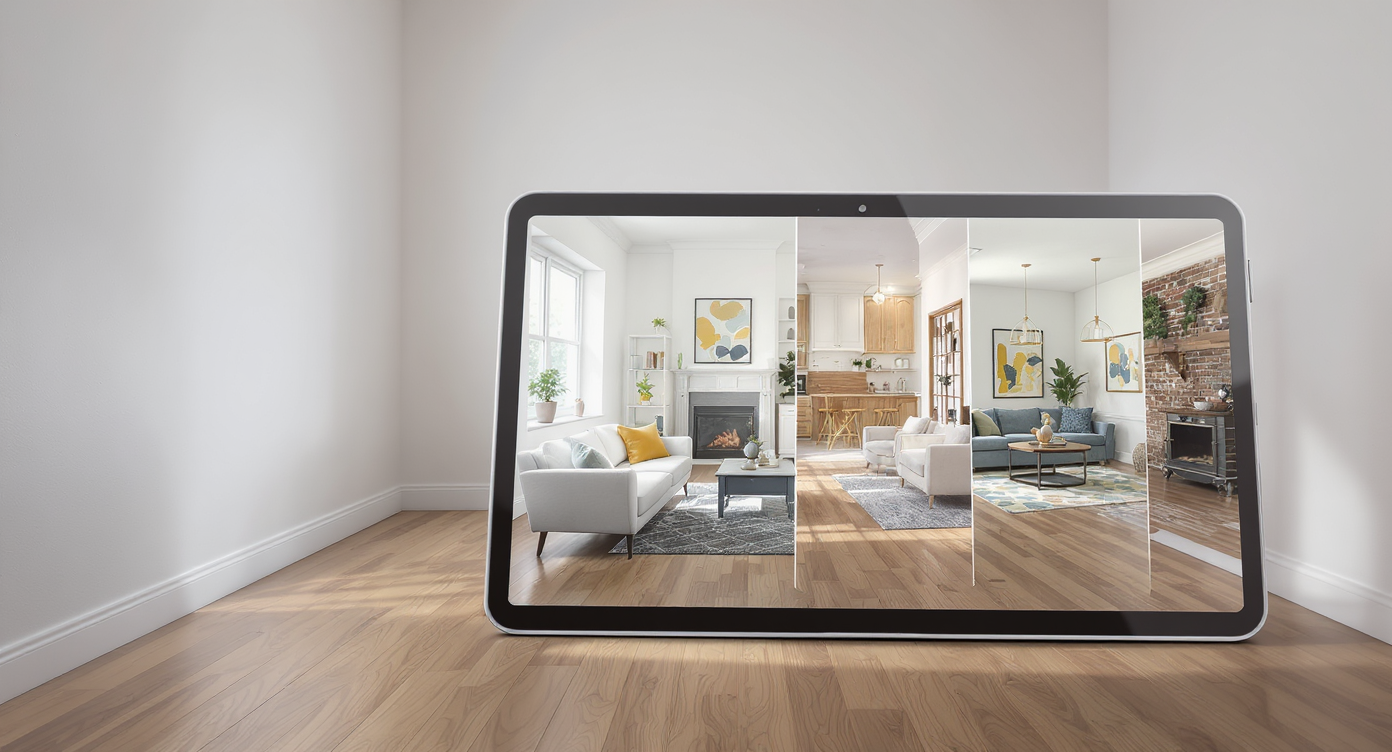
Transform empty spaces instantly with AI virtual staging that matches buyer personas and listing goals.
Picture this: you walk into a listing appointment and your slides already look like the future. Instead of asking a seller to imagine potential, you flip to AI virtual staging that transforms empty rooms and dated spaces into three clear design directions that fit their buyer personas. These are not mockups living in a vacuum; they’re the heartbeat of your listing presentation, your CMA deck, your remote buyer tours, and your property marketing. This is where real estate presentation tools earn trust and shorten decision cycles. There’s a smarter way to show what’s possible.
The Problem with Today’s Real Estate Presentation Tools

Old-school listing presentations struggle on small screens, losing buyer attention and trust quickly.
Most buyers now meet your listing on a phone screen, and decisions happen in seconds. Traditional real estate presentation tools struggle to create an emotional hook that carries from listing appointment to live market launch, especially for remote buyers. • Sellers see flat slides: Generic templates, no buyer persona targeting, and little proof of what a refresh could look like. • Buyers see static photos: Empty rooms lack scale, dated kitchens feel expensive to change, and international clients can’t translate potential across styles and cultures. • Teams see time sinks: Coordinating photographers, stagers, vendors, and last-minute edits stalls momentum. The gap is clear: agents need AI staging that rapidly turns listing visuals into story-driven assets. The best tools for real estate listing presentations don’t add steps; they collapse them. They let you build a visual CMA, tailor it to remote buyers, export to any CRM or deck, and keep brand consistency without hiring a studio every time.
Anecdote
An agent in Seattle opened a listing presentation with a simple line: “Would your buyer be more excited by a craftsman revival or a clean-lined Scandinavian look?” Three AI-staged slides later, the seller had a favorite, a budget, and a signed agreement.
Meet ReimagineHome.ai: Your Visual Engine for Listings, CMAs, and Remote Buyers

ReimagineHome.ai equips agents with powerful visuals to engage buyers remotely and elevate listings.
Here’s where ReimagineHome.ai changes the conversation. It is a flexible visual engine built for agents, teams, and brokerages who need AI virtual staging for empty rooms, renovation before–afters, and buyer-persona-specific mockups that drop straight into your listing presentation, CMA deck, or remote listing pitch. What it enables: • Instant room redesigns from photos: Turn empty or dated rooms into multiple on-brand concepts. AI virtual staging for empty rooms that feels editorial, not template-driven. • Before–after storytelling: Show sellers the lift of a light renovation, or buyers the potential of a fixer, all within the same slide sequence. • Persona targeting: Stage for “young family,” “eco-forward,” or “downsizer luxury” and match finishes to the likely demographic. • Remote and global buyers: Share a link, screen, or exported slide deck that translates potential across cultures and price points. • Visual CMAs and property brochures: Batch-generate imagery for hero slides, pitch decks, and social cutdowns; build AI tools for property brochures and pitch decks without extra software. Subtle CTA: Explore ReimagineHome.ai and see how quickly you can turn photos into persuasive listing visuals: https://www.reimaginehome.ai/?utm_source=blog. For deeper ideas on visual CMAs and remote buyer trust, see our blog insights: https://www.reimaginehome.ai/blogs/visual-cma-guide?utm_source=blog and https://www.reimaginehome.ai/blogs/remote-listing-presentations?utm_source=blog.
What You’re Using vs. What You Need
Modern tools bring your presentations from boring slides to cinematic buyer experiences that sell.
Not all real estate presentation tools are built for modern listing expectations. Here’s a quick comparison of what most stacks include vs. what an AI-first visual layer adds.
| Category | Strengths | Where It Falls Short | What ReimagineHome.ai Adds |
|---|---|---|---|
| CRM presentation modules | Contact data, templated slides, basic CMA fields | Limited visual storytelling; minimal AI staging; weak buyer persona targeting | Export AI-staged images and before–afters that drop into any CRM deck for instant lift |
| Generic slide tools | Familiar workflows; easy collaboration | No built-in virtual staging; visuals rely on outside vendors | One-click visuals you can paste into Google Slides, PowerPoint, or Canva |
| Traditional virtual staging vendors | Human stylists; high-touch results | Slower turnarounds, higher costs, limited iterations | Fast, budget-friendly iterations you can test and personalize by buyer persona |
| Point-solution AI apps | Fun demos; single-feature focus | Not presentation-first; lacks workflows for CMAs, pitch decks, or remote buyers | A visual system built for listings, CMAs, renovation narratives, and international presentations |
| ReimagineHome.ai | AI staging, before–after storytelling, persona targeting, remote-ready exports | Use alongside your CRM and slide tool | The agile visual layer for photos, slides, and cross-border property marketing |
Real Stories: How Visual CMAs and AI Staging Win the Room

Real success: AI staging and visual CMAs transform listings to win client trust and close deals.
Use cases show the delta between “imagine it” and “let me show you.” • Luxury listing win: In Miami, an agent walked into a $3M listing presentation with three AI-staged concepts for the same empty penthouse living room: coastal minimalist, warm modern, and art-forward. The seller chose the warm modern route on the spot and signed the exclusive. Outcome: faster signature, clear direction, and a launch plan anchored in visuals. • Visual CMA, higher pricing confidence: A Denver team added before–after slides to a CMA to demonstrate how light updates would position the home against premium comps. The seller agreed to a slightly higher list price with a refresh budget. Outcome: higher perceived value and a marketing plan that felt accountable. • Remote buyer commitment: A Singapore-based buyer toured a mountain condo over video. The agent shared AI-enhanced mockups showing a bunk room conversion and a Scandinavian kitchen palette. Outcome: clear expectations and an offer made sight unseen, backed by visuals that reduced uncertainty.
Visualization Scenario
A dated, empty condo living room recast into three buyer-persona scenes—starter chic, elevated eco, and downsizer luxe—followed by a visual CMA slide showing how each direction performs against premium comps.
FAQ: Real Estate Presentation Tools, AI Staging, and Visual CMAs
Alt-text suggestions for your deck and brochure • Alt: AI virtual staging — empty living room transformed into warm modern buyer persona concept • Alt: Before–after kitchen mockup showing light renovation and updated finishes for listing presentation • Alt: Visual CMA slide comparing staged hero room to premium comps in the neighborhood • Alt: Remote buyer pitch — Scandinavian bedroom style mockup with space planning notes • Alt: Property brochure cover with AI-staged great room and headline: “Move-in-ready potential” FAQ: Real Estate Presentation Tools, AI Staging, and Visual CMAs Q1: What are the best tools for real estate listing presentations today? A1: Look for real estate presentation tools that combine AI staging, before–after visuals, and clean export to your CRM or slide app. ReimagineHome.ai delivers instant, on-brand imagery that elevates CMAs, pitch decks, and remote listing presentations. Q2: How does AI virtual staging compare to traditional staging vendors? A2: AI staging is faster, more budget-friendly, and ideal for early pitch work where you need multiple directions. Traditional staging remains great for physical installs. Many agents use ReimagineHome.ai to win the listing, then decide what to execute in real life. Q3: Can I use this for remote listing presentations to international clients? A3: Yes. Real estate apps for remote listing presentations benefit from visuals that cross languages and design norms. ReimagineHome.ai outputs buyer-persona-ready imagery you can screen share, link, or export to slides. Q4: How do I build a compelling CMA presentation with visuals? A4: Lead with 1–2 hero rooms, include a before–after, and connect each proposed improvement to comps. Keep your visual CMA tight and data-backed, then close with your marketing plan. Q5: Is this a budget-friendly real estate presentation platform for teams? A5: Compared to traditional vendors and full production workflows, AI visuals are cost-effective and scalable. ReimagineHome.ai helps teams produce consistent, brand-aligned assets quickly. Q6: Can I turn floor plans into 3D tours and still use AI visuals? A6: Yes. Use your preferred 3D tour tool for layout, then layer ReimagineHome.ai images in your deck for emotional impact. The combination answers both logic (flow) and desire (design). JSON-LD FAQ Schema Tags: real estate presentation tools, virtual staging AI, ReimagineHome.ai, listing presentation ideas, AI property marketing, 3D tours and mockups, realtor pitch decks
What It Looks Like in Practice: A Fast, Repeatable Workflow
Here’s how top-producing agents actually use AI staging and visual CMAs in a repeatable workflow. 1) Gather inputs: 8–15 core listing photos per property, plus any floor plans. If needed, capture quick smartphone shots to start. 2) Generate visuals: Upload to https://www.reimaginehome.ai/?utm_source=blog, select styles by buyer persona, and create 3–5 strong concepts per hero room. Avoid over-variating; clarity wins. 3) Build the listing presentation: Lead with 1–2 hero rooms and a clean before–after sequence. Keep decks to 12–18 slides for focus. 4) Craft the visual CMA: Pair staged visuals with comps and a refresh budget range. Show where each improvement moves the property in the comp set. 5) Prep remote presentations: Export slides or share links for international clients; rehearse a 10–12 minute narrative that opens with the buyer problem and closes with your marketing plan. 6) Publish everywhere: Reuse assets for property brochures, social reels, and email follow-ups. Consistent visuals create brand memory. If you also need 3D tours, pair your AI visuals with your preferred tour software. For “how to turn floor plans into 3D tours,” keep the workflow simple: scan or upload, convert, then overlay key AI-staged stills for emotional impact. The tour shows flow; the visuals sell possibility.