
TL;DR
You don’t need to guess between warm oak, neutral greige, or a bold espresso. ReimagineHome.ai lets you swap flooring styles on your actual room photo in seconds, no measurements required. Try multiple looks, compare side-by-side, and land on a choice that works with your light, furniture, and lifestyle.
Why Choosing the Right Flooring Matters Right Now
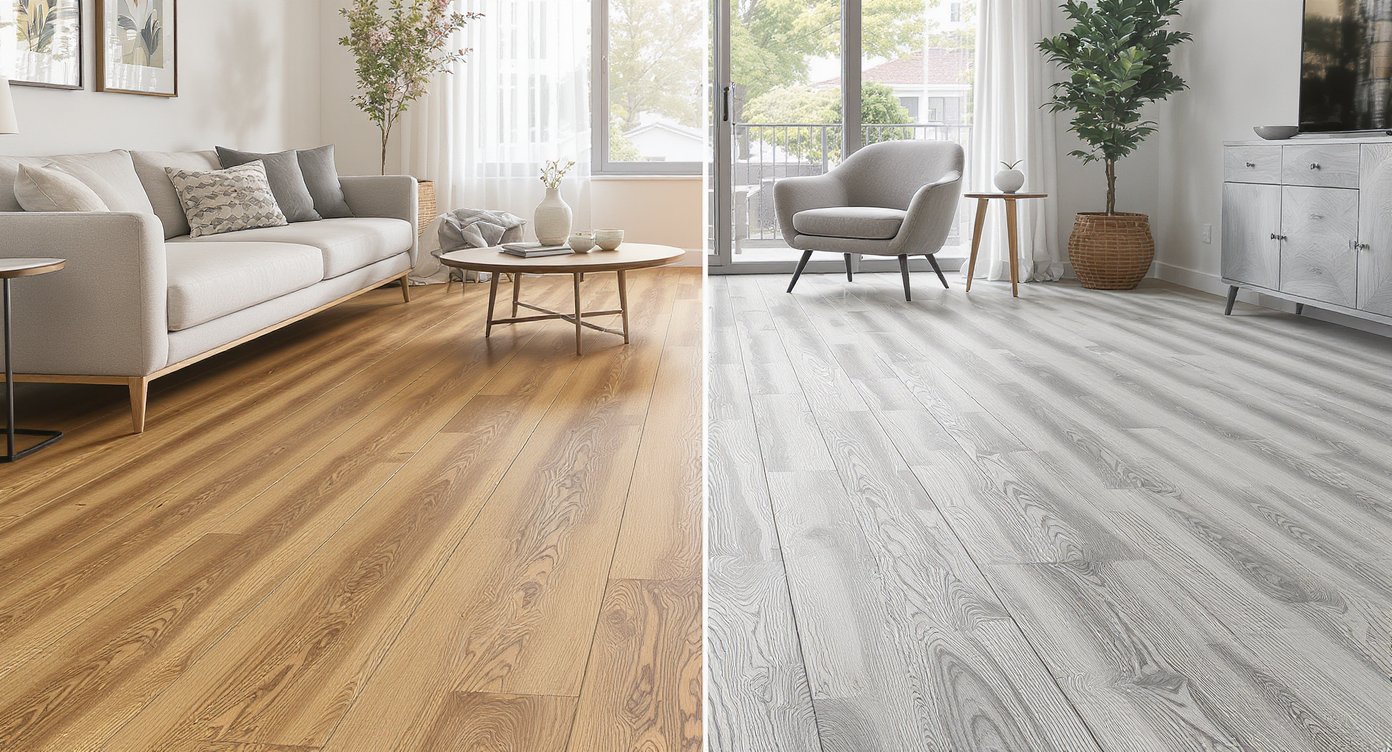
Compare warm and cool wood tones side-by-side to find your perfect flooring vibe.
The fastest way to choose the right flooring is to preview it on your actual room photo, then compare options side-by-side until the winner is obvious. AI interior tools like ReimagineHome.ai make that happen in seconds, helping you balance color, plank size, and sheen with your light and furniture. At a glance, you’ll learn: - How to test warm vs. cool wood tones, light vs. dark, and matte vs. satin finishes on your own room. - Why mid‑tone, low‑red oak looks timeless next to most trim colors and furnishings. - How AI home design from one photo guides undertones, flow, and resale. - The quickest way to avoid the top flooring mistakes buyers regret later. Try your own design ideas instantly on ReimagineHome.ai: https://www.reimaginehome.ai/?utm_source=blog Helpful deep dives: - Learn the basics of virtual staging for real rooms: https://www.reimaginehome.ai/blogs/guide-to-virtual-staging?utm_source=blog - AI home design from one photo, explained: https://www.reimaginehome.ai/blogs/ai-home-design-from-one-photo?utm_source=blog - Best tools for listing presentations when flooring changes the story: https://www.reimaginehome.ai/blogs/listing-presentation-ideas?utm_source=blog
Why AI Is Reshaping Flooring Decisions

AI empowers designers to quickly test flooring choices beyond traditional swatches and samples.
42% of homeowners say flooring is the single update that changes how a space feels day to day, yet it’s also the hardest to visualize. AI is reshaping flooring decisions by letting you see options in your exact lighting, with your existing sofa, paint, and millwork. Picture this: you upload one photo, choose “light oak,” “neutral mid‑oak,” or “deep walnut,” and watch the room transform. No guessing if that sample will skew red at sunset or go gray under LEDs. You get quick, repeatable previews that factor in undertones, natural light, and the size of your space. Most buyers and renovators care about three things: tone (warm vs. cool), depth (light vs. dark), and sheen (matte vs. satin). Light floors can visually expand small rooms and hide dust; very dark floors can look dramatic but show lint and footprints. Reds/oranges feel dated next to cool paint and black hardware, while neutral or softly warm oak plays nicely with everything from creamy walls to charcoal cabinets. ReimagineHome.ai lets you try each direction quickly, so you choose with confidence—not fear of regret.
Anecdote
Caption suggestions: - “Same room, three floors: see how tone transforms mood.” - “From orange cast to timeless oak—undertones matter.” - “Light oak vs. walnut in daylight: the side-by-side that made our decision.”
Best Alternatives — And Why ReimagineHome.ai Wins

ReimagineHome.ai outshines swatches by previewing floors on your actual room photo instantly.
3 out of 4 people start flooring research with store swatches, then realize the chip didn’t tell the full story at home. Let’s compare your options: - In‑store swatches and sample boards Good for material feel, not for color accuracy in your light. Small pieces over‑emphasize grain and hide plank pattern. Useful, but incomplete. - Retail AR apps Helpful on a blank room, but many struggle with existing furniture, mixed lighting, or realistic plank scale. You get a vibe, not a decision. - Designer mood boards Excellent for direction and curation, but they still require translating a beautiful collage into your exact room’s proportions and daylight. - Traditional mockups (manual Photoshop) Accurate but time‑consuming and expensive for simple “what if” tests. Why ReimagineHome.ai stands out: - One photo in, multiple floor looks out — AI room makeover without measurements. - Realistic plank scale and direction for better read on pattern and flow. - Quick toggles across warm, neutral, and cool woods; from pale oak to espresso. - Styles you can stage for real estate presentation tools, so buyers see potential. - Batch variations to compare side‑by‑side and share instantly. In short, ReimagineHome.ai compresses the messy middle—no more carting home boxes of samples, second‑guessing undertones, or wasting weekends. Explore more on virtual staging and flooring storytelling: https://www.reimaginehome.ai/blogs/guide-to-virtual-staging?utm_source=blog
How to Use ReimagineHome.ai for Flooring Decisions
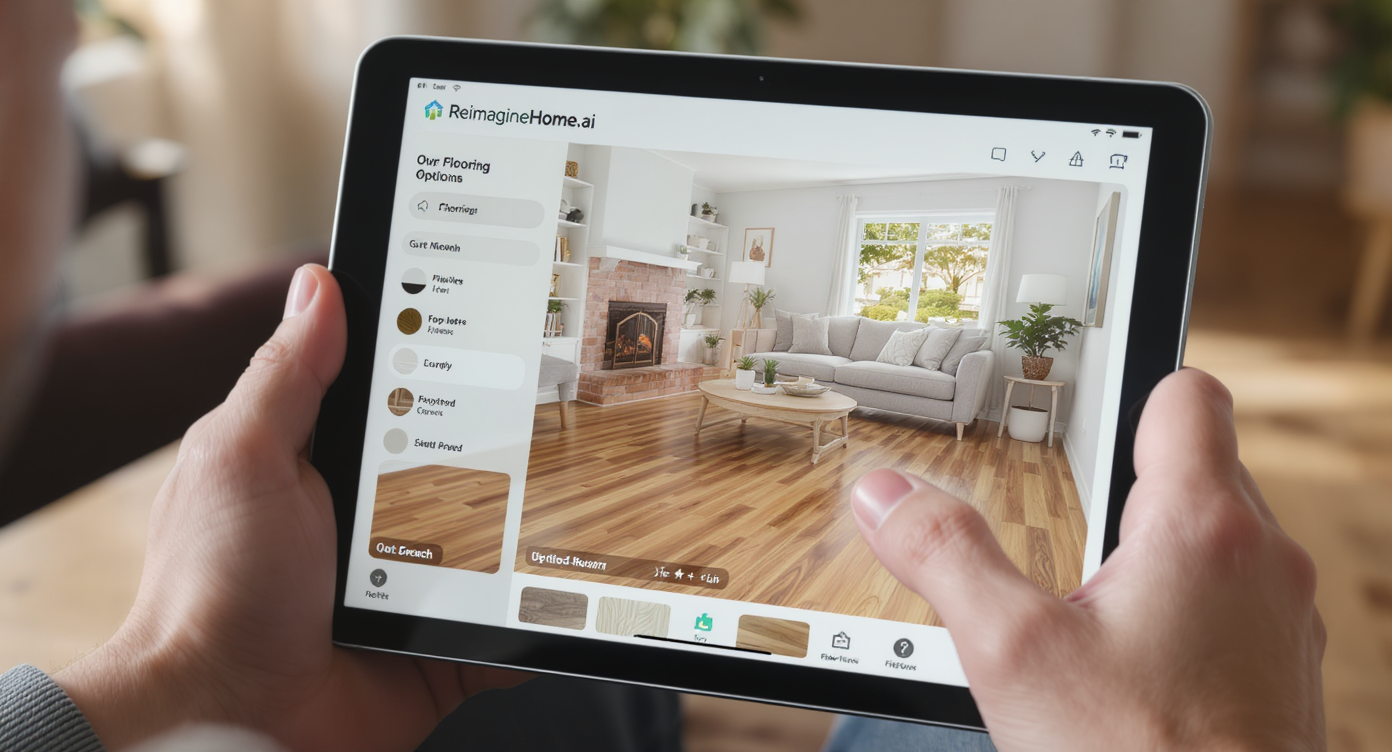
Preview new floors in seconds with ReimagineHome.ai from just one clear room photo.
60 seconds is often all it takes to preview a new floor with AI when you start with one clear room photo. Step‑by‑step: 1) Photograph your space in daylight. Turn off mixed lamps to avoid color casts. Shoot straight, standing height, and include baseboards and a bit of adjacent room for flow. 2) Upload to ReimagineHome.ai: https://www.reimaginehome.ai/?utm_source=blog 3) Choose a flooring direction: “light oak,” “neutral mid‑oak,” “greige oak,” or “deep walnut.” If you’re testing LVP or tile looks, select the closest category. 4) Set plank width and direction. Wider (5–7 inch) planks feel modern; running planks the long way of the room lengthens the sightline. 5) Compare finishes. Matte hides scratches; satin adds a touch of sheen. Preview both in your photo. 6) Save 3–4 best renders. View them side‑by‑side to see how they play with your sofa legs, wall color, and natural light. 7) Sanity‑check undertones. If your trim and doors are cool white, avoid floors with heavy red/orange. If your walls are warm cream, a slightly warm oak can make the space glow. 8) Share with your agent, partner, or contractor. Use the side‑by‑side to align quickly—perfect for listing prep or remodel planning. For a full primer on AI home design from one photo, see: https://www.reimaginehome.ai/blogs/ai-home-design-from-one-photo?utm_source=blog
Real-World Stories — AI in Action, Plus Mistakes and Pro Tips

Real stories show how AI visuals help avoid flooring mistakes and guide confident choices.
25–35% of buyers say they struggle to look past an existing floor; strong visuals can flip a maybe into a yes. Anecdote 1: The small condo. A homeowner torn between very light and very dark floors uploaded a living‑room photo. The pale oak instantly lifted the ceiling line, while the deep espresso looked elegant but showed every speck near the window. They chose a neutral mid‑oak that kept the airy feel without the maintenance stress—decision made in one afternoon. Anecdote 2: The open kitchen. With white cabinets and black hardware, an orange‑leaning sample felt off. ReimagineHome.ai previews confirmed the clash. A softly warm, desaturated oak balanced the contrast, and the finished space looked intentional, not busy. Anecdote 3: The listing refresh. An agent virtually staged two floor options to test market reaction: light oak vs. medium walnut. The lighter version earned more saves within the first weekend, so they leaned into that palette for paint and styling. Common Mistakes (and Fixes) - 7 in 10 regrets start with undertones. Fix: Compare your top two floors against your trim and largest fabric (sofa or rug). The floor should complement both. - Choosing a trend tone too gray or too red. Fix: Aim for a neutral to softly warm oak that avoids heavy yellow, red, or blue casts. - Ignoring sheen. Fix: Matte or low‑sheen hides scratches and footprints better than high gloss, especially with kids and pets. - Stopping at the doorway. Fix: Continue flooring through connected spaces when possible; fewer transitions make homes feel bigger. Pro Tips & Style Insights - 5–7 inch planks read modern yet timeless; narrow strips can feel busy in open plans. - If your walls are cool, let the floor carry a hint of warmth (and vice versa) for balance. - Dark floors can be stunning, but plan on more frequent dusting in bright rooms. - Keep a simple, natural grain if you’re pairing with bold stone or veined countertops. - For small rooms, light floors + matte finish + long-run plank direction = visual expansion.
Visualization Scenario
Picture your living room at 4 p.m., sunlight stretching across the rug. With one upload, you watch deep walnut warm the shadows, then click to a pale oak that bounces light into the hallway. One more tap—neutral mid‑oak—and suddenly your sofa fabric, wall color, and floor feel like they were meant for each other.
FAQ
Q: Can I use AI home design from one photo to pick between multiple floor colors? A: Yes. Upload a single room photo to ReimagineHome.ai, try several wood tones and finishes, then compare renders side-by-side. Q: Do I need room measurements? A: No. ReimagineHome.ai creates an AI room makeover without measurements, so you can test ideas quickly. Q: Will the AI consider my existing furniture and paint? A: Yes. Because you use your actual photo, previews reflect your light, trim, and furnishings—no generic room needed. Q: Is this useful for real estate listing presentations? A: Absolutely. Virtual staging and floor previews help buyers see potential fast, a powerful addition to your real estate presentation tools. Q: What if I’m stuck between light and dark floors? A: Render both in the same photo at the same time of day. The choice that makes the room feel calmer and more cohesive is usually right.
Visualize Your Home’s Next Chapter
Design decisions feel easy when you can see the outcome. ReimagineHome.ai gives you that clarity by letting you audition floors on your real room—no guesswork, no pressure. Upload one photo, explore a handful of looks, and listen for the version that makes the whole space exhale. Then carry that confidence into the store, the remodel, or the listing. Your next chapter starts with one image.