
TL;DR
Occupied to Vacant is an AI tool that removes furniture, appliances, and visual clutter from a photo so you can show or plan a room as a clean, empty space. It’s ideal when flooring is mid-project or mismatched and you need listing-ready images fast. Try it now at the ReimagineHome.ai home page to see how AI can remove furniture from photos and keep your marketing moving while you figure out flooring. If you’re searching “how to remove clutter and objects from listing photos,” this gives you the blank-canvas version in minutes.
The Real Cost of Showing Rooms ‘As They Are’ Online

Occupied to Vacant clears visual clutter digitally to reveal room potential during renovations.
Occupied to Vacant is an AI edit that clears rooms in a photo — appliances, furniture, and small stuff — to reveal a believable, empty space. It’s powerful when a kitchen is mid-renovation, the floor is a patchwork, or a tight room just feels crowded and hard to understand in pictures.
- Results first: clean, distraction-free images that highlight walls, windows, layout, and square footage.
- Realism: the tool preserves architecture and perspective while removing movable items.
- Speed: most rooms convert in minutes, so marketing doesn’t pause for a flooring or appliance timeline.
- Cost: cheaper than reshooting or staging when you simply need the empty view for MLS and buyer clarity.
- Workflow: shoot once, create both “as-is” and “vacant” versions, then add virtual staging later if needed.
- ROI: better click-through and fewer buyer objections about mess, mismatched finishes, or demo debris.
- Peace of mind: you can plan refinishing or replacement without the pressure of rushed photography.
If you already have a tricky listing photo in mind, upload it to ReimagineHome.ai and test this solution on a real image while you read.
Why This Visual Problem Hurts More Than You Think
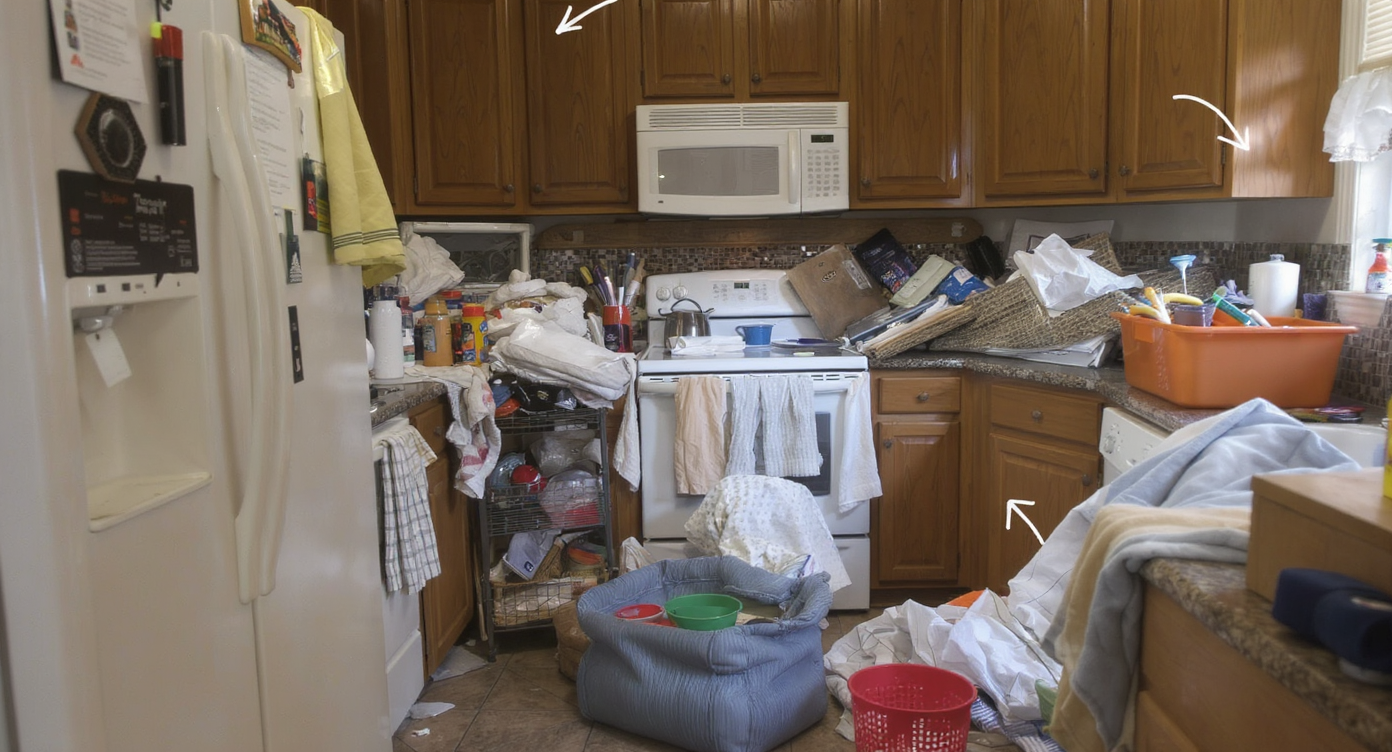
Clutter hides important room features, making spaces feel smaller and harder to appreciate.
Even simple clutter removal can make key features — like flooring edges, cabinetry lines, and light — easier to see at a glance. When a kitchen shows half-removed laminate or a tangle of cords and appliances, buyers scroll faster and assume the work is bigger than it is. They also underestimate room size because their eye lands on the mess, not the dimensions.
In practice, this shows up as: fewer carousel clicks, shorter time-on-photo, and more questions like “What’s going on with the floor?” or “How big is this kitchen, really?” For agents and owners, it creates decision fatigue — do you pause the listing until the floor is resolved, or do you post imperfect photos and risk losing momentum?
A clean, vacant view keeps the story straightforward: here is the envelope of the room. Once buyers understand the volume, they’re more receptive to options (refinish, replace, cover). And if you’re still deciding between hardwood, LVT, or tile, the empty version gives you breathing room to make the call without sacrificing marketing time.
Anecdote
That “almost there” kitchen photo with laminate peeled back, a fridge still in place, and three board types peeking through — the kind of image that sparks more questions than showings. Clearing it digitally gave the agent a clean baseline to market while flooring decisions caught up.
What Occupied to Vacant Actually Is (In Plain Language)
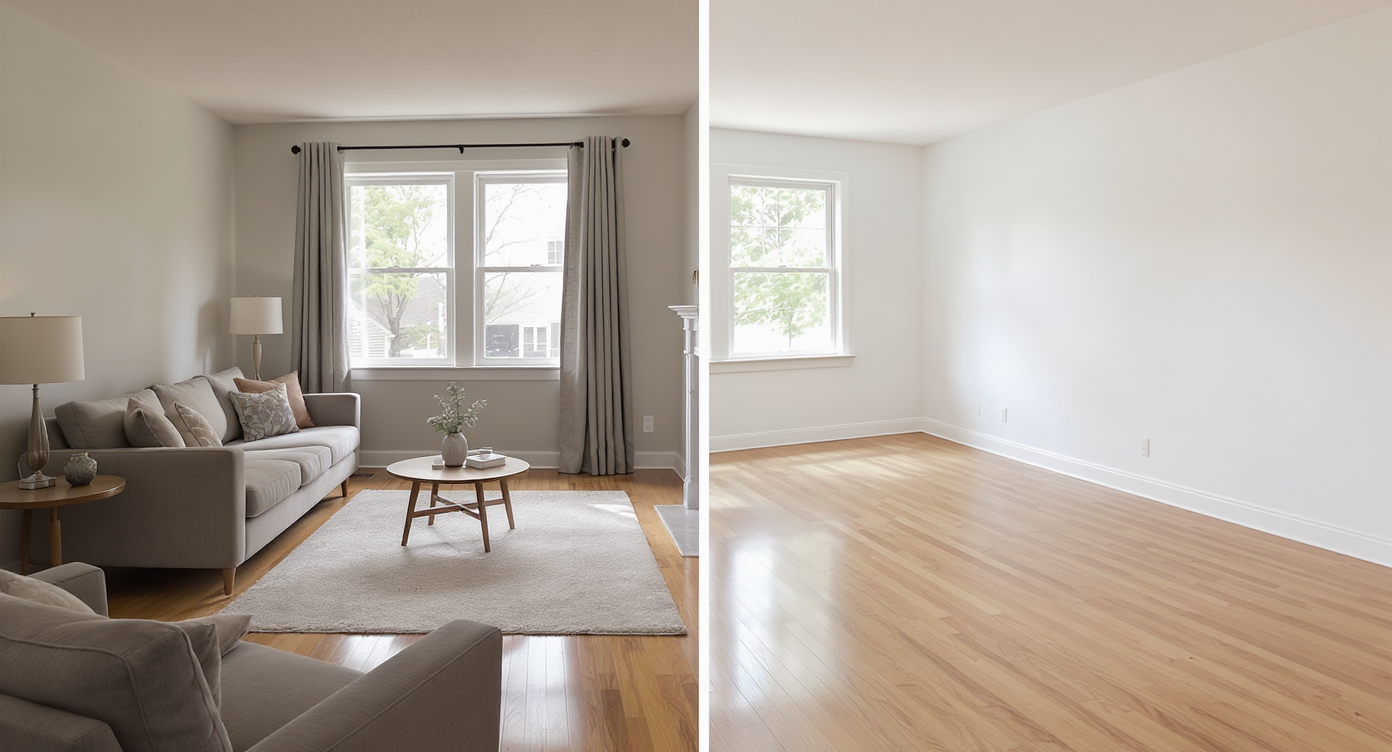
Occupied to Vacant digitally removes movable items, preserving room architecture for marketing clarity.
Occupied to Vacant is an AI-powered clearing pass that removes movable items from a room photo to produce an image of the same space, empty. It’s not a fantasy render; it maintains the real walls, windows, ceiling, and perspective, while erasing furniture, small fixtures, decor, and even major appliances.
Upload a photo, choose the Occupied to Vacant option, and let the system detect what can go. You’ll get a clean image that’s ideal as a blank canvas for planning or, if you prefer, for adding tasteful virtual staging later. For the core clearing step, explore ReimagineHome.ai’s Occupied to Vacant tool to see how quickly it generates an empty-room view from a real photo.
If you only need to zap a few small distractions — a trash can, a mop, or a stack of boxes — you can also use its clutter and object removal tool. Many pros pair a full-room clear with targeted touch-ups when a single shot needs both.
How Occupied to Vacant Works Step by Step
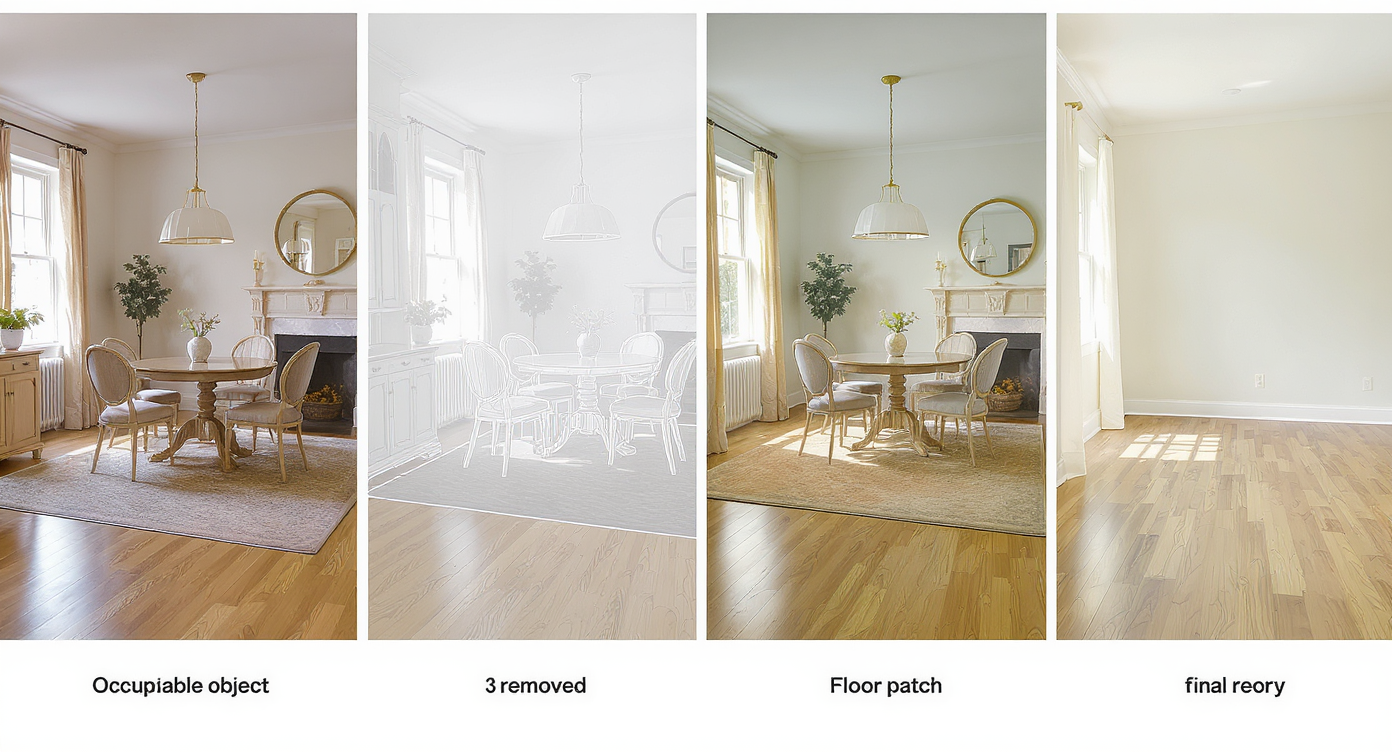
Stepwise AI editing transforms furnished spaces into believable empty rooms for real estate marketing.
- Start with the right photo: shoot straight, include full floor and ceiling where possible, and avoid heavy tilt. MLS and portals favor high-resolution images, ideally above 3000 pixels on the long edge.
- Upload your image: drag-and-drop into ReimagineHome.ai and select Occupied to Vacant.
- Auto-detect or brush-select: let AI find furniture and appliances, then refine the selection with a brush if needed (edges of fridges, ranges, and sofas are common touchpoints).
- Generate the empty view: the system fills in believable flooring and baseboards beneath removed items based on surrounding context.
- Review and refine: if a shadow or reflection looks off, run a quick touch-up with the object removal tool to blend.
- Export for use: download MLS-ready files and label images clearly (e.g., “Kitchen — Vacant View”) to keep buyer trust.
One constraint to remember: AI is excellent at reconstructing surfaces from visible context, but if a large portion of the floor was never shown, you may need a second angle for best results.
Tips and Tricks for More Realistic Results
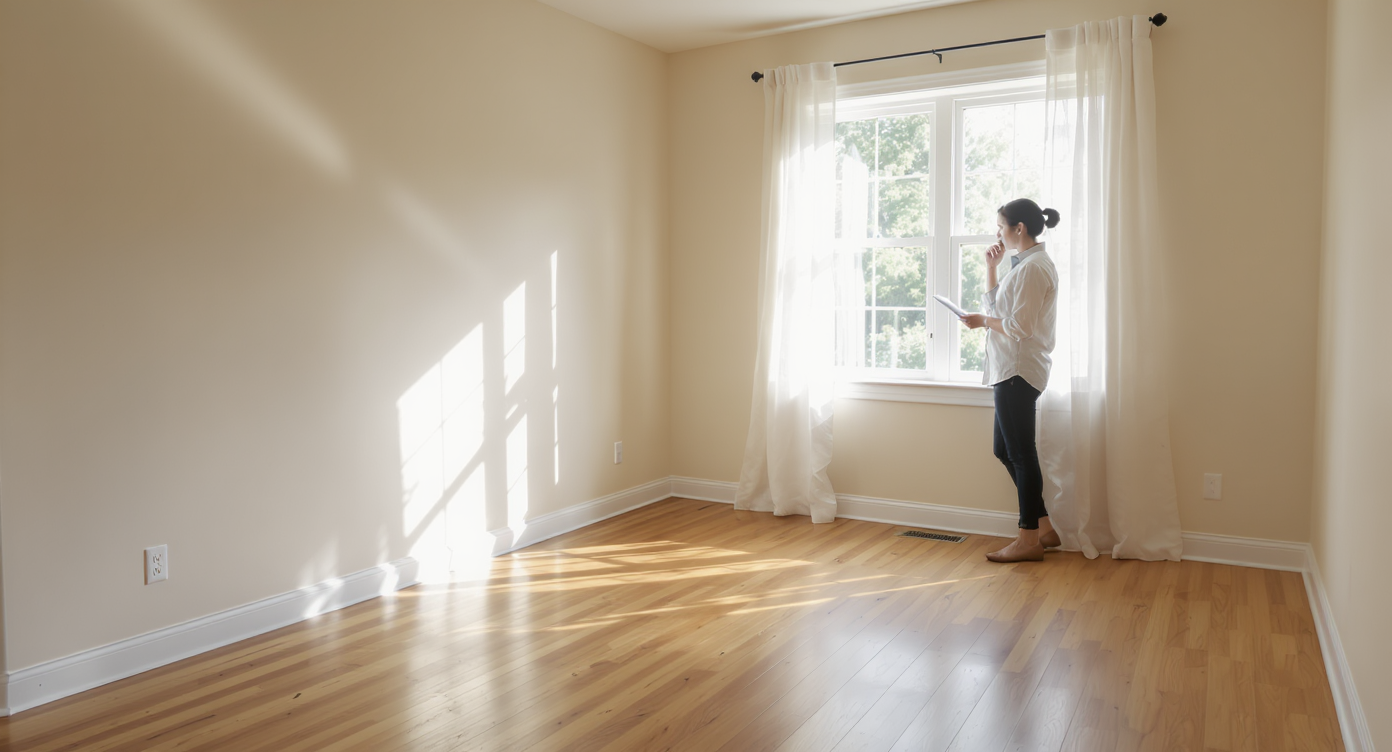
Tips for realism: preserve subtle textures and lighting to maintain inviting, believable empty spaces.
Vacant or poorly furnished rooms often feel smaller and less inviting on screen than thoughtfully simplified ones — aim for clarity, not emptiness for its own sake.
- Shoot first, clear later: take the best natural-light photo you can before moving anything. Better source photos equal better AI results.
- Mind reflections and glass: if an appliance reflects in an oven door or window, run a quick pass with object removal after clearing to keep reflections consistent.
- Keep architecture honest: Occupied to Vacant should never move walls, windows, or ceiling heights. It’s about removing what’s in the room, not altering the room.
- Label transparently: add “Vacant View (AI)” to captions. Transparency builds trust and satisfies most MLS guidance where applicable.
- Pair with staging, selectively: once you have a blank canvas, create a second image with neutral furnishings. Many teams share both in the carousel: “Vacant View” followed by “Virtually Staged.”
- Use it to plan, too: an empty-version image is perfect for testing finish ideas with ai interior design from photo — paint, layout, and fixture concepts are easier to imagine when the room is clear.
Visualization Scenario
A small galley kitchen with a mix of old laminate and patched boards. You upload the best wide shot, clear the fridge and range with Occupied to Vacant, then export two images: “Vacant View (AI)” and a second version lightly staged with a runner and barstools to show scale.
FAQ
How do I remove furniture and appliances from real estate photos?
Use an AI empty-room tool. Upload the image to ReimagineHome.ai, choose Occupied to Vacant, select the items to remove, and generate an empty view in minutes.
Is it ethical to use AI to empty a room for MLS?
Yes, when you label images clearly and do not misrepresent the property’s structure. Share both “as-is” and “Vacant View (AI)” to maintain buyer trust.
Can AI also remove clutter and small distractions only?
Yes. For light cleanup, try ReimagineHome.ai’s object removal to delete items like trash bins, cords, or tools while keeping the rest of the room intact.
What resolution works best for AI room clearing?
Aim for high-resolution photos — ideally 3000–4000 pixels on the long edge — with minimal tilt and good light for the most realistic fills and textures.
Can I repurpose the room after I clear it?
Yes. After creating a blank canvas, you can explore layouts with Room Reuse to digitally repurpose a room, or show multiple use cases for the same space in one carousel.
Visualize Your Next Listing (or Project) Before You Commit
Previewing layout and finish changes visually can prevent costly regret later. When a floor is mid-project, mismatched, or simply not ready for prime time, an Occupied to Vacant pass gives you a clean baseline image and room to decide — without losing a week of momentum while appliances or contractors shuffle.
If flooring damage is your core issue, you may also appreciate this perspective on rental floors and options in our take on condensation-damaged wood floors. When you’re ready to clear your next photo, start with ReimagineHome.ai’s Occupied to Vacant for a blank canvas that boosts clarity, confidence, and clicks.