
TL;DR
Designing a cozy living room is faster when you can see it first. Upload a photo to ReimagineHome.ai, choose styles, and compare photoreal options in minutes. You’ll test layouts, rugs, lighting, and color schemes without second‑guessing. It’s the simplest way to turn inspiration into a real plan.
Introduction

Turn simple photos into multiple styled living room concepts instantly with AI-powered home design tools.
Yes, you can create a cozy living room setup quickly by using AI home design tools to visualize furniture placement, rugs, lighting, and color schemes before you buy. With ReimagineHome.ai, a single photo becomes multiple styled, photoreal concepts, so you can pick the best layout and look with confidence. At a glance: - How AI home design speeds up decisions and personalization - The best alternatives to traditional design apps—and where they fall short - Step‑by‑step: turn a room photo into a styled concept in ReimagineHome.ai - Real stories, common mistakes, and pro tips for cozy living rooms Try your own design ideas instantly on ReimagineHome.ai.
Why AI Tools Are Changing Home Design

AI tools revolutionize home design by cutting planning time dramatically, blending creativity with technology.
AI room layout tools can cut planning time by up to 80% versus manual sketching and mood boards alone. ReimagineHome.ai brings that speed to real rooms by converting your existing space—a living room, studio, or open plan—into multiple, believable options in minutes. You see scale, light, and texture as they’ll read on the sofa, the rug, and the gallery wall. AI changes two things that matter: visualization and personalization. First, visualization. Instead of guessing, you preview two to five living room layouts in under 60 seconds, each with different seating arrangements, coffee tables, and lighting. You test a deep sofa against a low media unit, or swap a round rattan coffee table for a slim rectangular one. Second, personalization. Style sliders and room context let you tune palettes—warm neutrals, mid‑century lines, soft Scandinavian textures—until it feels like you. Because the output is photoreal, you can evaluate practical details: walking clearances, sunlight on fabrics, and whether an arc lamp’s shade will sit too low over the sectional. Designers often note that confidence comes from seeing. AI gives you that sightline before you spend.
Anecdote
A first‑time homeowner used ReimagineHome.ai to compare an L‑shaped sectional with a sofa‑and‑chairs setup. Seeing the walkway widths in the render made the decision obvious—and freed budget for a better rug.
Best Alternatives to Popular Design Apps (and Why ReimagineHome.ai Wins)

Discover why ReimagineHome.ai outperforms traditional design apps for seamless room visualizations and faster choices.
Most homeowners bounce between 3–7 design apps when planning a room, which slows decisions and causes mismatched purchases. Here’s how common categories stack up—and why ReimagineHome.ai covers the gaps. Mood boards (2D collages): Great for style direction, but they don’t show scale or how a rug sits under a sectional. ReimagineHome.ai acts like a mood board you can walk into—same aesthetic curation, but grounded in your room’s photo. Layout planners (top‑down): Helpful for furniture footprints, yet flat diagrams can mislead on height, glare, and visual weight. ReimagineHome.ai visualizes footprints and sightlines together, so you’ll see if a lamp “bonk zone” looms over a seat or if the media wall needs a lower console. 3D walkthroughs: Powerful but time‑intensive; building a model can take hours. With ReimagineHome.ai, you skip modeling. Upload a photo and compare several photoreal scenes that already respect your walls, windows, and proportions. Virtual staging: Often treats rooms as anonymous shells. ReimagineHome.ai feels different because it restyles your actual space—your floors, your light, your constraints—so choices translate cleanly to real‑world buying. Want to dig deeper into AI room redesigns and layout testing? Explore the blog: AI room redesign tools, how AI visualizes layout options, and virtual staging guide.
How to Use ReimagineHome.ai to Visualize Any Room
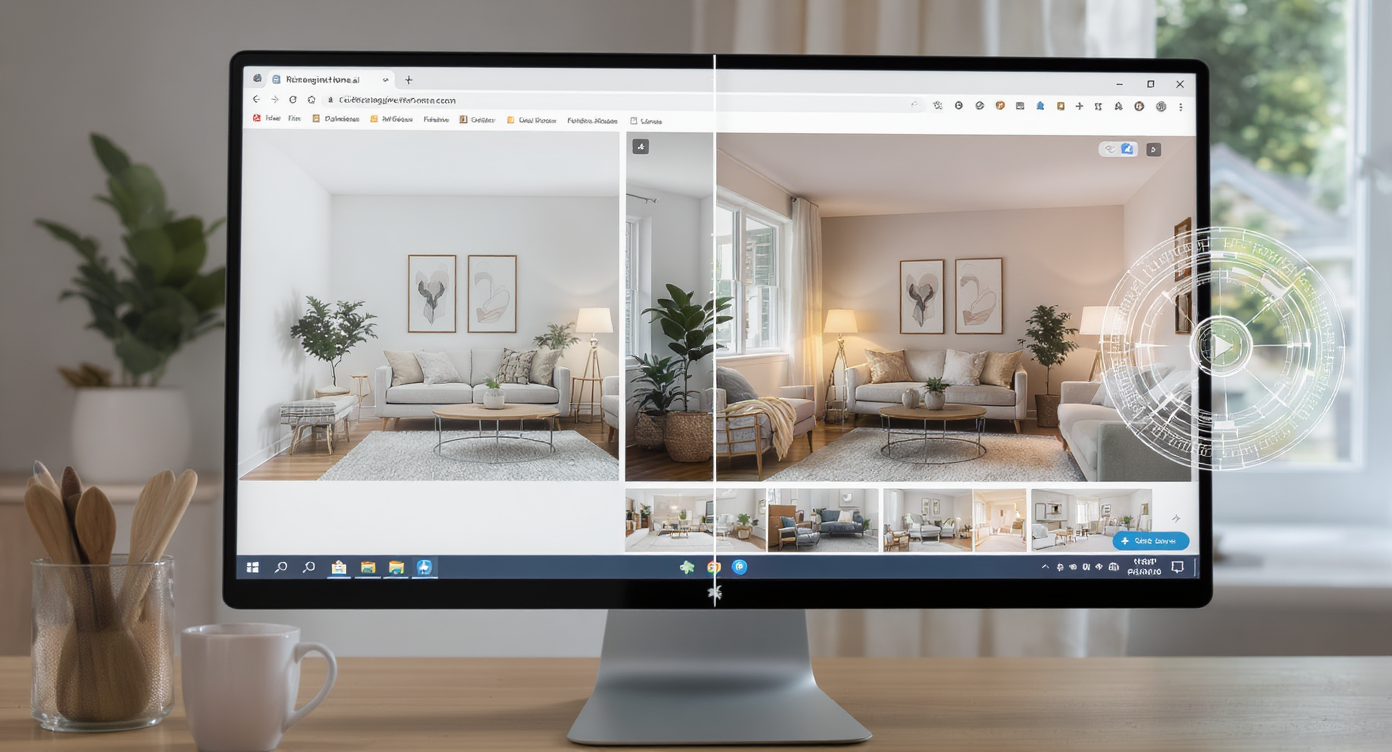
Visualize your dream living room in under 60 seconds using ReimagineHome.ai's intuitive photo transformation tools.
You can go from a single photo to a styled living room concept in under 60 seconds. Here’s the workflow that makes cozy feel effortless. Step 1 — Photograph your space: Take one wide shot straight on. Include the sofa, coffee table zone, and media wall. Natural light helps AI read materials. Step 2 — Upload to ReimagineHome.ai: Start a “room restyle.” Select Living Room and pick a starting style such as Warm Minimal, Mid‑Century Modern, or Scandinavian Neutral. Step 3 — Set goals: Add prompts like “deep sofa, layered texture, warm neutrals, 8×10 rug, arc floor lamp with high clearance.” The more specific, the better the first pass. Step 4 — Generate variations: Produce 3–5 options. Compare seating arrangements (L‑shape vs. sofa + accent chairs), coffee table shapes, and media console heights. Step 5 — Iterate with masks: Use region editing to swap a rug size, try a different pendant, or test art layouts without changing what already works. Step 6 — Check scale: Aim for 30–36 inches of walkway around seating and 14–18 inches between sofa and coffee table. Adjust and regenerate. Step 7 — Save and share: Download your top picks and create a purchase plan that matches proportions seen in the render.
Real‑World Lessons with ReimagineHome.ai: Stories, Mistakes, and Pro Tips
Learning from real clients’ stories, mistakes, and pro tips enhances cozy living room designs using AI tools.
Shoppers return up to 30% of home items bought online; previewing with AI can trim those returns and impulse buys dramatically. H3: Real‑World Stories — AI Design in Action One uploaded photo can yield 3–10 styled variations to compare side by side. - A renter in a compact city apartment tested a modular sectional versus a sofa + two chairs. ReimagineHome.ai showed clearer walkways and lighter visual weight with the latter, trimming their seating budget by 40%. - A couple debated a pale rug versus a patterned one. The AI preview revealed that a mid‑tone, low‑pile rug anchored the space without showing every crumb. They upsized to an 8×10 for a 12×16 room and the living area finally felt “pulled together.” - A small‑space dweller tried an arc floor lamp in three positions. Seeing the shade’s height relative to headroom made the decision easy: keep the lamp but increase clearance and move it behind the chaise. H3: Common Mistakes When Using AI Design Tools (and Fixes) Most designers recommend 30–36 inches of walkway between furniture for easy flow. - Undersized rugs: If front legs of seating don’t land on the rug, the room reads choppy. Fix: for a standard living room, start at 8×10; larger rooms often need 9×12. - Low lamp clearance: Arc lamps can “bonk” heads when shades hang below ~70 inches. Fix: target 72–78 inches to clear seated heads comfortably. - Ignoring light temperature: A 2700K–3000K bulb keeps cozy tones consistent at night. Fix: match color temperature across fixtures so fabrics read warm, not sallow. - Pushing furniture to walls: It creates an echoey, too‑wide conversation zone. Fix: float the sofa and set 14–18 inches between sofa and coffee table. - Art hung too high: Museums center art at about 57 inches. Fix: use the 57–60 inch centerline rule for a calmer sightline over a media console or sofa. H3: Pro Tips and Style Insights Hang pendants 30–36 inches above a coffee table in rooms with 8–9 foot ceilings (add 3 inches per extra foot of ceiling height). - Guide the AI with constraints: “8×10 wool rug, round table under 34 inches, low media unit under 24 inches high.” Constraints improve scale. - Use negative cues: Ask for “no bulky recliners” or “no dark gray sofa” to avoid styles you know you won’t buy. - Layer texture, not clutter: Mix one natural fiber (jute, rattan), one soft weave (bouclé, chenille), and one polished surface (wood, metal) to get depth without mess. - Validate with a tape measure: If AI shows a 90‑inch sofa and your room only supports 80, tweak and regenerate until the plan fits your real dimensions.
Visualization Scenario
Upload a straight‑on photo of your media wall and seating. Generate five cozy living room looks—mid‑century warm, Scandinavian neutral, modern organic, neutral boho, and minimalist calm—then mix elements across your favorites.
FAQ
Q: What’s the best AI tool for a cozy living room redesign? A: For photoreal results from a single photo, ReimagineHome.ai stands out. It quickly tests layouts, rugs, lighting, and styles tailored to your exact room. Q: Can AI restyle my living room from one photo? A: Yes. Upload a clear wide shot to ReimagineHome.ai and generate multiple styled concepts in minutes. You can iterate on rugs, sofas, and lighting without rebuilding the room. Q: How realistic are AI room renderings? A: Very realistic for scale and composition. Expect accurate sense of proportion, light, and material feel, which is ideal for planning purchases and avoiding returns. Q: What size rug should I choose for a typical living room? A: Start at 8×10 for most layouts so front legs of seating rest on the rug. Larger rooms often need 9×12 to keep the conversation area cohesive. Q: How high should an arc floor lamp hang over seating? A: Aim for a 72–78 inch shade height to avoid head bumps while keeping the pool of light comfortable for reading.
Visualize Your Home’s Next Chapter
One afternoon of focused AI exploration can replace weeks of indecision and multiple store runs. We used to guess from thumbnails and swatches; now we see our rooms dressed in light, scale, and texture before a single box arrives. That clarity is cozy. ReimagineHome.ai helps you find the living room you can already feel—warm, functional, unmistakably yours. Start with a photo, edit with intent, and let visual proof guide every choice. Then sit back, dim the lamps, and enjoy the room you designed with confidence. Ready to begin? Explore ReimagineHome.ai and visualize your home’s next chapter.