
TL;DR
Exterior render is an AI-powered way to preview facade changes — like shutters, a pergola, gable accents, door color, and AI landscape design from a photo — before you build or buy. It’s the fastest route to decide what minor improvements will truly boost curb appeal. Try your own image with ReimagineHome.ai’s Exterior Render to compare options side by side. If you’re searching “how to preview exterior renovation with AI,” this delivers a realistic, low-risk answer.
The Real Cost of Guessing on Curb Appeal
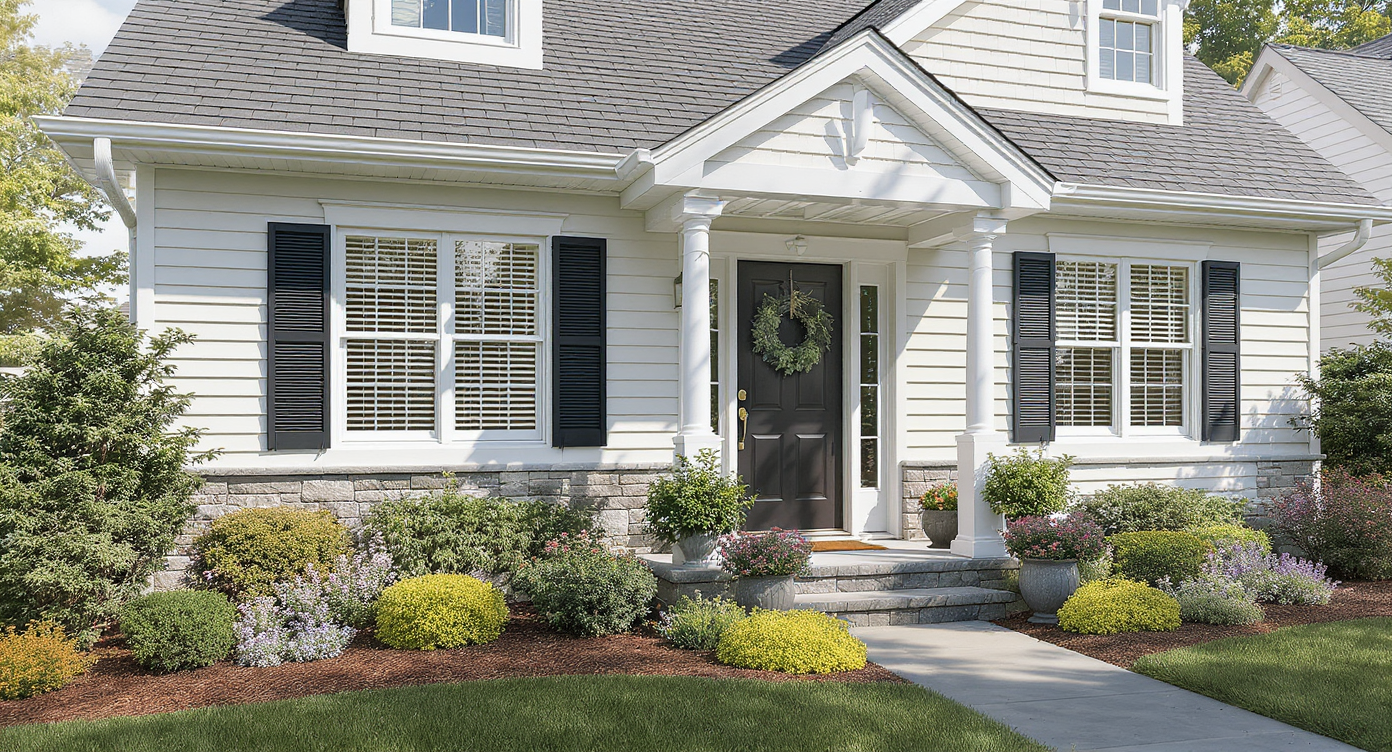
Exterior render previews enable exploring curb appeal ideas before any physical changes.
Exterior render uses a single photo to generate realistic previews of changes like shutters, a pergola, gable beams, a new front door color, and layered planting — all before you lift a hammer. It matters because you can test five curb-appeal ideas in minutes, avoid costly misfires, and pick the exterior design that actually complements your home’s architecture.
- Results first: See how shutters vs. trim accents vs. a small pergola change balance and scale.
- Realism: Photoreal previews grounded to your existing siding, roof, and light.
- Speed: Generate options in minutes, not weeks.
- Cost control: Decide where to spend — paint, millwork, or plants — without trial-and-error.
- Simple workflow: Upload one photo and iterate.
- ROI: Better curb appeal lifts perceived value and listing clicks.
- Peace of mind: Validate choices before ordering custom pieces.
If you already have a tricky exterior photo in mind, upload it to ReimagineHome.ai and test this on a real image while you read. If you want a direct path to facade previews, open ReimagineHome.ai’s Exterior Render and start with your front elevation.
Why This Visual Problem Hurts More Than You Think
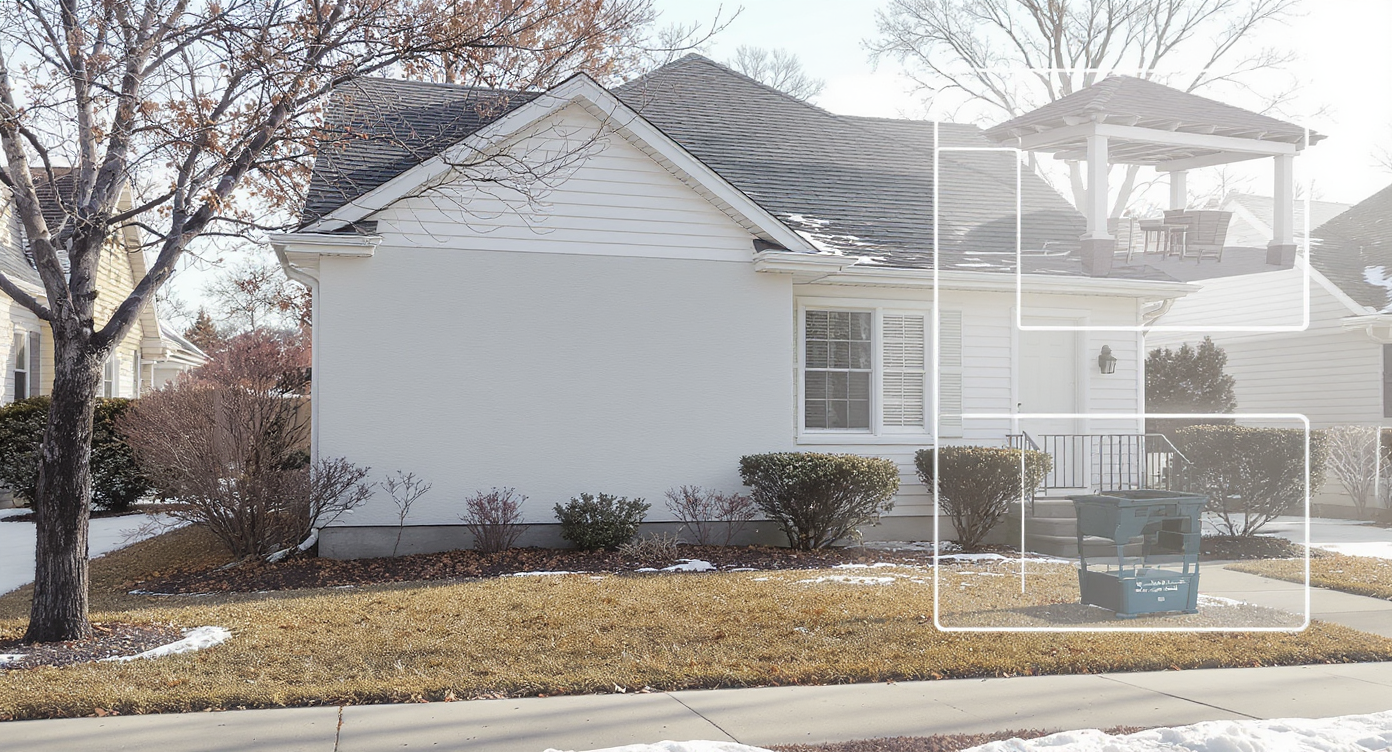
Small exterior visual imbalances can drastically reduce curb appeal’s first impression.
First impressions start at the street; small, well-placed changes often move the needle more than large, unfocused ones. An off-center picture window, a blank wall to the right of the door, and dormant winter beds make the facade feel unbalanced and chilly on camera.
Here’s the pattern pros see: buyers (and even homeowners) struggle to visualize scale. A single big window without flanking elements can read as a void; a white door on a white field disappears; and a bench on a bare slab looks more like a placeholder than a welcome. Landscaping is the quiet force-multiplier — it frames the architecture, hides awkward transitions, and creates depth — but choosing the right mix of shrubs, verticals, and color can be hard without a preview.
Exterior render solves this hesitation by letting you audition the common fixes you’re considering — shutters or not, gable ornament or a simple beam, a slim pergola over the seating zone, a bolder front door, taller lighting, or layered plants along the walk — and then pick the set that actually creates balance.
Anecdote
That charming small house with the one picture window and a bare slab? A quick exterior render added a slim pergola, matched-tone gable beam, navy door, and layered shrubs — and suddenly the facade felt complete, not compromised.
What Exterior Render Actually Is (In Plain Language)
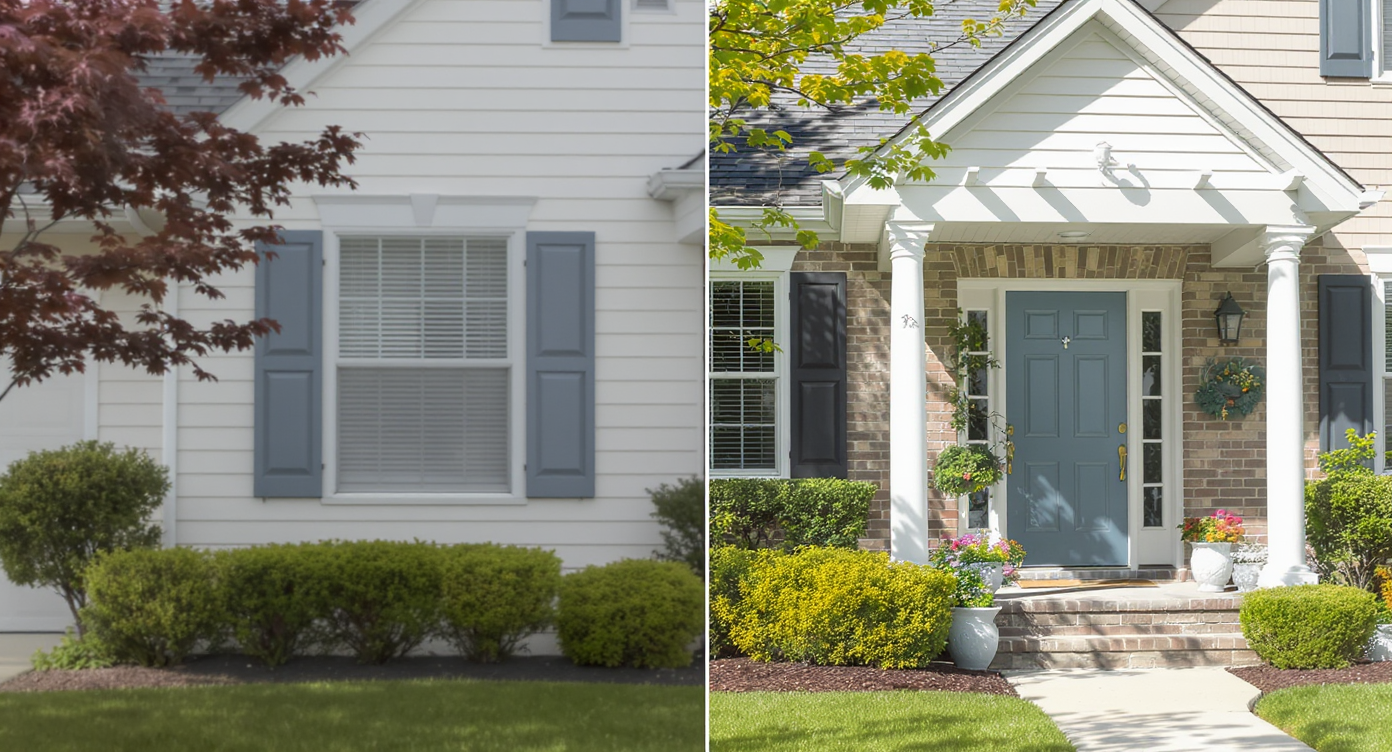
Exterior render creates lifelike mockups to preview facade enhancements realistically.
Exterior render is a photo-based, AI exterior design tool that produces lifelike mockups of facade and yard upgrades — from millwork and color changes to planting concepts — using your existing home photo as the canvas.
All you need is a clear front-elevation image; the output is a set of photoreal options you can compare, save, and share. Use it to test shutters sized to your window, add a trellis or pergola over the slab, paint the door navy or red, add gable trim, adjust lighting and house numbers, and preview foundation plantings. Explore it directly with ReimagineHome.ai’s Exterior Render for facades and structures — it’s purpose-built for quick curb-appeal decisions.
How Exterior Render Works Step by Step
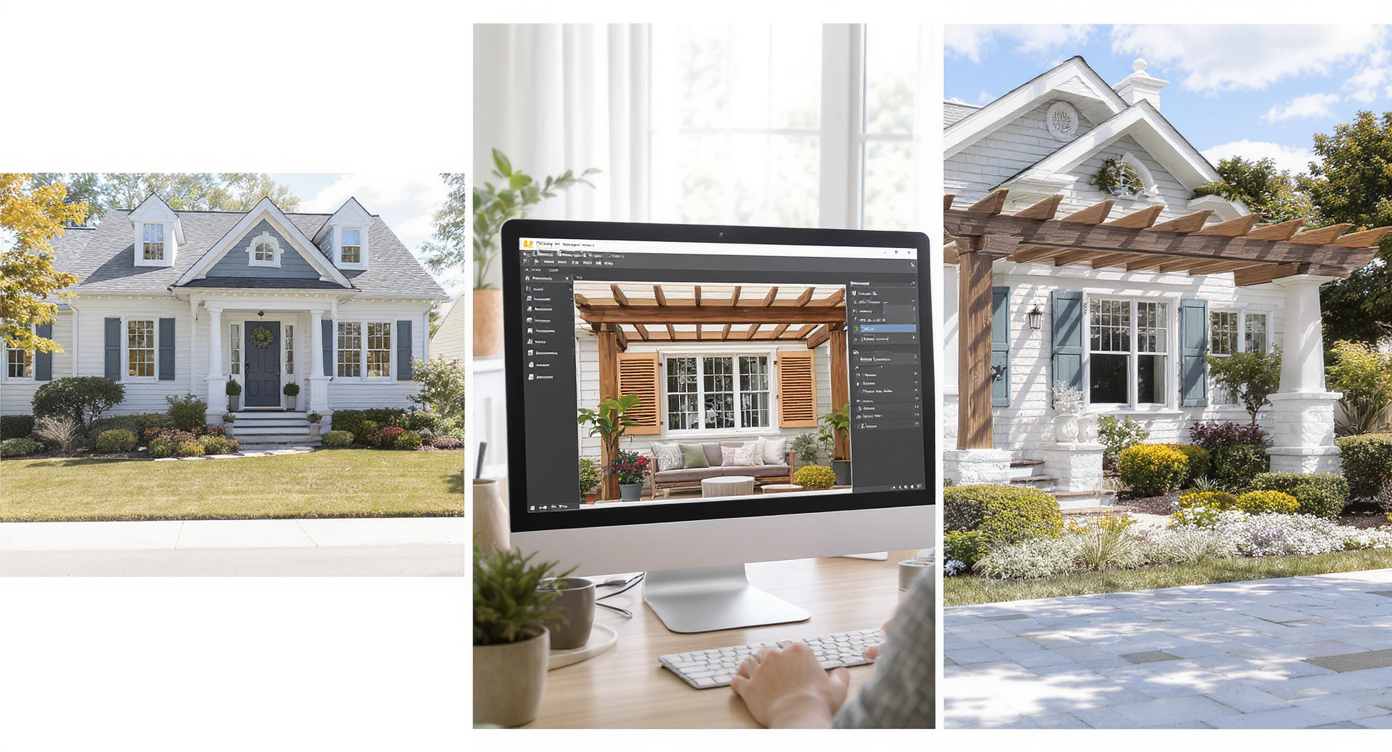
Exterior render workflow transforms photos into realistic design previews step by step.
- Pick the right photo: Shoot straight-on, eye-level, in daylight. Include the walkway and planting strip so the AI can place elements naturally.
- Upload to ReimagineHome.ai: Start a new project and select Exterior Render.
- Choose focus areas: Try shutters vs. no shutters, a slim pergola at the bench, a gable beam detail, window box, and a bold front door color.
- Layer in AI yard design: Add shrubs flanking the window, low mounds under it, and a taller corner tree; extend plants along the walk for a garden “arrival.”
- Generate and compare: Create 3–6 variations, then compare side by side for balance, scale, and style fit.
- Refine the winner: Tweak shutter width, pergola depth, and planting density until it looks buildable.
- Export: Download high-resolution images for your contractor, HOA, or listing plan.
Best practice: Aim for images at or above 3000 pixels on the long edge; keep the camera level to reduce distortion; avoid harsh backlight that obscures siding texture.
Tips and Tricks for More Realistic Results
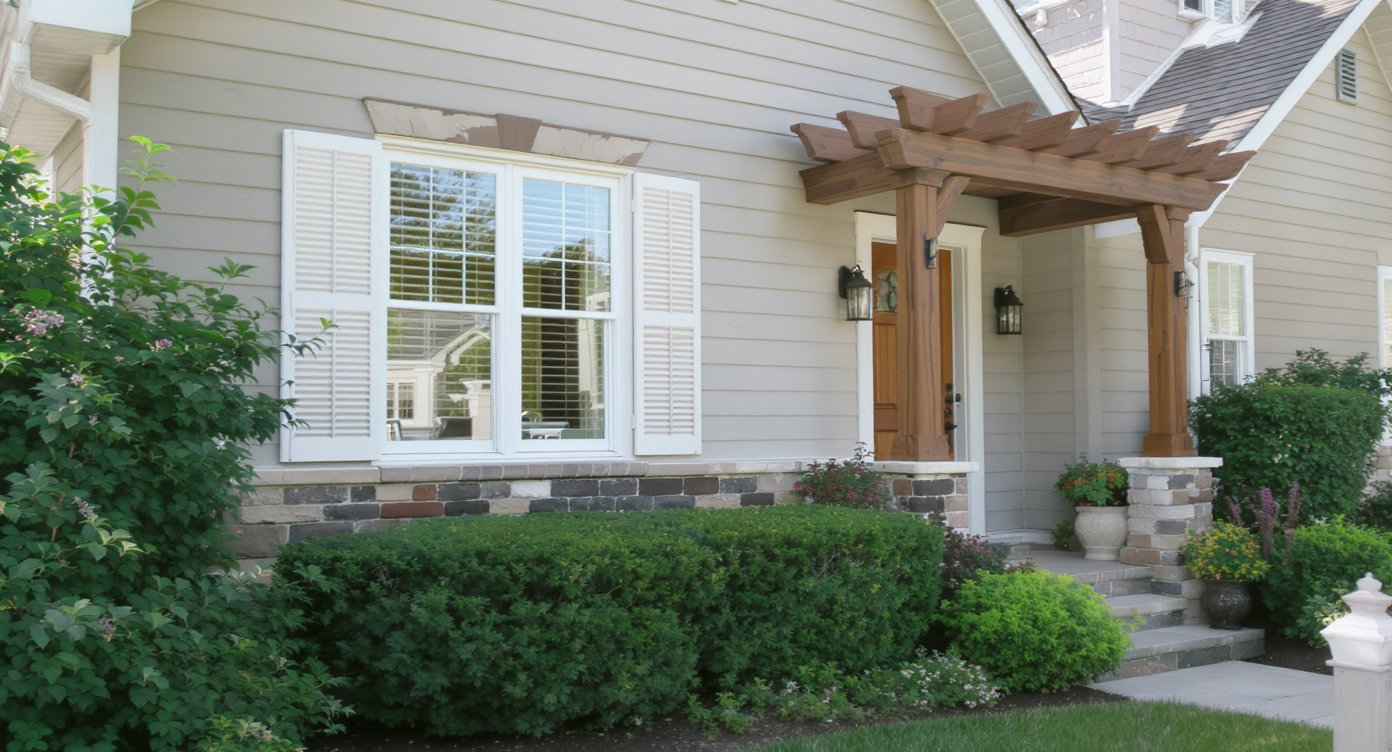
Realistic, buildable design tweaks ensure an appealing and achievable curb makeover.
Start with plausible, buildable moves — a realistic render beats a fantasy vision every time.
- Honor the architecture: If the house leans modern-cottage, choose simple board shutters or none at all; if traditional, size shutters to half the window width for believable proportion.
- Fix the blank wall subtly: A slim pergola over the slab or a trellis with a planter can add vertical interest without pretending there’s a window.
- Pick a tight palette: One body color, crisp white or soft-contrast trim, and a single saturated door color (navy, brick red, or green). Let plants do the rest.
- Landscape in layers: Taller verticals at corners, medium shrubs flanking the window, lower mounds beneath, and a continuous, curving bed along the walk to soften lines.
- Mind scale: Pergolas read best when posts align with the slab’s edges and the beam depth is restrained; oversized awnings can feel dated fast.
- Upgrade small jewelry: A larger light fixture, modern house numbers, and a mailbox that matches the hardware color complete the story.
- Season-proof the plan: Preview evergreens for winter backbone, then add seasonal color so the facade doesn’t go bare in cold months.
Visualization Scenario
Upload a winter photo, test a trellis over the bench, run two door colors (navy vs. brick red), try shutters vs. none, and add evergreen shrubs with a curved bed along the walk. Pick the set that makes the entry pop without overwhelming the elevation.
FAQ
What is an exterior render and how does it help curb appeal?
It’s an AI-generated, photoreal preview of facade and yard changes based on your real home photo. You can compare shutters, pergolas, gable details, door colors, and planting layers to pick the most flattering design before spending money.
Can I preview shutters, a pergola, and a new front door color before I buy?
Yes. Upload a straight-on photo and test combinations in minutes with ReimagineHome.ai’s Exterior Render, then share the winner with your contractor or HOA.
Does AI landscaping from a photo look realistic?
When you start with a clear, well-lit image, plant scale and placement read convincingly. Treat the render as a concept plan — a guide you can adapt to local climate and nursery availability.
What resolution do I need for good results?
Ideally 3000–4000 pixels on the long edge, shot level from the street or sidewalk. Higher resolution helps the AI align millwork, edges, and plant textures.
Are AI exterior edits allowed in real estate listings?
Policies vary by market. If you show conceptual changes (e.g., pergolas or new shutters) in a listing, disclose clearly and provide unedited photos as the primary record.
Visualize Your Next Listing (or Project) Before You Commit
Most exterior regrets come from choosing elements in isolation instead of seeing the whole composition. With an exterior render, you rehearse the look — from shutters and gable accents to front door color and planting — until it feels inevitable.
Start a quick study with ReimagineHome.ai’s Exterior Render, or upload your photo at the ReimagineHome.ai home page. Five minutes of visual testing now can save five weekends of rework later.