
TL;DR
ReimagineHome.ai’s Day to Dusk turns a daytime exterior into a realistic twilight photo in minutes — a proven way to boost curb appeal and clicks. If you’re asking how to turn day listing photos into dusk without a reshoot, this tool reads lighting, reflections, and color temperature for natural results. Try it now on a real photo with the streamlined workflow at ReimagineHome’s Day to Dusk page. If you already have a tricky listing image in mind, upload it to ReimagineHome.ai and test while you read.
The Twilight Effect: The Simple AI Upgrade That Boosts Listing Engagement
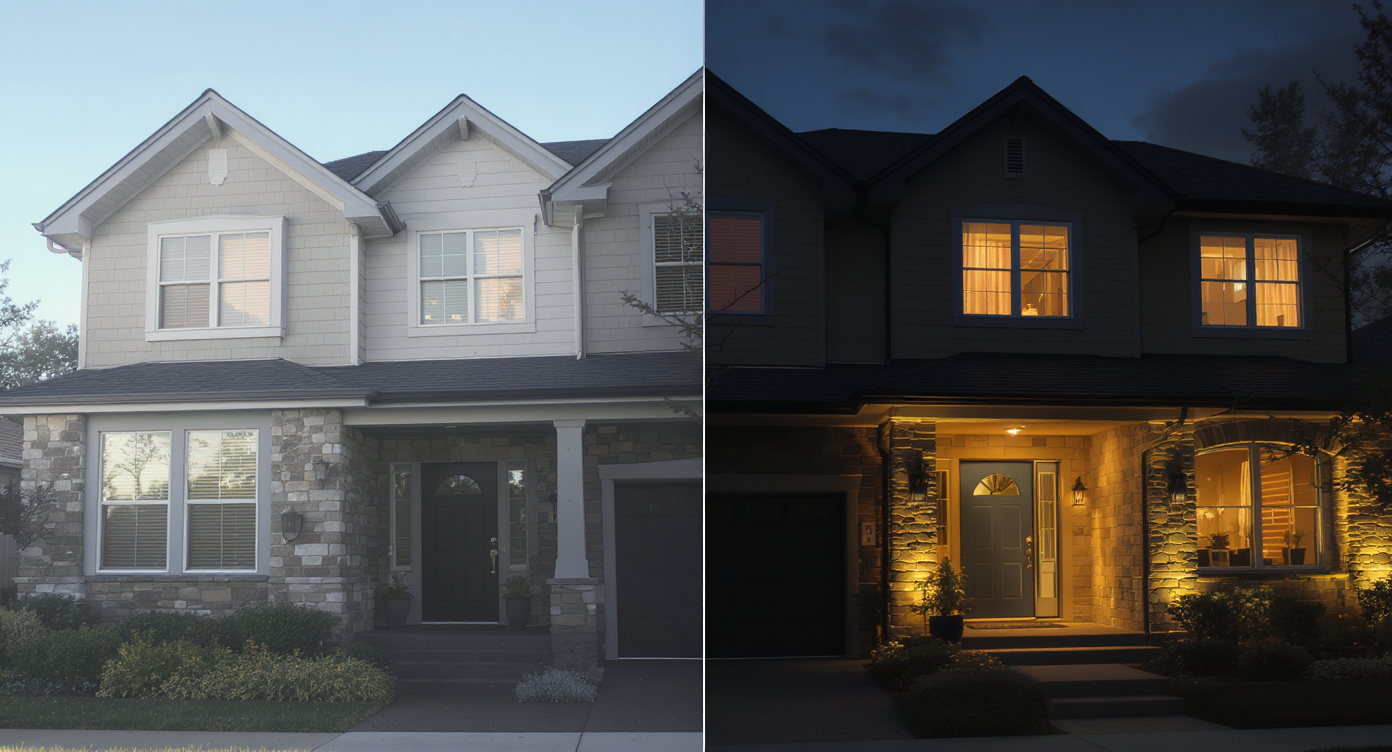
Day to Dusk conversion turns cold midday photos into warm twilight visuals that engage buyers.
Day to Dusk is an AI photo conversion that transforms a daytime exterior into a natural-looking twilight image. It matters because twilight-style exterior photos frequently rank among the most-clicked images in a listing carousel, creating emotional warmth, clarity, and stronger first impressions. At a glance - Results: Turn day listing photos into dusk to boost curb appeal, carousel dwell time, and inquiries. - Realism: Preserves architecture, textures, and true perspective while adjusting sky and ambient light. - Speed: Minutes instead of scheduling an evening reshoot. - Cost: Fraction of a twilight shoot — and repeatable across a portfolio. - Workflow: Upload, prompt the look, refine, export. - ROI: More engagement with the hero image often lifts overall lead quality. - Confidence: Consistent, on-brand imagery across seasons and weather. If you already have a tricky listing photo in mind, upload it to ReimagineHome.ai and test the dusk conversion while you read. Want the direct path? Open ReimagineHome.ai’s Day to Dusk converter in a new tab and follow along.
Turning a Flat Exterior Into a Hero Image
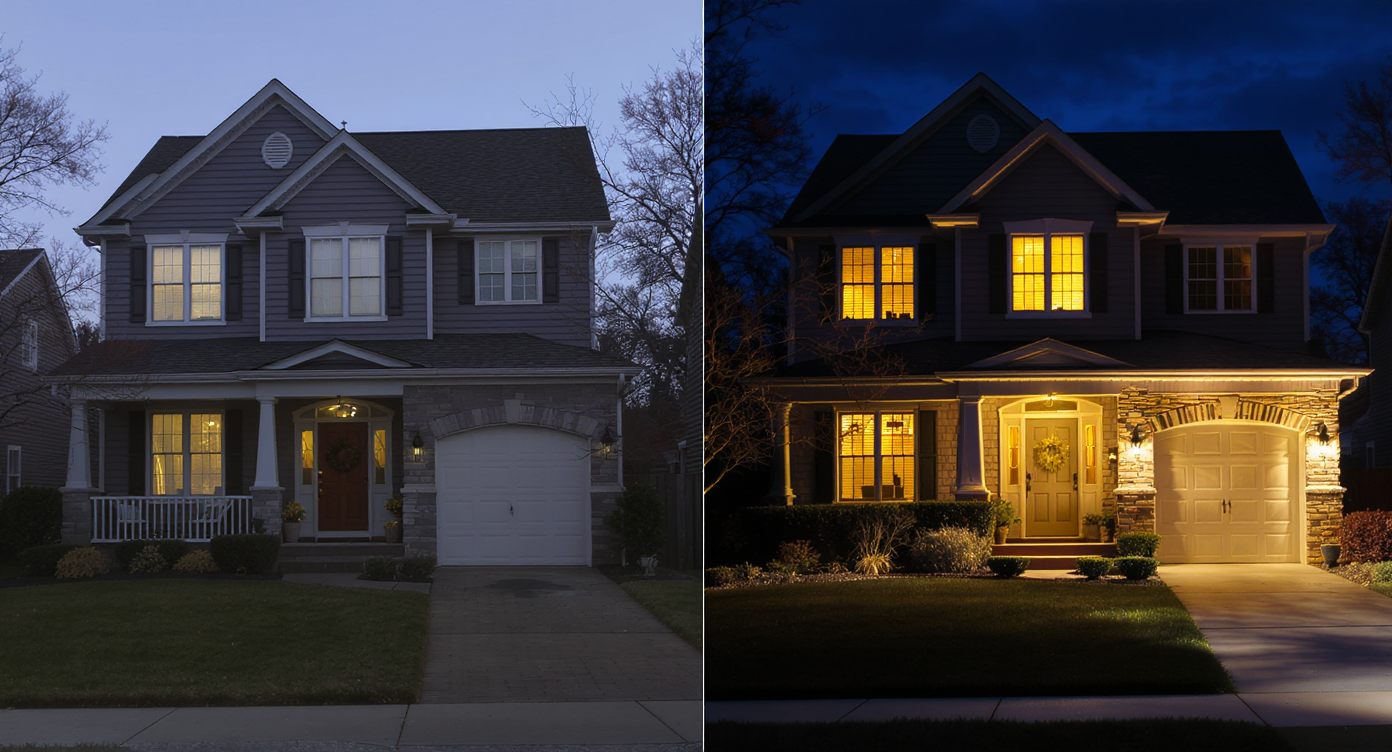
Transform flat daytime exteriors into captivating hero images with natural-looking twilight light.
Twilight photos often become the hero image because buyers emotionally connect to soft light, lit windows, and balanced color. When an exterior photo looks flat or overexposed, people scroll past faster, assume less care in the listing, or miss details like landscaping lines and materials. - Scroll behavior: Daylight glare and blown-out skies reduce contrast, so the subject blends into the feed. Dusk adds a defined sky, warmer siding, and visible window glow — instant depth cues that slow the scroll. - Buyer perception: Agents often find that a warmly lit exterior suggests a cared-for home. It feels inviting and move-in ready, especially for family buyers comparing multiple tabs. - Agent and seller confidence: Presenting a property “at its best time of day” positions the home, not the weather, as the decision-maker. That’s powerful when photos were taken on a tight timeline or under harsh sun. Micro-moment we all know: that bright, cloudless afternoon shot where the lawn looks pale and the facade reads flat. A single dusk conversion can turn that image into the carousel’s anchor — without a reshoot.
Anecdote
That “perfect on paper” ranch that photographed under harsh midday sun? The lawn looked washed out and the windows went dark. A one-click dusk conversion and a touch of warm window light turned it into the card everyone saved.
What Day to Dusk Actually Is
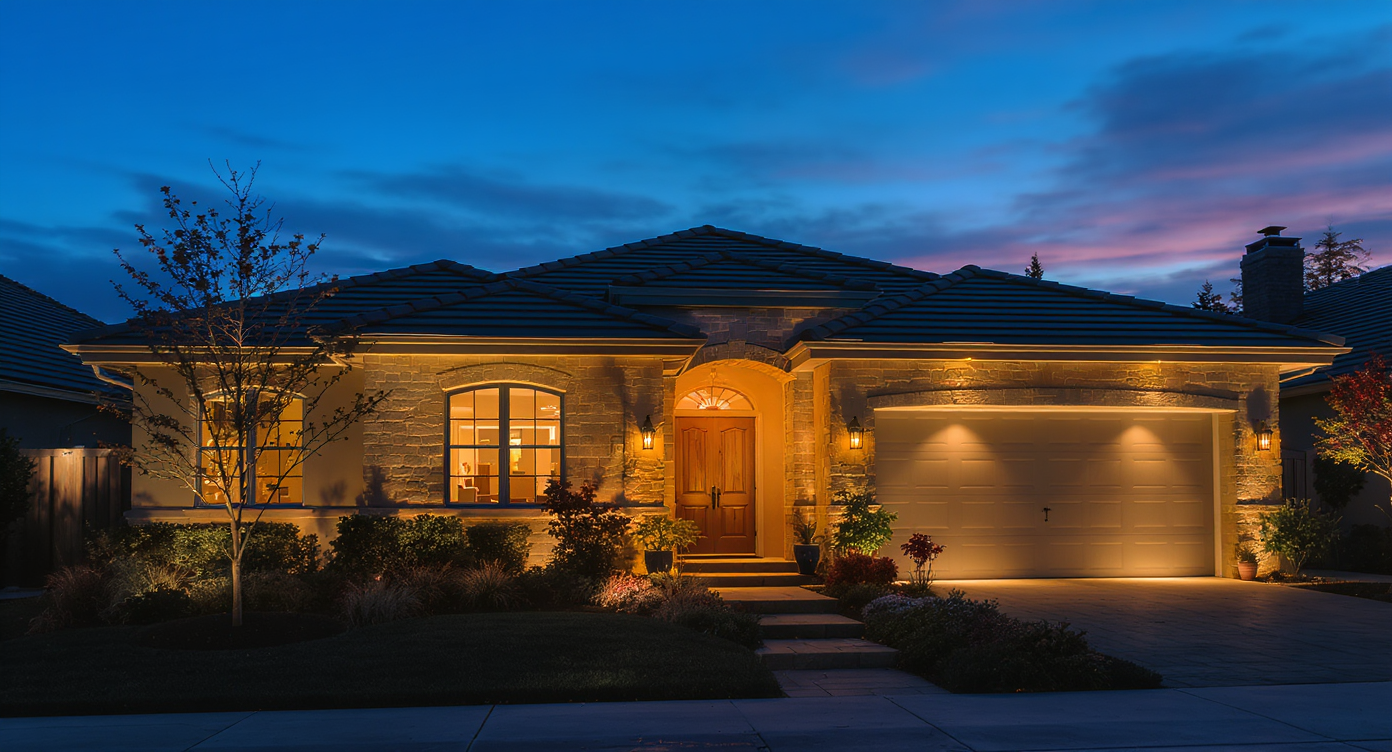
Day to Dusk creates authentic twilight images preserving natural lighting and architectural textures.
Day to Dusk is a targeted AI edit that converts daylight exterior photos into natural twilight images by recalibrating sky color, ambient tone, and window lighting. It reads light direction, reflections, shadows, and color temperature to keep architecture accurate while shifting the time of day. You provide any exterior photo (house, townhome, condo building, or commercial facade), and the output is a high-resolution twilight version aligned with your prompt — warm glow, cooler blue-hour tone, subtle window lights, or gentle sky drama. To try it, open ReimagineHome.ai’s Day to Dusk converter and upload a clean exterior. What it’s not: It isn’t a filter or heavy overlay. The system respects existing shadows, materials, and structure, so results look like the same property at a different time — not a different house.
How Day to Dusk Works Step by Step
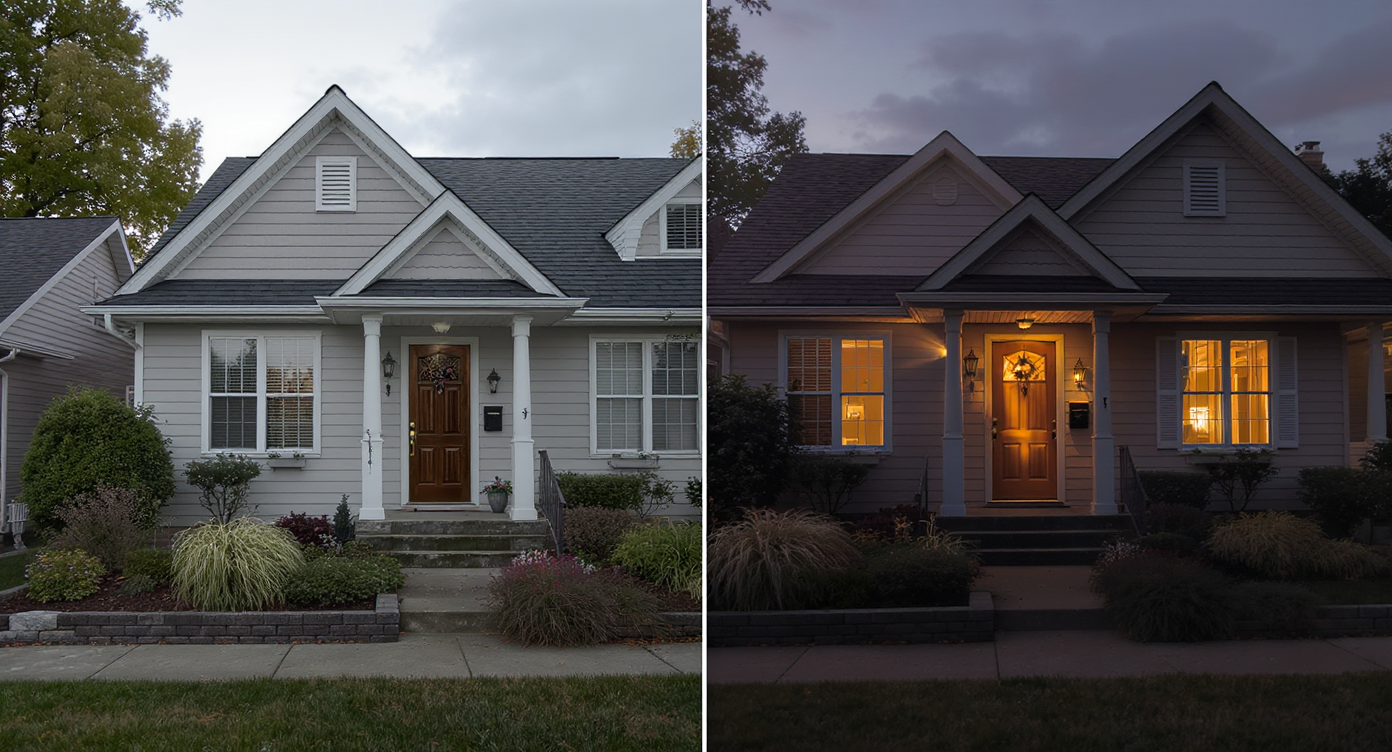
Step-by-step AI conversion turning daytime photos into realistic, inviting twilight images.
A clean, well-composed source photo yields the most realistic twilight. 1) Choose the right photo - Aim for a front three-quarter view with clear lines of the roof and entry. Avoid major obstructions (cars, trash bins) where possible. - Rule of thumb: target at least ~3000 pixels on the long edge for MLS-ready clarity. 2) Upload to ReimagineHome.ai - Drag and drop into the web app; confirm the exterior subject. 4) Prompt the look - Simple prompts work best: “Convert to dusk with warm window lighting,” “Soft evening with lights on,” or “Cool blue dusk tone.” - Keep requests realistic. Avoid ultra-cinematic language that can push results too far. 5) Refine with a follow-up nudge - Examples: “Make the sky slightly darker,” “Keep exterior shadows natural,” “Add subtle landscape lights.” 6) Review, compare, and export - Scan edges for halos, confirm the light direction feels consistent, and export the final at full resolution for MLS, portals, or presentations. Pro tip: If the mid-day sky is distracting, try ReimagineHome.ai’s Sky Replacement first, then run Day to Dusk for a cohesive result.
Tips and Tricks for More Realistic Results
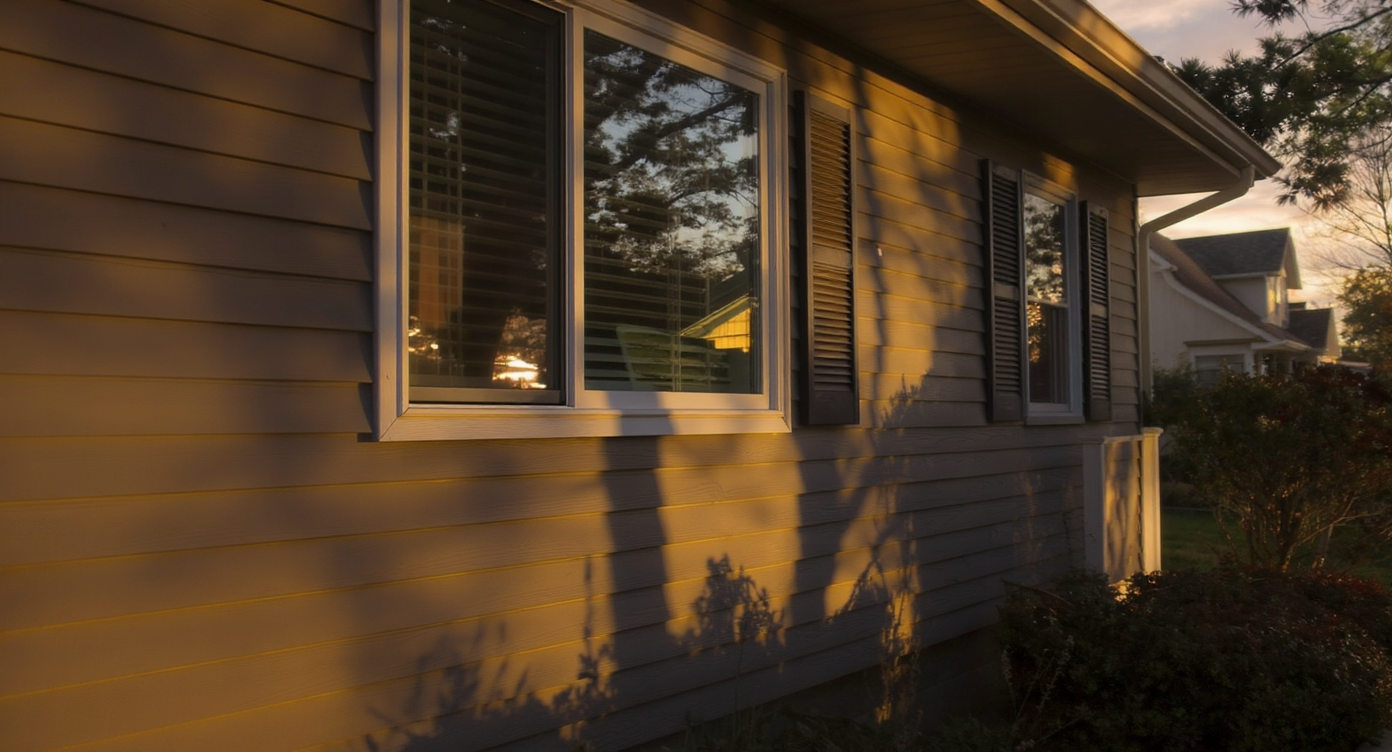
Match natural light and shadows precisely to create more convincing twilight real estate photos.
Realistic dusk edits follow the same physics as good photography. - Match the sun’s direction: Window glows and sky gradients should respect existing shadows. If the original light is from the right, keep the warm emphasis on that side. - Calibrate warmth to material color: Brick and cedar read warmer than stucco. Set a gentle golden tone so siding doesn’t look orange. - Add lighting with restraint: Ask for subtle window lights and occasional landscape glow — not every fixture on full blast. - Keep the sky believable: A gently deepened blue or soft cloud band feels more authentic than dramatic streaks. For extra control, start with Sky Replacement and finish with dusk. - Clean the base image first: Slight exposure and contrast tweaks with Enhance Image can improve edge detail and realism at dusk. - Straighten before you convert: Verticals matter more at twilight. Use Straighten Angles if the camera tilt is visible. - Protect resolution: If your original is small, try Upscale Resolution so the final dusk file remains crisp on MLS and print.
Visualization Scenario
Picture the townhouse facade at 2 p.m.: sky blown out, siding a bit chalky, courtyard flat. Now see it at 7:45 p.m.: deep blue sky, gentle sconces, soft window glow. Same property, finally telling the right story.
FAQ
- How realistic are AI day-to-dusk photos? They’re designed to look like the same property at a different time of day. Because the AI reads light direction, reflections, and texture, results avoid the “overlay” look. - Is AI Day to Dusk allowed on MLS listings? Most markets allow edited photos, but some require disclosure when images are virtually altered. When in doubt, disclose that the exterior was digitally converted to dusk. - What resolution do I need for good results? Aim for at least ~3000 pixels on the long edge to preserve detail and avoid artifacts. Higher-resolution source files produce cleaner window glows and skies. - Can I control window lights, pool lights, or overall warmth? Yes. Use prompts like “convert to dusk, add warm window lighting” or “cooler blue dusk tone.” You can add follow-up prompts to fine-tune brightness and color. - How is Day to Dusk different from sky replacement? Sky Replacement swaps the sky; Day to Dusk changes the overall time-of-day ambiance, including ambient tone and lighting cues. You can combine both in a workflow using ReimagineHome.ai.
Visualize Your Next Listing (or Project) Before You Commit
Previewing dusk before you pay for a twilight shoot reduces risk and lifts confidence. You’ll understand how the home presents in its most flattering light, align on a hero image, and roll it out consistently across marketing. When you’re ready, upload your best exterior and try ReimagineHome.ai’s Day to Dusk to create a warm, twilight-ready hero in minutes — then keep refining your set with the rest of the platform at ReimagineHome.ai.