Frequently Asked Questions about REimagineHome AI
TL;DR
REimagineHome is an AI-powered platform designed to transform real-estate photos into photorealistic visuals. Offering virtual staging and redesign tools, it's a game-changer for realtors and homeowners aiming to visualize home improvements quickly and easily.
Introduction
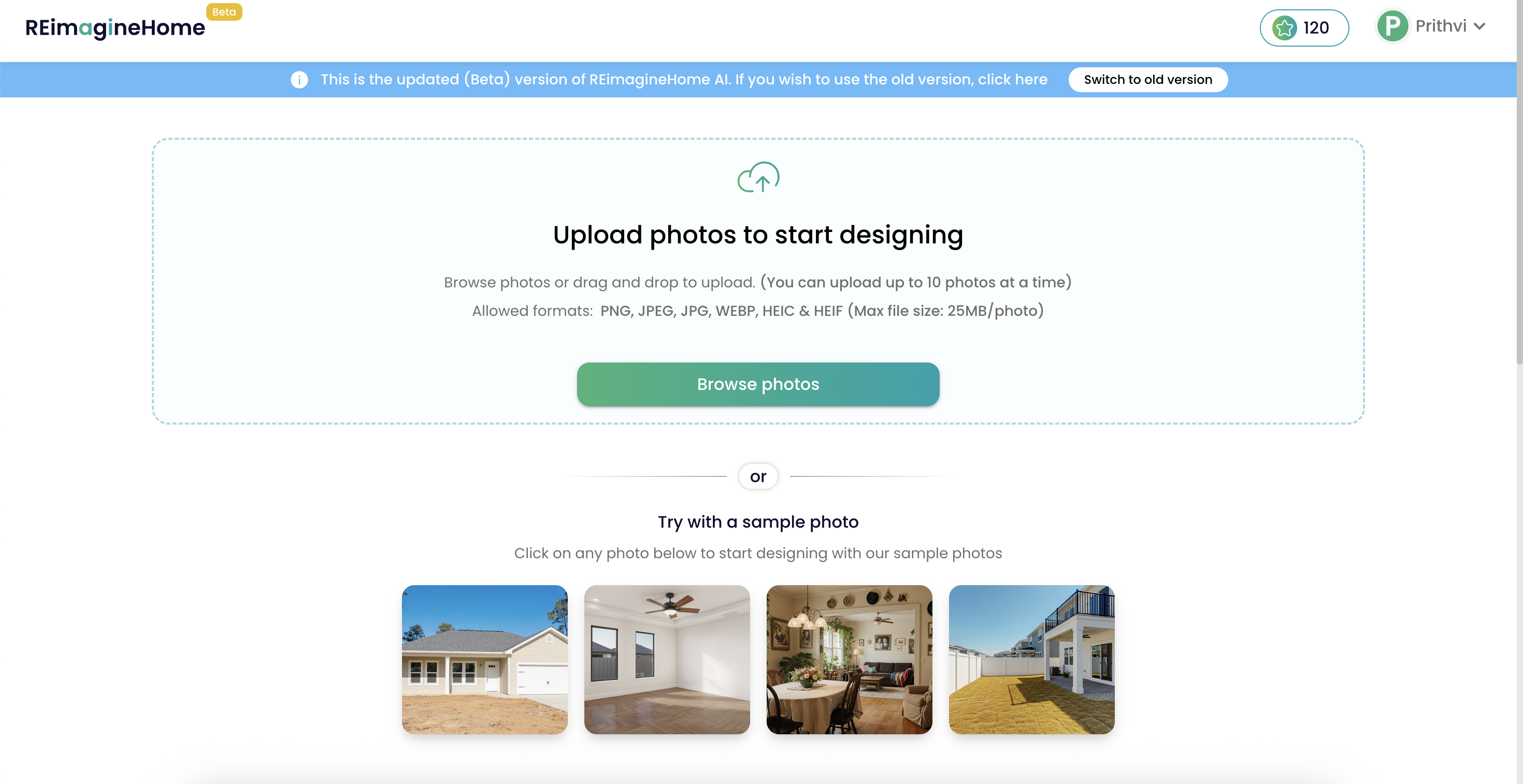
Introducing REimagineHome AI: your go-to tool for transforming interior design photos effortlessly.
REimagineHome AI is a groundbreaking platform tailored for transforming real estate and home design photos into highly realistic, upgraded visuals. It caters to both professionals and novices, offering tools like virtual staging and redesign options. Ideal for agents and homeowners, this tool simplifies the visualization of design possibilities, enabling users to achieve impactful presentations without renovations or design expertise.
-
What is REimagineHome AI?
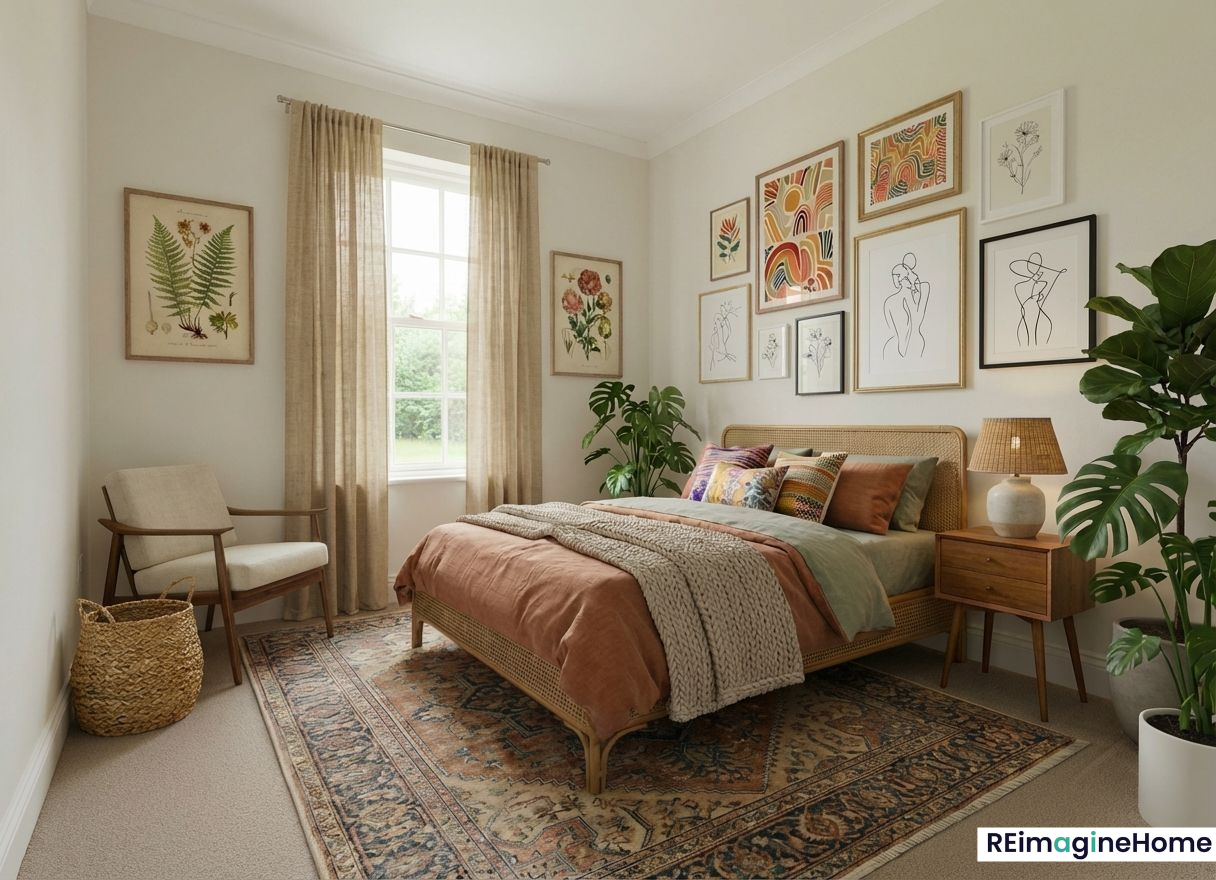
Discover how REimagineHome AI transforms your interior space with innovative technology for stunning results.
REimagineHome is an AI-powered tool designed to transform existing interior and exterior photos into stunning, photorealistic after images. It supports diverse use cases such as virtual staging of empty rooms, redesigning spaces, outdoor landscaping, and creating marketing-ready images. The platform boasts fast results and a user-friendly interface that requires no prior design skills, making it accessible for all.Here’s how to use virtual staging without crossing the line
-
Is REimagineHome Free?
Yes, REimagineHome provides three free credits for first-time users, allowing them to test the platform’s capabilities before committing to a subscription. This initial offer comes with full features access, ensuring users can experience the platform's full potential without any upfront cost.
-
What are the Paid Plans Available?
Note: New users get 3 free generations with full features before choosing a plan.
-
How to Use REimagineHome AI
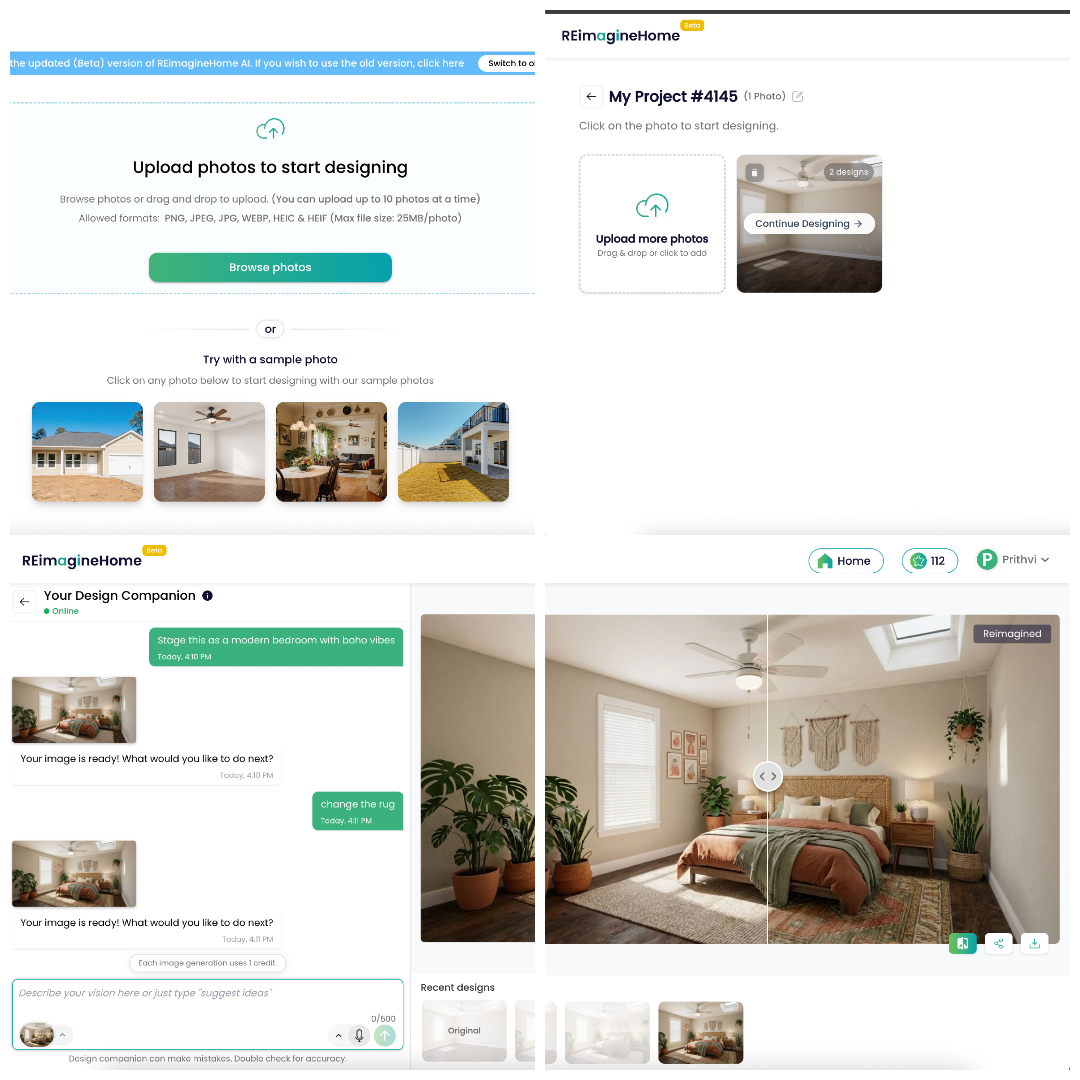
Using REimagineHome AI is easy - upload, select, and watch your designs come to life.
Start with the right photoChoose a clear interior or exterior photo that shows the space from a natural, eye-level angle. For best results, use an image where at least one side is over 1024px and avoid heavily blurred, over-zoomed, or low-light photos. A clean, well-lit image helps the AI preserve structure, lighting cues, and perspective more accurately.
Upload your imageUpload the photo and let it load fully before generating. If you’re working on multiple rooms, keep a consistent order (for example: living room, kitchen, primary bedroom, bathroom, exterior) so outputs stay easy to review and compare.
Use the chat to set your goal + style + changes (one clear instruction)In the chat, describe three things in one message: (1) your goal, (2) the style, and (3) what must change versus what must stay. This is the fastest way to guide the AI accurately because the chat acts like a design brief you can refine over time.
Goal examples: virtual stage an empty room, redesign a furnished room, remove clutter or specific items, update surfaces (walls/floors), improve landscaping, enhance exteriors.
Style examples: modern warm minimal, Japandi, Scandinavian, contemporary luxury.
Change vs keep examples: “Remove personal items and extra furniture; add a neutral sofa and a large rug; keep the same layout, windows, and ceiling lights.”Tip: If you want changes in a specific area, mention placement such as “near the window,” “against the left wall,” or “in the corner by the door.” Clear location cues help results look intentional and realistic.
Generate your first versionRun the first generation to establish a baseline. Treat it like a draft: confirm the overall direction (style, mood, layout), then refine details. Each generation consumes credits, so starting with a clean, structured instruction helps reduce unnecessary retries.
Iterate with small, targeted refinementsIf something feels off, adjust one or two things per iteration instead of changing everything at once. Examples: “Make lighting warmer,” “reduce decor clutter,” “use lighter wood,” “remove wall art,” “keep furniture scale realistic,” or “make the space feel more open.” Focused changes keep the AI from mixing or diluting your intent.
Create multiple options when you need varietyWhen you want choices (for different buyer tastes or content variations), generate separate versions with distinct styles. Keep the goal and layout consistent and change only the style direction so comparisons are fair and decision-making becomes easier.
Download and organize your final picksOnce you have a strong final version, download the output and keep only the best options saved for easy sharing or publishing. If you’re working across multiple rooms, label or group finals by room so you can present a coherent set of visuals.
-
Why Use REimagineHome AI?
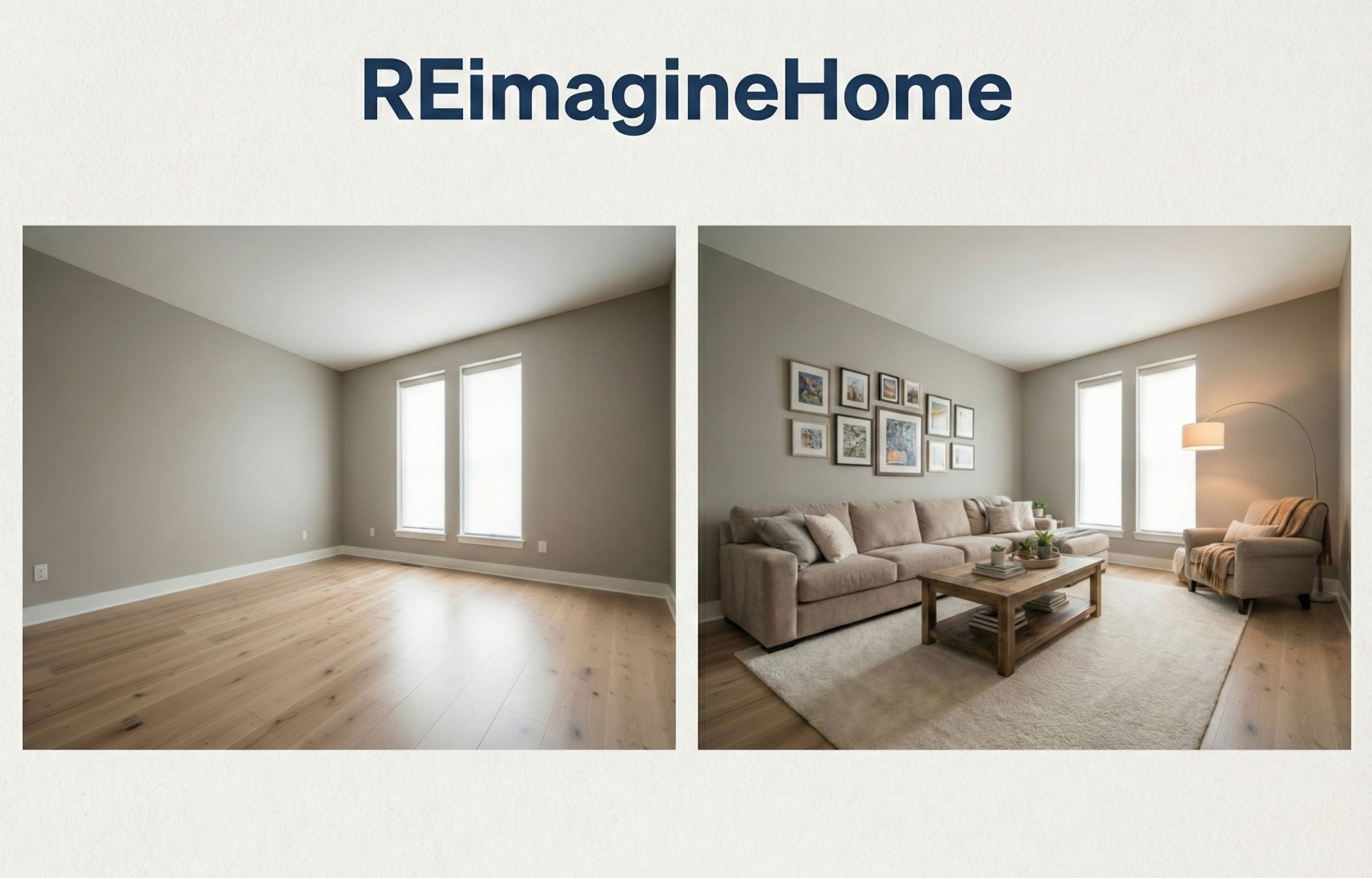
Experience the benefits of quick and realistic visualizations with REimagineHome AI for your interior design projects.
REimagineHome AI is built for anyone who needs high-quality home design and real estate visuals quickly, without the cost, delay, or complexity of traditional design workflows. Instead of relying on generic inspiration images, it transforms your real photo into photoreal “after” options so you can evaluate styles, layouts, and upgrades in a way that feels believable and practical for the actual space.
Get listing-ready visuals in minutes, not daysWhether you are preparing a property for marketing or refreshing your own home, speed matters. REimagineHome produces results fast and lets you iterate immediately, so you can explore multiple directions without waiting on back-and-forth revisions.
See realistic design possibilities using your actual spaceInstead of imagining how a Pinterest-style room might translate to your home, you can preview changes on your own photo. This makes it easier to judge what looks natural in your layout, proportions, and lighting, so the end result feels believable rather than staged or generic.
Make confident decisions before spending moneyUse REimagineHome to test style directions, furniture placement ideas, color palettes, and finishes before buying or renovating. Visualizing options early helps reduce expensive trial-and-error choices and gives you a clearer plan to execute.
Improve photos for marketing, presentation, and contentClean, polished visuals help listings and projects stand out. With virtual staging, decluttering, and exterior improvements, you can create images that are more compelling for buyers, clients, or followers, while still staying true to the original space.
Support a wide range of use cases in one platformREimagineHome is not limited to one room type or one scenario. You can redesign furnished rooms, stage empty spaces, enhance curb appeal with landscaping edits, refresh surfaces, and generate different styles for different audiences, all from the same workflow.
-
Can people without interior design experience use REimagineHome AI?
Can people without interior design experience use REimagineHome AI? Image
Yes. REimagineHome is built for beginners and explicitly positions itself as “no design skills required.” You simply upload a photo, choose what you want to achieve (stage, redesign, declutter, landscape, etc.), and describe the look in plain language (for example: “modern warm minimal, keep the layout, remove clutter, add a neutral sofa”). The chat-based design companion on higher plans makes it even easier by helping you refine the result step-by-step, so you don’t need interior design knowledge or professional software to get polished, realistic outputs.
-
What AI Tools Are Available with REimagineHome?
REimagineHome offers a wide range of AI-powered tools to transform real interior and exterior photos. Here are a few of the most popular services:
Virtual StagingFurnish and style empty rooms with realistic, listing-ready results.
Empty Your SpaceRemove furniture and clutter to create a clean, vacant look.
Redesign Furnished RoomsRefresh an existing furnished space into a new style or look.
Landscaping & HardscapingRedesign yards, gardens, patios, and outdoor areas.
Object RemovalRemove unwanted items and distractions from photos.
Exterior & Lighting EditsUse sky replacement and day-to-dusk enhancements to improve curb appeal.
Image Quality ToolsEnhance, upscale, and straighten photos for cleaner presentation.
And there are many more tools available, including room repurpose, surface restyling, seasonal edits, pool updates, furniture swaps, and more. Explore all solutions here.
Mini FAQ
Q: Is REimagineHome suitable for large-scale projects?
A: Yes, with its higher-tier plans, REimagineHome is ideal for large-scale projects, providing ample credits and advanced features for extensive design tasks.
Q: Can REimagineHome AI help in real estate marketing?
A: Absolutely. Its realistic visualizations and virtual staging capabilities make it a perfect tool for enhancing real estate listings.
Q: Are there limitations to the file types REimagineHome AI supports?
A: The platform accepts common image formats such as PNG, JPG, JPEG, WEBP, HEIC, and HEIF, accommodating a wide range of user needs.
Q: Does the platform offer any customization options?
A: Yes, users can specify styles and preferences, allowing personalization of outputs to match specific design goals.
Conclusion
With REimagineHome AI, both real estate professionals and individual homeowners can transform their property visuals effectively and efficiently. The platform’s range of tools from basic to advanced options makes it adaptable to various needs and budgets, while its user-friendly interface ensures anyone can use it to achieve professional-level results. For those seeking high-quality visual representation of space, REimagineHome AI offers an invaluable resource.