
TL;DR
Room Reuse is an AI room planner that lets you redesign your room from a single photo — experiment with a small couch vs. two chairs, rotate the desk, and test rugs, lighting, and shelves until the flow feels right. It’s a fast way to get room makeover ideas with AI and avoid heavy lifting. Try ReimagineHome.ai’s Room Reuse tool to visualize functional seating layouts in minutes.
The Real Cost of Arranging a Room by Guesswork

Test room layouts visually and confidently choose the best furniture arrangement without heavy lifting.
Room Reuse is an AI-powered way to rearrange your space from a photo — it previews furniture placement, traffic flow, and style so you can decide between a small couch or two chairs confidently. It’s the quickest fix for rooms that feel busy, underfurnished, or hard to use because you can test layouts without moving heavy pieces.
- Results: See side-by-side layouts (desk turned 90°, couch near windows, two chairs with a side table) so the most functional option becomes obvious.
- Realism: Lived-in styling — rugs under front legs, lamp glow, art height — so you can judge scale and comfort at a glance.
- Speed: Try five different seating arrangements in under 10 minutes.
- Cost: Free to test ideas; only commit to what you love, saving on misfit furniture returns.
- Workflow: Start with one clear photo; swap in pieces, rotate zones, and refine with quick regenerations.
- ROI: Better flow means you’ll use the room more — and if you’re listing, functional layouts read bigger online.
- Peace of mind: No more second-guessing couch vs. chairs — the image tells you.
If you already have a tricky room in mind, upload it to ReimagineHome.ai and test Room Reuse on a real image while you read.
Why This Visual Problem Hurts More Than You Think
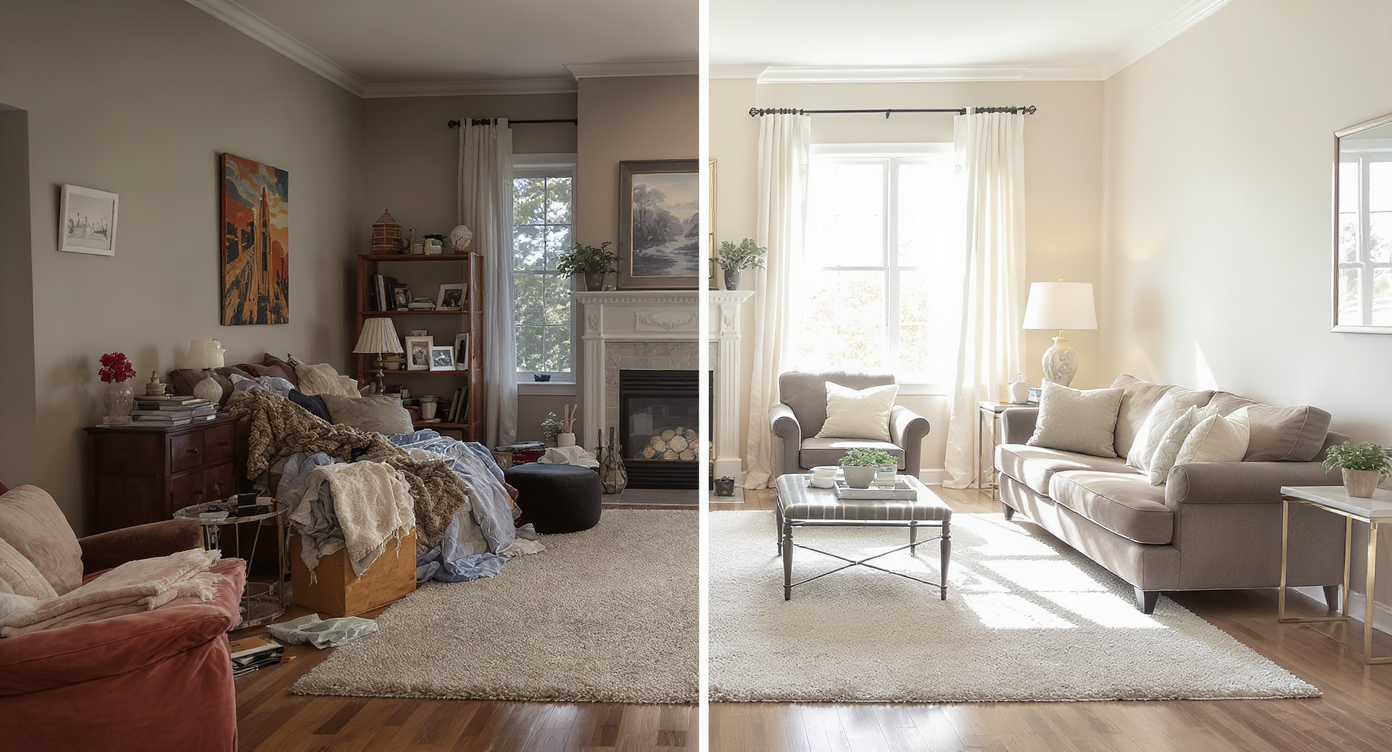
Clear zones invite use and make small rooms feel larger, unlike cluttered, undefined layouts.
Rooms with unclear zones feel smaller and less inviting than rooms with obvious seating, lighting, and circulation paths. When every piece is pushed to a wall, you often end up with dead space in the middle and no conversation area — which is why adding a small sofa or a pair of chairs can transform how the room works, not just how it looks.
Here’s how the pain shows up:
- Scroll behavior: In photos (and in your head), an undefined room reads as a hallway, not a destination. A visible seating cluster stops the eye.
- Buyer/guest perception: People look for purpose at a glance. Two chairs flanking a side table or a loveseat and lamp instantly signal, “Sit here.”
- Owner confidence: Without a plan, you hesitate — keep the shelves? Add a rug? Which size? AI room planning reduces the risk so you can act decisively.
Micro-example: that office where the desk faces the wall, ladder shelves mirror the plant height, and the center is empty. Turn the desk 90 degrees to face into the room, ground the scene with a rug, and float two chairs opposite — suddenly it feels intentional.
Anecdote
That almost-perfect office where the desk faces a blank wall and ladder shelves mirror plant height — turn the desk 90°, float two chairs on a rug, and the room suddenly invites conversation.
What Room Reuse Actually Is (In Plain Language)
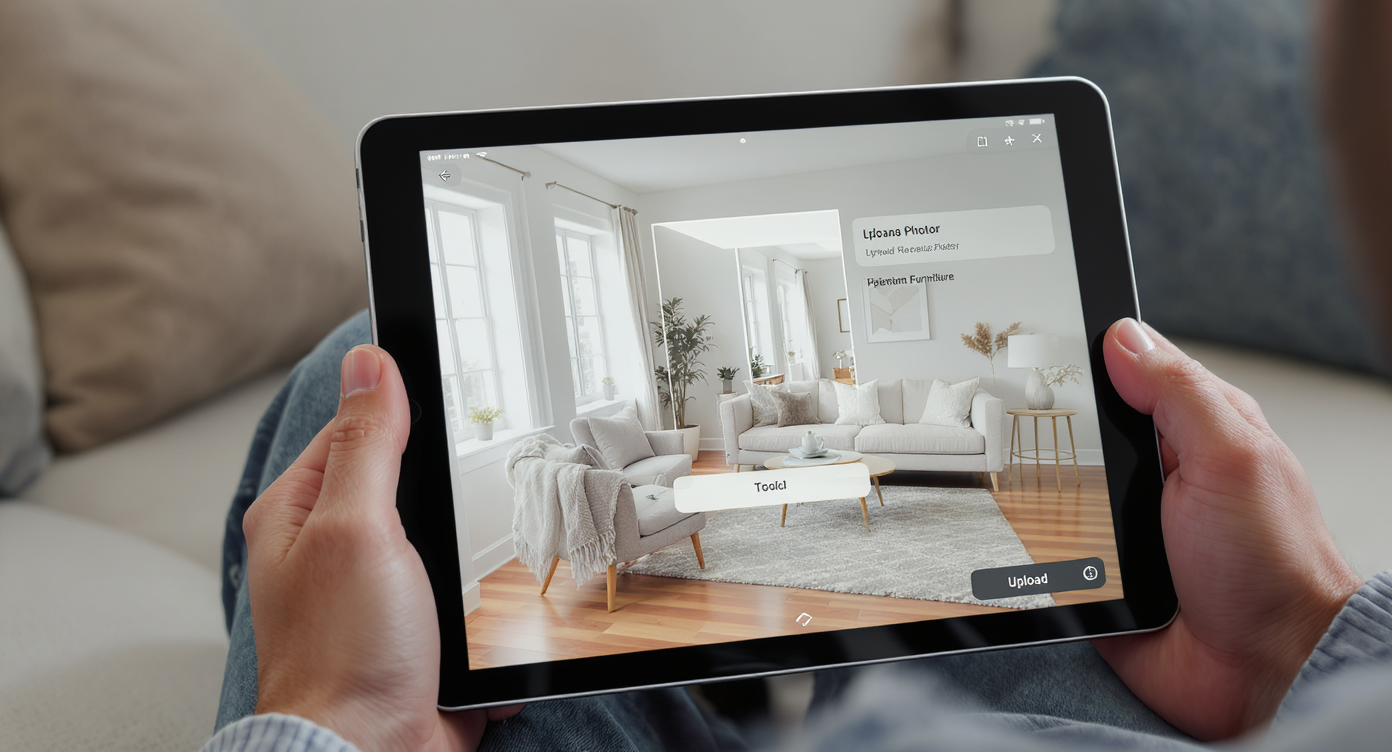
Room Reuse uses AI to reimagine your real photo with new furniture layouts quickly and realistically.
Room Reuse is an AI design tool that takes a photo of your space and generates new, realistic layouts tailored to your goals — like making a home office more functional with client seating or carving out a reading nook. You keep the room’s architecture; the tool proposes fresh arrangements and furniture options to clarify flow.
It works for homes, rentals, and listings, and it’s ideal when you’re torn between a small couch and two armchairs. To try it now, open ReimagineHome.ai’s Room Reuse tool and upload a room photo to explore conversational seating, desk rotations, and zone splits.
Inputs: one reasonably clear photo (phone shots are fine). Outputs: multiple renderings that show furniture positioning, scale, and styling you can actually implement. Think of it as ai interior design from photo — fast, visual, and practical.
How Room Reuse Works Step by Step
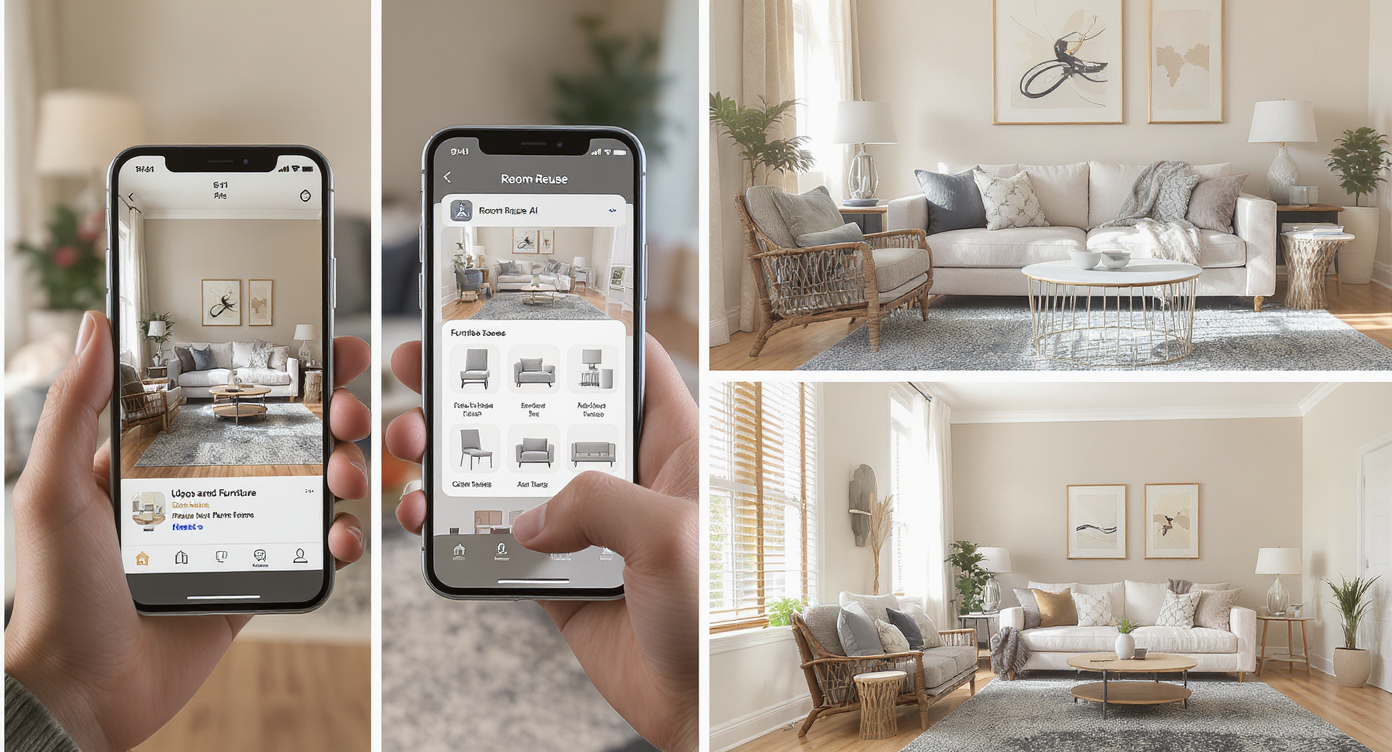
Room Reuse works stepwise from photo to functional layouts, simplifying decisions and style choices.
Great results start with a good source photo and a clear goal like “add seating for two” or “float the desk.”
- Choose the right photo: Shoot straight on, standing height, with most of the floor visible. Natural light helps. Aim for at least 2000–3000px on the long edge for crisp results.
- Upload to ReimagineHome.ai: Start a project and select Room Reuse to tell the AI you want to re-plan, not just redecorate.
- Set the intent: Note whether you prefer a small couch, a pair of chairs, or either — plus any must-keep items (desk, ladder shelves, plants).
- Generate options: Preview desk rotated 90°, chairs facing the desk, or a loveseat floating near the windows. Try 2–3 rug sizes to anchor seating.
- Refine: Swap chairs for a compact sofa, test a round side table vs. a slim console, and adjust lamp placement for balance.
- Export and act: Save your favorite layout and use it as a shopping and moving guide. If you’re prepping to list, export sizes suitable for MLS and portals.
Helpful add-ons: If your current photo is cluttered, you can clean it first with ReimagineHome.ai’s object removal tool so the AI reads walls, floors, and windows clearly. If you want to audition final styling once the layout is set, switch to its virtual staging solution for photoreal decor ideas.
Tips and Tricks for More Realistic Results
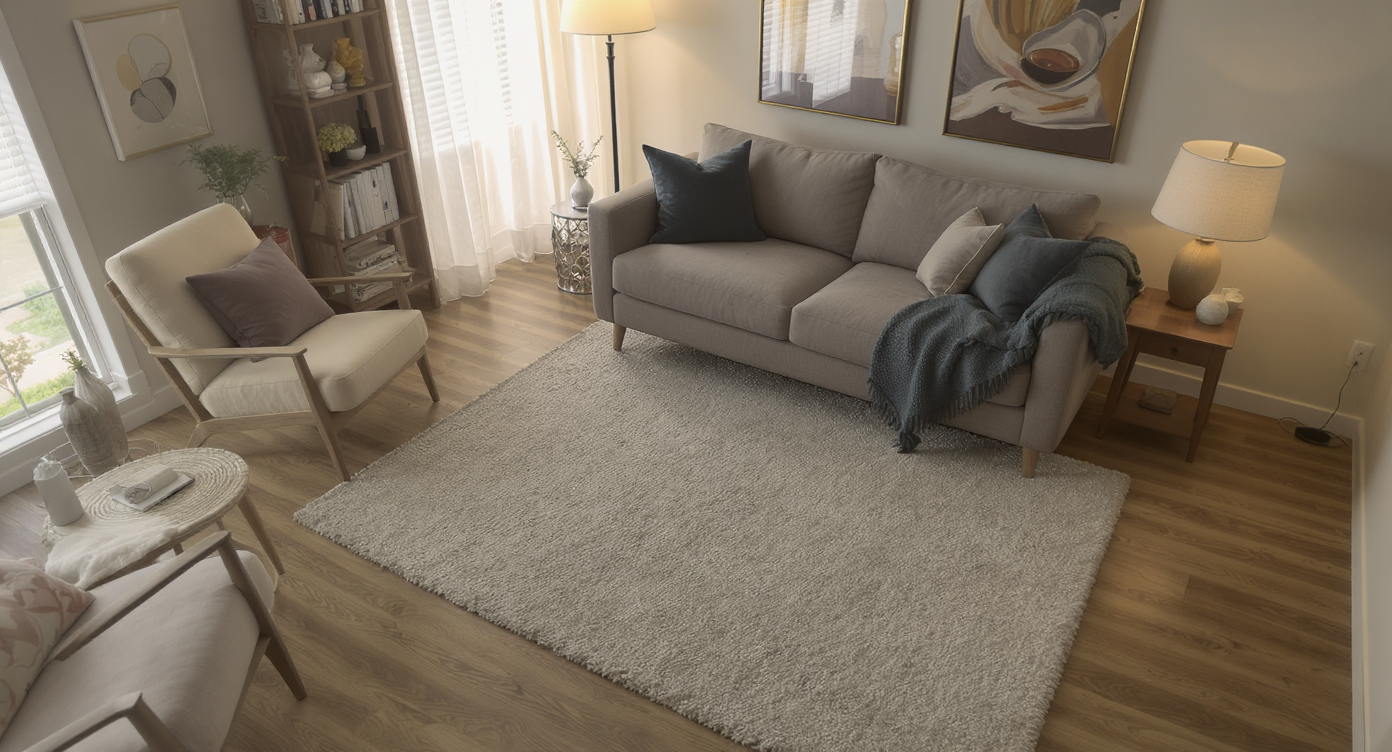
Simple styling tips like rugs and lamp placement make virtual layouts feel like real, livable spaces.
Even simple layout rules — like front legs of seating on the rug and lamps near likely reading spots — create instant realism.
- Scale the rug to the job: For a two-chair conversation set, aim for a rug that catches both front legs and the side table. In small rooms, a 5x7 can work; in larger, 6x9 anchors better.
- Float, don’t hug: Pull seating 6–12 inches off the wall to make space feel intentional. Floating a loveseat near the windows often reads cozy, not crowded.
- Balance the heights: If shelves and plants are the same height, break the line. Stagger one shelf to a different wall or add a tall floor lamp to vary the skyline.
- Desk placement options: Facing into the room (“like a boss”) encourages conversation; facing the window can be calming. Room Reuse shows both so you can pick what you’ll actually use.
- Light like you mean it: Layer a warm floor lamp by seating and a task lamp at the desk. Dim overheads or use warm white bulbs so the space doesn’t feel clinical.
- Art and window treatments: Hang art where eyes land from seating. Natural-texture blinds or simple curtains add warmth and help the render feel livable.
- Keep pieces plausible: When testing ai room makeover ideas, choose furniture sizes you can really buy — compact chairs (28–30 inches wide) or a loveseat under 65 inches.
Visualization Scenario
Upload a photo of your office. Generate a layout with the desk facing into the room, a 6x9 rug, and two compact chairs across from it. Compare to a variation with a 62-inch loveseat by the windows and a floor lamp. Pick the version that keeps a clear 30–36 inch path from door to desk.
FAQ
How can I redesign my room with AI from a photo?
Upload a clear, front-facing photo to Room Reuse in ReimagineHome.ai, describe your goal (e.g., add two chairs), and generate layout options in minutes.
Should I use a small couch or two chairs in a small room?
Two chairs are flexible and easier to angle for conversation; a loveseat feels cozier against windows. Use the AI to compare both and see which protects walk paths.
Will the AI keep my existing desk, shelves, and plants?
Yes. Room Reuse can preserve key items and rearrange around them. If the photo is cluttered, clean the image first with object removal for clearer results.
What resolution do I need for good AI room planning?
Phone photos typically work. Aim for 2000–3000px on the long edge, shot at standing height with the floor and major walls visible.
Can these layouts help with real estate photos, too?
Absolutely. Functional, staged layouts photograph larger and clearer. Visualize with Room Reuse, then finish with virtual staging if you need stylish listing imagery.
Visualize Your Next Listing (or Project) Before You Commit
Previewing layouts with AI is like rehearsing a story for your room before money or muscle gets involved. Whether you settle on a petite loveseat by the windows or two chairs opposite a rotated desk, you’ll know it works because you’ve seen it work.
Try your photo with ReimagineHome.ai’s Room Reuse, or start from the home page at ReimagineHome.ai to explore related tools when you’re ready to style and finish the space.