
TL;DR
Room Reuse is an AI room planner that lets you upload a photo of your space and preview multiple use cases — playroom, office, reading nook, or dining area — in seconds. It’s ideal when you’re wondering “how do I repurpose this room?” or need to ai redesign my room without buying anything first. Test layouts, furniture scale, and built-ins using ReimagineHome.ai’s Room Reuse tool, then decide with confidence.
The Real Cost of Leaving a Bonus Space Undefined
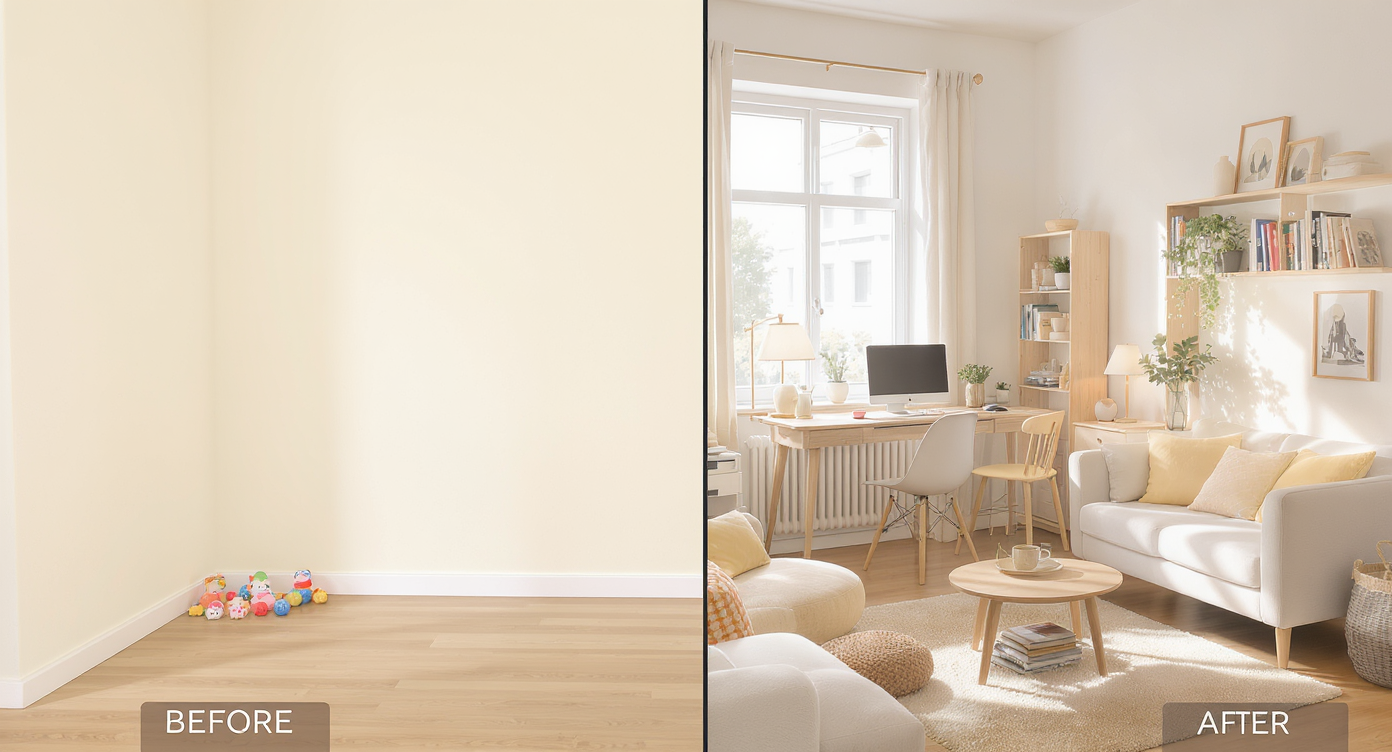
See your bonus space’s potential visually with AI before moving a single piece of furniture.
Room Reuse is AI interior design from a photo that shows your exact nook as a playroom, office, reading corner, or dining area — in minutes. It matters because you can try furniture layouts and storage ideas visually before you spend money or move heavy pieces.
- Results: See clear, side‑by‑side concepts for play, work, dining, or lounging so the best use jumps out.
- Realism: Lived‑in scale, lighting, and finishes that fit your architecture and flooring.
- Speed: Generate multiple room design AI options in under a minute per concept.
- Cost: Make smarter purchases and skip returns; reuse more of what you own.
- Workflow: Share designs with a partner or contractor to align quickly.
- ROI: Purposeful spaces photograph better and feel calmer day to day.
- Peace of mind: Commit only when you’ve seen it both styled and practical.
If you already have that tricky corner on your phone, upload it to ReimagineHome.ai and test Room Reuse while you read.
Why This Visual Problem Hurts More Than You Think
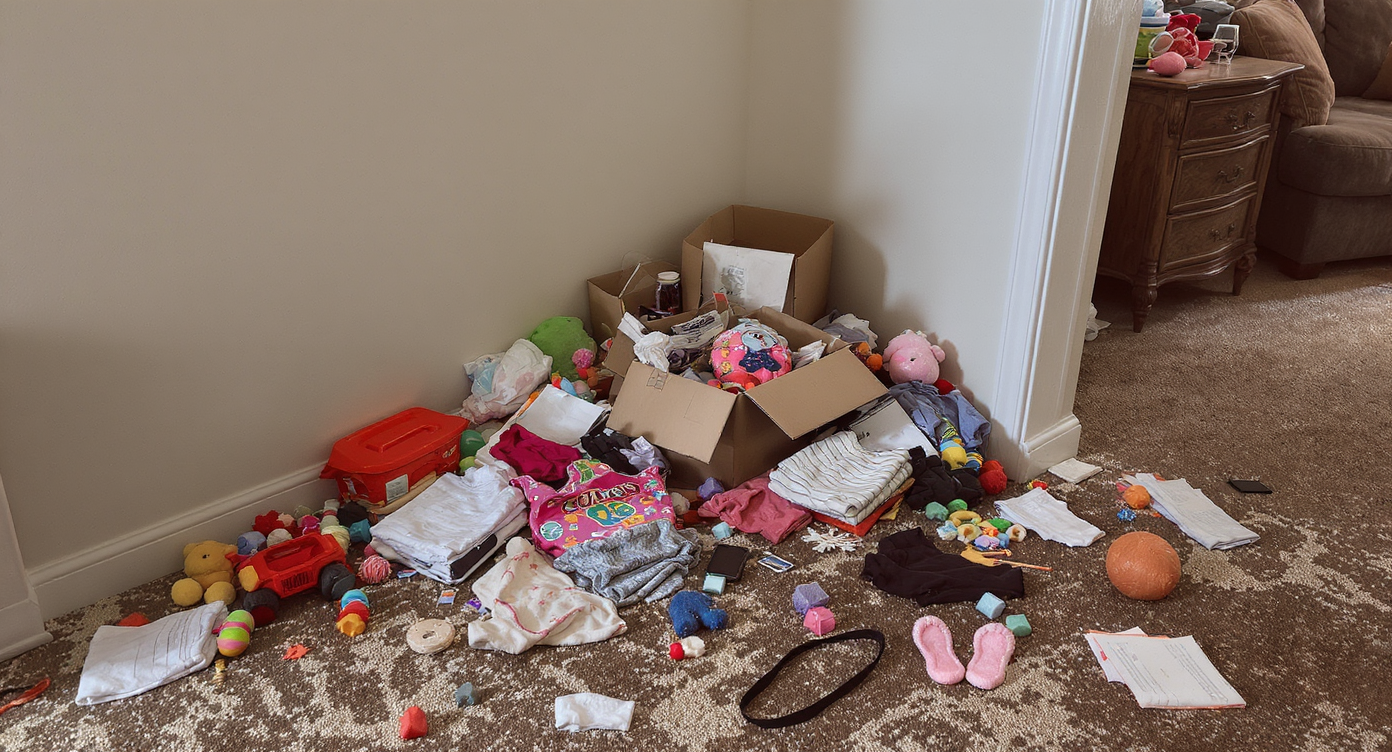
Undefined bonus spaces often become clutter zones, shrinking and crowding nearby rooms.
Undefined bonus spaces tend to become clutter zones, making adjoining rooms feel smaller and busier. When a nook has no job, toys migrate, mail piles up, and the living room has to do everything at once.
In real life, this shows up as constant rearranging and decision fatigue — especially with kids or when you host. On screen (for your household mood board or future listing photos), a fuzzy purpose reads as visual noise. Give the area a role — play, work, read, or dine — and you’ll instantly improve traffic flow, line of sight to the kitchen, and overall calm.
A quick test: if you can’t describe that space in three words (“kids’ reading nook,” “quiet office,” “game table”), you haven’t designed it yet. Room Reuse helps you get there fast.
Anecdote
That perfect-but-empty strip between the living room and kitchen? One homeowner turned it into a library with two swivel chairs and closed cabinets after previewing three versions in Room Reuse — open shelves felt messy, a dining table cramped flow, and the winning layout hit “cozy + practical” on the first weekend.
What Room Reuse (Room Repurpose) Actually Is — In Plain Language

Room Reuse AI transforms one photo into multiple repurposed space designs effortlessly.
Room Reuse is a room transformation AI that repurposes an existing space from a single photo. You upload an image, choose a goal — playroom, home office, reading nook, secondary dining, hobby zone — and receive realistic concept images showing furniture placement, storage, and style.
It works for open areas off the living room, alcoves by the kitchen, and flex rooms with doors. The output is a believable, styled image you can reference for purchases or DIYs, not a rough sketch. To try it on your nook, open ReimagineHome.ai’s Room Reuse tool and generate a few distinct directions.
Already furnished but not loving the vibe? Pair Room Reuse with its Style Swaps restyling tool to test modern, cozy, or kid‑friendly looks on the same layout. If clutter is photobombing your test image, clear it virtually first with its clutter and object removal tool.
How Room Reuse Works Step by Step
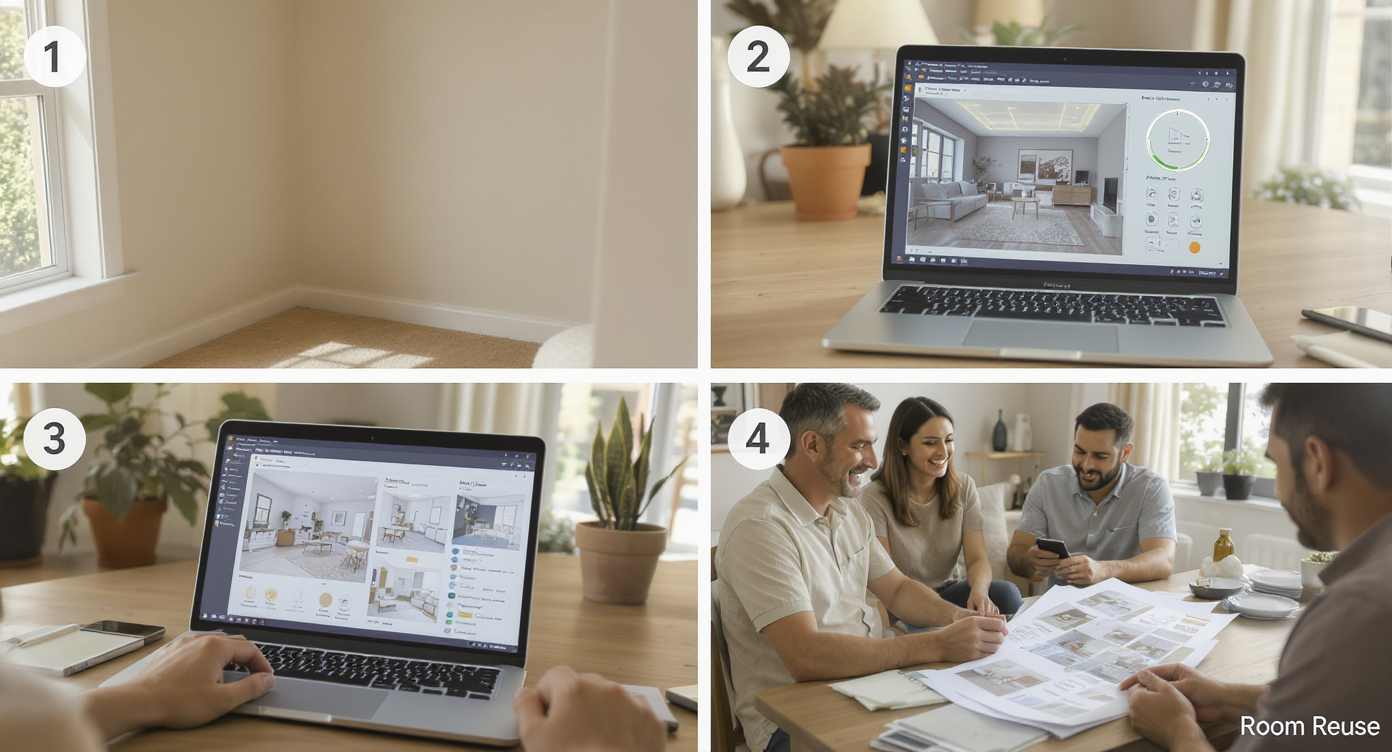
From photo capture to design review: how Room Reuse AI creates and shares room ideas step by step.
Good source photos make great results. Aim for a clear, well‑lit shot around 2000–3000 pixels on the long edge.
- Photograph the whole zone: Stand back so floor, walls, and the main opening to the living room are visible. Avoid extreme wide angles that warp scale.
- Upload to ReimagineHome.ai: Drag your photo into Room Reuse and choose your target use — playroom, office, reading nook, or dining area.
- Select options: Pick a style (modern, warm neutrals, Scandinavian, family‑friendly) and note must‑keep items (that heirloom sideboard, the piano).
- Generate and compare: Produce 3–4 concepts. Save the one that nails storage, seating count, and traffic flow.
- Refine: Regenerate with tweaks (e.g., add built‑ins, swap to round table, more closed storage).
- Export and act: Download high‑resolution images ready to share with a partner, stager, or contractor — and to keep your purchases on plan.
Tips and Tricks for More Realistic Results
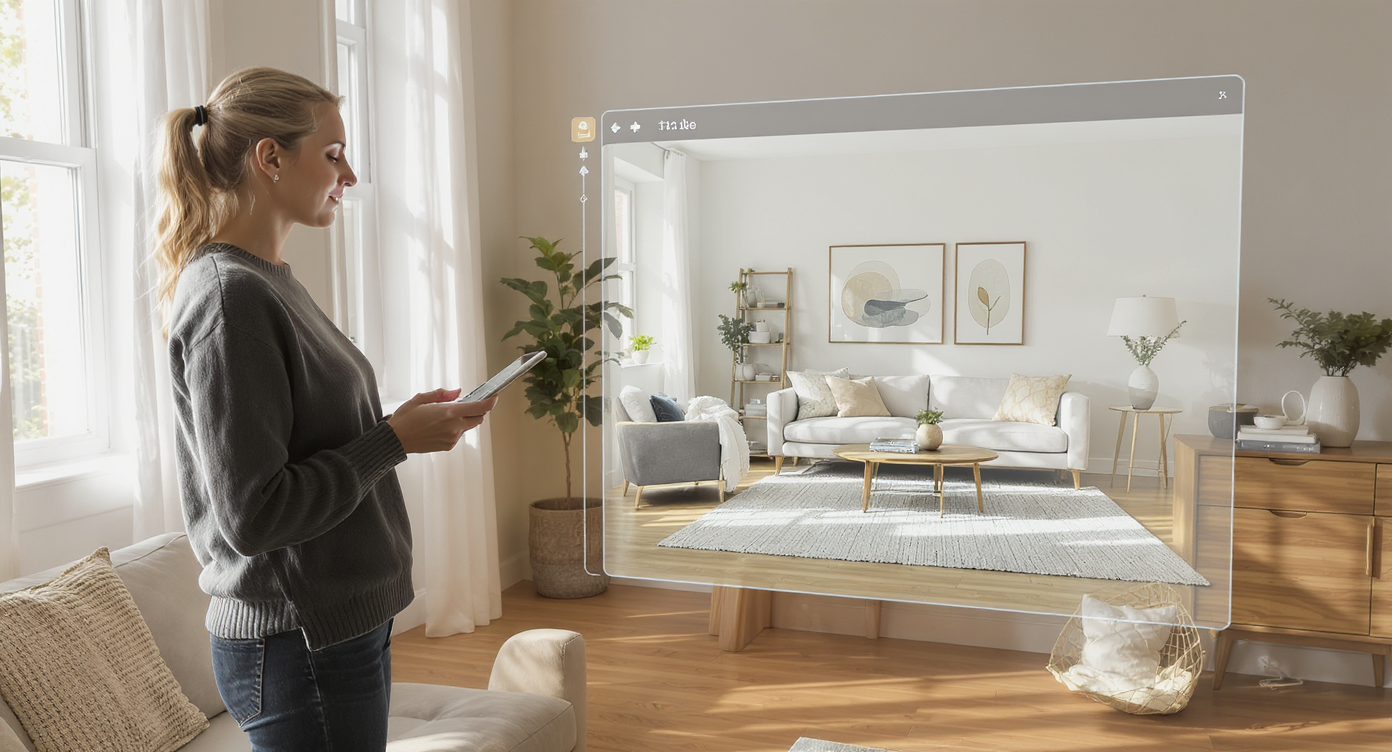
Accurate scale, natural light, and focused purpose yield the most realistic AI room redesigns.
Realistic AI room design starts with scale, light, and purpose — the more specific your brief, the better the output.
- Define the job in one line: “Quiet reading nook for two,” “Homework zone with hidden toy storage,” or “Everyday dining for four.”
- Zone with rugs: A 5’x8’ under two chairs and a small table visually separates a reading corner from the living room.
- Mind traffic paths: Leave 36 inches around dining tables and clear routes to the kitchen and playroom.
- Storage first for playrooms: Ask the AI for closed cabinets or baskets; toys look tidier behind doors.
- Respect your architecture: Echo your home’s trim color and fireplace material for cohesion; let style vary in texture, not just color.
- Use lighting cues: Request a floor lamp near seating and a dimmable pendant over a game table; the AI will place fixtures accordingly.
- Iterate styles: If the layout is right but the mood is off, restyle the same setup with Style Swaps instead of starting over.
For finishing touches — art height, gallery walls, and balancing sofa + chair groupings — skim a quick guide to finishing a living room and translate the tips to your nook.
Visualization Scenario
Upload a photo of your open nook, generate a “reading corner for two,” then a “homework/play combo” and a “round dining table” option. Compare how each handles storage, light, and walkways. Pick the winner and copy the look, piece by piece.
FAQ
What is AI room repurpose and how does it work?
AI room repurpose uses a single photo to preview alternate uses — playroom, office, reading nook, or dining area — with believable furniture and storage. Upload your image, choose a goal, and generate concepts with ReimagineHome.ai’s Room Reuse tool.
Can AI redesign my room from a photo if it’s messy?
Yes. For best results, clear the shot physically or use clutter and object removal first, then run Room Reuse to explore layouts and styles.
Will this help me choose between a playroom, reading nook, or dining area?
That’s exactly the point. Generate side‑by‑side concepts for each option, compare storage, seating, and traffic flow, and commit to the one that fits your daily routine.
What resolution do I need for good AI interior design results?
Use clear, well‑lit photos around 2000–3000 pixels on the long edge. Avoid heavy filters or extreme wide‑angle distortion.
Is this useful for agents or just homeowners?
Both. Homeowners use room design AI to plan purchases; agents and stagers use it to present alternate uses of flex spaces that boost clarity and clicks.
Visualize Your Next Listing (or Project) Before You Commit
Seeing is deciding. A flexible nook feels uncertain until you test a few clear identities — the calm reading corner with anchored bookcases, the office with doors you can close, the game table that seats four for homework and puzzles, the playroom within sight of the sofa.
Use room makeover AI as a low‑risk rehearsal. Generate options, pick your favorite, then shop and style once. When you’re ready, try your photo in ReimagineHome.ai’s Room Reuse and turn “What do we do with this space?” into “This space finally works.”