
TL;DR
Quick take: If you need the best tools for real estate listing presentations, prioritize AI virtual staging for empty rooms, buyer-persona mockups, and before–after storytelling. ReimagineHome.ai is the visual engine that lets agents show possibilities in minutes, not weeks. Try it here: https://www.reimaginehome.ai/?utm_source=blog
How AI Virtual Staging Is Transforming Real Estate Listing Presentations

From empty rooms to styled dreams: visualize the power of modern listing presentations.
Picture this: you step into a high-stakes listing presentation. The seller is comparing three agents. You open with a clean deck, a sharp CMA, and then flip to a slide that transforms their empty, echoing rooms into warm, on-brand spaces in seconds. This is where real estate presentation tools stop being static and start selling. In 2025, virtual staging, AI staging, CRM integration, and property marketing are converging to reshape the listing presentation. The agent who shows, not tells, wins. Instead of asking clients to imagine potential, you can demonstrate it — including AI virtual staging for empty rooms, buyer persona styling, and renovation before–after storyboards — in one meeting.
The Presentation Gap Most Agents Still Miss

Close the presentation gap by showing sellers a warm, styled vision—not empty spaces.
Most buyers start online and judge a listing in seconds, so your listing presentation has to deliver clarity and emotion fast. The problem is that traditional decks feel flat: bullet points, comps, and a few photos that fail to pull buyers or sellers into a story. • Sellers see slides, not possibilities. Even strong CMAs lack the visual leap from today’s condition to market-ready. • Buyer agents struggle to personalize for different buyer personas — from a minimalist downtown professional to a growing family seeking flexible space. • Remote buyers and international clients need certainty, not guesswork, especially when time zones and scheduling make in-person tours unrealistic. • Teams and brokerages need visuals they can reuse across CMAs, pitch decks, property brochures, and social — without waiting days for revisions. There’s a smarter way to show what’s possible.
Anecdote
During a live listing appointment, a team toggled between modern and transitional concepts for a dated living room. When the seller saw the transitional version, they said, “That’s the one,” and signed. The entire pivot took five minutes.
Meet ReimagineHome.ai: Your Visual Engine for Listing Presentations

Meet ReimagineHome.ai: your ultimate visual engine for compelling listing presentations.
Here’s where ReimagineHome.ai changes the conversation. It is the modern agent’s visual engine for listing presentations, virtual staging, and property storytelling. What it does well: • AI virtual staging for empty rooms: Drop in a photo, get polished design concepts in seconds that match your brand and buyer personas. • Before–after renovation storytelling: Create multiple looks to show the ROI of paint, flooring, or layout tweaks — powerful in CMA decks. • On-brand pitch materials: Export visuals for slides, property brochures, and social posts to keep your agent branding consistent. • Remote and global buyer support: Send visual-first presentations that make sight-unseen decisions more confident. • Flexible, fast workflows: Iterate live in the listing appointment to field objections and lock in your plan. Explore the platform: https://www.reimaginehome.ai/?utm_source=blog Want deeper tips on staging strategies? See this primer: https://www.reimaginehome.ai/blogs/virtual-staging-strategies-for-empty-rooms?utm_source=blog
What Today’s Tools Get Right — And Where They Fall Short
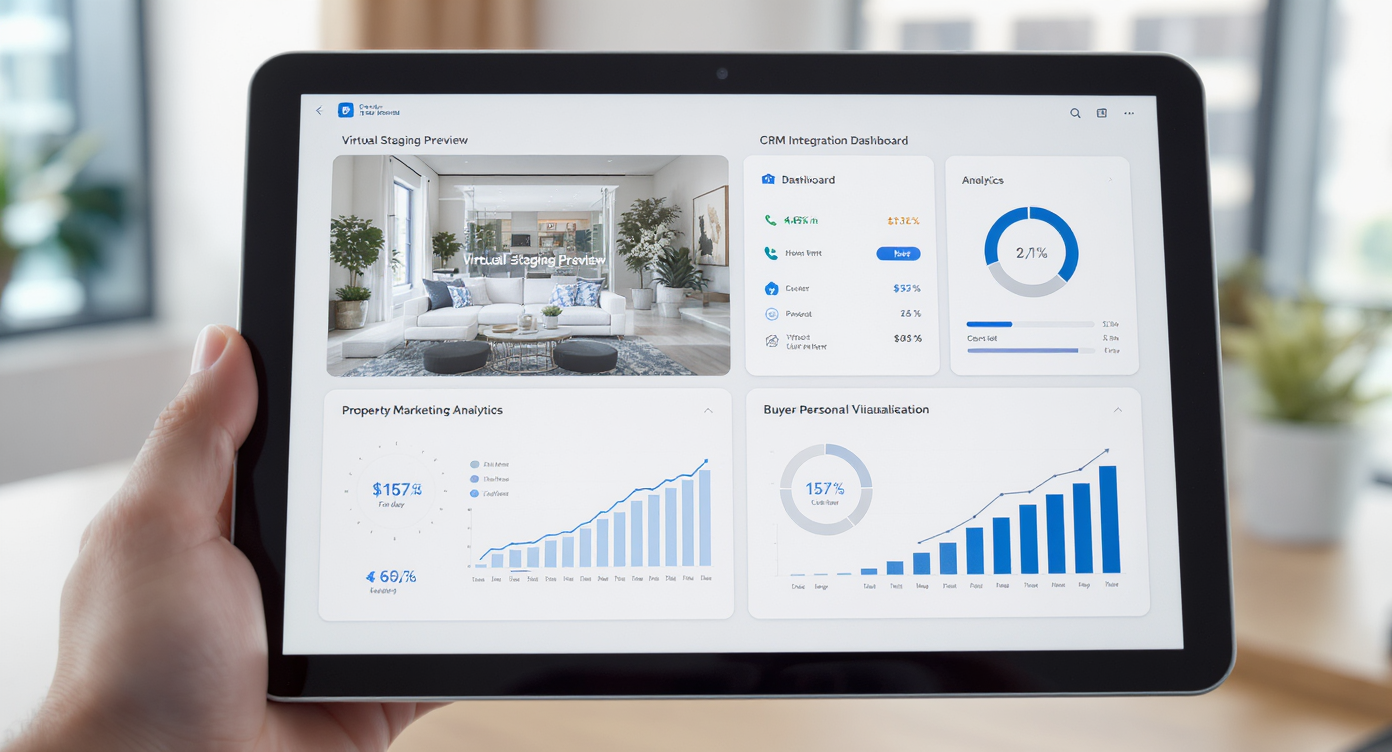
Explore what current tools get right and where they fall short in today's market.
Comparing real estate presentation tools today reveals four categories that agents stitch together — often at the expense of speed and impact.
| Category | Strengths | Gaps for listing presentation | Where it fits | ReimagineHome.ai advantage |
|---|---|---|---|---|
| CRM presentation modules | Lead routing, tasking, basic slides, some CMA data | Light on compelling visuals, limited AI staging, few buyer-persona options | Great hub for follow-up and reminders | Acts as the visual layer you plug into your CRM-driven deck |
| Generic slide tools | Templates, collaboration, brand control | No property-specific AI visuals, time-consuming image creation | Use for final assembly | Generates the visuals you drop into slides and brochures |
| Traditional virtual staging vendors | Photoreal results, custom briefs | Multi-day turnaround, higher cost, less agile in appointments | Premium shoots and marquee listings | Same-day concepts for faster approvals and testing styles |
| Point-solution AI apps | One-off edits, narrow features | Fragmented workflow, inconsistent output | Quick fixes | Unified system for AI staging, before–after, and pitch-ready exports |
Stories From the Field: How Visuals Move Deals

See how powerful visuals accelerate deals and win seller trust in real life.
Three quick stories show how listing visuals change outcomes. 1) The luxury pitch: An agent prepped a penthouse listing with three AI-staged concepts — modern, warm minimal, and art-forward entertaining. In the meeting, the seller chose a direction on the spot. Outcome: faster signature, immediate prep plan, and a premium launch narrative that aligned with luxury marketing. 2) The CMA with visuals: A suburban team used AI-staged before–after slides to defend a higher list price. By showing a modest paint and lighting refresh, their CMA deck elevated perceived value without overspending. Outcome: confident pricing, fewer objections, and a shorter days-on-market window. 3) The remote buyer: An international client couldn’t travel. The buyer’s agent presented AI-enhanced mockups showing a home office conversion and a kids’ flex room. Outcome: trust at a distance and a signed contract sight-unseen, backed by clear next-step renovation ideas. Instead of saying “imagine it,” you can show it — tailored to each buyer persona and market segment.
Visualization Scenario
A side-by-side before–after spread: left panel shows an empty condo living room; right panel shows AI staging with warm neutrals, layered lighting, and a workspace nook aimed at a remote-buyer persona.
FAQs
FAQs
What are the best tools for real estate listing presentations?
The best real estate presentation tools combine AI virtual staging, before–after visuals, and easy exports to slides and brochures. ReimagineHome.ai centralizes those visuals so your deck feels cinematic and persuasive.
How does AI virtual staging for empty rooms help sellers?
It replaces guesswork with polished options aligned to buyer personas. Sellers see how small upgrades or styling can shift price perception, which helps you secure realistic prep plans and list prices.
Can I use these visuals for remote listing presentations to international clients?
Yes. Visual-first decks reduce uncertainty for remote buyers, making cross-border decisions faster. Keep files lightweight and include clear captions and room labels.
Do I still need a CRM if I use ReimagineHome.ai?
Yes. Your CRM handles lead routing and follow-up. ReimagineHome.ai supplies the visual layer you embed in your listing presentation, CMA deck, and property marketing materials.
What about 3D tours and floor plans?
If you have floor plans or 3D tours, pair them with AI-staged photos to tell a complete story. The combination helps clients read scale and potential without relying solely on technical files.
Is ReimagineHome.ai budget-friendly for teams?
Many teams replace multiple niche apps with one visual workflow, creating a budget-friendly real estate presentation platform that scales across agents and assistants.
A Visual Future, Built Into Your Workflow
Here is the practical, repeatable way agents use ReimagineHome.ai in real listing presentations. 1. Capture or collect photos: Prioritize clean, straight-on shots. Include 3–5 angles per key room. 2. Generate AI staging: Create 3–5 strong concepts, not 20 variations. Focus on styles tied to buyer personas. 3. Build a visual CMA: Pair comps with before–after slides to justify pricing and prep budgets. 4. Prep remote-ready decks: Export images into a simple narrative for international and out-of-state buyers. 5. Brand it: Add your logo, color palette, and agent branding so every deliverable looks intentional. 6. Iterate live: In listing appointments, adjust styles in real time to overcome objections and secure the agreement. Guardrails: keep file sizes light for email, keep captions clear, and don’t overpromise on structural changes. What’s next: AI visuals will integrate deeper with CRMs, marketing suites, and brokerage stacks. Expect multilingual captions for cross-border presentations, tighter links to analytics, and data-backed CMA decks that blend pricing models with visual scenarios. ReimagineHome.ai is evolving from staging tool to storytelling system — the connective tissue between comps, design, and buyer psychology. If winning the room matters, lead with visuals that do the talking. Start your next listing presentation with ReimagineHome.ai: https://www.reimaginehome.ai/?utm_source=blog