Your Home Design Ideas Can Now Start from Your Phone Camera

Bring Home Design Decisions Closer to Life with Your Phone
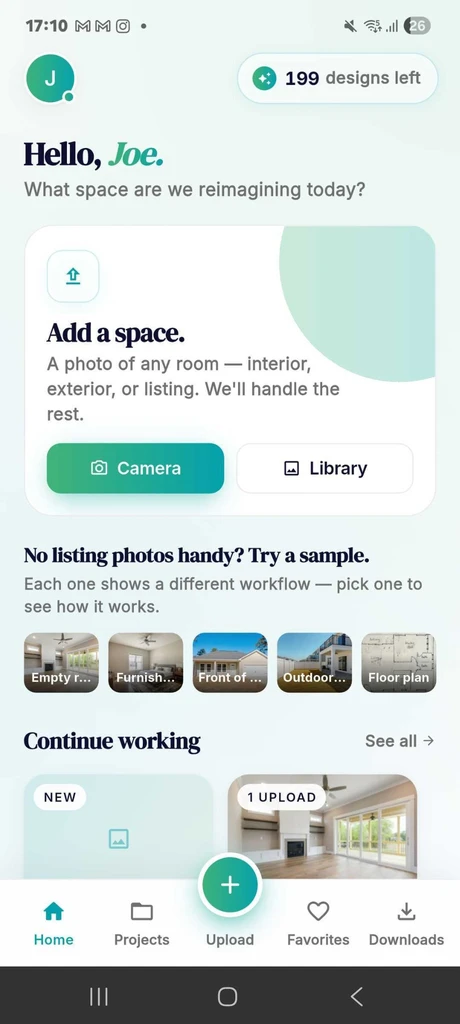
Start a new design from your Android phone by uploading a room photo, choosing from sample spaces, or continuing a previous ReimagineHome AI project.
Home design isn't always done at a desk or in a design studio. It often starts right from your everyday moments. Maybe you’re staring at a blank living room and wish it felt warmer, or you're outside wondering how to refresh your curb appeal. Until now, those initial sparks of inspiration might stay in your head or collect in photo folders. But with the new ReimagineHome AI Android app, your phone's camera becomes the direct starting line for your next room transformation.
This update matters: it makes the design process immediate and personalized to your real space. Instead of scrolling through endless inspiration or using generic templates, you can now capture, upload, and experiment with design ideas using your Android device. That means fewer delays and a much closer connection to the spaces you actually want to transform.
-
1. Home Design Starts with the Real Space, Not Guesswork
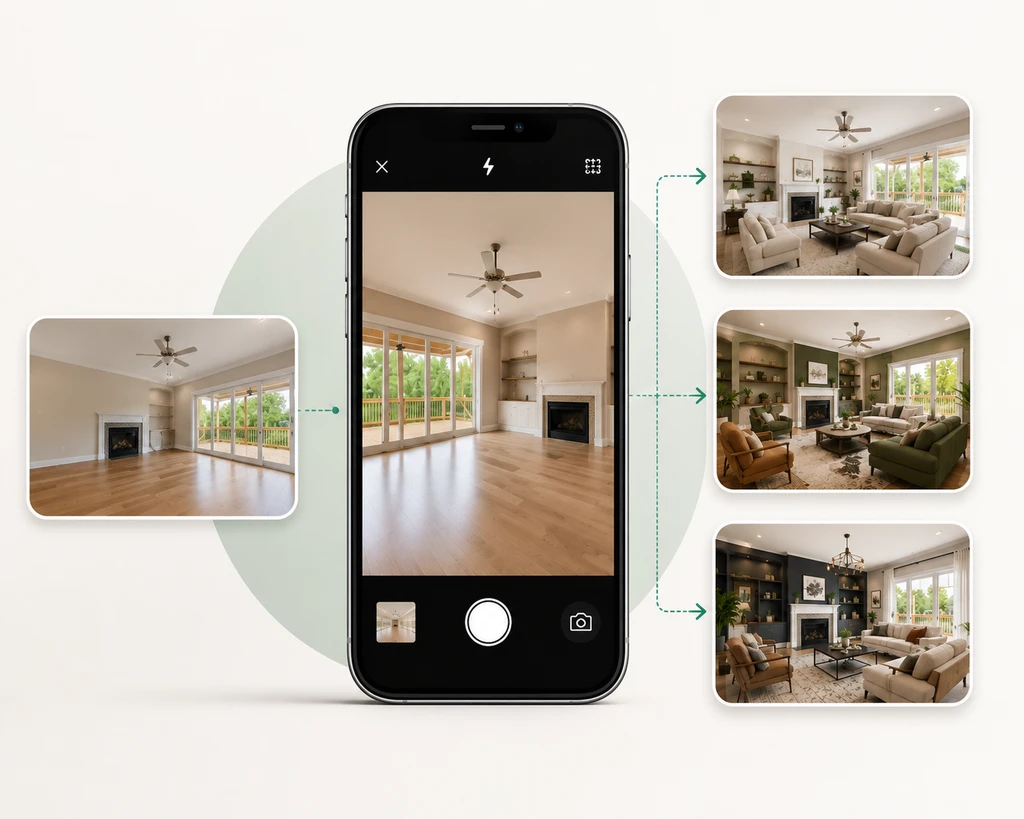
Start with a real room photo and explore different design possibilities before making changes to your space.
Design tools often begin with generic inspiration pretty but not personal. With ReimagineHome AI on Android, you start with your own room or home view: interiors, exteriors, even gardens or floor plans. Simply snap a photo or grab one from your gallery to see real options for your real space.
For example, if you want to rethink your living area, you don’t have to visualize changes in your imagination. Just capture a quick photo, upload it, and use the AI to generate practical suggestions based on your actual layout, windows, and lighting. As discussed in our full REimagineHome AI guide, this hands-on process is uniquely personalized compared to old-school mood boards.
-
2. The Design Companion: Chat with Your AI Stylist
Once your image is uploaded, the app’s Design Companion steps in. You can describe what you want maybe a modern refresh, a cozier look, or a total style change. The AI listens to your requests, then produces results grounded in both your input and the space itself.
Importantly, the app now shows design reasoning for each output, so you understand the “why” behind every choice, whether it’s picking earth tones for a calming effect or repositioning furniture for better function. If you’re not sure what to ask for, you can start with tried-and-tested design prompts as suggested in our blog on using interior design prompts with REimagineHome AI.
-
3. Redesign and Refine—Don’t Start From Scratch Every Time
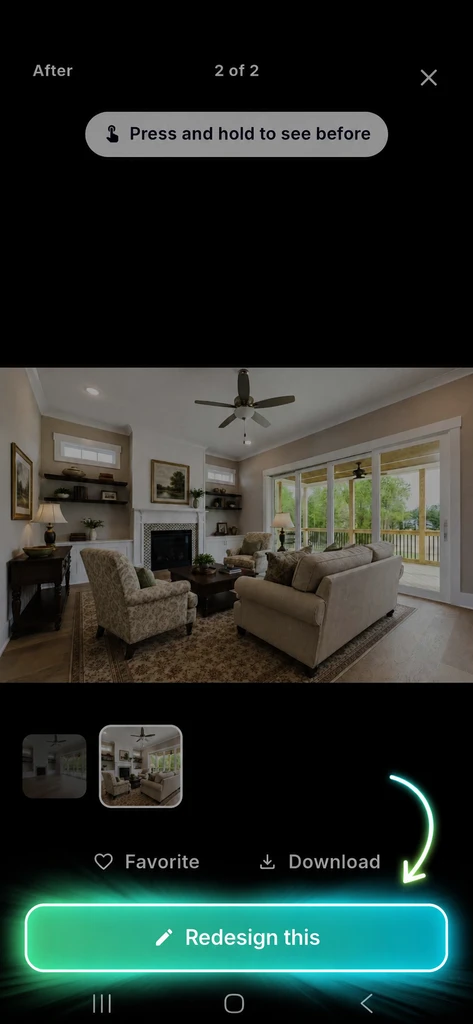
Tap “Redesign this” to refine a specific result, make changes, and continue improving the design without starting over.
A true strength of the Android app is its ability to iterate. If one AI-generated result is almost right, a color’s off, a table’s in the way, or you want another style, you don’t have to upload again or re-explain everything. Choose that output and tell the Design Companion what to tweak.
This approach turns the process into design refinement instead of one-off guessing. Refining from actual outputs creates highly personalized and realistic results by honoring your room’s bones, not erasing them.
Being able to start from any generated version means you fine-tune the design rather than start over endlessly.
-
4. Save, Compare, Download, and Share Instantly
With ReimagineHome AI on Android, once you love a design, you can mark it as a favorite, compare it with your original photo, save the best ideas, download the images, or share them with family, friends, or clients with just a few taps.
This is practical for homeowners planning redecorations, renters testing decor, agents prepping listing visuals, and designers communicating concepts. And because it’s all mobile, you can share inspiration while meeting contractors, shopping for finishes, or collaborating with others on the go—no desktop required.
-
5. Move from 'What If?' to 'Here’s How It Looks'—Right Away
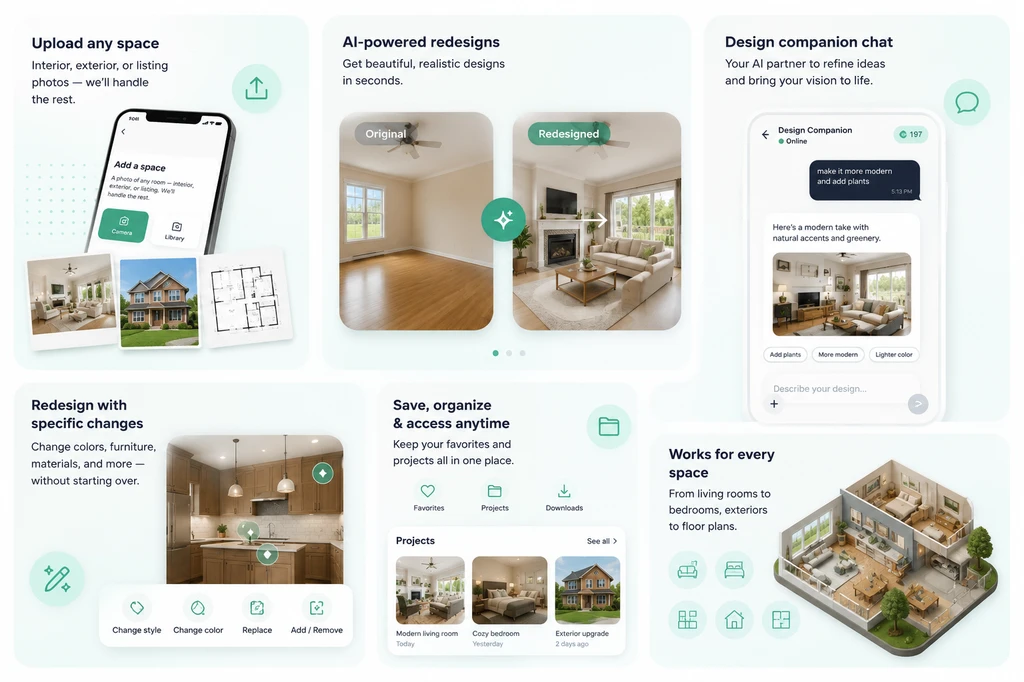
A visual overview of the ReimagineHome AI Android workflow, from viewing a generated design to refining, saving, downloading, and comparing results.
Good design choices are easier with visuals. When you can see real changes on your space before committing, you avoid expensive missteps.
The Android app closes the gap between inspiration and action: snap a photo, test an idea, then decide if it works before buying furniture or scheduling contractors. As highlighted in our breakdown of smarter AI design with reference photos, visual decision-making (not just imagining) leads to better, more confident outcomes.
-
6. Start Designing from Your Android Phone Today
ReimagineHome AI is now fully available on Android, offering a full-featured home design workflow, from capturing inspiration to refining, saving, and sharing the finished concept—all on your mobile device. Whether it’s a full renovation or just exploring paint colors, the power to transform any room starts right in your hand.
-
7. Download, Explore, and Bring Your Vision to Life
Ready to see what your space could become? Get the ReimagineHome AI Android app, upload your next room photo, and let every corner of your home inspire new possibilities.
FAQ
Can I use ReimagineHome AI on any Android device?
The app is supported on most modern Android devices. Check the app listing for device requirements before downloading.
Do I need professional design experience to use the app?
No. The Design Companion guides users of all levels to achieve pro-level visualizations—simply describe your goals and let the AI suggest options.
Can I redesign exteriors and landscaping too?
Yes. You can upload photos of exteriors, landscapes, or gardens as easily as interior spaces.
How does the app create such accurate designs from my photos?
The App uses your room’s real layout, structure, and lighting, plus your preferences, to generate photorealistic results. For even more precise outcomes, see the benefits of using reference photos with AI.
Final Takeaway
With ReimagineHome AI now available for Android, your phone is no longer just a camera—it’s a complete design studio in your pocket. Every design journey can begin right where you are, without waiting for the perfect plan or setup. Snap a photo, try out ideas, refine them, and share the vision, all before spending a cent on actual changes.
This phone-first approach brings design, visualization, and decision-making together—making home transformations more personal, accessible, and achievable than ever.