
TL;DR
ReimagineHome.ai’s Lawn Replacement is an AI landscaping edit that revives dead patches or redoes an entire yard from a single photo. It’s ideal when property-line mowing, seasonal dormancy, or weeds make a front yard look neglected in listing photos. Try it now: upload any exterior to ReimagineHome.ai and preview a lush, consistent lawn in minutes — realistic, MLS-friendly, and faster than reseeding. If you’re searching for how to fix patchy lawn photos or the best ai lawn design from a photo, this is the practical path.
The Real Cost of Showing Yards “As They Are” Online

Patchy, tired lawns pull focus from your home’s best features right at first glance.
Lawn Replacement is an AI landscaping edit that swaps thin, brown, or scalped turf for healthy grass in a photo. It matters because viewers judge curb appeal in seconds, and messy lawn edges, property-line scars, or off-season dormancy quietly cut clicks and showings.
- Results: Turn patchy grass into even turf so the house, not the lawn, becomes the hero image.
- Realism: Texture, color, and shadows match the photo so it doesn’t look “painted.”
- Speed: Minutes, not weeks of reseeding or sodding.
- Cost: A fraction of physical lawn work or re-shoots.
- Workflow: Upload, select Lawn Replacement, generate, and export.
- ROI: Stronger first impressions drive more clicks, easier buyer conversations, and cleaner marketing.
- Peace of mind: Fix the two‑foot mower feud visually without escalating it.
If you already have a tricky listing photo in mind, upload it to ReimagineHome.ai and test this solution on a real image while you read.
Why This Visual Problem Hurts More Than You Think
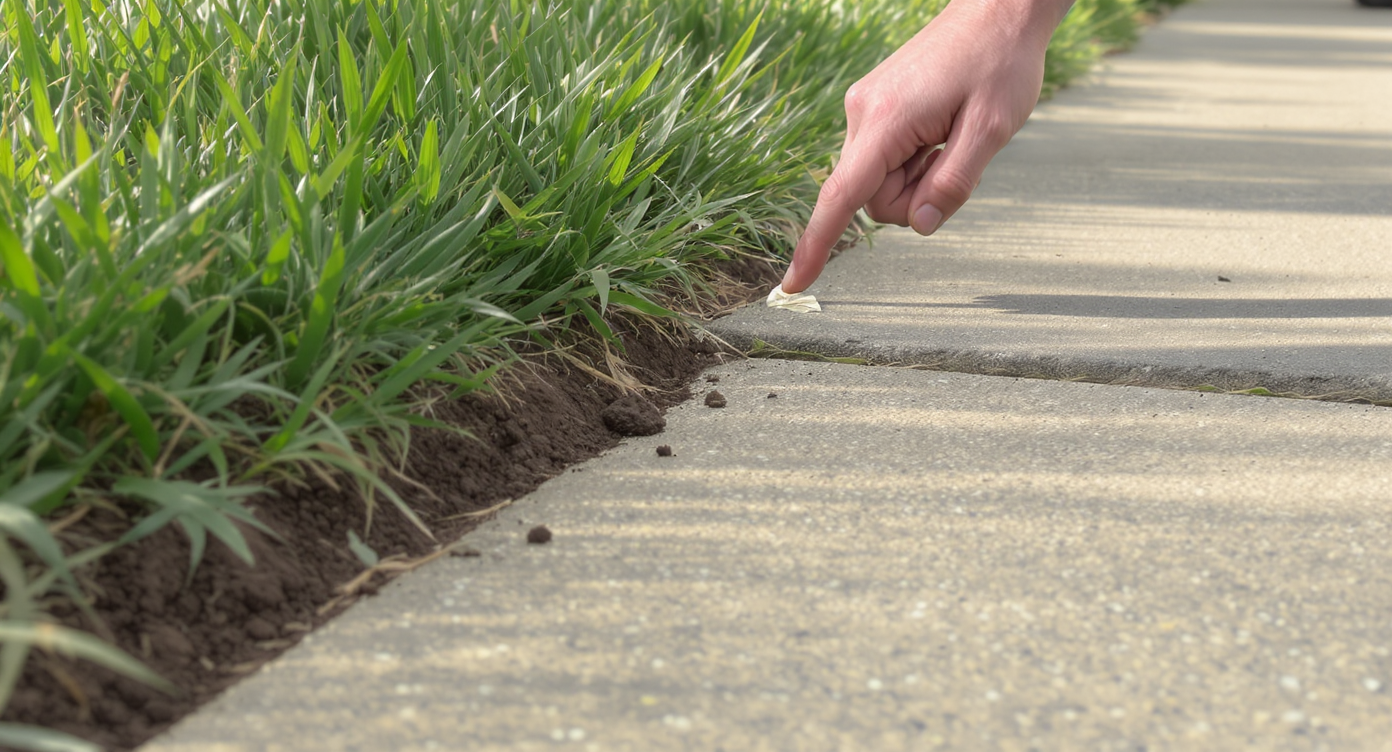
Small lawn flaws divert attention, hurting your home's perceived value instantly.
Even small lawn flaws pull eyes away from the house and reduce perceived value on first glance. When a neighbor cuts two feet into your side, or you’ve got a winter-dormant yard, buyers focus on the problem instead of the entry, windows, or roofline.
Here’s how it shows up:
- Scroll behavior: Flat, patchy exteriors get swiped past; twilight or lush scenes get saved.
- Buyer perception: A scalped strip reads “maintenance issues,” even if it’s just a mower-height mismatch.
- Agent confidence: You hesitate to lead with the exterior photo, and the listing loses its natural hero image.
The fix doesn’t have to be complicated. A clean, even lawn signals care. With ReimagineHome.ai’s Lawn Replacement tool, you can restore the turf digitally so the property line looks tidy and the home takes center stage.
Anecdote
That perfect colonial with the fresh driveway seal… and a neighbor who mows two feet into your side. The photo looked like a bite was taken out of the yard. One Lawn Replacement pass, edges cleaned up, and the conversation shifted back to shutters and porch light — not grass drama.
What Lawn Replacement Actually Is (In Plain Language)
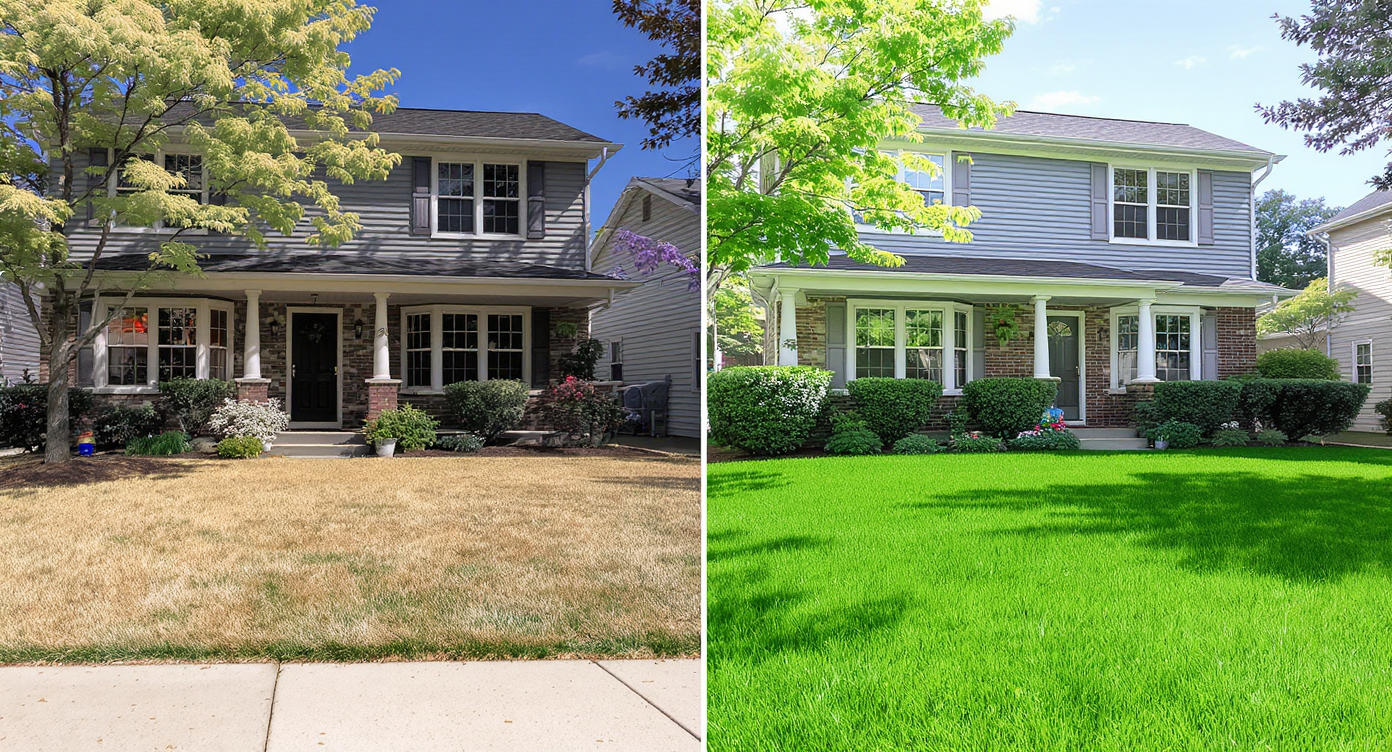
Lawn Replacement swaps patchy grass with believable, healthy turf suited to your yard’s look.
Lawn Replacement replaces dead, thin, or uneven turf in a photo with realistic, species-appropriate grass that matches light and perspective. You provide one exterior photo; the output is a refreshed image with fuller, greener lawn coverage and intact hardscaping, beds, and edges.
What it does well:
- Revives thin patches, mower-scalped edges, and muddy seams after utility work.
- Normalizes color across sun/shade areas so the yard reads as one lawn.
- Keeps driveways, curbs, mulch, and shadows looking natural.
What it isn’t: It’s not a survey, fence, or legal boundary tool. It won’t move structures or misrepresent lot size; it simply restores the lawn so photos feel accurate, clean, and inviting. If your photos were shot in the off-season, pairing Lawn Replacement with a seasonal flip can help you present the same yard in its in-season best; consider using ReimagineHome.ai’s Seasonal Reset for winter-to-spring context.
How Lawn Replacement Works Step by Step
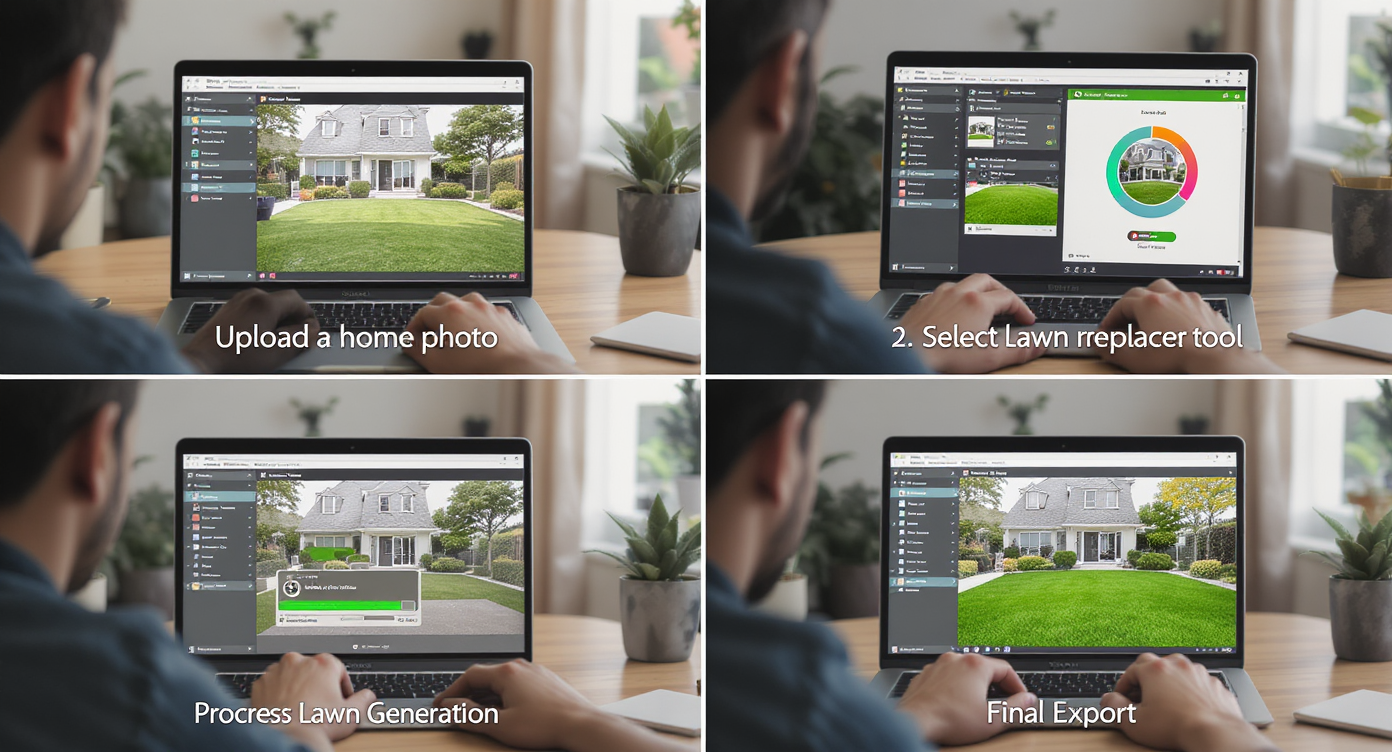
Easy steps to replace your lawn digitally and enhance curb appeal in minutes, not weeks.
MLS and portal guidelines generally favor high-resolution images — aim for 3000px on the long edge for the cleanest results. Here’s the simple workflow:
- Choose the right photo(s): A straight-on or three-quarter exterior where at least 30% of the frame shows lawn works best.
- Upload to ReimagineHome.ai: Drag your JPG/PNG into your project.
- Select Lawn Replacement: In the exterior tools, choose the lawn repair option to revive patches or redo the yard.
- Set preferences: If you care about a cooler fescue tone versus a warmer Bermuda tone, note it in options.
- Generate and review: Check edges at curbs, sidewalks, and property lines. Look for consistent light and shadow.
- Refine as needed: Re-run with a slightly lighter/darker grass tone or adjust density if the first pass feels too plush.
- Export for MLS/portals: Save a high-res version and keep your originals for transparency.
Constraint to respect: Don’t add grass where there’s clearly mulch, rock, or hardscape — keep edits plausible for the property. If the original capture is dull or muddy, finish with subtle tuning via ReimagineHome.ai’s Image Enhancement and, if needed, a clean high-res export using its Upscale Resolution tool.
Tips and Tricks for More Realistic Results
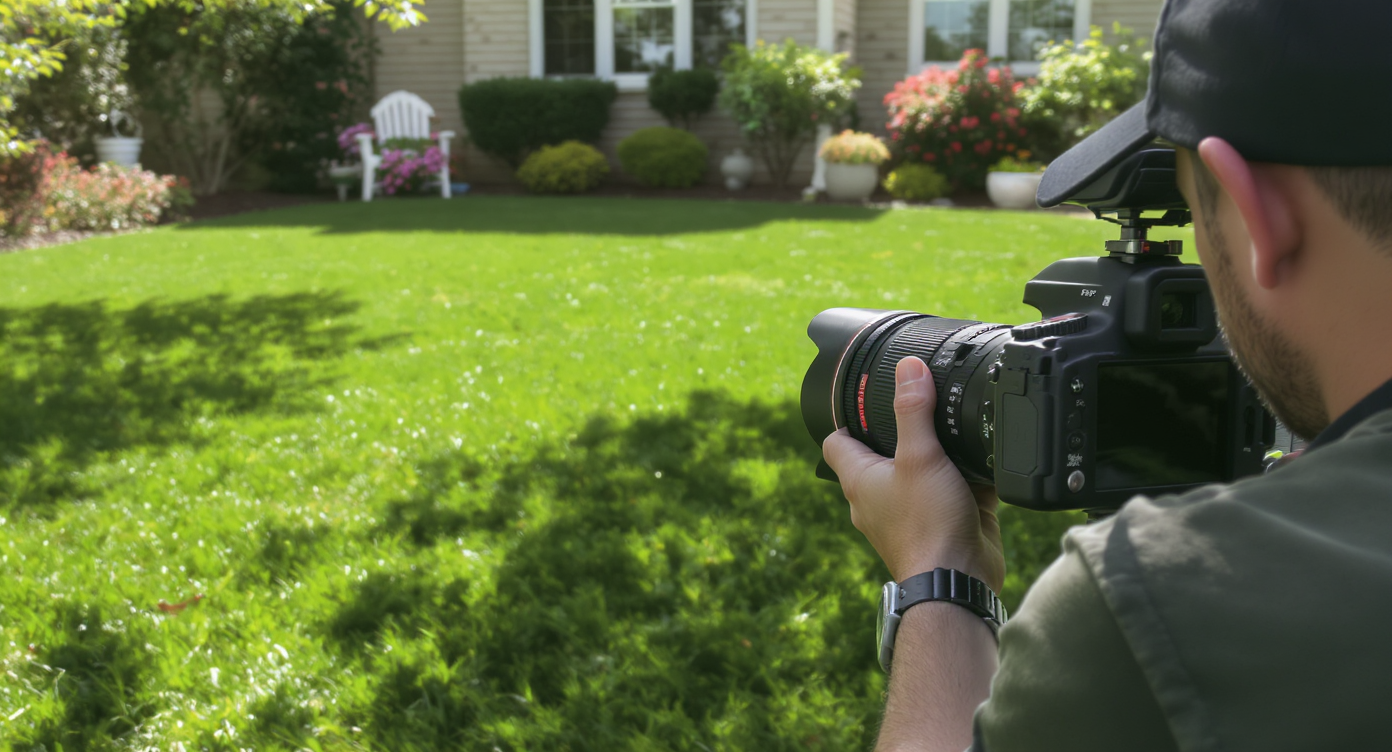
Capture tone and texture carefully to ensure your lawn replacement looks natural and authentic.
Even simple lawn fixes work best when tone, texture, and edges feel honest to the scene. Follow this rule of thumb: match the lawn’s brightness and color temperature to the existing light in the photo.
- Mind the mow height: Avoid ultra-short “golf green” looks in suburban settings; slightly varied blade length reads more natural.
- Respect edges: Keep the replacement grass a hair off the sidewalk or curb so the edge shadow remains visible.
- Match regional species: Cooler, finer fescues for shaded northern yards; warmer, coarser textures for southern full sun. Note your preference when generating.
- Blend sun and shade: Slightly desaturate lawn in shaded areas so it doesn’t glow unrealistically.
- Keep the story consistent: If the backyard is dormant winter brown, don’t render the front as mid-June green unless you use a whole‑scene Seasonal Reset.
- Tune color gently: A small shift toward yellow-green simulates warm afternoon light; cooler greens suit overcast days.
- Check realism at 100% zoom: If blades look too uniform, regenerate with a less dense setting.
Visualization Scenario
A front elevation shot where the right edge shows a scalped band from a neighbor’s mower. After Lawn Replacement, the turf reads even, the curb edge shadow returns, and the eye moves to the doorway and windows instead of the lawn seam.
FAQ
Is AI lawn replacement allowed in real estate listings?
Policies vary by MLS and brokerage, but realistic, non-misleading edits that reflect maintainable conditions are commonly accepted. When in doubt, disclose that images were virtually enhanced and keep the lawn consistent with the property’s true potential.
How realistic are AI landscaping and lawn replacement results?
When you match species, light, and edges, results look photo-real — not “painted.” ReimagineHome.ai aligns grass texture and shadows to your exact photo.
Can I choose the type of grass or just the color?
You can guide toward cooler (fescue-like) or warmer (Bermuda/St. Augustine-like) tones and densities so the ai lawn design fits your region and season.
What resolution do I need for best results?
Upload high-resolution images, ideally around 3000 pixels on the long edge. If your file is small, run it through the Upscale Resolution tool before exporting.
Will Lawn Replacement fix property-line disputes?
It won’t determine legal boundaries, but it removes visual eyesores — like a scalped two‑foot strip — so marketing images look clean while you handle the boundary offline.
Visualize Your Next Listing (or Project) Before You Commit
Previewing exterior improvements visually can prevent missteps, re-shoots, and awkward neighbor drama. A believable lawn replacement is like a dress rehearsal for curb appeal — you see the final, tidy edge before spending money or time.
When a two‑foot strip becomes a turf battle or winter robs your listing of color, restore the photo, elevate the home, and move the conversation forward. Try ReimagineHome.ai’s Lawn Replacement on your next exterior, or start a project from the homepage at ReimagineHome.ai.