9 Living Room Wall Corrections Using Reference Photo AI: Scale, Proportion, and Fireplace Accuracy
TL;DR
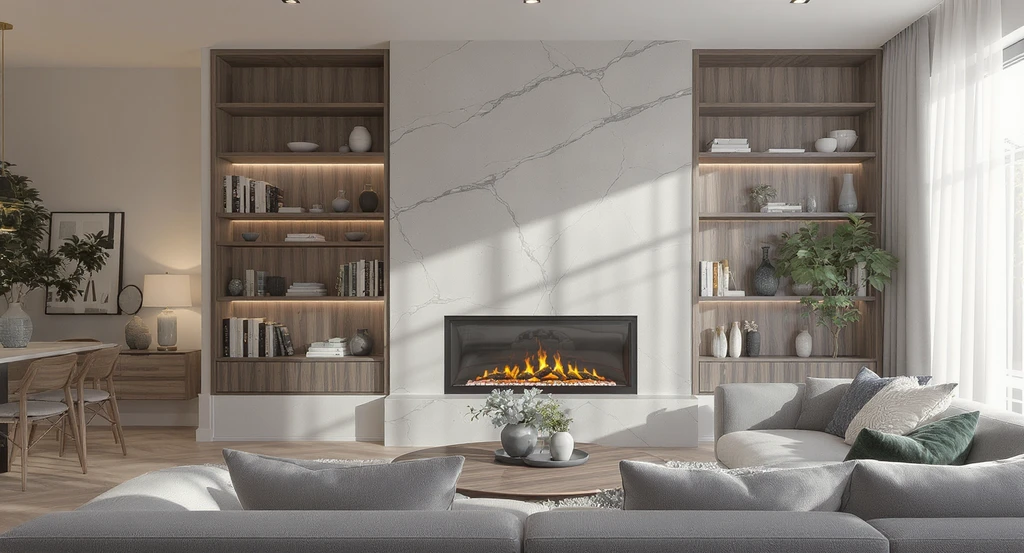
Reference Photo AI eliminates common living room wall design errors by anchoring style, scale, and material choices to tangible examples. Using this method reveals proportion mismatches before work begins and bridges communication gaps with contractors. Here we break down the correction logic behind every phase of a real fireplace and slat wall redesign, focusing on measurable decisions and minimizing regret.
The Proportion Problem on Living Room Walls
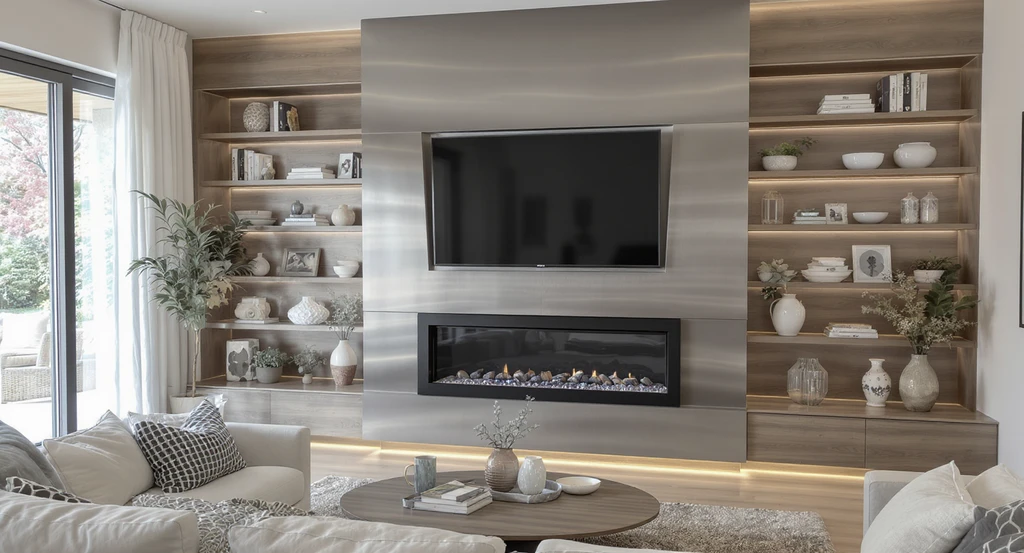
A reference photo AI tool for living room makeover reveals subtle issues in custom fireplace wall designs like incorrect proportions, off-center TV placement, and mismatched finishes—helping homeowners visualize room changes with AI before any renovation begins.
A custom fireplace wall can transform a living room, but most home makeovers stumble on proportion, awkward transitions, and mismatched finishes. Small misalignments—like a too-narrow steel cladding, an off-center TV, or an unanchored hearth—quickly add up to design regret. The difference between “magazine-worthy” and “almost right” often boils down to how well a vision holds up when brought into your actual space. This is where the Reference Photo feature in AI design tools becomes critical. By using a real-world image as your project anchor, you can lock in both style intent and measurable details long before a contractor ever swings a hammer. In this post, we’ll dissect a complete living room wall renovation, showing the stepwise corrections that reference-led AI delivers—what gets missed otherwise, why those mistakes happen, and how the process improves alignment from sketch to site.
-
01. Anchor Every Decision to a Reference Photo
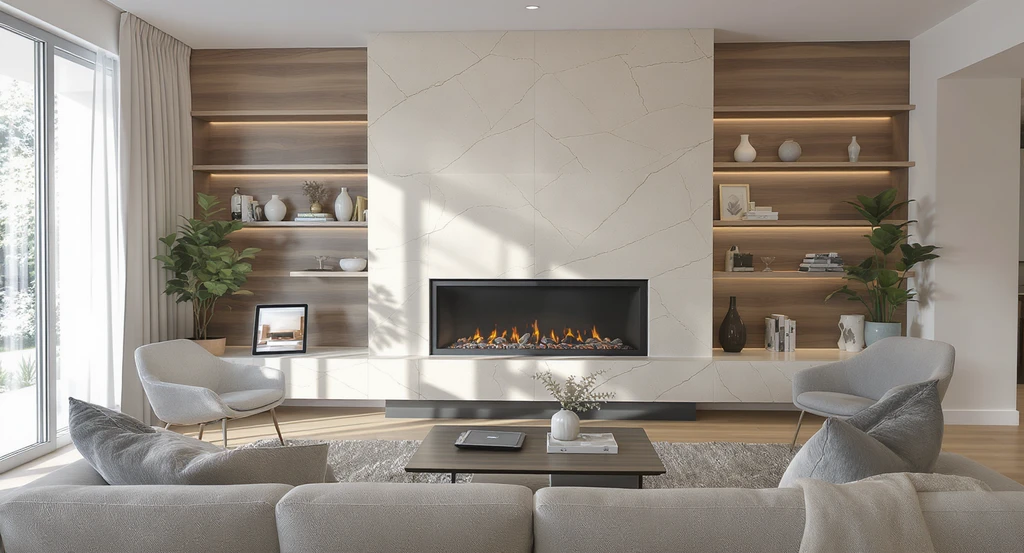
Using an AI tool for living room makeover, this visual shows how to visualize room changes with AI anchored to a reference photo for custom fireplace wall designs and accurate virtual staging in modern living spaces.
Begin your design process by choosing a concrete reference photo as your Reference Anchor, not just a moodboard.
Many living room wall projects go off track because initial sketches evolve and details drift, leading to inconsistencies across materials, colors, and architectural features. Starting with a reference photo directs the AI's transformation toward a pre-determined style, proportion, and palette—entirely grounded in a real, executable vision. Instead of getting lost in abstract inspiration, you tie every critical call (fireplace size, slat wall coverage, mantel depth) to proven spatial relationships. As we explored in our guide to visualizing color and design choices from a photo, using a reference photo closes gaps between imagination and outcome.
Expert Insight
A homeowner was convinced their living room fireplace needed only a new surround, but after visualizing with a reference photo, they realized the TV scale and the color of the slat wall didn’t coordinate with their favorite inspiration photo. A few AI-powered tweaks later—including accurate rug placement and trimmed mantel—they avoided costly mistakes, achieving exactly the intended look.
-
02. Use the Two-Thirds Placement Rule for Fireplace Proportion
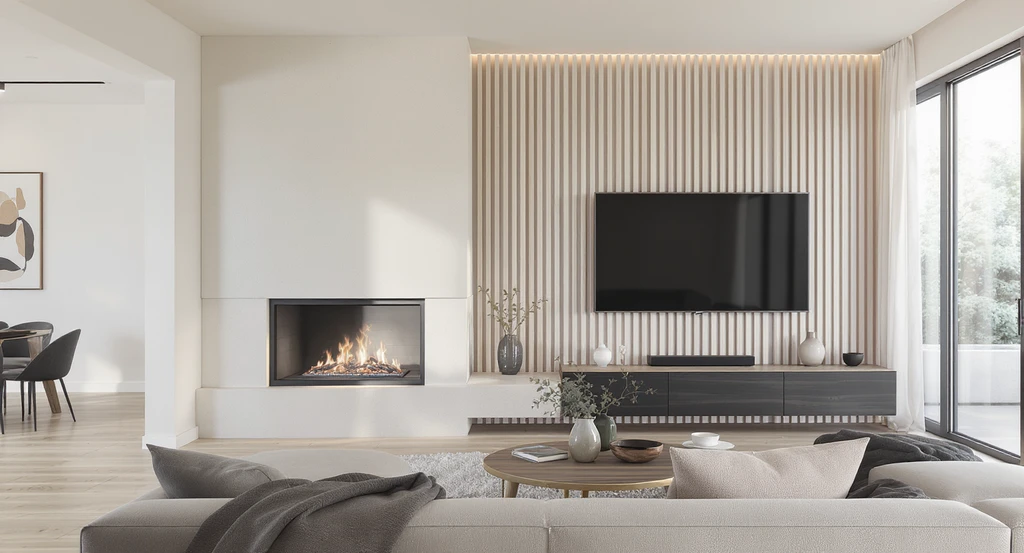
Custom fireplace wall designs using ai tools make proportional placement easy; see how to visualize room changes with ai and get precise, balanced living room layouts using virtual staging for modern living spaces.
Place major vertical elements—like a fireplace column—along the one-third or two-thirds line of a wall for balanced visual weight.
In this living room, the fireplace stack was assigned to the left third of the wall, while the slat wall and TV fill the remaining two-thirds. This follows a classic design heuristic: the Two-Thirds Placement Rule. Proportionally, this avoids the common error of centering every feature or stacking objects edge-to-edge, which creates visual tension and hampers furniture layout. The reference photo ensures the stack’s width and height match the real-world baseline, not just theoretical measurements.
-
03. Match Materials Using Consistency Mapping
Confirm that materials—like walnut, steel, or stone—are used in ways that relate visually and spatially to other finishes in the room.
DIYers and even seasoned remodelers often underestimate the impact of slightly mismatched tones or finishes. In this case, the walnut hearth base, white stone top, and light maple slat all relate to existing elements, such as the floor and window frame finishes. The Consistency Mapping method—comparing proposed new materials directly within the reference image—prevents awkward color clashes or jarring transitions. This mapping framework also supports editing requests, such as changing the slat wall to a lighter maple when the initial choice proved too dark—a common pitfall avoided by visual preview.
-
04. Ensure Clearance Accuracy for Functional Features
Always confirm real product dimensions—like a 36" fireplace and 42" TV—against actual wall space before finalizing placement.
The psychological trap here is underestimating the space needed for everything to "breathe." By anchoring the 36" Napoleon Ascent™ fireplace and 42" TV with precise clearances, the design avoids cramming. AI visualization with a reference photo makes these scale relationships obvious: you see if the hearth crowds the walking path or the TV appears undersized against the slat wall. According to our detailed process on the best workflow for AI room editing, previewing prevents costly and time-consuming rework.
-
05. Color Assignment: Tie Ceilings, Trim, and Walls Together
Apply the same paint color—not just similar tones—to all trim, ceilings, and wall surfaces for a unified volume.
Homeowners often default to semi-matching shades on walls, ceilings, and baseboards, but this produces subtle—but jarring—visual breaks. Painting the ceiling, drywall, and trim SW 7102 White Flour in this project establishes visual continuity and calm. Through AI reference photo updates, you can preview how a single color reads differently on horizontal versus vertical planes and catch unanticipated shifts in undertone due to daylight, as discussed in our exploration of virtual repainting before buying paint.
-
06. Position Rugs and Soft Furnishings with Fixed Offsets
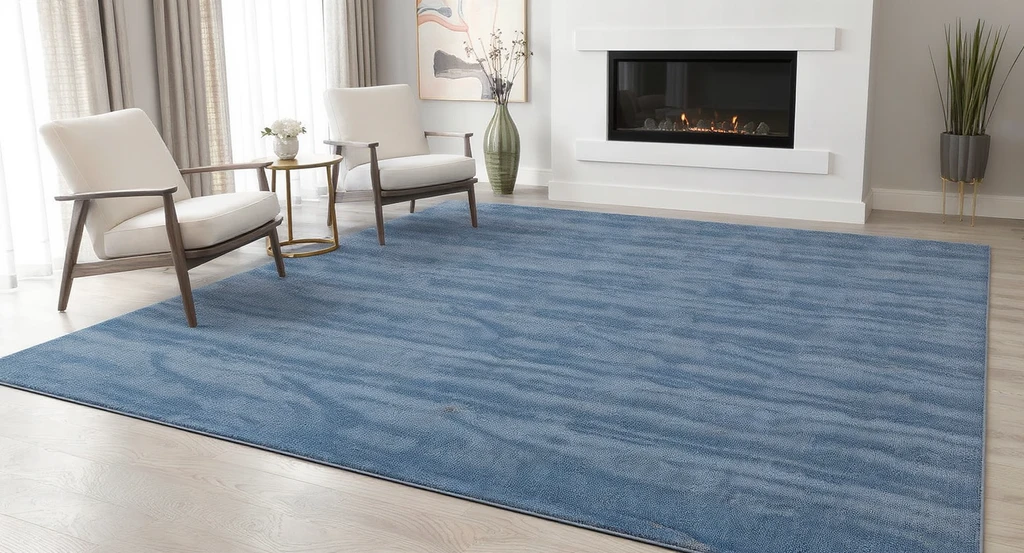
See how an ai tool for living room makeover helps visualize rug placement with fixed offsets, ensuring accurate area rug and fireplace wall design alignment.
Use measurable distances when placing area rugs—such as ‘1 foot from the fireplace and 6 inches from the wall’—to create deliberate spatial relationships.
Rugs are frequently misplaced, leading to awkward floating zones or chopped-off arrangements in photographs. In this example, the 9-foot wide Annie Selke Deer Leap Blue area rug was mapped precisely with fixed offsets based on client instruction. This approach, validated in the AI-generated preview, prevents last-minute improvisation and improves comfort and walkability. It is essential to preview where the rug will bleed off the frame in your real photography to avoid surprises on installation day.
-
07. Curtain Selection and Window Framing for Cohesive Edges
Update curtain color, length, and fullness to complement major wall elements, and synchronize the window frame finish with your primary design reference.
Curtains and window trims are often afterthoughts, but slight mismatches can undermine the entire look. Here, modern textured linen drapes in a neutral tone replace old sheers, while the window frame is darkened to match the inspiration. The Reference Photo AI approach makes these micro-adjustments easy, allowing you to trial multiple combinations and see edge effect on perceived space. This approach directly improves trust between client and designer, as everyone sees exactly what will be executed.
-
08. Integrate New Lighting and Ceiling Fixtures Centered on Focal Zones
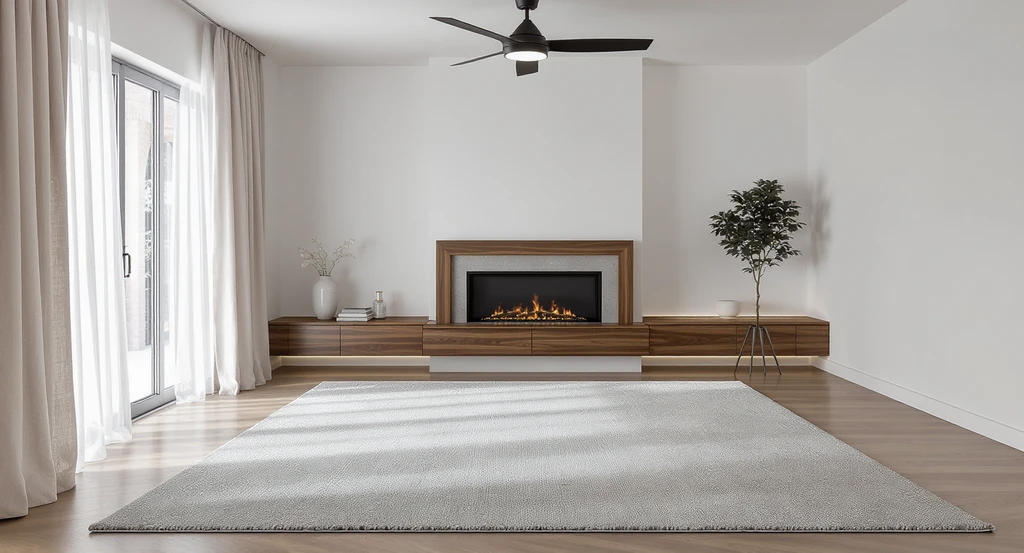
Strategically visualize living room changes with ai: ceiling fixtures, modern fan, and custom fireplace wall design aligned over the area rug for a balanced, ai-powered home makeover.
Add new ceiling fans and accent lighting only after the anchor pieces—fireplace, rug, and curtains—are in place and spatially verified.
The mistake here is to install overhead lighting too early, forcing later adjustments that can look tacked-on. In this sequence, a matte black modern ceiling fan is deliberately centered over the primary living zone (the 9'x12' rug), and under-cabinet lighting is installed under the walnut hearth. Verifying placement in the AI preview protects circulation space and guarantees the fan aligns with the focal point—not a nearby feature wall.
-
09. Final Correction Loop: Iterate, Don’t Guess
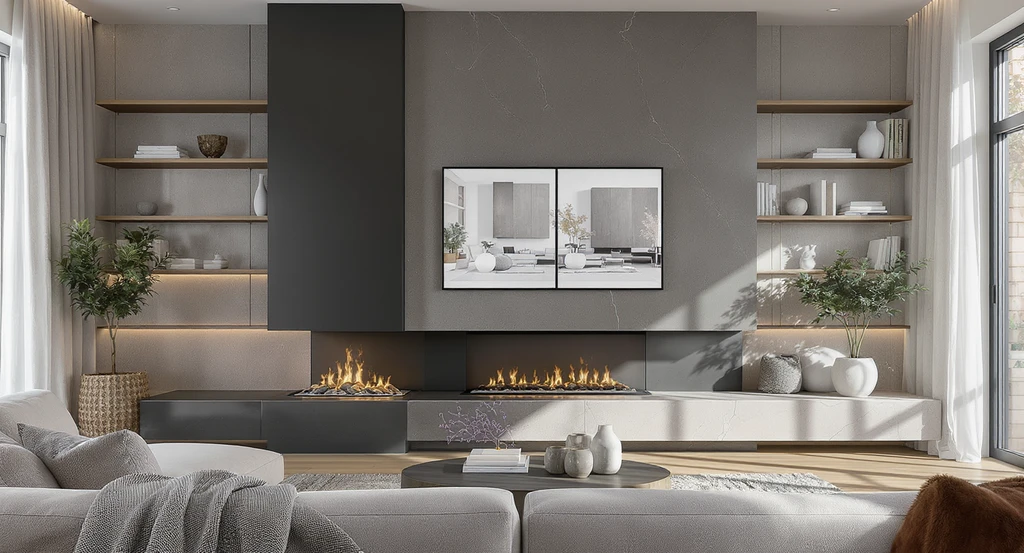
How to visualize room changes with AI: This living room shows side-by-side custom fireplace wall designs using AI tools, demonstrating a correction loop for optimal mantel and column alignment. Virtual staging supports precise, feedback-driven living room makeovers.
Adopt a correction loop that allows for preview, feedback, and adjustment, rather than locking every detail at once.
Mistakes persist when teams commit to a one-shot plan. The correction loop—visualize, critique, tweak, visualize again—makes it possible to experiment, such as narrowing the mantel to align with the steel column and then reverting for optimal proportion. At every stage, the Reference Photo AI functions as a verification tool, clarifying material and placement changes and letting you validate every shift without rework or indecision. ReimagineHome integrates this approach, ensuring the outcome always stays rooted to your original vision and eliminating miscommunication down the line.
FAQ: Reference Photo AI for Living Rooms
- What is the main advantage of using a reference photo instead of only describing my idea?
- A reference photo acts as a visual contract, so your intended materials, colors, and proportions are clearly understood by everyone involved. This reduces misinterpretation and holds the design accountable to real-world examples.
- Can I adjust design elements after the first AI output?
- Absolutely. With reference photo AI, you can iterate multiple times—changing wall color, adjusting mantel length, or swapping rug placement—until every detail fits your preference and space.
- How does visualizing the layout reduce project regret?
- Visualization exposes proportion or material mismatches before installation, letting you correct them early. Previewing changes with real context is essential for preventing disappointment and costly re-dos, as explored in our guide on virtual color and style testing.
- Do I need advanced measurements to use reference photo AI?
- No. Starting with a well-chosen reference photo allows you to preview scale and composition without needing full blueprints, as described in our workflow overview on living room AI tools.
- Who benefits most from this process?
- Anyone who needs alignment—homeowners working with contractors, DIYers unsure of their style direction, or designers seeking client approval before ordering materials.
From Sketch to Reality—Why Reference Photo AI Prevents Regret
No amount of planning offsets the frustration of finishing a living room feature wall and realizing it’s not quite right. Using a Reference Photo as an anchor throughout the design and build process enforces proportion logic, material consistency, and finish accuracy—across every phase. This method tightens communication with contractors, accelerates decision-making with measurable frameworks, and substantially reduces post-completion regret. As visualized in these correction loops, the margin for error narrows, so every detail lands exactly as intended.