
TL;DR
If your interior feels chaotic or impossible to stage, start by editing scale and flow, not your identity. Clear 30–36 inches for walk paths, reduce competing focal points to one per wall, and keep 70% of surfaces visually quiet. You can try an AI interior design from photo in ReimagineHome.ai to see a calmer layout, new paint, and fewer pieces before you move anything. This approach solves the interior design dilemma, lowers budget risk, and eases decision fatigue for maximalists and sellers alike.
Why This Room Feels “Off” (and Why You’re Not Imagining It)
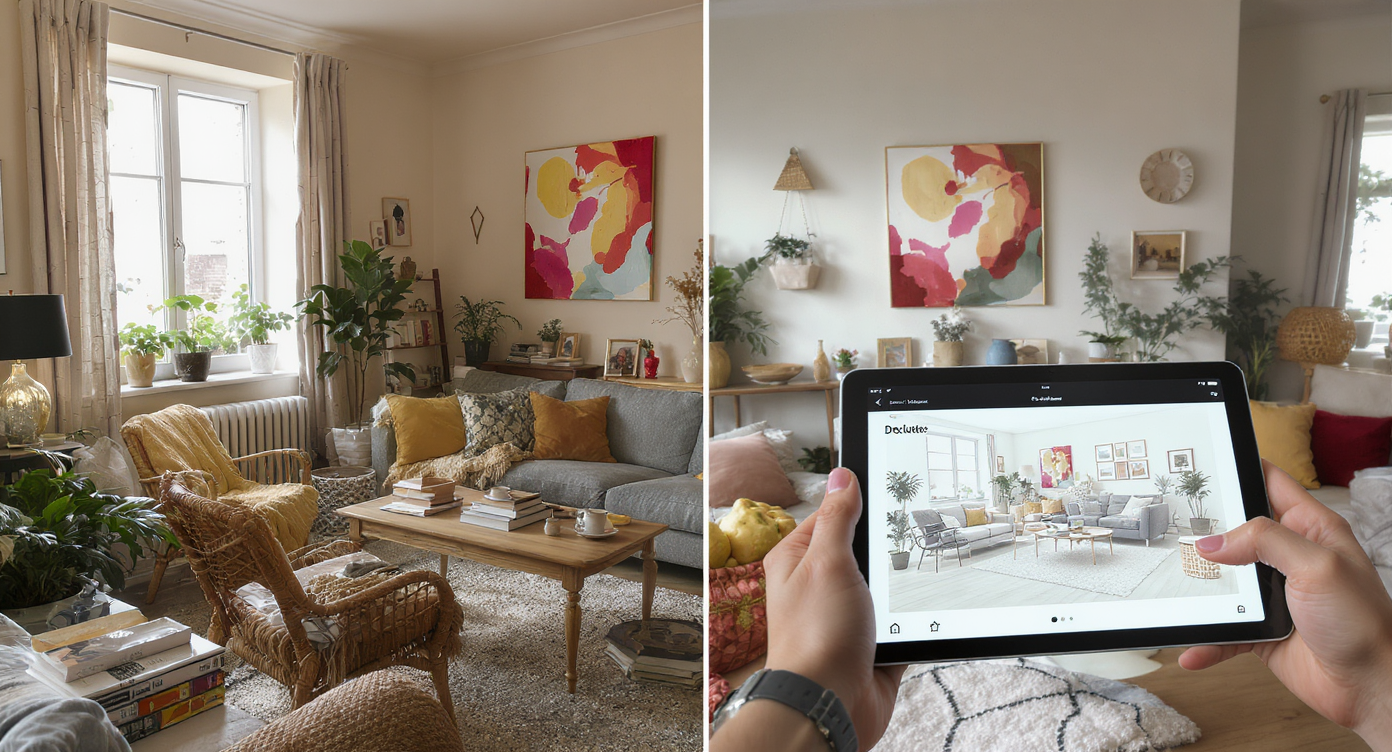
Too many focal points in a room can overwhelm; planning with visuals helps restore balance.
Most rooms that feel out of control aren’t beyond saving—they’re suffering from too many focal points and furniture that fights the architecture. The fastest fix is to restore circulation, scale down one or two oversized items, and let a few strong pieces breathe.
- At a glance: how to decide what stays, what gets stored, and what becomes the star
- Essential layout rules (walkways, coffee table spacing, rug sizing) that calm the room instantly
- Virtual room design with AI: see a decluttered, staged version of your space in minutes
- DIY steps to patch holes, repaint, and swap lighting without wrecking your budget
- Pro tips for mixing pop art, novelty pieces, and classic furniture—without chaos
Before you move a single sofa or pick up a paint roller, upload a photo to ReimagineHome.ai and test a few ideas safely.
If you want more background on AI room planners and virtual staging, see this breakdown of AI interior design tools—it explains how photo-to-room makeovers work and when to choose free vs paid features.
Why Interior Design Dilemmas Are Usually About Layout, Scale, and One Wrong Piece

Layout and scale issues often stem from one wrong piece disrupting flow and balance in a room.
Most designers recommend keeping 30–36 inches of clear walking space through main paths in a living room. When novelty furniture, jumbo sculptures, or wall-to-wall collectibles crowd those paths, the room reads as smaller, messier, and harder to use—even if the square footage is generous.
Here’s the pattern under most interior design dilemmas:
- Scale: One oversize piece (an extra-deep sectional, towering sculpture, or ultra-tall throne of a chair) throws off the proportions of every other item. Scale is contagious; once one thing is too big, everything around it compensates by looking wrong.
- Circulation: If guests must sidestep a coffee table or squeeze between chairs, the space feels stressful. Clear paths first; style second.
- Light: Bright, reflective objects can work—but too many shiny, candy-colored surfaces ping-pong the eye. Soften with matte walls and textured textiles.
- Focus: Multiple “hero” moments on one wall (think face chairs, mirror mosaics, and graphic art all together) split attention and cause visual noise. Keep one focal point per wall.
If your home is boldly maximalist, the goal isn’t to become beige. It’s to edit to a strong narrative: one star per wall, supporting players elsewhere. For flow and sizing examples that translate even to larger rooms, skim a detailed guide to small living room layouts; the same rules about clearances and focal points apply at every scale.
Anecdote
That corner where the armchair never quite fits? In one client’s house, it was a mirrored hand chair blocking the path from foyer to family room. We centered a single art piece on that wall, swapped the chair for a slim console, and the whole ground floor suddenly felt twice as big.
Furniture Rules That Quietly Solve Most Room Problems
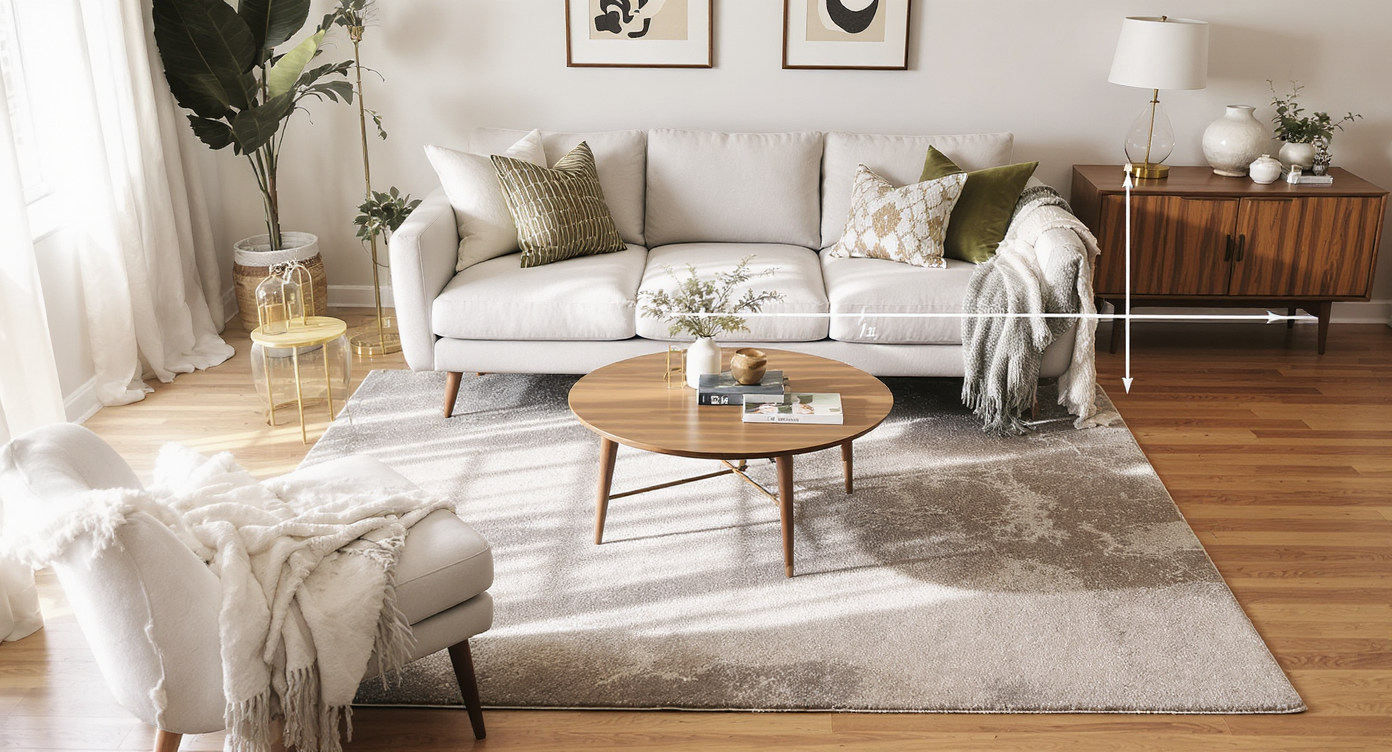
Simple furniture rules create calm, functional rooms with effortless flow and proportion.
Coffee tables usually work best 14–18 inches from the sofa—close enough to reach, far enough to walk. Keep these quiet rules in your pocket:
- Walkways: 30–36 inches in main paths; 24 inches minimum around beds and dining tables.
- Seating depth: Standard sofa depth is 34–38 inches; if space is tight, aim closer to 34 inches.
- Dining comfort: Allow 24 inches of width per chair and 36 inches of clearance behind for pull-out space.
- Rug sizing: Front legs of sofas and chairs belong on the rug; in many living rooms, 8×10 is the minimum, 9×12 often better.
- TV distance: Roughly 1.5–2.5× the screen diagonal; wall-mount to reclaim floor space.
- Art height: Aim for 57 inches on center for the main sightline; cluster multiples within a 6–8 inch gap.
Apply these, and the room calms down—even if you keep a balloon-dog sculpture or a pair of cheeky accent chairs. Use ReimagineHome.ai to test the same room two ways: one version with your statement piece centered and supported, another with it moved or scaled down. If you’re unsure about floor coverings, our rug size guide shows when to bump from 8×10 to 9×12 so seating doesn’t feel like it’s floating.
How ReimagineHome.ai Helps You Test Layouts, Styles, and DIY Ideas

AI tools help test layouts and styles before moving a single piece for confident design choices.
AI tools can show multiple layout and style options in minutes, before you move a single piece. That’s the magic of room design AI—fast, low-risk testing.
- AI room restyle from one photo: Drop in a snapshot and generate calmer, edited versions—neutral walls, simplified lighting, quieter textiles—without losing your favorite hero piece.
- AI furniture layout for small or busy spaces: Preview alternate sofa orientations, slimmer coffee tables, or a credenza in place of bulky shelving to regain walk paths.
- Paint and finish tests: Try softer whites, warm neutrals, or a deep gallery hue across the entire space in seconds to see what tames colorful art.
- Global style experiments: Toggle Scandi, Japandi, or Contemporary to see how a minimal base supports pop art, novelty seating, or graphic rugs.
- Virtual staging for listings: Generate a listing-ready look that helps buyers imagine life without the clutter—then mirror the best concept in real life.
If you’re curious about broader workflows—from mood boards to virtual staging—start with this deep-dive on AI room makeovers to understand how photo-to-design iterations can streamline decisions.
Step-by-Step: Fixing This Room Using AI and Simple DIY Changes

Step-by-step AI and DIY fixes transform busy rooms into balanced, inviting living spaces.
Most living rooms feel better when the main path is 30–36 inches wide; if you can’t get that, choose slimmer pieces or edit quantity. Here’s a practical plan to go from “too much” to intentional—especially if you’re prepping to sell.
- Photograph your room honestly: Daylight, straight-on angles. Upload to ReimagineHome.ai.
- Generate three edited concepts: a) Keep one statement piece per wall; b) Neutral base with only art as color; c) Minimalist staging for listing photos. Save the top two.
- Pick your star: Choose one hero per wall (the sculpture, the graphic art, or the wild chair—never all three). Use AI variants to see which reads best in your architecture.
- Right-size the rug: If front legs aren’t on the rug, upsize. Compare 8×10 vs 9×12 in AI to feel the difference in cohesion.
- Fix circulation: Remove or relocate anything blocking a 30–36 inch path. Swap a bulky coffee table for a round or glass-top option placed 14–18 inches from the sofa.
- Neutralize the shell: Patch holes, prime, and paint in a low-sheen washable finish. Deep gallery hues can work too—AI-test both to see which flatters your art.
- Lighting swap: Replace novelty chandeliers with simple drum or linen shades for listing photos; store the art piece and reinstall later if you’re staying.
- Style once, then stop: One stack on the coffee table, one plant or lamp on each side table. Edit shelves to 60–70% full with repeats of 2–3 materials.
- Shoot your “after”: Mirror the winning AI concept, then photograph again for your listing or just to sanity-check the new vibe.
For more room-by-room staging tactics, see our quick primer on virtual staging for listings and how to translate the render into a real-world setup.
Visualization Scenario
Upload a wide shot of your most chaotic wall—say, a stuffed-animal collage over a bright sofa. Generate three AI versions: 1) neutral wall with a single large artwork, 2) deep gallery color with the collectibles edited into one grid, 3) listing-ready minimal. Compare the way your eye travels in each, then replicate the winner.
FAQ
How do I fix an awkward living room layout without buying all new furniture?
Start by clearing 30–36 inches of walkway and reducing to one focal point per wall. Use ReimagineHome.ai to test new orientations and decide what to store.
Which AI interior design tool is best for small apartments or busy rooms?
Look for room design AI that restyles from one photo and supports virtual staging and furniture layout. ReimagineHome.ai is optimized for quick, realistic photo-to-design iterations.
How can I see if a new sofa or rug will fit before I buy?
Follow sizing rules (sofa depth 34–38 inches; rugs large enough for front legs on top) and preview options in AI. Our rug size guide helps pick 8×10 vs 9×12 with confidence.
Can I use AI to plan DIY paint or furniture projects?
Yes—generate alternate paint colors, finishes, and even toned-down styling to see what reads best, then tackle prep and two light coats for durability.
What’s the easiest way to mix different furniture styles without clashing?
Stick to a 70/30 style ratio, repeat 2–3 materials, and limit palette to 3–4 colors. Test bold combinations in AI first so the room stays cohesive.
Visualize Your Room’s Next Chapter
A visual mockup is a low-risk plan you can change for free, which is exactly what a high-drama room needs. Editing maximalism isn’t about erasing joy; it’s about choosing where joy lands so the architecture and the people have room to breathe.
When you can see the possibilities, it’s easier to move with confidence. Start by uploading one honest photo to ReimagineHome.ai and let your next version of the room come into focus.