
TL;DR
To tone down an overstimulating, maximalist room, edit excess decor by half, unify to a tight 3-color palette, right-size the rug and seating, and create one clear focal point per space. Use an AI room designer to preview calmer layouts and colors from one photo before lifting a finger; try it in ReimagineHome.ai (https://www.reimaginehome.ai/?utm_source=blog). This approach solves decision fatigue, prevents costly returns, and works for rentals and budgets alike.
Why This Room Feels ‘Off’ (and Why You’re Not Imagining It)
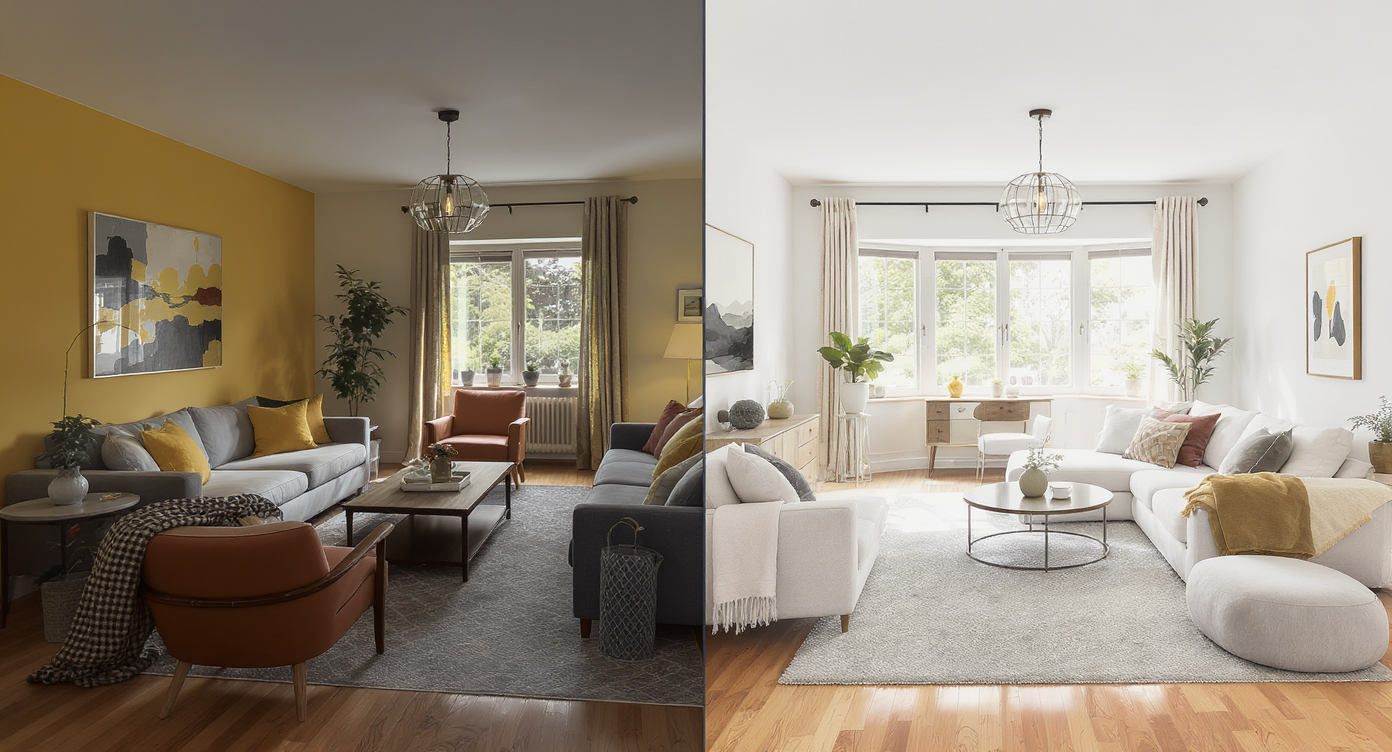
Editing maximalist interiors by reducing patterns and scaling furniture revitalizes room harmony.
Most rooms that feel chaotic can be calmed by editing decor by 40–60%, unifying color and pattern, and correcting furniture scale so you regain clear pathways and a single focal point. AI room design tools like ReimagineHome.ai make it easy to preview a quieter palette, fewer patterns, and a simpler layout from one photo before you commit.
- Exactly how to edit maximalist decor without losing personality
- Color and pattern rules that reduce visual noise fast
- Right-size furniture, rugs, and walkways so the room can breathe
- Using room design AI to test calmer layouts, paint, and lighting
- DIY changes that make a big difference in a weekend
- Common mistakes to avoid when dialing back a busy space
Before you move a single sofa or pick up a paint roller, upload a photo to ReimagineHome.ai and test a few ideas safely.
If your space is also small or long-and-narrow, this overview pairs well with a detailed guide to small living room layouts for more layout-specific tips.
Why Interior Design Dilemmas Are Usually About Layout, Scale, and One Wrong Piece
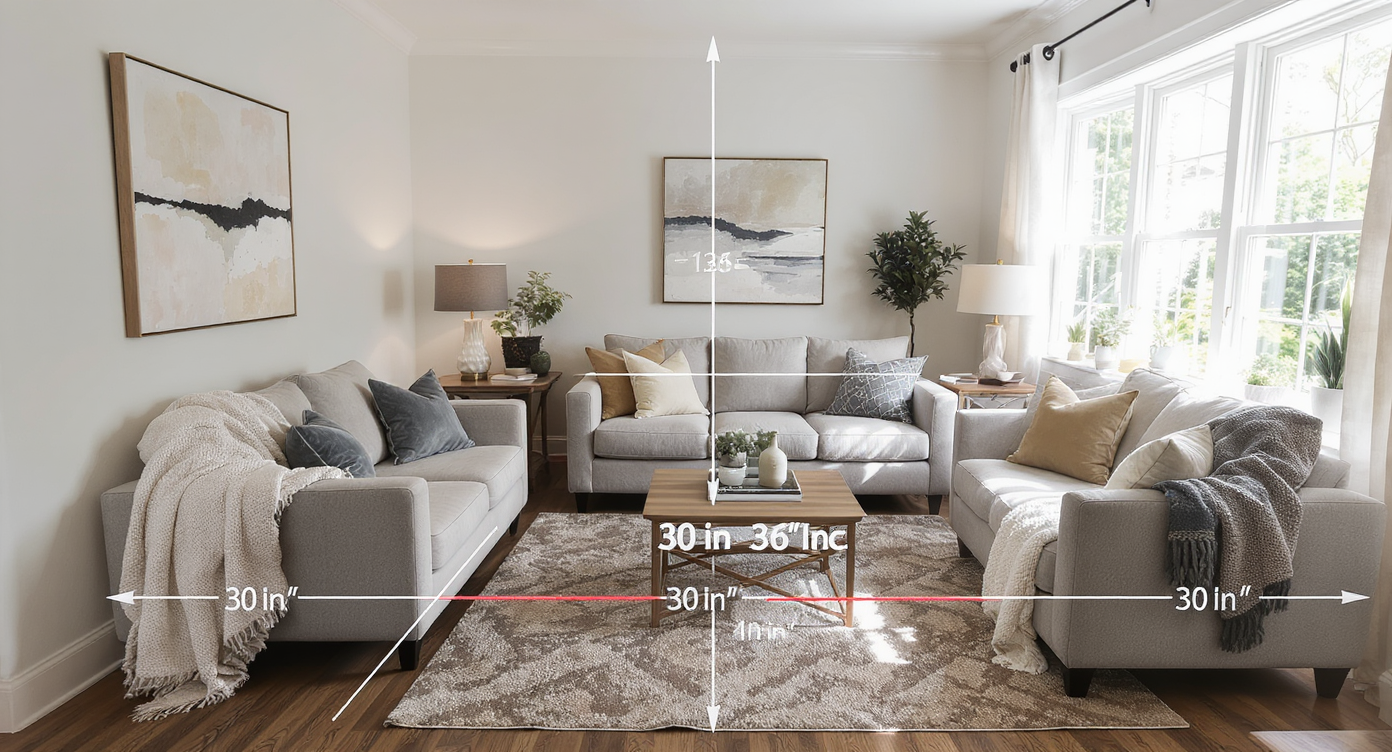
Proper layout and furniture scale transform interiors, avoiding one wrong piece disrupting the room.
Most designers recommend keeping 30–36 inches of clear walking space through main paths; when decor blocks that, even gorgeous rooms feel stressful. Overstimulation rarely comes from one wallpaper or lamp — it’s usually the combo of mis-scaled furniture, too many micro-focal points, and a rug that’s either too small or too loud for the seating plan.
Start with scale. An overstuffed sectional in a modest living room forces traffic around it, which makes every surface feel busier. A coffee table too far from the sofa (over 18 inches) spreads the zone visually and invites more clutter to fill the void. And when every wall carries its own “moment,” you end up with six competing focal points instead of one inviting center.
Light matters, too. Mixed color temperatures (cool overheads plus warm lamps) can make saturated palettes feel harsher. Replace mismatched bulbs with warm-white LED (2700–3000K) to soften patterns you plan to keep.
Finally, identify the one “wrong” piece — the extra chandelier, the theme-heavy art cluster, the hyper-patterned rug — that sets the room off-kilter. Remove it for a week. Most people are surprised by how quickly their nervous system relaxes when the loudest element goes quiet.
Anecdote
That corner where the armchair never quite fits? It’s usually not the chair’s fault — it’s the too-small rug and a side table that forces traffic to squeeze. Fix those two, and the “problem chair” suddenly works.
Furniture Rules That Quietly Solve Most Room Problems

Following furniture spacing rules quietly solves room problems and enhances comfort and flow.
Coffee tables usually work best when they’re 14–18 inches from the sofa front edge, and area rugs should let at least the front legs of major seating sit on the rug for cohesion. Those two moves alone often cut perceived clutter in half.
- Rug sizing: In living rooms, aim for a rug that’s 8x10 or larger so front legs land on it; in dining, allow 24 inches beyond the table on all sides so chairs stay on-rug when pulled out.
- Seating depth: 34–38 inches is comfortable for lounging without swallowing small rooms.
- Focal points: One per zone. If the fireplace is the anchor, keep the wall art above it quiet; let the mantel styling or a single large piece do the talking.
- Pattern mix: Use one large-scale pattern, one small-scale, and one solid. More than three reads as noise unless the palette is extremely tight.
- Palette discipline: 60/30/10 rule — 60% base color, 30% secondary, 10% accent. Keep metal finishes to two.
If you’re unsure on rug size or placement, preview options on your actual room photo with ReimagineHome.ai, or skim a quick rug sizing cheat sheet to avoid the too-small-rug trap that makes rooms feel busy.
How ReimagineHome.ai Helps You Test Layouts, Styles, and DIY Ideas
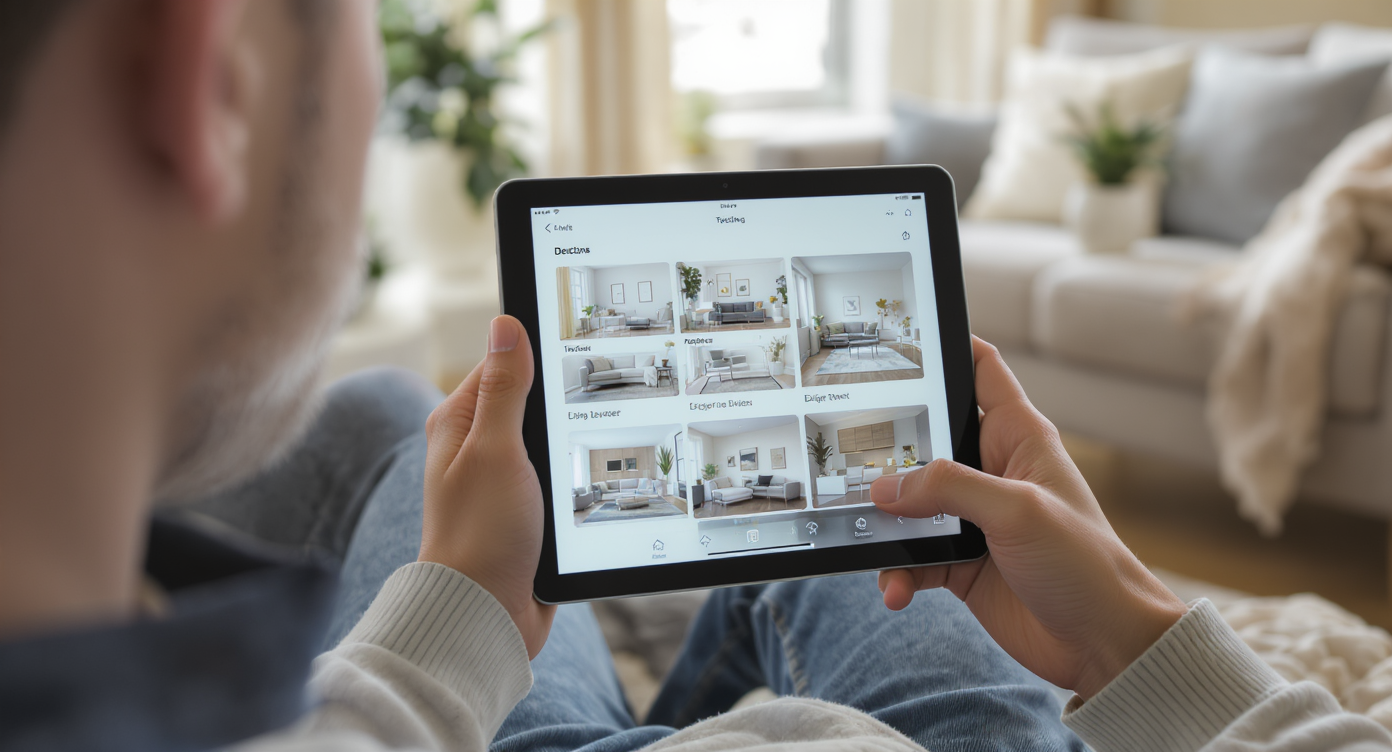
ReimagineHome.ai lets you test layouts and styles before making physical changes to your space.
AI tools can show multiple layout and style options in minutes, before you move a single piece or buy paint. ReimagineHome.ai is a room design AI built for this: upload a photo and generate calmer, edited versions that keep your architecture but test different layouts, palettes, and decor intensity.
- AI restyle from one photo: Try “quiet maximalism,” “warm modern,” or “Scandi Japandi” to see less pattern and more texture without losing character.
- AI room planner for small spaces: Reposition the sofa, swap a bulky coffee table for a round one, and test narrower side tables to protect 30–36-inch walkways.
- Paint and finish tests: Recolor walls, trim, or built-ins to a restrained palette; sample calm, light-absorbing neutrals next to one saturated accent.
- Virtual staging for listings or rentals: Hide personal collections in the render and show a buyer-friendly version without packing a box.
- Global style inspiration: Compare Boho with Japandi or Coastal; keep the base consistent and toggle only accents to judge what truly calms the room.
For a broader view of capabilities across the category, see this breakdown of AI interior design tools, including free vs. paid options and photo-to-room workflows.
Step-by-Step: Fixing This Room Using AI and Simple DIY Changes

Transform your space with AI guidance and straightforward DIY steps for a calmer, functional home.
TV viewing distance often works well at roughly 1.5–2.5 times the screen diagonal; use that to place seating, then edit everything that fights that zone.
- Photograph your space in daylight and upload to ReimagineHome.ai. Generate three calmer palettes (one warm neutral, one muted color, one tonal monochrome) and two simplified layouts.
- Edit by half: Pack away 50% of tabletop decor and 30% of wall art. Keep only items that support the new palette or have true sentimental value.
- Measure circulation: Aim for 30–36 inches on main paths and 18 inches around coffee tables. If you can’t get there, choose a slimmer sofa (34–36-inch depth) or swap a rectangle coffee table for a 30–36-inch round.
- Rug reset: Choose a larger, lower-contrast rug to knit seating together. If pattern stays, let walls go solid.
- Unify lighting: Replace mixed bulbs with 2700–3000K LED; add dimmers so saturated art looks intentional, not harsh.
- Consolidate collections: Create one gallery wall and keep the rest quiet. In bookshelves, use the 60/40 rule — 60% books, 40% negative space/objects.
- DIY paint: For high-use pieces, use primer and 2–3 thin coats of durable enamel; sand lightly between coats for a finish that won’t chip.
- Final pass: Generate A/B comparisons in ReimagineHome.ai, then implement the winning plan over a weekend: paint, swap rug, rehang art, style with restraint.
Visualization Scenario
Upload a photo of your busiest room to ReimagineHome.ai, choose “quiet maximalism,” and generate three options: one with a larger solid rug and edited art wall, one with lighter wall color and round coffee table, and one with the same palette but fewer patterns. Compare A/B, pick your favorite, then implement over a weekend.
FAQ
How do I fix an awkward living room layout without buying all new furniture?
Start by measuring walkways (target 30–36 inches), pulling the rug large enough to connect front legs, and removing one loud element. Use a room layout AI to test new arrangements from a photo before you move anything.
Which AI interior design tool is best for small apartments?
Look for a photo-to-room platform that can restyle from one image, reposition furniture, and test palettes. ReimagineHome.ai focuses on small-space layouts and quick virtual makeovers.
How can I see if a new sofa or rug will fit my room before I buy it?
Upload a photo to an AI room planner, drop in comparable sizes, and check clearances (18 inches to the coffee table, 24 inches at minimum around dining). This prevents costly returns and layout headaches.
Can I use AI tools to plan DIY paint or furniture projects?
Yes — preview wall colors, cabinet finishes, and even painted furniture in context. Generate several options, then follow with proper primer and 2–3 light coats for durability.
What’s the easiest way to mix different furniture styles in one room?
Use the 70/30 rule (one dominant style, one supporting), a tight 3-color palette, and repeating materials like wood tone or metal finish to tie it together. AI previews help you audition pairings risk-free.
Visualize Your Room’s Next Chapter
Most chaotic rooms don’t need a full teardown; they need editing, scale corrections, and a palette that lets your favorite pieces breathe. When you can see a calmer version of your own space, it’s much easier to make confident choices and stop buying “maybes.”
When you can see the possibilities, it’s easier to move with confidence. Start by uploading one honest photo to ReimagineHome.ai and let your next version of the room come into focus.