How to Use Real Shoppable Products to Stage and Design a Bedroom With ReimagineHome AI, Before You Buy

TL;DR
Visualizing real, shoppable products in your actual space with ReimagineHome AI lets you try out beds, rugs, and accessories, adjust your preferences and budget, and see what works, all before making a purchase.
Experience Your Dream Bedroom, Before You Commit

See how to design a room with real furniture and shop the look—learn how to visualize furniture in a room before buying using AI interior design tools.
Imagine picking every detail for your new bedroom and seeing exactly how it will look with real furniture, rugs, and accessories—all in your actual room—before you spend a cent. ReimagineHome AI’s Real Shoppable Products feature bridges the gap between imagination and decision by letting you preview, mix, and match real, purchasable items right inside your chosen space. Whether you’re staging for a home sale, moving, or refreshing your sanctuary, this workflow takes away the guesswork and extra steps in making style—and shopping—choices.
In this guide, we explain how you can use Real Shoppable Products with your own budget, brand, and design preferences to stage, refine, and confidently buy bedroom furnishings. Along the way, we illustrate each step with a real-world example and show exactly what you can decide at each stage, based on your needs—not just generic inspiration.
-
Direct Answer: See and Compare Real Bedroom Products in Your Space Visually
ReimagineHome AI’s Real Shoppable Products workflow lets you preview actual products—beds, textiles, lighting, rugs, and more—in your own bedroom photo, using your budget and preferences. This workflow guides you from initial style ideas to visualizing different furniture layouts and color options, all while connecting each choice to a real, shoppable product. You can easily adjust your selections, compare options side by side, and proceed to browse or order the items, removing uncertainty before buying. This step-by-step visual approach helps make purchase decisions tangible, practical, and far more confident. Learn more about what this looks like in practice in our guide to staging with real products.
Expert Insight
While preparing their guest bedroom for sale, Maya wanted a cohesive look but worried about overspending. Using ReimagineHome AI’s Real Shoppable Products, she visualized several layouts and swapped out high-cost accents for budget-friendly alternatives—finally settling on a design she loved and could purchase locally.
-
Why Visualizing Real Products Makes Bedroom Design Decisions Easier
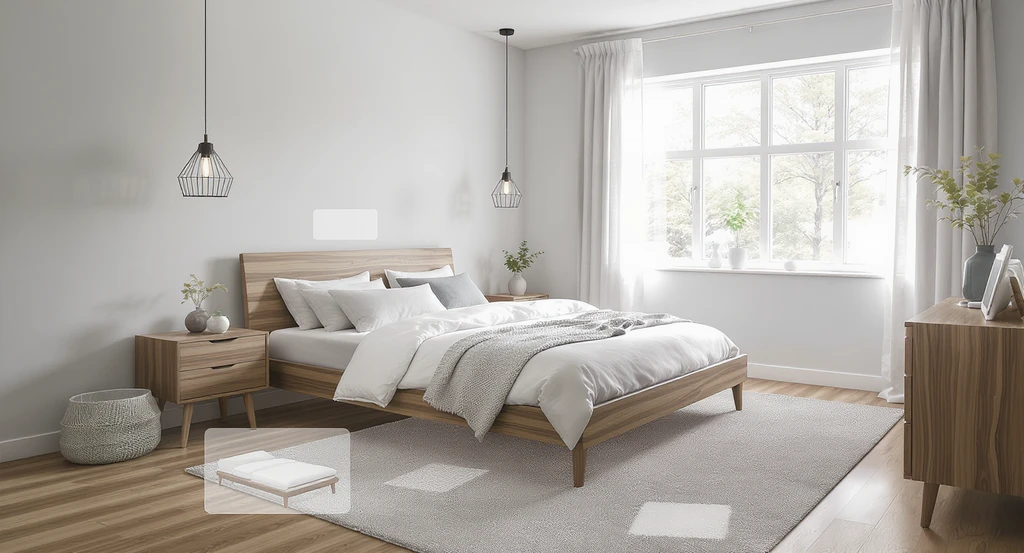
Use AI to design a room with real furniture and visualize how beds, rugs, and lighting will look in your actual space before you buy. Shop the look with interior design AI for a confident, budget-friendly bedroom update.
Bedroom updates often involve big-ticket items—including beds, textiles, and lighting—so the stakes are high. Many buyers worry about color, scale, or whether all the details will come together in their actual room. Photos and showrooms can only reveal so much.
ReimagineHome lets you upload a photo of your bedroom (or property listing), specify your location and budget, and see real, purchase-ready products staged in your exact space. This means:
- You don’t have to imagine if a bed’s finish or rug works with your wall color—you’ll see it directly.
- You can experiment with multiple bed styles, curtain hues, or lighting before making a commitment.
- Shopping links are connected to real vendors, so you can move from vision to checkout seamlessly.
According to our overview of bridging design inspiration with real products, this approach not only saves time but also empowers you to try bold changes and make confident purchases.
-
How Real Shoppable Products Works—Step by Step
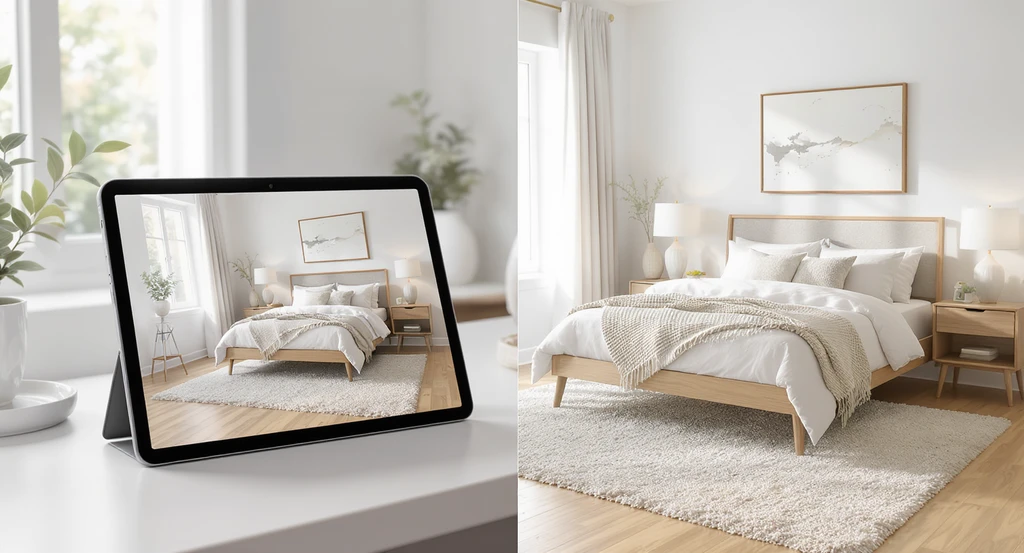
Design a room with real furniture and shop the look using interior design AI. Instantly visualize furniture in your bedroom before buying, compare options, and buy furniture from a photo for budget-friendly, shoppable results.
This workflow is designed to support both detailed planners and spontaneous explorers. Here’s a typical path for a bedroom refresh:
- Upload a room photo: Start with your actual bedroom, so every choice fits your dimensions and lighting.
- Set your location and budget: Enter your ZIP code and target budget for sourcing locally available products.
- Add details and constraints: For example, request a specific queen-sized platform bed, a high-pile rug, or a certain color scheme.
- See instant staging: ReimagineHome stages your actual space with real, shoppable products matching your inputs, which can include brand or style preferences—or just a general vibe.
- Refine and iterate: Adjust pillows, bedding, rugs, lighting, or over-bed art, either by chatting or tweaking item by item.
- Swap products and compare: Change shape, color, or type of furniture and quickly preview alternatives—down to specific product SKUs—before making any purchase.
- Get a shoppable list and links: Each item shown is connected to a real product and retailer, allowing you to go straight to checkout if you wish.
- Decide, share, or download: Save a final image for yourself, share options with family or a client, or use your shopping list for procurement.
Each of these steps, as described in our post on using real products for decision-making, keeps your design process grounded in reality—not guesswork.
-
Example: Shopping and Staging a Bedroom for Any Budget

Design a room with real furniture and see how to visualize furniture in a room before buying—AI staging reveals shoppable, budget-friendly products and shop the look inspiration for interior design on a budget.
Let’s say you want to transform your bedroom and know you like the look of gold metal beds and plush, neutral textiles. In ReimagineHome, you might upload your bedroom photo and request: ‘Put a queen size Baneza platform bed in gold by Joss and Main against the back wall, a plush off-white duvet, silk blue accent pillows, a shag rug, and floor-to-ceiling linen curtains in beige.’
With this prompt, ReimagineHome will stage your virtual room with the requested bed, bedding, rug, and textile details, using real, shoppable items. The price, vendor, and availability (based on your ZIP code) are included in the shopping list. If your needs or budget shift—for example, you want to see alternate beds under $1,000 or swap a $5,000 rug for a $400 one—you can fine-tune each item and instantly see new versions and costs. See how dreaming and shopping intersect in our detailed example here.
-
What You Can Decide With ReimagineHome’s Output
Rather than guessing from moodboards or catalog images, you’ll get a true-to-life preview for your own room—every staged product represents a real, available item. From the generated visuals and product lists, you can:
- Choose and compare exact product options for beds, textiles, rugs, lighting, and decor
- Visualize layout changes and see what feels balanced in your specific space
- Experiment with bolder color or accessory changes risk-free
- Use the shoppable product bundle and links to buy or to coordinate with your designer or family
This output empowers better decisions both for home staging and for long-term living—especially when you need to see real scale and fit, not just staged showcases. More ways this supports confident design choices.
-
Important Checks and Limitations
Product visualization is based on images and product data—it’s not a guarantee of physical fit, finishes, or colors. Always double-check dimensions, delivery options, and retailer policies before making a purchase. Major construction or electrical changes require contractor or professional review. While the workflow connects you to real retailers for checkout, final availability, pricing, and return terms should be confirmed on the seller’s site. No commissions or brand preferences are applied—products are matched solely to your design and constraints.
Frequently Asked Questions
- Can I request a specific product or brand?
- Yes, you can specify exact products, brands, colors, or finishes—or ask for alternatives within your style or budget.
- Is every item shoppable in my region?
- ReimagineHome sources products based on your ZIP code, but always confirm delivery and pricing with the retailer.
- Can I compare multiple layouts or color schemes?
- Absolutely—swap or adjust any detail and generate new visuals instantly, based on your input.
- Does the output guarantee fit and finish?
- No, always verify sizing and details directly; images are for decision support, not physical assurance.
- Does ReimagineHome get paid by brands?
- No—there are no commissions or promotional placements. Selections are based on your preferences, not brand deals.
Ready to See Real Products in Your Room?
With ReimagineHome AI’s Real Shoppable Products, you can stage, refine, and shop for real bedroom furniture and decor using your own space, budget, and style. The workflow supports decisions at every step and lets you visualize, compare, and act—before you ever click ‘buy.’ Ready to try your choices and see what fits your lifestyle best?