7 Ways Real Products Helps You Choose the Right Furniture and Materials Before Buying
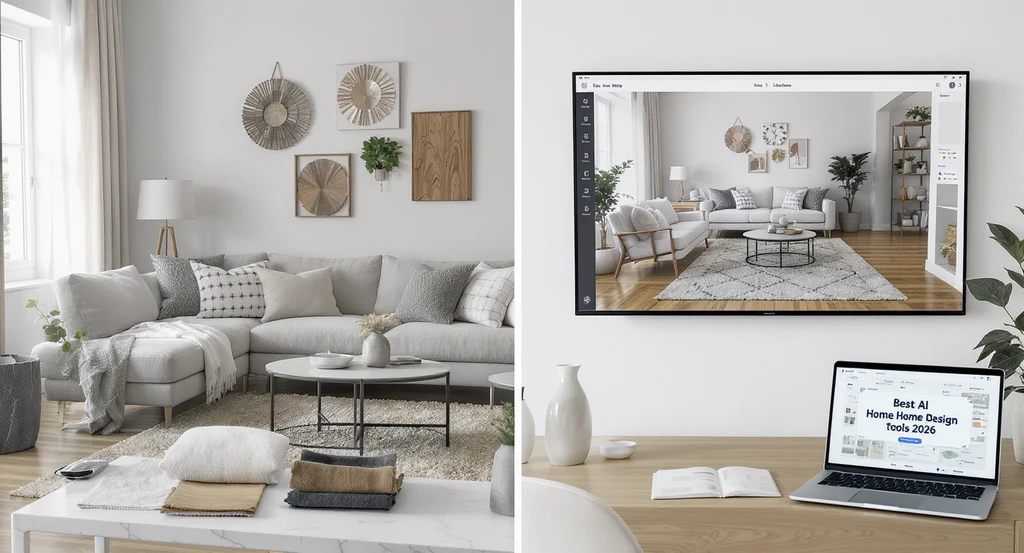
See Before You Spend: How Real Products Guides Home Decisions
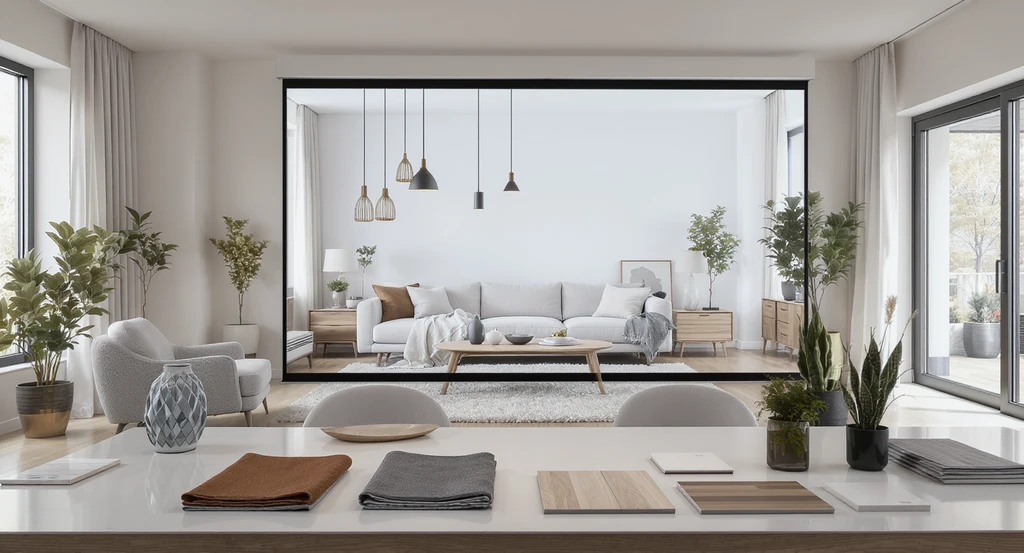
An ai powered interior design visualization tool lets you see real products in ai room makeover, customizing layouts with actual furniture, materials, and lighting for confident choices—showing how to use ai for virtual staging in 2024.
Real Products from REimagineHome AI lets you confidently visualize real, purchasable items—furniture, lighting, materials—right inside your own room design, giving you a clear sense of what will actually fit, look good, and work for your space before you buy. This means fewer regrets and more informed, satisfying choices.
It works simply: upload your room photo or begin a conversation, and Real Products suggests actual, shoppable items that match your style, budget, and even tricky floor plans. You can swap, compare, and refine until every detail feels right—then buy directly from the seller, knowing exactly how it will look. There’s no guesswork, no brand bias, just decision clarity.
-
Why Homeowners Struggle to Choose Products Confidently
Most homeowners know the challenge of staring at catalog photos or online listings, trying to imagine how that perfect cabinet, TV stand, or light fixture might look in their actual space. But static pictures rarely capture the reality—room scale, lighting angles, wall slopes, or how multiple elements feel together. Even with hours spent mood-boarding, uncertainty lingers, leading to hesitation, frustration, or costly mistakes. As described in our guide to moving from idea to reality, turning inspiration into practical purchase decisions requires tools that bridge the gap between imagination and implementation.
Expert Insight
A homeowner once spent weeks agonizing over an expensive area rug, unable to picture how it would work with her sofa and lighting. After uploading a photo to Real Products, she saw exactly how different styles looked in her space—and settled on a perfect option in just minutes.
-
1. Visualize Real Purchasable Products Inside Your Design

See how ai powered interior design visualization tools allow you to preview real products—like TVs, wall panels, and tables—customizing interior layouts before buying. Discover how to use ai for virtual staging and why the best ai home design tools 2024 enhance precision in your ai room makeover.
With Real Products, you no longer have to imagine; you see exactly how selected items—such as a 65-inch TV, acoustic wall panels, or a coffee table—will look within your actual room. This direct visualization accounts for unique architectural features, like angled walls or integrated lighting. It’s especially useful when your space has specific constraints or when precision matters, ensuring you can approve every detail before spending a dollar. As we explored in how to turn a photo into a redesigned room, seeing changes instantly in your own space leads to higher satisfaction and fewer post-purchase surprises.
-
2. Compare Alternatives That Match Your Budget and Style
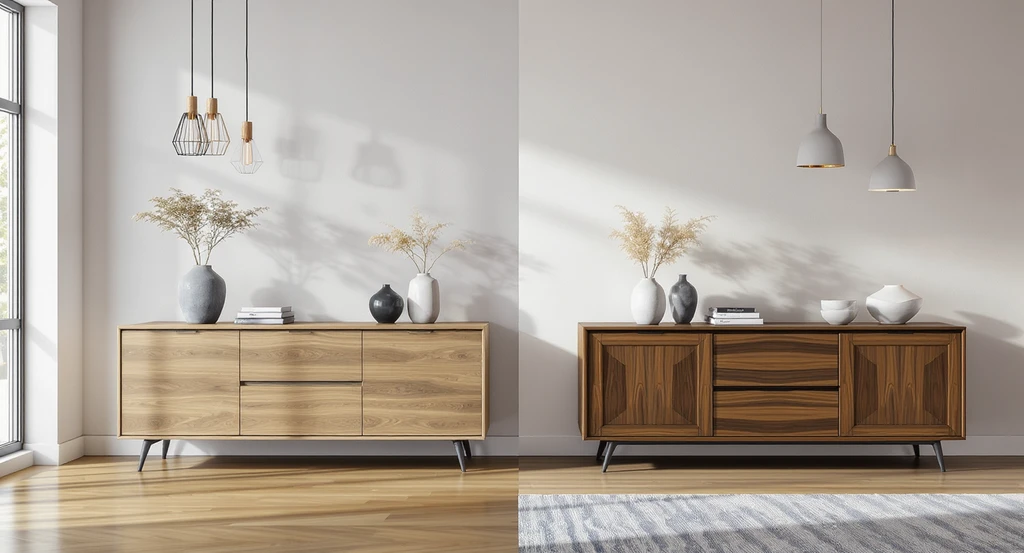
Compare oak and walnut sideboards and various lighting in a photorealistic scene using an ai powered interior design visualization tool. See how the best ai home design tools 2024 simplify customizing interior layouts with real products in an ai room makeover.
Real Products enables you to compare different furnishings and finishes—adjusting for style, budget, or function—right inside your digital room. Want a sideboard in oak vs. walnut or to trial several lighting types? Instantly swap options, and see the difference without the pressure of sales tactics. This feature is invaluable when you’re torn between choices or want to be certain you’re investing in the right piece, as discussed in our overview of AI furniture and object swapping.
-
3. Adjust Preferences and Refine Through Conversation
Design choices rarely stay static. Real Products makes it easy to update your needs—switching up budgets, dimensions, or style requests—to instantly see how those tweaks impact your results. Whether you decide last-minute to prioritize a specific material or suddenly need storage with doors, the visualization updates, and product suggestions remain accurate. This is especially helpful when decisions involve multiple household stakeholders who want to see various outcomes before agreeing to commit.
-
4. Move From Design to Purchase With Direct Buying Links
Once you’re confident in your virtual setup, Real Products provides direct links to the original seller for every shoppable item featured in your design. This streamlines the transition from planning to purchasing, removing uncertainty about availability, price, or product details. If you’re working toward a fast renovation or avoiding endless internet searches, this capability ensures you don’t lose momentum or second-guess the items you’ve already approved.
-
5. Explore Products Without Brand Bias
Unlike many visualizers, REimagineHome AI does not take commissions or push certain brands. All product suggestions are based on your criteria—no paid placements, no hidden promotions. This transparency gives you confidence that recommendations are purely about what fits your space, budget, and style, instead of behind-the-scenes deals. So your decisions are driven by your priorities, not someone else’s marketing agenda.
-
6. Design Around Real Budget Constraints
Real Products factors your stated budget into every option it presents—ensuring that luxury doesn’t exceed your limits and essentials aren’t overlooked. Whether your project totals $2,000 or $100,000, your preferences and spending boundaries shape the visualization universe. This practical filtering is especially useful on projects where prioritizing spends (such as on a statement fireplace or exclusive area rug) is critical to overall satisfaction and financial peace of mind.
-
7. Start Designing With Real Products Instantly
Access to Real Products is simple and flexible. Choose it in the menu by clicking + New, then Design with Real Shoppable Products, or just type a natural request like “Design this space with real products.” The system will prompt for your ZIP code, customizing suggestions to what’s actually deliverable to you. You can start with as little as a photo and a single request—adjust and refine as you go, all while seeing instant visual feedback.
-
How Visualization Changes Purchase Confidence
Uncertainty, before visualization, often looks like hesitation to commit, a cart full of ‘maybes,’ or reluctance to order anything without many rounds of second opinions. Visualization—especially with Real Products in your own room—lets you replace this anxiety with informed clarity. By comparing alternatives and approving details visually, your choices feel uniquely yours. As shown throughout our step-by-step and platform comparison guides (see your design come alive from a photo, explore our platform roundup), visual confidence is the key to lowering the risk of regret or costly mistakes.
“Design uncertainty happens when homeowners try to choose furniture or materials without seeing how they interact with their room’s scale, lighting, and layout. Many people assume product photos are enough, but most buying mistakes happen because catalog images do not reflect how items actually behave in a real space.”
Visualization Scenario
Imagine you want a modern, exclusive makeover for your living room, complete with a large TV, fireplace, and custom cabinetry—plus lighting suited for your sloped ceiling and shelving for your favorite books. Instead of guessing if the cabinet will fit or the rug will match, you use Real Products to drop these actual, purchasable items right into a digital version of your room. See the optimal arrangement, compare finishes, adjust for your dimensions, and buy only when you’re sure. That’s the certainty of visual decision-making.
Frequently Asked Questions
- How do I access Real Products on ReimagineHome AI?
- Choose "+ New" in the menu and select "Design with Real Shoppable Products" or simply type a natural request like "Design this space with real products". The system will guide you from there.
- Are the product recommendations unbiased?
- Yes, Real Products does not accept commissions or favor brands. Recommendations are generated based on your specifications alone.
- Can I set a budget or style preference?
- Absolutely. You can enter your budget, design choices, or leave it open for exploration. The system tailors suggestions accordingly.
- What if I want to compare different products before buying?
- You can easily swap and compare multiple alternatives right inside your actual room scene, helping you make the ideal choice.
- Does visualization really reduce buying mistakes?
- Yes, seeing products in your real space often prevents errors related to scale, color, or fit that commonly happen when relying only on catalog photos. Learn more about instant room refreshes with AI swapping.
From Guesswork to Certainty: Why Real Products Makes It Easier to Buy Smart
With Real Products, the gap between design inspiration and confident purchasing is finally closed. By visualizing real, shoppable products in your own home, tailoring every choice to your style and budget, and refining with live conversation, you get the reassurance you need to buy what you love—without regret. See before you decide, and make every home purchase an informed one.