Clients Can’t Picture Your Layout? Show Their Room in 3D
TL;DR
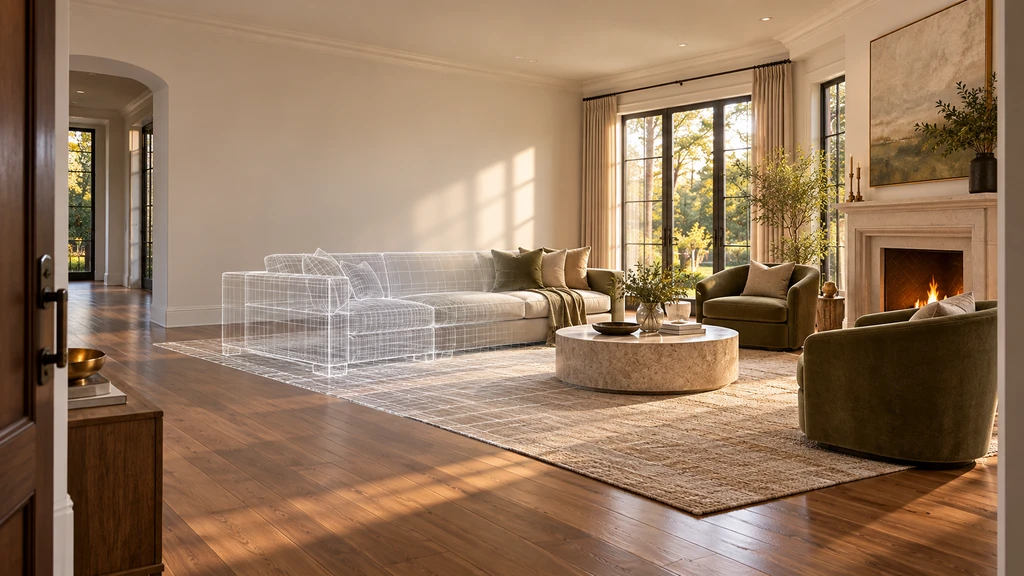
When a client says, “I can’t picture it,” another mood board may not help. A photo-derived 3D room lets you present the proposed layout inside a space the client recognizes. Use four views, the floor plan, entrance, primary-use position and key wall elevation to compare meaningful layout trade-offs before verifying measurements on site.
When Clients Can’t Picture Your Layout, Try 3D Instead
Interior designers often spend hours explaining layouts that clients still struggle to picture. Floor plans, material samples, and verbal descriptions require clients to assemble the finished room in their minds.
With 3D room visualization, tools like Chez by ReimagineHome can turn photographs into an explorable, photo-derived version of the client’s space. This makes it easier to compare layouts and discuss design decisions in context.
-
Why Floor Plans Fall Short for Most Clients
Floor plans explain circulation and furniture relationships, but they do not show what the arrangement will look like from the doorway or main seating position.
-
Turn Room Photos Into a Space Clients Recognize
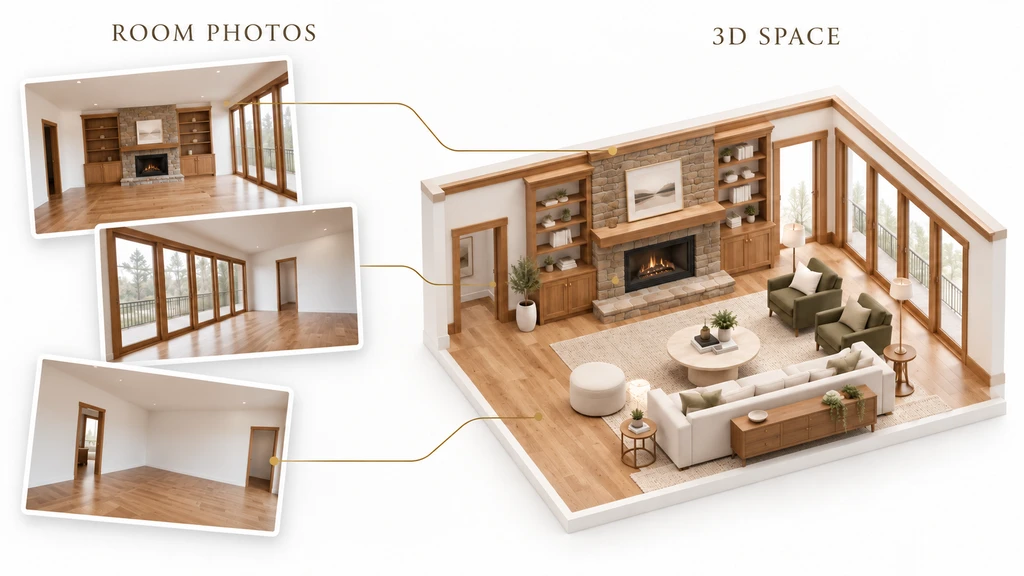
Multiple room photographs provide the visual context for creating one connected, explorable 3D space.
Chez by ReimagineHome turns multiple photographs of one room into a photo-derived 3D space. Designers can explore the room through a walkthrough, floor plan and wall elevations, then try preset-catalogue furniture, colours and textures. Use clear, overlapping photographs from different corners. Include some floor and ceiling, along with doors, windows and built-ins. More complete visual coverage gives the system more information about the room. Dimensions are estimated from the photographs, and areas not shown may be inferred. Verify critical measurements on site before ordering furniture, buying materials or beginning physical work.
-
The Four-View Client Approval Method
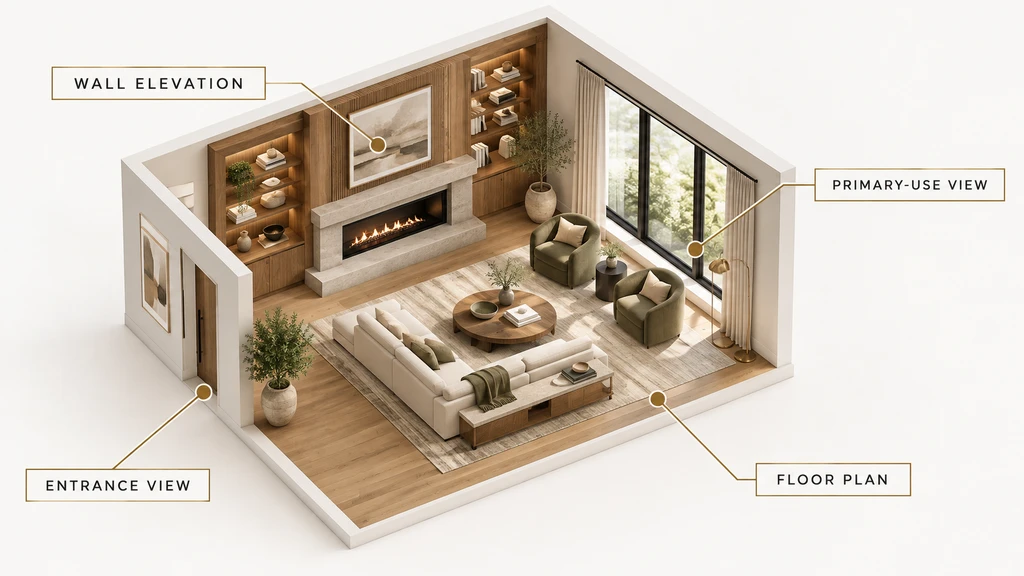
The Four-View Method helps designers review one layout through its floor plan, entrance, primary-use position, and key wall elevation.
View Client question What to examine Floor plan Does the arrangement work? Circulation, clearances, zoning and furniture relationships Entrance view What will I see first? Openness, obstruction, balance and the focal point Primary-use view How will the room feel in daily use? Sightlines, conversation, television position and accessibility Wall elevation Does this wall feel resolved? Storage, artwork, furniture height and vertical alignment -
Compare Trade-Offs, Not Endless Versions
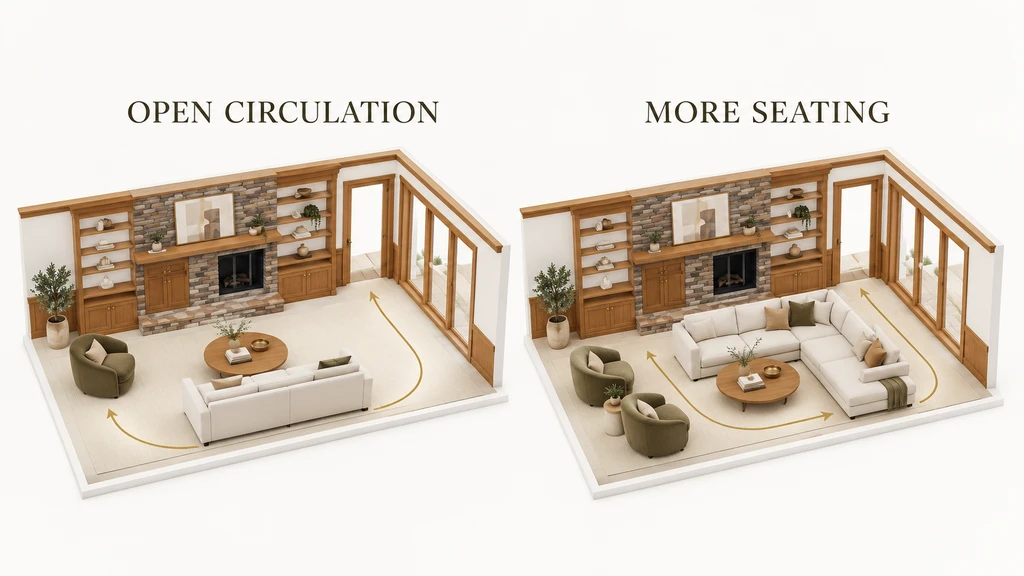
Comparing matched 3D layouts helps clients choose between open circulation and greater seating capacity.
Too many design options can overwhelm clients. Compare two purposeful layouts instead: one prioritizing open circulation and another offering more seating or storage. Show both from the same angles with consistent lighting and finishes, so clients can judge the real trade-off. Learn more in our guide to 3D room visualization.
-
Prepare the Layout Review in Four Steps
1. Define what must stay. Record fixed architecture, retained furniture, functional requirements and budget boundaries. 2. Identify one decision. Focus on the question currently preventing the client from moving forward. 3. Prepare two purposeful options. Each should answer the same question differently. 4. Compare both through the Four-View Method. Record what the client preferred and why.
Visualization Scenario
Imagine uploading five photos and, within minutes, seeing your own living room online. You walk through it in 3D, pausing at the door, seating area, and favorite reading nook. With a click, you compare two seating layouts from the same vantage points — and instantly feel which one fits your lifestyle better.
Frequently Asked Questions about Client-Friendly 3D Room Visualization
- How does photo-to-3D work for real rooms?
Chez analyzes multiple overlapping photos to estimate room size and shape, automatically recreating the space as a walkable 3D model. See a demonstration here. - How many layout options should I show?
Usually two clear options, each representing a genuine functional difference. Avoid endless cosmetic tweaks. - Can 3D visualization replace a site measure?
No — it is for seeing visual relationships, but on-site measurements are essential before finalizing purchases or construction. - What is the best way to guide clients through a 3D model?
Use four specific views: plan, entrance, main use, and relevant elevation, keeping comparisons clear and purposeful. Learn more here.
Give Your Clients Clarity with a Real-World 3D Preview
When a client cannot picture a proposal, another explanation may not solve the problem. Show the layout inside a space they recognize, compare two meaningful options, and review both through the same four views.
Choose one client room and identify the decision holding up the design. Gather clear, overlapping photographs and use Chez by ReimagineHome to explore how the alternatives could work in 3D. Then verify the measurements and specifications before making the selected direction real.