9 Budget-Smart Kitchen & Bathroom Redesigns You Can Visualize with AI
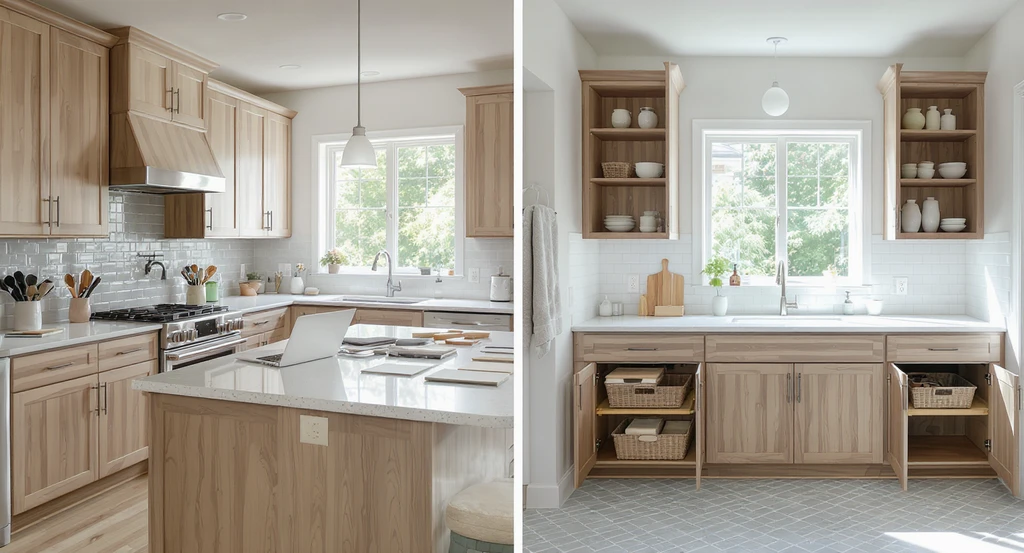
TL;DR
Kitchen and bathroom makeovers don’t have to start with guesswork. AI visualization lets you preview real options, countertops, cabinets, lighting, directly in your space, empowering you to plan confidently and stick to your budget, as explored in our case study on confident renovation decisions.
Visualize, Compare, and Decide with Confidence
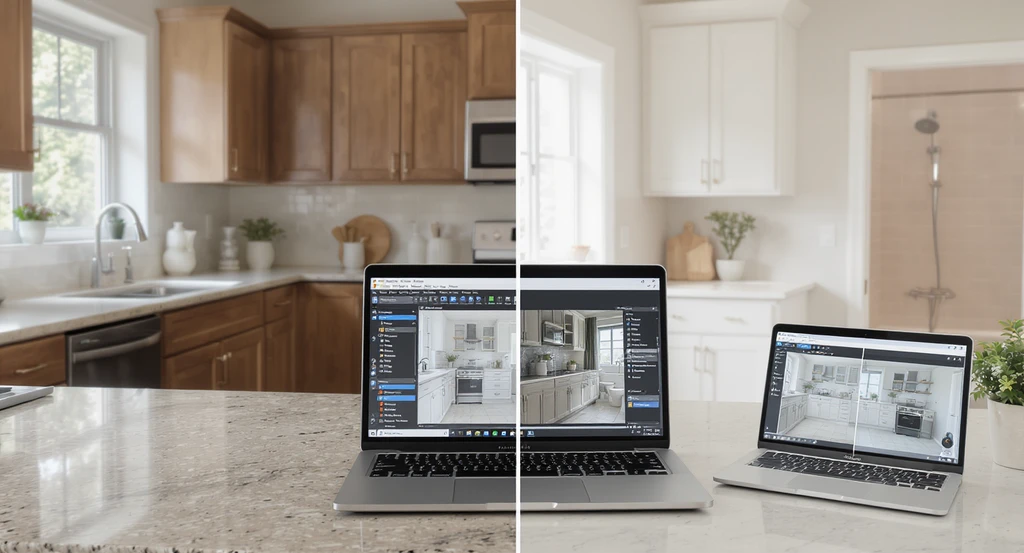
Compare your kitchen and bathroom redesign options side by side with ai-powered kitchen and bathroom design visualization tools—see how to use ai for home remodel planning and explore budget-friendly bathroom redesign with ai visualization before making decisions.
If you’re planning a kitchen or bathroom renovation for 2026, you probably wonder: Is that new countertop worth it? Should you keep your cabinets or change them? How do you avoid making expensive mistakes? The simple answer is to preview changes before you buy or build.
With AI-powered kitchen and bathroom design visualization, you can upload photos of your current space and instantly test ideas, from stone finishes to wood cabinetry and improved storage, before spending on materials or labor. This allows you to compare real options side by side, avoid common design pitfalls, and focus your budget where it matters most.
-
01. Test Countertop Options Instead of Replacing Cabinets
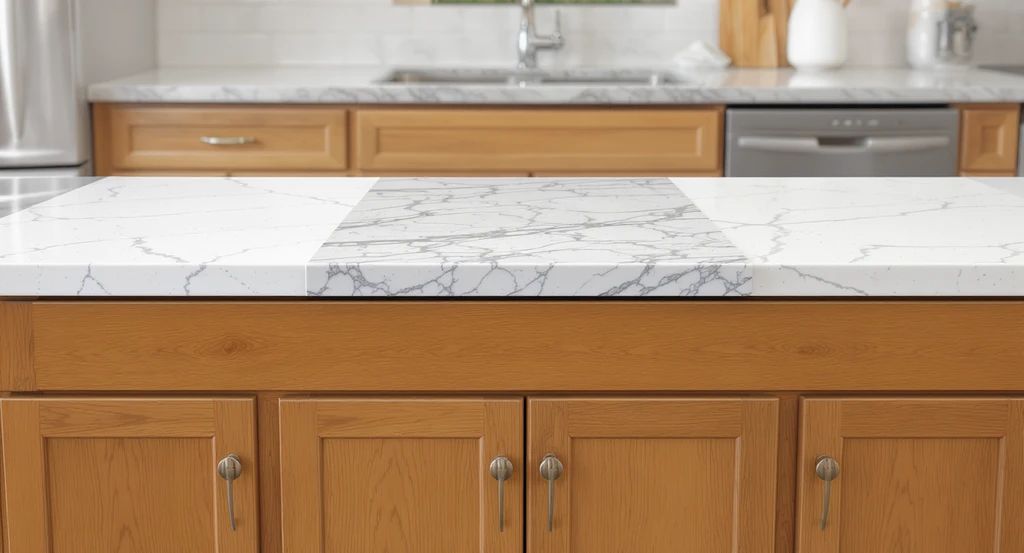
AI-powered kitchen and bathroom design visualization lets you compare countertop options like white quartz, marble, and porcelain right on existing cabinets—essential for how to use ai for home remodel planning, budget-friendly bathroom redesign with ai visualization, and mastering each ai home renovation workflow step by step.
A common mistake: jumping straight into full cabinet replacement when your existing bases are still sound. Many kitchens only need a new countertop for a high-impact update. This happens when homeowners underestimate the visual power of surface changes and overestimate cabinet wear.
Design Tip: Use AI visualization tools to overlay options, white quartz, veined marble, or porcelain, directly on your current cabinets. This helps you assess brightness, reflection, and edge profile before committing to installation costs. Previewing real products in your space, as detailed in our post on seeing real products in your room using AI, can prevent mismatches and budget overruns.
- Photograph your kitchen from a straight-on angle for accurate scaling.
- Test several surface styles side-by-side before making a final call.
-
02. Combine Warm Wood with Painted Cabinetry for Balance
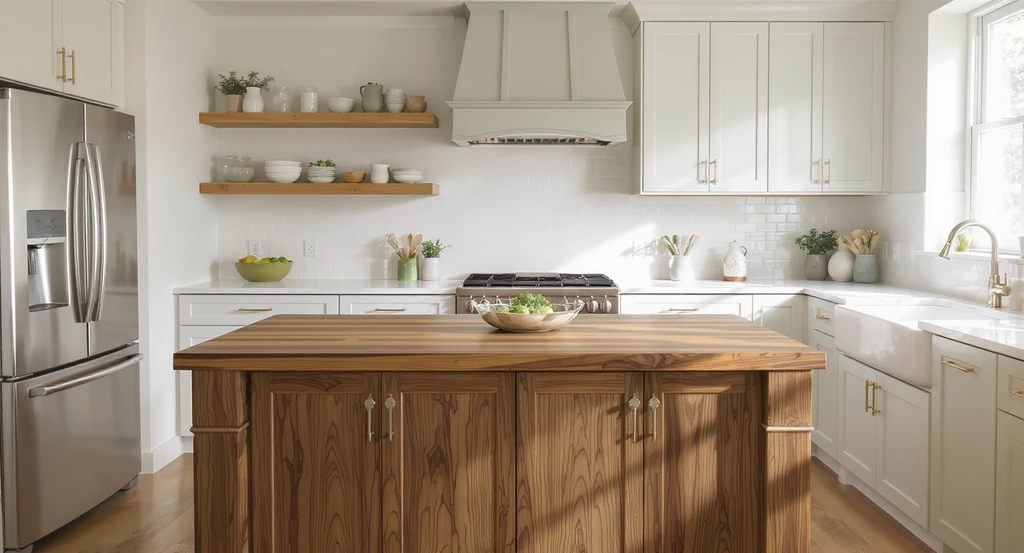
See ai-powered kitchen and bathroom design visualization in action—blend painted cabinets with a walnut wood island and shelves for a budget-friendly bathroom redesign with ai visualization. This approach helps compare countertop options with ai tools and demonstrates the ai home renovation workflow step by step.
An all-white kitchen or bath often feels flat. Many designers now follow a 60/40 rule: 60% painted surfaces, 40% wood. The mistake happens when people commit to one material everywhere, making spaces look stark or dated.
Design Tip: Preview combinations such as a walnut island with painted, perimeter cabinets, or floating wood shelves above a colored vanity. Use AI to adjust grain and tone to suit your lighting, ensuring wood selections don’t clash with your floor or counters. This helps you achieve a cohesive palette for a timeless result.
-
03. Optimize Storage Before Expanding Your Space
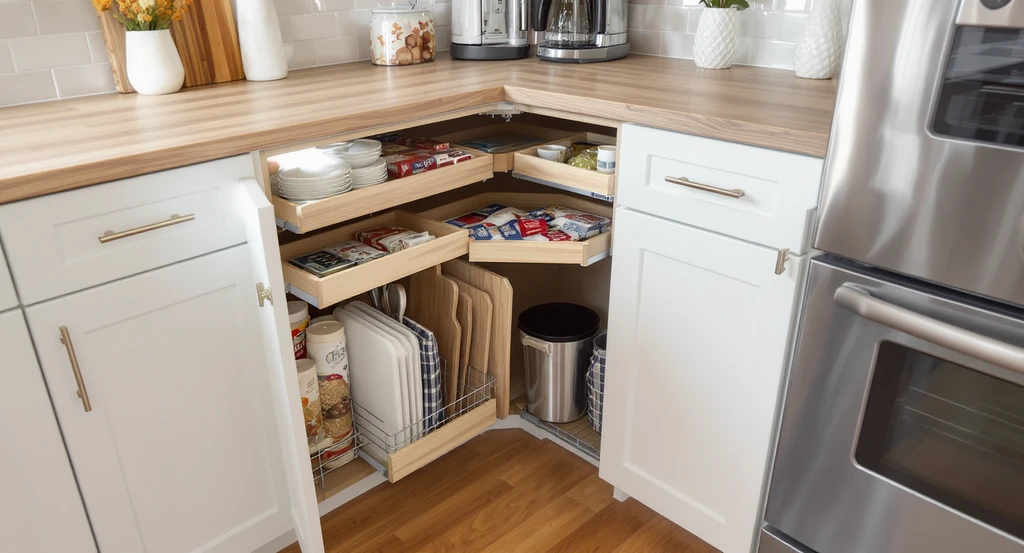
AI-powered kitchen and bathroom design visualization shows how to use AI for home remodel planning and storage optimization, demonstrating a budget-friendly redesign with efficient solutions and seamless workflow step by step.
Over-investing in additional square footage before maximizing what you have is a common budget mistake. Improper storage planning leads to wasted space and daily frustration.
Design Tip: Test AI layouts featuring pull-outs, vertical tray storage, appliance garages, or hidden recycling bins inside your current footprint. This lets you spot traffic flow issues, door swing obstructions, and functional gaps. It’s often possible to nearly double storage without moving walls or plumbing, and to see the impact visually first.
-
04. Compare Backsplash Heights Before Installing
Deciding between a standard backsplash, a full quartz slab, or ceiling-high tile can dramatically change your room’s vibe. Many people regret not previewing these heights beforehand.
Design Tip: Use AI tools to visualize each option’s proportion, checking how the finish interacts with windows, hoods, and cabinet transitions. This highlights how reflection, grout lines, and tile scale affect overall balance, so you avoid awkward edges or overwhelming wall coverage.
-
05. Mix Statement Stone with Budget Materials
Trying to bring a luxury look into a renovation often gets derailed by cost per square foot. The error is spreading premium stone everywhere, which rarely fits most budgets.
Design Tip: Use AI to test placing statement stone only on showpiece surfaces (islands, vanities), then coordinate with engineered materials elsewhere. Previewing in your own lighting helps you spot potential mismatches between real stone and lookalike finishes, ensuring consistency.
-
06. Rethink Plumbing, Upgrade Fixtures Without Moving Them
Moving plumbing for the sake of a new layout is one of the fastest ways to blow your renovation budget. It also leads to unforeseen expenses due to concealed pipes, flooring patching, or code updates.
Design Tip: Allow AI to redesign your bathroom visually without changing toilet, sink, or shower placement. Focus on new fixtures, floating vanities, and tile patterns. This limits scope creep and keeps costs predictable without sacrificing the overall transformation.
-
07. Layer Lighting, Don’t Rely on a Single Fixture
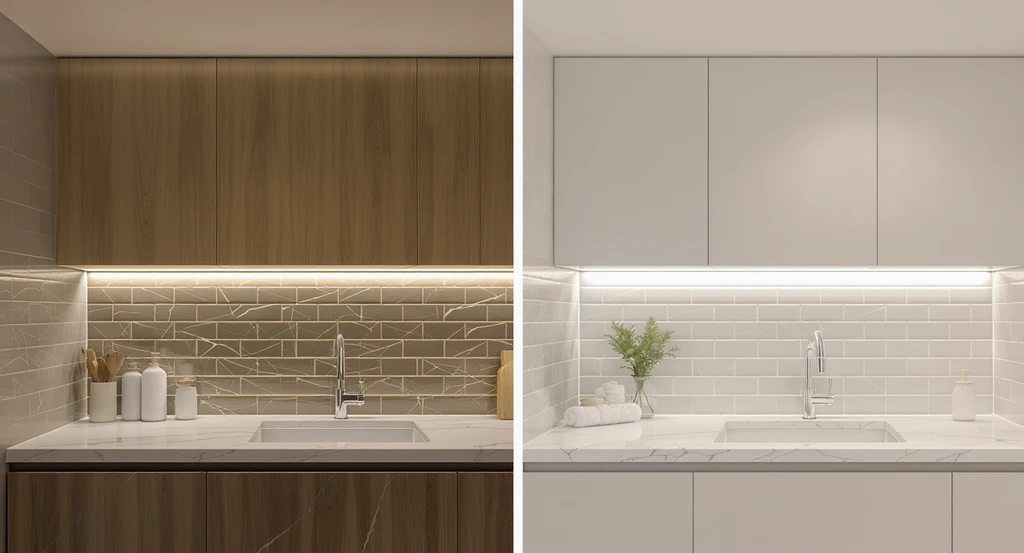
Preview how to use AI for home remodel planning with budget-friendly bathroom redesign and kitchen updates, comparing layered lighting options and temperatures in real time for every work zone.
Using only a central ceiling light can make kitchens and bathrooms feel flat or shadowy. The mistake is underestimating the effect of multiple lighting layers, ambient, task, accent, and under-cabinet.
Design Tip: Preview various lighting temperatures (warm, cool, neutral) and placement with AI visualization. This helps you catch shadow issues and hot spots, making sure every work zone is comfortably lit.
-
08. Make Small Bathrooms Feel Larger With the Right Visual Tricks
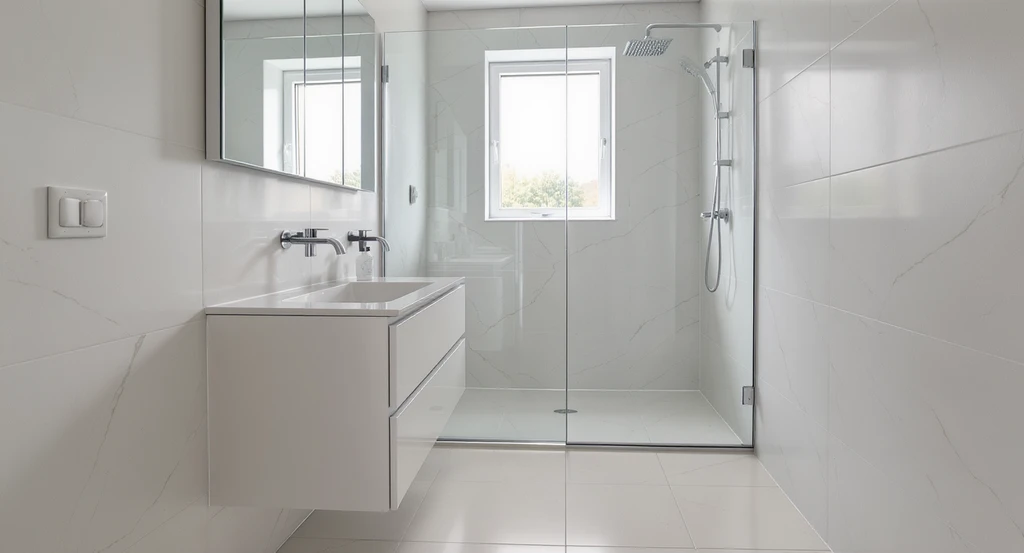
See how ai-powered kitchen and bathroom design visualization helps create a budget-friendly bathroom redesign. AI tools preview floating vanities, large mirrors, and glass showers to maximize space for your home remodel planning.
Oversizing fixtures or choosing busy tile in a compact bath often reduces usable area and makes spaces feel cramped. Homeowners sometimes add unnecessary bulk due to poor scaling.
Design Tip: Preview floating vanities, larger mirrors, glass showers, and continuous flooring in your exact room configuration using AI. This approach helps you spot how scale, sightlines, and finishes open up the visual footprint.
-
09. Create a Shopping Plan and Compare Budgets Upfront
Buying products as you go often results in mismatched finishes and blown budgets. The mistake: not creating a plan before committing to purchases.
Design Tip: Use AI to generate several design versions, budget, mid-range, and premium, and compare each for visual impact and cost. This locks in a coordinated look and a clear, prioritized shopping list, as outlined in our guide to making confident renovation decisions.
-
Budget Impact Table for High-Return Upgrades
Prioritize your spending by visual payoff and cost efficiency. Here's a practical breakdown:
Upgrade Visual Impact Budget Impact Paint High Low Cabinet hardware Medium Low Lighting High Medium Countertops Very High High Backsplash High Medium Floating shelves Medium Low Vanity replacement High Medium Decorative accessories Medium Low Review these priorities using visualization tools before setting your budget. For more on weighing real-world options, see our breakdown of the best AI interior design tools for homeowners.
-
How to Plan a Budget Remodel with AI: Step-by-Step Workflow
Follow this practical AI home renovation workflow step by step:
- Take a straight-on photo of your kitchen or bathroom.
- Select styles or reference real products you like.
- Generate multiple design options with different upgrades.
- Compare colors, materials, and fixtures directly in your space.
- Finalize your favorite version and create a clear shopping list.
FAQ: Real Answers for 2026 Kitchen & Bath Renovations
- Can I redesign my kitchen without replacing cabinets?
Yes. Many kitchens can be transformed with updated countertops, new hardware, modern lighting, and paint. AI-powered visualization helps compare these changes together, minimizing unnecessary renovation and cost. - Will warm wood work with existing white kitchens?
Absolutely. Introducing a wood island or shelves brings warmth and balance. AI lets you preview several wood tones with existing floors, so you avoid mismatching undertones. - How can I update my bathroom on a limited budget?
Prioritize visible features with high ROI—like vanities, mirrors, and lighting—while keeping plumbing layouts the same. AI previews help you test these upgrades without the risk of costly missteps. - Can I compare countertop materials in my room before buying?
Yes. Using AI, simply upload your photo and test materials such as quartz, marble-look porcelain, or butcher block to judge style and scale in your actual space. - Where can I learn more about making risk-free renovation choices?
Read our real case study on making confident renovation decisions for practical advice and step-by-step examples.
Smart Renovation Starts with Visualization, Not Demolition
You don’t need a big budget or risky guesswork to achieve a modern, functional kitchen or bathroom. By using AI to preview and plan upgrades before you buy, you maximize design impact, efficiency, and confidence in every decision. Always line up your options visually, prioritize by payoff, and avoid committing to choices you can’t see in your own home first.